
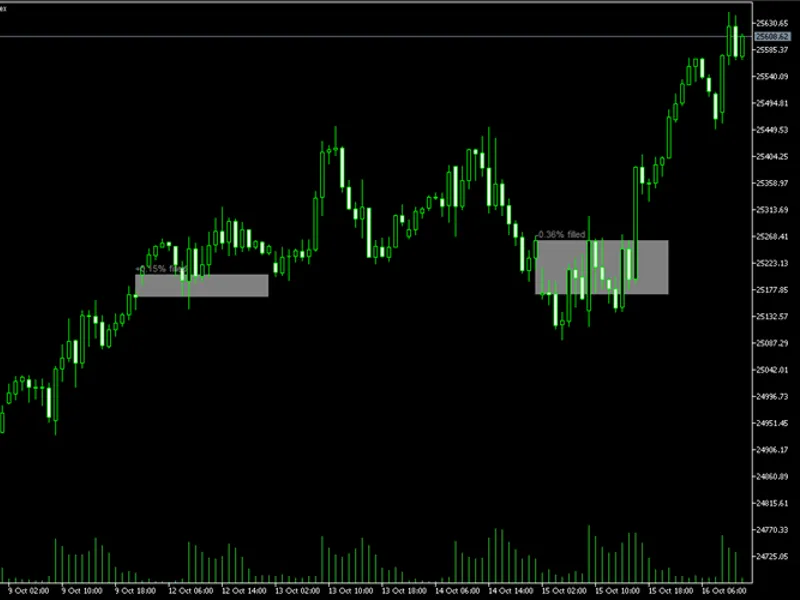
Opening Range Breakout (ORB) Box with Breakout Arrows
Info
The Opening Range Breakout (ORB) Box with Breakout Arrows is a Indicator for MetaTrader 5 that orb box - opening range breakout with breakout arrowsthe idea behind itthe initial minutes of a trading session are frequently the most active, with overnight orders, news, and early institutional flows converging within a short period. The high and low prices recorded during this time frame establish the opening range.
Usage
This tool is typically used for breakout trading when price moves beyond key support/resistance levels.
Platform
This Indicator works exclusively on MetaTrader 5 (both build 600+ and newer versions).
Setup
Place the downloaded file in MQL5/Indicators folder via File ? Open Data Folder in MetaTrader 5.
How to Install and Use Opening Range Breakout (ORB) Box with Breakout Arrows
1. Installation: Place your file in the MQL/Indicators folder via "Open Data Folder" and restart your terminal.
2. Loading: Find the indicator in the Navigator, drag it onto your chart, and configure the input parameters in the popup window.
3. Customization: Press Ctrl+I to open the indicator list, select your tool, and click "Properties" to change colors, levels, or visual styles.
4. Updating: Replace the old file in the Indicators folder with the new version and restart the platform to apply changes.
Frequently Asked Questions
Q: Why is my indicator not showing? A: Verify the file is in the MQL/Indicators folder, or try right-clicking the "Indicators" tree in the Navigator and clicking "Refresh."
Q: Do custom indicators slow down the platform? A: Too many complex indicators can impact performance; remove unused ones via the "Indicator List" (Ctrl+I).
Q: Can I use MT4 indicators on MT5? A: No, MQL4 and MQL5 are distinct languages; ensure the indicator is compiled specifically for your platform version.
What this tool does
ORB Box - Opening Range Breakout with Breakout ArrowsThe Idea Behind ItThe initial minutes of a trading session are frequently the most active, with overnight orders, news, and early institutional flows converging within a short period.
Typical Use Case
This Indicator excels in automated trading and technical analysis on MetaTrader 5.
Compatible Platform & Setup
This Indicator works on MetaTrader 5. Place the file in the MQL5/Indicators folder and restart the terminal.
Description & Settings
Related: Range Filter Buy and Sell - another powerful indicator for MetaTrader 5 traders.
ORB Box - Opening Range Breakout with Breakout ArrowsThe Idea Behind It
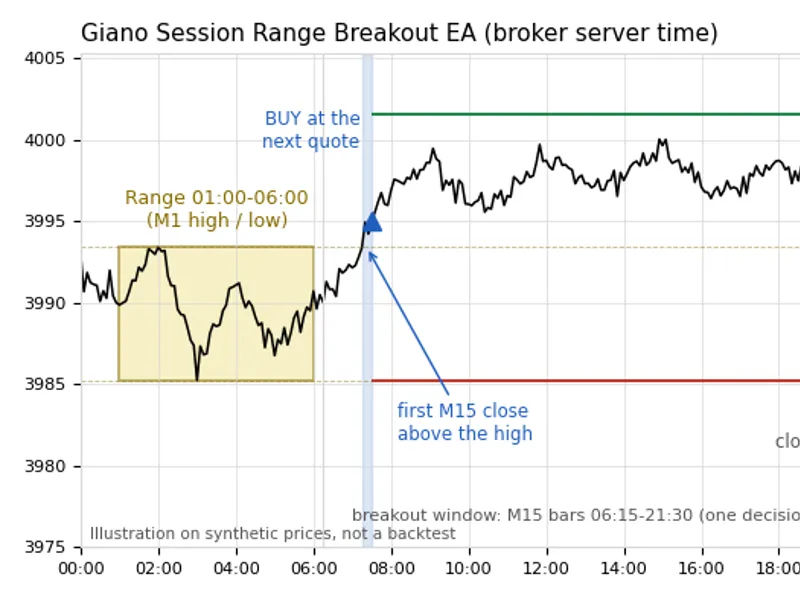
The initial minutes of a trading session are frequently the most active, with overnight orders, news, and early institutional flows converging within a short period. The high and low prices recorded during this time frame establish the opening range. Many traders utilize this zone as a reference for the remainder of the day: while price remains within this range, the market is considered undecided; a move beyond the range suggests that one side has gained control.
Also recommended: Session Range Boxes with Asia Breakout Alert for MT4/MT5 - similar indicator with strong performance on MetaTrader 5.
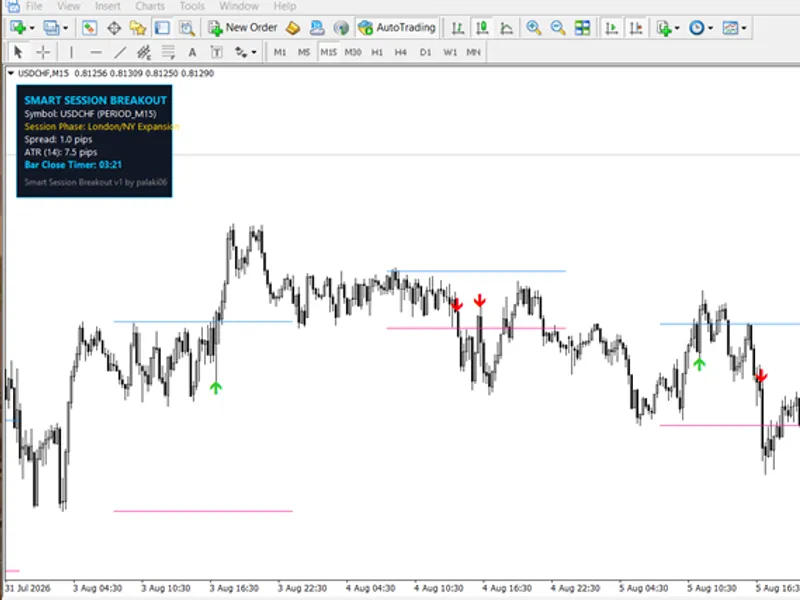
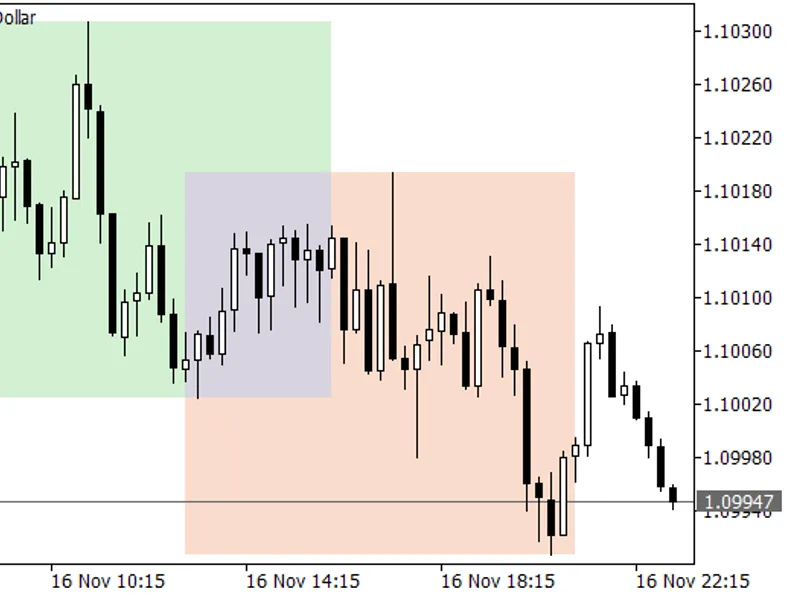
The ORB Box indicator automates this process. For each day, it measures the high and low of a configurable time window (e.g., 09:00-09:30), displays them as a box, and extends these levels until the end of the session. When a trading bar breaks out of this range, an arrow is placed on it. The indicator itself does not execute trades; it solely indicates the location of the breakout, allowing for historical review and alert setup.
How to Interpret It
Dashed box
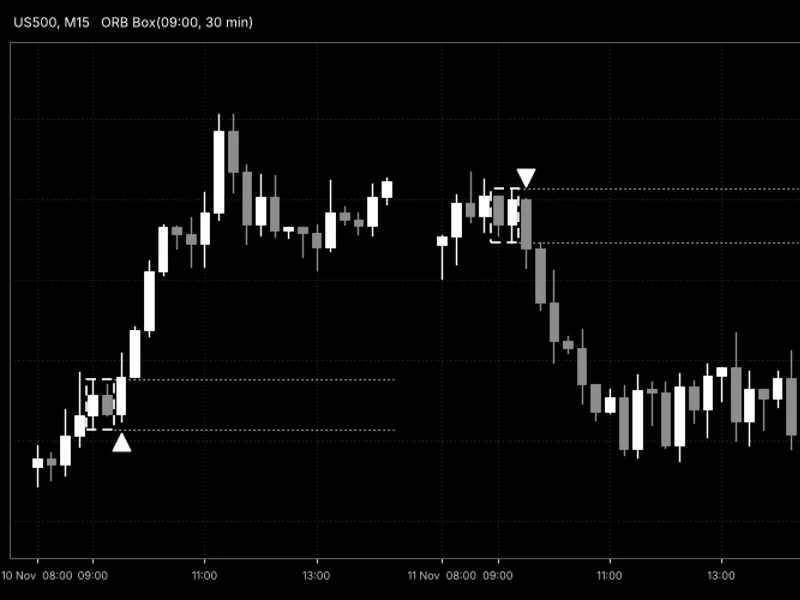
- Represents the opening range. Its width is defined by the time window, and its height spans from the lowest low to the highest high within that window. The box expands as the range forms and remains fixed thereafter.
Dotted horizontal lines
- Indicate the range high and range low, extending from the end of the box to the session's end time. These serve as the breakout levels.
Up arrow below a bar
- Signals a buy breakout. This occurs when the bar closes above the range high (or its High breaches it, depending on the selected trigger), plus any optional buffer.
Down arrow above a bar
- Signals a sell breakout. This occurs when the bar closes below the range low (or its Low breaches it), minus any optional buffer.
One signal per day (default)
- After the first breakout of the day, no further arrows are displayed. Disabling 'InpFirstBreakoutOnly' allows for at most one buy and one sell signal per day, which can also indicate reversals across the range.
Data buffers
- For use with iCustom() in an Expert Advisor: 0 = buy arrow price, 1 = sell arrow price, 2 = range high, 3 = range low. Unused values are set to EMPTY_VALUE.
Fig. 1. ORB Box on an M15 chart, showing a buy breakout on the first day and a sell breakout on the second day.
External Variables (Inputs)
Input
Default
Purpose
Opening range (broker server time)
InpStartHour
9
Hour the opening range begins (0-23).
InpStartMinute
0
Minute the opening range begins (0-59).
InpRangeMinutes
30
Duration of the opening range in minutes. This is rounded up to whole bars of the current timeframe (e.g., 30 minutes on H1 becomes one 60-minute bar).
InpSessionEndHour
17
Hour the session concludes; no levels or signals appear after this time (0-23).
InpSessionEndMinute
0
Minute the session concludes (0-59).
Breakout rules
InpBreakMode
ORB_BREAK_CLOSE
Breakout trigger: ORB_BREAK_CLOSE - the bar close is beyond the range; ORB_BREAK_WICK - the bar High/Low is beyond the range.
InpBreakBufferPoints
0
Additional distance in points beyond the range that price must travel to be considered a breakout. This helps filter out minor false breakouts.
InpFirstBreakoutOnly
true
true - only the first breakout of each day is marked; false - the first breakout in each direction is marked.
Drawing
InpDaysToDraw
10
Number of the most recent days for which the box is drawn. Older boxes are removed to maintain chart clarity. Arrows and levels are calculated for the entire available history.
InpBoxColor
clrDodgerBlue
Color of the box.
InpBoxStyle
STYLE_DASH
Border style of the box.
InpBoxWidth
1
Border width of the box.
InpFillBox
false
Fills the box with color (drawn behind the candles).
InpLevelColor
clrSilver
Color of the dotted range high and low lines.
InpBuyColor
clrLime
Color of the buy arrows.
InpSellColor
clrRed
Color of the sell arrows.
InpArrowSize
2
Arrow size (1-5).
InpArrowOffsetPoints
30
Distance in points between the arrow and the breakout bar.
Alerts
InpAlertPopup
true
Displays a pop-up alert.
InpAlertSound
false
Plays the standard alert sound.
InpAlertPush
false
Sends a push notification to the mobile terminal (requires MetaQuotes ID in terminal settings).
InpAlertEmail
false
Sends an email (requires email settings in the terminal).
Recommended Use
Time zone.
All times are referenced to broker server time, not local or exchange time. Verify the server time in the Market Watch window and adjust the start hour accordingly. Brokers that observe daylight saving time may change their server time twice a year, necessitating adjustments to the start hour.
Symbols.
This strategy is most effective on instruments with a distinct session open, such as stock indices, futures-based CFDs, gold, oil, and FX pairs around the London or New York open. For symbols trading continuously without a defined opening, the range holds less significance.
Timeframes.
M5-M30 are ideal, with H1 also being suitable. The range is consistently rounded up to whole bars, ensuring precision on any chart; a message in the Experts tab will indicate when rounding has occurred. The range must commence at the opening time of a bar; therefore, on H1 or higher timeframes, ensure the start minute aligns with bar opening times. Daily and higher timeframes do not have an intraday range, and no data is plotted.
Same-day sessions only.
The range and session end must fall within the same calendar day according to server time. Sessions spanning midnight are not supported.
History.
Ensure sufficient historical bars are loaded to cover the desired review period. Days lacking bars within the opening range are disregarded.
Repainting.
With the 'close' trigger, arrows on bars still forming may appear and disappear until the bar completes. Alerts are issued only for the last closed bar, thus avoiding this issue. Signals on closed bars remain unchanged.
Accounts.
The indicator is compatible with both hedging and netting accounts as it does not place orders. If utilizing its buffers within an Expert Advisor, account for spread, slippage, and the fact that the signal bar is closed by the time the arrow is finalized.
Not a trading system.
Breakouts can often fail in quiet or range-bound markets. It is recommended to combine these signals with a trend filter, a news calendar, and proper risk management. Thoroughly test any strategies on historical data before live application.
You may also like: Index Gap Marker: Daily Opening Gaps and Fill Status Indicator - excellent alternative for indicator users on MetaTrader 5.
Source Code
#property copyright "RobotFX"
#property link "https://robotfx.org"
#property version     "1.00"
#property description "This code is educational. Feel free to use, modify and upgrade as you wish. Visit ROBOTFX.ORG for professional trading tools"
#property indicator_chart_window
#property indicator_buffers 4
#property indicator_plots   4
#property indicator_label1  "ORB Buy"
#property indicator_type1   DRAW_ARROW
#property indicator_label2  "ORB Sell"
.......
⚠ Limitations & Risk Warning
- This tool is provided for educational and testing purposes only.
- Past performance does not guarantee future results.
- Trading involves substantial risk of loss. Use on a demo account first.
- Results may vary depending on market conditions, broker, and settings.
- We recommend thorough backtesting and forward testing before using with real funds.