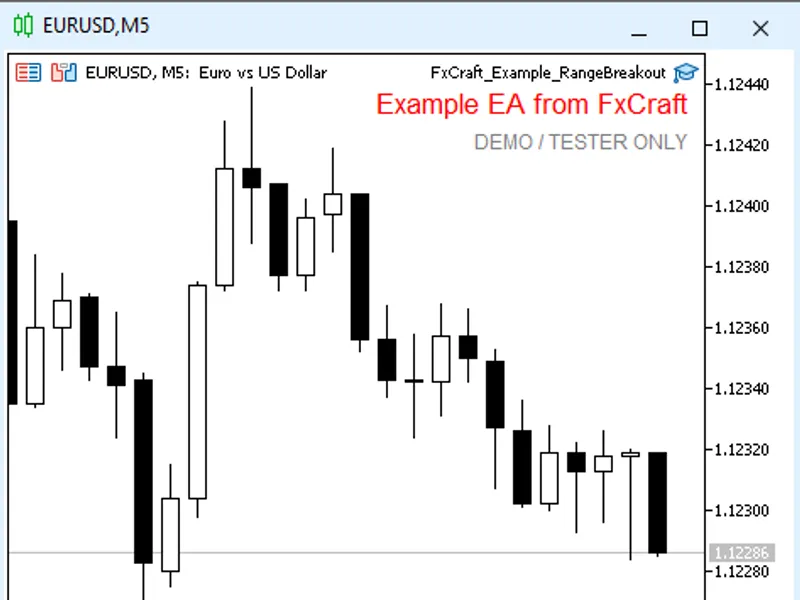









Fx Craft Example EA: Range Breakout with Pending Orders
Info
The Fx Craft Example EA: Range Breakout with Pending Orders is a Expert Advisor for MetaTrader 5 that an educational example of a breakout expert advisor that uses pending orders. It demonstrates how to construct a daily price range from M1 bars, place a pair of stop orders, remove the secondary order after a fill, and restore the EA's state after a terminal restart.
Usage
This tool is typically used for breakout trading when price moves beyond key support/resistance levels.
Platform
This Expert Advisor works exclusively on MetaTrader 5 (both build 600+ and newer versions).
Setup
Place the downloaded file in MQL5/Experts folder via File ? Open Data Folder in MetaTrader 5.
How to Install and Use Fx Craft Example EA: Range Breakout with Pending Orders
1. Installation: Open the "File" menu, select "Open Data Folder," navigate to MQL/Experts, paste your file, and restart the terminal.
2. Activation: Drag the EA from the Navigator onto a chart, ensure "Allow live trading" is checked in the Common tab, and verify the AutoTrading button is green.
3. Optimization: Right-click your chart, choose "Expert List," click "Properties" to adjust inputs, and save your preferred setup as a set file for future use.
4. Maintenance: Regularly check the "Experts" tab in the terminal window to monitor trade logs and potential execution errors.
Frequently Asked Questions
Q: Why is my EA not opening trades? A: Check the "AutoTrading" button, ensure "Allow live trading" is enabled, and verify your broker allows automated trading on your account type.
Q: Can I run multiple EAs on one chart? A: No, each chart can only host one active EA; however, you can open multiple charts for different currency pairs to run several EAs.
Q: What does the "smiley face" icon mean? A: A smiley face in the top-right corner of the chart indicates the EA is successfully running; a frowny face means it is disabled.
What this tool does
An educational example of a breakout Expert Advisor that uses pending orders.
Typical Use Case
This Expert Advisor excels in automated trading and technical analysis on MetaTrader 5.
Compatible Platform & Setup
This Expert Advisor works on MetaTrader 5. Place the file in the MQL5/Experts folder and restart the terminal.
Description & Settings
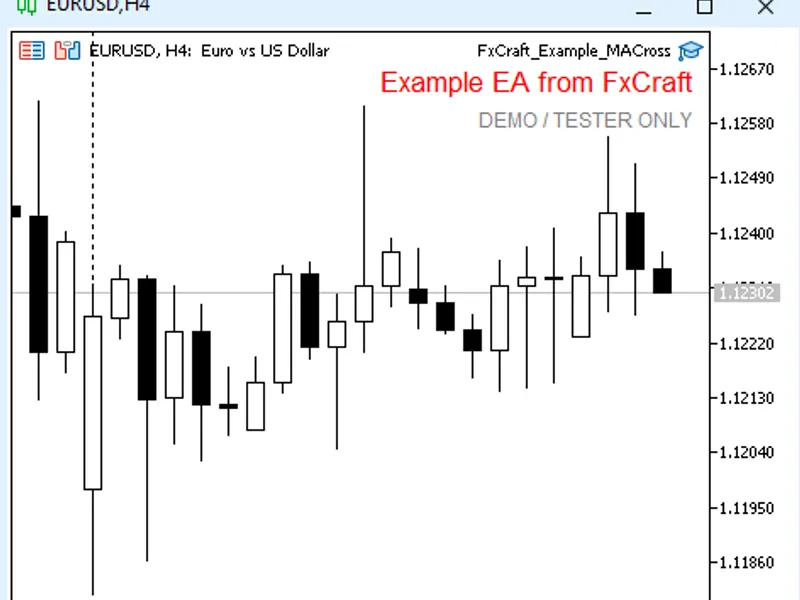
Related: Fx Craft Example EA: MA Cross Strategy Explained - another powerful expert for MetaTrader 5 traders.
An educational example of a breakout Expert Advisor that uses pending orders. It demonstrates how to construct a daily price range from M1 bars, place a pair of stop orders, remove the secondary order after a fill, and restore the EA's state after a terminal restart.Also recommended: Fx Craft Example EA: Bollinger Bands Mean Reversion - similar expert with strong performance on MetaTrader 5.
Strategy
After the defined range period concludes (e.g., 00:00–07:00 server time), the EA determines the High and Low prices from M1 bars and places one set of orders daily:
BuyStop = High + Shift + spread; SL = Low − ShiftSL; TP = entry + RR × (entry − SL),
SellStop = Low − Shift; SL = High + ShiftSL + spread; TP = entry − RR × (SL − entry).
Once one order is executed, the other pending order is automatically deleted. Unfilled orders are removed at the specified cancellation time. An open position can also be closed at a predetermined time.
If the price has already moved beyond a breakout level (indicating a gap), that specific order side is skipped. Ranges that are narrower than the minimum allowed width or wider than the maximum allowed width are also skipped for the day.
Following a restart, the EA examines the current day's order history to prevent placing a duplicate set of orders on the same day.
Code Demonstration
This code illustrates:
- Pending orders (CTrade::BuyStop / SellStop) with Stop Loss/Take Profit levels adjusted to the broker's minimum distance requirement.
- Construction of a trading range from M1 bars, including checks for data availability.
- Utilization of order history (HistorySelect) to restore the EA's operational state.
- Checks for free margin and lot size, spread filtering, and order retry mechanisms.
Inputs
- Range Start / Range End (HH:MM, server time): Default 00:00 / 07:00
- Delete Pending Orders At (HH:MM): Default 20:00
- Close Open Position At Close Time: Default On, Close Time 22:00
- Minimum / Maximum Range Width: Specified in points (0 indicates no limit)
- Entry Shift from High/Low: Default 20 points
- Stop Loss Shift Beyond Range: Default 20 points
- Take Profit RR Ratio: Default 1.0 (1:1)
- Lot Size (Fixed): Default 0.10
- Magic Number: Default 5030
- Maximum Slippage: Default 10 points
- Trading Days: Monday to Friday (each day can be enabled or disabled)
- Maximum Spread: Default 30 points (0 disables this filter)
Important Information
This is an educational example and not a standalone trading system. It is designed to function only on demo accounts and within the Strategy Tester. On live accounts, it will display a message and cease operation. The EA is provided as-is, without any warranty. This is not investment advice. Trading Forex and CFDs carries a high risk of capital loss. License: FxCraft Example EA License (refer to the source code header).
You may also like: Indicator Parameters Usage Example - excellent alternative for expert users on MetaTrader 5.
Source Code
#property copyright "RobotFX"
#property link "https://robotfx.org"
#property version     "1.00"
#property description "This code is educational. Feel free to use, modify and upgrade as you wish. Visit ROBOTFX.ORG for professional trading tools"
#include <Trade\Trade.mqh>
input group "=== Range (server time) ==="
input string InpRangeStart   = "00:00";
input string InpRangeEnd     = "07:00";
input string InpCancelTime   = "20:00";
input bool   InpUseCloseTime = true;
.......
⚠ Limitations & Risk Warning
- This tool is provided for educational and testing purposes only.
- Past performance does not guarantee future results.
- Trading involves substantial risk of loss. Use on a demo account first.
- Results may vary depending on market conditions, broker, and settings.
- We recommend thorough backtesting and forward testing before using with real funds.