





Index Gap Marker: Daily Opening Gaps and Fill Status Indicator
Info
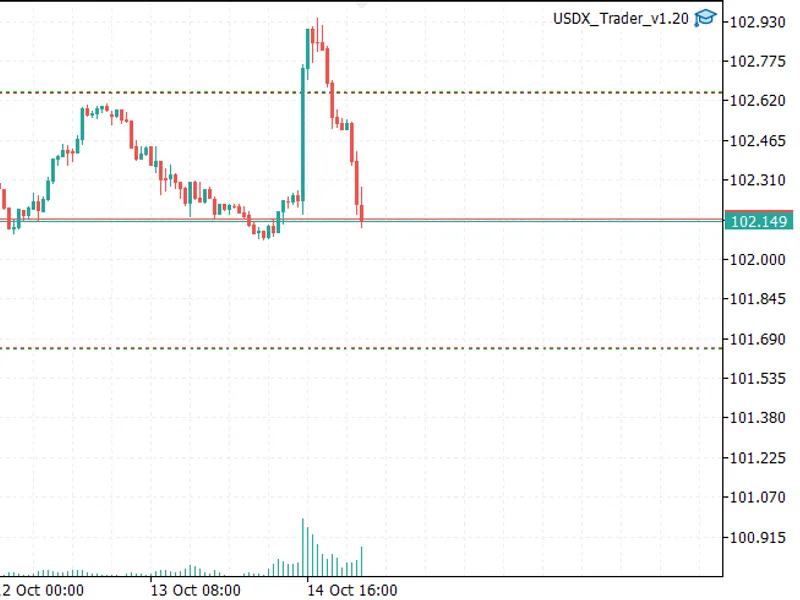
The Index Gap Marker: Daily Opening Gaps and Fill Status Indicator is a Indicator for MetaTrader 5 that indexgapmarker identifies and visually marks opening gaps on daily candlesticks that exceed a specified minimum size. The indicator displays a colored box to represent each gap:- Green or red while the gap remains unfilled.
Usage
This tool is typically used for enhancing chart analysis and decision making.
Platform
This Indicator works exclusively on MetaTrader 5 (both build 600+ and newer versions).
Setup
Place the downloaded file in MQL5/Indicators folder via File ? Open Data Folder in MetaTrader 5.
How to Install and Use Index Gap Marker: Daily Opening Gaps and Fill Status Indicator
1. Installation: Place your file in the MQL/Indicators folder via "Open Data Folder" and restart your terminal.
2. Loading: Find the indicator in the Navigator, drag it onto your chart, and configure the input parameters in the popup window.
3. Customization: Press Ctrl+I to open the indicator list, select your tool, and click "Properties" to change colors, levels, or visual styles.
4. Updating: Replace the old file in the Indicators folder with the new version and restart the platform to apply changes.
Frequently Asked Questions
Q: Why is my indicator not showing? A: Verify the file is in the MQL/Indicators folder, or try right-clicking the "Indicators" tree in the Navigator and clicking "Refresh."
Q: Do custom indicators slow down the platform? A: Too many complex indicators can impact performance; remove unused ones via the "Indicator List" (Ctrl+I).
Q: Can I use MT4 indicators on MT5? A: No, MQL4 and MQL5 are distinct languages; ensure the indicator is compiled specifically for your platform version.
What this tool does
IndexGapMarker identifies and visually marks opening gaps on daily candlesticks that exceed a specified minimum size.
Typical Use Case
This Indicator excels in automated trading and technical analysis on MetaTrader 5.
Compatible Platform & Setup
This Indicator works on MetaTrader 5. Place the file in the MQL5/Indicators folder and restart the terminal.
Description & Settings
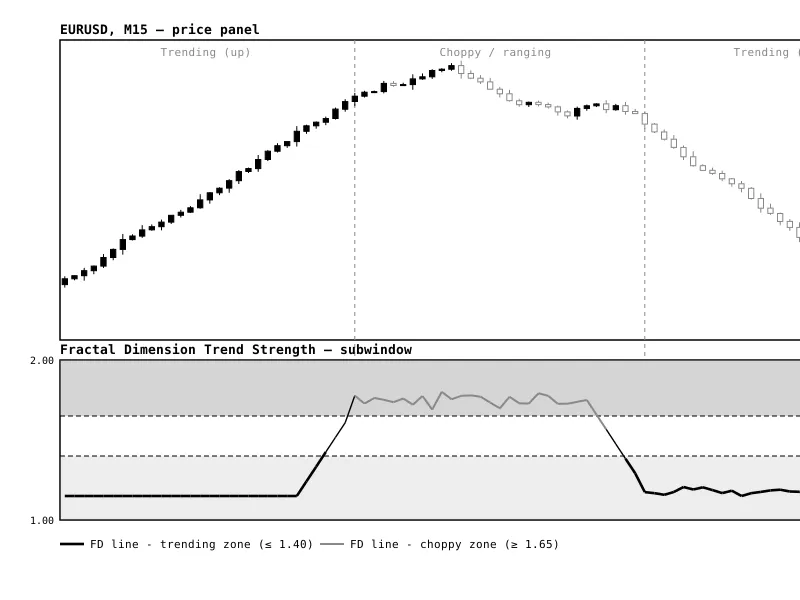
Related: Fractal Dimension Trend Strength Index - another powerful indicator for MetaTrader 5 traders.
IndexGapMarker identifies and visually marks opening gaps on daily candlesticks that exceed a specified minimum size.Also recommended: multi-timeframe relative strength index (mtf rsi) indicator for mt4/mt5 - similar indicator with strong performance on MetaTrader 5.
The indicator displays a colored box to represent each gap:
- Green or red while the gap remains unfilled.
- Grey once the price has moved back to the previous day's closing price, indicating the gap has been filled.
A label provides the gap size as a percentage and its current status.
Configuration Options:
- Number of past days to scan.
- Minimum gap size threshold (as a percentage).
- Customizable colors for gap boxes.
- Option to show or hide filled gaps.
- Toggle for gap status labels.
Important Considerations:
- This indicator is primarily designed for stock index Contracts for Difference (CFDs) that have a defined daily closing session, such as DAX, Euro Stoxx, and FTSE. Indices trading continuously or with very short breaks typically exhibit fewer opening gaps.
- The indicator operates on any timeframe, but the gap calculations are based on daily data.
- IndexGapMarker is an informational tool and not a trading system. It does not guarantee trading profits.
Installation and Usage:
1. Copy the IndexGapMarker.mq5 file into your MQL5\Indicators folder (accessible via File – Open Data Folder in MetaTrader 5).
2. Compile the indicator in MetaEditor.
3. Drag and drop the indicator onto an index chart. A timeframe like H1 is often suitable for observing the indicator's behavior.
You may also like: institutional fractal dimension index (regime detector) - excellent alternative for indicator users on MetaTrader 5.
Source Code
#property copyright "RobotFX"
#property version     "1.00"
#property description "This code is educational. Feel free to use, modify and upgrade as you wish. Visit ROBOTFX.ORG for professional trading tools"
#property indicator_chart_window
#property indicator_buffers 0
#property indicator_plots   0
input int    InpDays      = 40;
input double InpMinGapPct = 0.15;
input color  InpUpColor   = clrLimeGreen;
input color  InpDownColor = clrTomato;
.......
⚠ Limitations & Risk Warning
- This tool is provided for educational and testing purposes only.
- Past performance does not guarantee future results.
- Trading involves substantial risk of loss. Use on a demo account first.
- Results may vary depending on market conditions, broker, and settings.
- We recommend thorough backtesting and forward testing before using with real funds.