




Monday Dip EA - Index Mean Reversion D1
Info
The Monday Dip EA - Index Mean Reversion D1 is a Expert Advisor for MetaTrader 5 that the expert advisor trades on the chart's symbol (no hardcoded symbols). It executes one trade per week, with all strategy decisions based on Daily (D1) closed candle data and server time.
Usage
This tool is typically used for automated trading on major forex pairs and gold.
Platform
This Expert Advisor works exclusively on MetaTrader 5 (both build 600+ and newer versions).
Setup
Place the downloaded file in MQL5/Experts folder via File ? Open Data Folder in MetaTrader 5.
How to Install and Use Monday Dip EA - Index Mean Reversion D1
1. Installation: Open the "File" menu, select "Open Data Folder," navigate to MQL/Experts, paste your file, and restart the terminal.
2. Activation: Drag the EA from the Navigator onto a chart, ensure "Allow live trading" is checked in the Common tab, and verify the AutoTrading button is green.
3. Optimization: Right-click your chart, choose "Expert List," click "Properties" to adjust inputs, and save your preferred setup as a set file for future use.
4. Maintenance: Regularly check the "Experts" tab in the terminal window to monitor trade logs and potential execution errors.
Frequently Asked Questions
Q: Why is my EA not opening trades? A: Check the "AutoTrading" button, ensure "Allow live trading" is enabled, and verify your broker allows automated trading on your account type.
Q: Can I run multiple EAs on one chart? A: No, each chart can only host one active EA; however, you can open multiple charts for different currency pairs to run several EAs.
Q: What does the "smiley face" icon mean? A: A smiley face in the top-right corner of the chart indicates the EA is successfully running; a frowny face means it is disabled.
What this tool does
The Expert Advisor trades on the chart's symbol (no hardcoded symbols).
Typical Use Case
This Expert Advisor excels in automated trading and technical analysis on MetaTrader 5.
Compatible Platform & Setup
This Expert Advisor works on MetaTrader 5. Place the file in the MQL5/Experts folder and restart the terminal.
Description & Settings
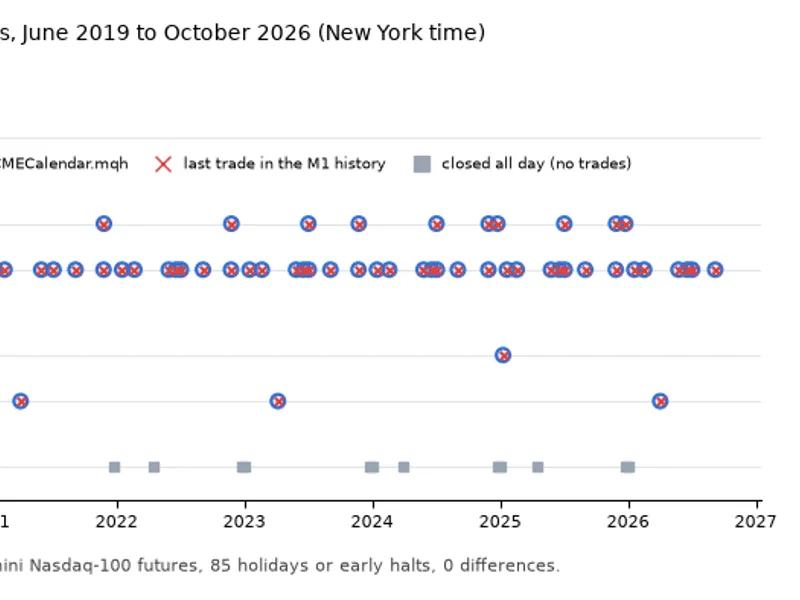
Related: CME Equity Index Futures Holiday Calendar and Trading Halt Automation - another powerful expert for MetaTrader 5 traders.
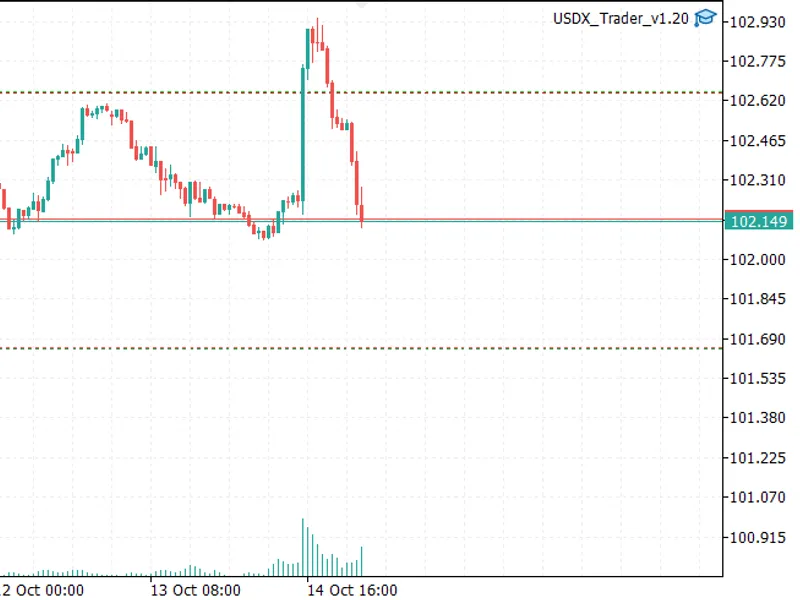
The Expert Advisor trades on the chart's symbol (no hardcoded symbols). It executes one trade per week, with all strategy decisions based on Daily (D1) closed candle data and server time.Also recommended: USDX Trader EA: Trade the US Dollar Index with Any Broker - similar expert with strong performance on MetaTrader 5.
Core Rules
Rule 1 — Entry:
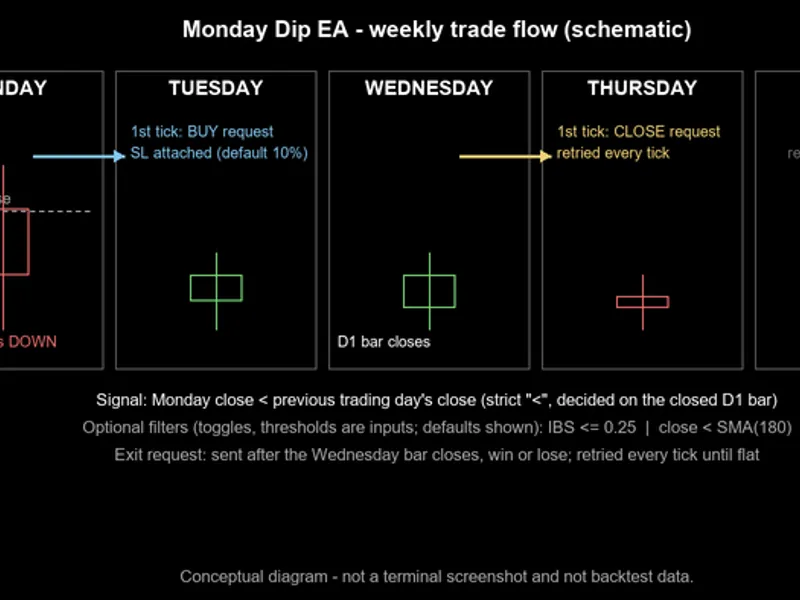
On Monday's close, compare the closing price to the previous session's close (usually Friday). A long position is triggered if Monday's close is strictly lower. This check occurs once weekly.
Rule 2 — Exit:
The position is closed automatically at Wednesday's daily close, regardless of profit or loss. If Wednesday's close is missed, any subsequent daily close will trigger the exit.
Rule 3 — Stop Loss & Safety:
A percentage-based Stop Loss (InpStopLossPercent) is applied upon entry, respecting the broker's minimum distance (SYMBOL_TRADE_STOPS_LEVEL). If 5 consecutive Stop Loss modifications fail, the EA attempts an immediate market close for capital safety.
Note: There is no Take Profit target.
Optional Entry Filters
These filters are optional and can only restrict entries further, never creating entries on their own:
Internal Bar Strength (IBS) Filter:
Calculates IBS = (Close - Low) / (High - Low) for Monday's candle. Entry is permitted if IBS <= InpIBSMax. If High equals Low, the day is ignored.
Moving Average (MA) Filter:
Requires Monday's close to be strictly below a Simple Moving Average (InpMAPeriod) of D1 closed candles including Monday.
Key Specifications
Chart Timeframe:
Timeframe independent (uses D1 series). Attaching to a D1 chart is recommended for log monitoring.
Symbol Compatibility:
Multi-index compatible (US500, UK100, GER40, etc.).
Risk Management:
Limits one position with robust retry logic for order execution and emergency closes.
Inputs
Input
Default value
Unit
Meaning and effect
InpLots
0.10
lots
Fixed position size for entry, floored to the symbol's volume step. Sizes below SYMBOL_VOLUME_MIN abort entry, and sizes above SYMBOL_VOLUME_MAX are clamped down.
InpStopLossPercent
10.0
percent of entry price
Stop Loss distance below entry price, widened if broker's SYMBOL_TRADE_STOPS_LEVEL demands it. Values <= 0 are rejected at start-up.
InpMagic
20260922
identifier
Magic number to mark the EA's positions. Only positions with this magic are managed.
InpMaxSlippagePoints
30
points
Maximum deviation (slippage tolerance) for market entry and exit. This is a request, not a guaranteed cap.
InpTradeComment
'MonDip long'
text
Comment for the entry order.
InpUseIBS
true
on / off
Enables the IBS entry filter. The filter can only make entry stricter.
InpIBSMax
0.25
ratio in (0, 1]
Maximum allowed IBS for Monday's bar. Values outside (0, 1] are rejected.
InpUseMA
true
on / off
Enables the long-term MA entry filter.
InpMAPeriod
180
daily bars
Period of the simple moving average of daily closing prices. Values below 2 are rejected.
InpVerboseLog
true
on / off
Prints additional journal details. The weekly decision line is always printed.
The core logic in three excerpts
These excerpts are from the submitted source, not complete programs.
Signal (rule 1):
//--- RULE 1 ------------------------------------------------------
if (!(bar.close < refBar.close))
return (StringFormat("SKIP - rule 1: the Monday close %s is not below the previous trading day's close %s (equal or above).", DoubleToString(bar.close, _Digits), DoubleToString(refBar.close, _Digits)));
Filters (IBS and long-term MA):
//--- FILTER 1: IBS ----------------------------------------------
if (InpUseIBS)
{
if (!haveIBS)
{
// DECISION D7
return ("SKIP - IBS filter: High == Low on the Monday bar, the ratio is undefined - no-trade day.");
}
if (!(ibs <= InpIBSMax)) // DECISION D8: "<=" as specified
return (StringFormat("SKIP - IBS filter: IBS %.4f is above InpIBSMax %.4f.", ibs, InpIBSMax));
}
//--- FILTER 2: long-term MA -------------------------------------
if (InpUseMA)
{
if (!haveMA)
return (StringFormat("SKIP - MA filter: not enough daily history to compute the MA(%d).", InpMAPeriod));
if (!(bar.close < ma)) // DECISION D8: strict "<"
return (StringFormat("SKIP - MA filter: the Monday close %s is not below the MA(%d) %s.", DoubleToString(bar.close, _Digits), InpMAPeriod, DoubleToString(ma, _Digits)));
}
Exit (Wednesday close and later):
MqlDateTime dtBar;
TimeToStruct(tBar, dtBar); // DECISION D18
if (!BarIsAtOrAfterWednesday(dtBar.day_of_week))
return;
// DECISION D2: the exit is triggered by the close of the Wednesday bar and
// executed on the first tick after it, retried until the position is flat.
// DECISION D24: "the bar closed" is MT5's definition - the moment the next
// daily bar opens on the server clock - not the cash-market closing bell.
CloseOurPosition(StringFormat("rule 2 - the daily bar %s closed and it is a %s (Wednesday close reached)", TimeToString(tBar, TIME_DATE), WeekdayName(dtBar.day_of_week)));
Weekly flow
Figure 1. Schematic of one weekly cycle, not a terminal screenshot or backtest data.
You may also like: GBPJPY Monday Strategy: Simple Weekly Long Trade - excellent alternative for expert users on MetaTrader 5.
Source Code
#property copyright "RobotFX"
#property version   "1.02"
#property description "This code is educational. Feel free to use, modify and upgrade as you wish. Visit ROBOTFX.ORG for professional trading tools"
#property link "https://robotfx.org"
#include <Trade\Trade.mqh>
input group "=== Position size and risk ==="
input double InpLots              = 0.10;
input double InpStopLossPercent   = 10.0;
input ulong  InpMagic             = 20260922;
input int    InpMaxSlippagePoints = 30;
.......
⚠ Limitations & Risk Warning
- This tool is provided for educational and testing purposes only.
- Past performance does not guarantee future results.
- Trading involves substantial risk of loss. Use on a demo account first.
- Results may vary depending on market conditions, broker, and settings.
- We recommend thorough backtesting and forward testing before using with real funds.