


USDX Trader EA: Trade the US Dollar Index with Any Broker
Info
The USDX Trader EA: Trade the US Dollar Index with Any Broker is a Expert Advisor for MetaTrader 5 that usdx trader ea - version 1. 33 UpdateUSDX Trader v1.
Usage
This tool is typically used for automated trading on major forex pairs and gold.
Platform
This Expert Advisor works exclusively on MetaTrader 5 (both build 600+ and newer versions).
Setup
Place the downloaded file in MQL5/Experts folder via File ? Open Data Folder in MetaTrader 5.
How to Install and Use USDX Trader EA: Trade the US Dollar Index with Any Broker
1. Installation: Open the "File" menu, select "Open Data Folder," navigate to MQL/Experts, paste your file, and restart the terminal.
2. Activation: Drag the EA from the Navigator onto a chart, ensure "Allow live trading" is checked in the Common tab, and verify the AutoTrading button is green.
3. Optimization: Right-click your chart, choose "Expert List," click "Properties" to adjust inputs, and save your preferred setup as a set file for future use.
4. Maintenance: Regularly check the "Experts" tab in the terminal window to monitor trade logs and potential execution errors.
Frequently Asked Questions
Q: Why is my EA not opening trades? A: Check the "AutoTrading" button, ensure "Allow live trading" is enabled, and verify your broker allows automated trading on your account type.
Q: Can I run multiple EAs on one chart? A: No, each chart can only host one active EA; however, you can open multiple charts for different currency pairs to run several EAs.
Q: What does the "smiley face" icon mean? A: A smiley face in the top-right corner of the chart indicates the EA is successfully running; a frowny face means it is disabled.
What this tool does
USDX Trader EA - Version 1.
Typical Use Case
This Expert Advisor excels in automated trading and technical analysis on MetaTrader 5.
Compatible Platform & Setup
This Expert Advisor works on MetaTrader 5. Place the file in the MQL5/Experts folder and restart the terminal.
Description & Settings
Related: Partial Close Multi TP Manager for MetaTrader 5 - another powerful expert for MetaTrader 5 traders.
USDX Trader EA - Version 1.33 UpdateAlso recommended: Programmatically Attach Expert Advisors with Custom Inputs to MetaTrader 5 Charts - similar expert with strong performance on MetaTrader 5.
USDX Trader v1.33 — Synthetic Dollar Index Chart and Basket Trading for MetaTrader 5
Platform: MetaTrader 5
Broker Compatibility: Any broker offering major USD pairs
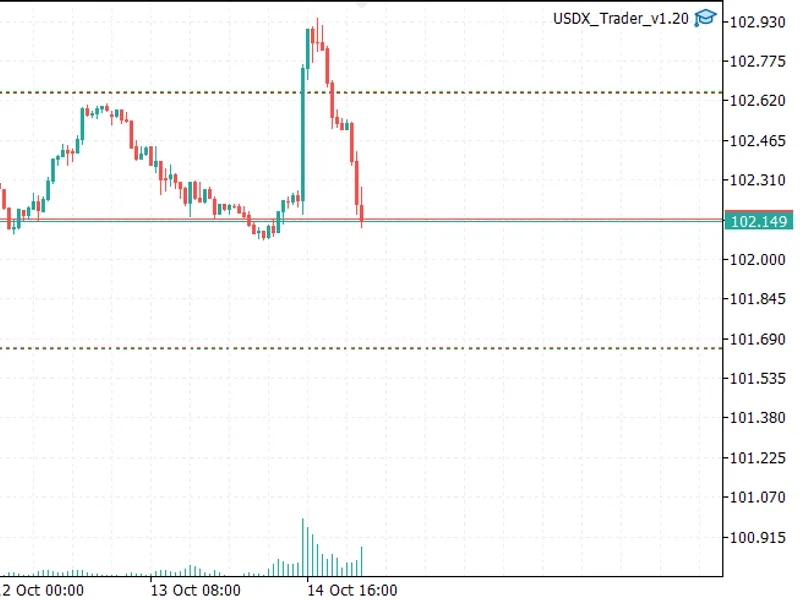
USDX Trader creates a synthetic US Dollar Index from your existing Market Watch currency pairs. It displays this index on your chart as a regular symbol and allows you to trade the index as a basket of its underlying components. Take-profit and stop-loss levels are applied to the index itself, not individual pairs.
This EA is ideal for traders whose brokers do not provide a USDX or DXY symbol.
Benefits When Your Broker Lacks a USDX Symbol
The US Dollar Index is a key benchmark for overall dollar strength. Many retail brokers omit this symbol or offer only a futures-based CFD with disadvantages like wide spreads, limited trading hours, or contract rollovers. Without direct access, traders often resort to monitoring the index on external websites while trading on a separate platform.
Problem Solved by USDX Trader
What USDX Trader Does
No Dollar Strength Chart within MT5
Creates a custom symbol with live pricing and historical data, enabling full functionality with all timeframes, indicators, and drawing tools.
Disparate Analysis of USD Pairs
Analyze USD pairs individually (e.g., EURUSD, GBPUSD) and factor in news relevant to the other currency.
Single USD Reading
Provides a unified USD performance reading derived from six or more currency pairs.
Inability to Trade the Dollar as One Position
Execute buy or sell orders for the entire basket with a single click, with lot sizes adjusted according to index weights.
Mismatched SL/TP on Single Pairs
Set virtual stop-loss and take-profit levels based on the index value, closing the entire basket simultaneously.
Varying Broker Symbol Names
Automatically detects correct symbols or utilizes your specified suffix, accommodating variations like EURUSD.m or EURUSDpro.
Important Note: This EA replicates the index using spot pairs, not the official ICE data feed. Minor discrepancies compared to the published index are expected (refer to Limitations).
Key Features
Synthetic USDX on Chart: Attach the EA to any chart. It automatically switches the chart to the synthetic symbol and reverts when removed.
Preset Dropdown: Select from USDX, two broad-dollar baskets, an equal-weight basket, or configure your own custom combination.
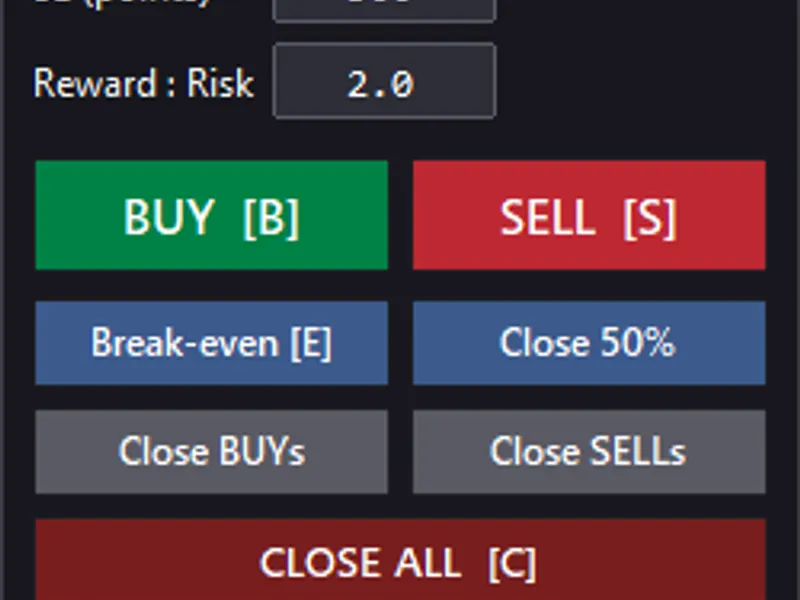
Basket Trading: Utilize the on-chart panel for BUY, SELL, and CLOSE operations. Leg sizes are determined by index weights.
Virtual TP and SL: Set virtual take-profit and stop-loss levels in index points. A value of 0 disables TP or SL.
TP/SL Levels on Chart: View projected TP/SL levels before entry and live lines after entry.
Adjustable Size: Modify lot size using +/- buttons or direct input. The plan table displays each leg's lot size before trading.
Minimum Lot Protection: If a leg's calculated volume falls below the broker's minimum lot size, it is rounded up to the minimum. Confirmation is required before placing the trade. The basket may not precisely match target weights in such cases.
Rebuilt Recent Bars: The last N bars (default 20) are reconstructed from real ticks of all legs, ensuring accurate highs and lows for the visible bars.
Strategy Tester Support: Includes an optional automatic mode for backtesting (details below).
Index Calculation Method
The USDX preset employs the ICE US Dollar Index formula:
USDX = 50.14348112 × EURUSD^-0.576 × USDJPY^0.136 × GBPUSD^-0.119 × USDCAD^0.091 × USDSEK^0.042 × USDCHF^0.036
Pair | Exponent | Share of Index | Effect When Pair Rises
EURUSD | -0.576 | 57.6% | USDX falls
USDJPY | +0.136 | 13.6% | USDX rises
GBPUSD | -0.119 | 11.9% | USDX falls
USDCAD | +0.091 | 9.1% | USDX rises
USDSEK | +0.042 | 4.2% | USDX rises
USDCHF | +0.036 | 3.6% | USDX rises
Buying USDX involves buying USDJPY, USDCAD, USDSEK, USDCHF and selling EURUSD, GBPUSD. Selling USDX is the reverse.
The chart displays the index bid. Opening a long basket utilizes the index ask, calculated from the appropriate bid or ask of each leg, thus incorporating spreads into entry and exit levels.
Presets
Preset | Legs | Notes
USDX (default) | 6 | ICE Dollar Index formula and constant
Broad USD – 9 legs | 9 | Bloomberg-style broad dollar basket (2026-27 weights) excluding KRW, INR, TWD, renormalized to 100%. Requires USDMXN, USDCNH, and USDSGD.
Broad USD – 12 legs | 12 | Full broad-dollar weights. Availability of all legs may vary by broker.
Equal-weight USD vs 6 majors | 6 | EUR, GBP, AUD, JPY, CHF, CAD, each weighted at 1/6. Offers liquidity and tight spreads.
Custom | 1–12 | User-defined SYMBOL:weight list, using geometric or linear formulas.
The broad presets are approximations of published broad-dollar indices and are not exact replicas. Their absolute values are scaled to approximately 100 and hold no official significance.
Custom Example: EURUSD:1;GBPUSD:-1 using the geometric formula replicates the EURGBP ratio.
On-Chart Panel Controls
Control | Function
Quote line | Displays live index bid/ask (green for rising, red for falling).
Size − / field / + | Adjusts basket size. Input value directly or use step buttons.
TP / SL fields | Sets virtual levels in index points. 0 disables TP or SL. Editable when a basket is open.
BUY / SELL | Opens a basket after a confirmation dialog.
CLOSE BASKET | Closes all legs of the current basket.
Level lines | Shows projected BUY and SELL TP/SL before entry, and entry, TP, SL after entry.
Plan / Open legs table | Displays planned lots and rounding errors per leg before entry; displays actual lots and profit per leg after entry.
− / + (title bar) | Collapses or expands the panel.
Lot Sizing
For the geometric formula, each leg's exposure is calculated as weight × size × Basket unit, denominated in the account currency, and then converted to lots using the symbol's tick value. With a default basket unit of 100,000, a size of 1.0 approximates 100,000 in exposure, and a 1% index move is worth approximately 1,000 in account currency.
Small legs (e.g., SEK, CHF, SGD) require larger sizes for accuracy. If a leg's ideal volume is less than the broker's minimum lot size, the EA uses the minimum lot, displays both ideal and actual volumes along with the percentage difference, and requires your confirmation. Consequently, the basket may not precisely match the target weights.
Strategy Tester and Automatic Mode
Custom symbols cannot be created within the Strategy Tester. Therefore, the EA virtually computes the index from the leg symbols (automatically selected). In the tester, there are no dialogs or panel clicks; an optional automatic mode is available:
Mode | Behavior
Manual only | Trades exclusively through panel buttons.
Auto in Strategy Tester only (default) | Trades automatically in the tester and manually in live trading.
Auto always | Trades automatically in both the tester and live trading.
The automatic logic is a basic demonstration using an EMA crossover on closed index bars (default H1, 12/26 EMA). It initiates the first position after a warm-up period and reverses on each subsequent crossover, utilizing the virtual TP/SL. This strategy is not optimized or recommended for live trading.
If a leg symbol is missing in the tester, the EA excludes it and renormalizes the remaining weights to allow the test to proceed.
Inputs
Instrument Definition
Input | Default | Description
Combination preset | USDX | Dropdown list of presets.
Symbol name for USDX preset | USDX_SYNTH | Name for the custom chart symbol.
Broker suffix | (blank) | Leave blank for auto-detection.
Custom Preset Only
Input | Default | Description
Legs | EURUSD:1;GBPUSD:-1 | SYMBOL:weight format, separated by ;. Maximum 12 legs.
Formula | Geometric | Geometric (product of powers) or linear (weighted sum).
Geometric constant K | 1.0 | For scaling purposes only.
Symbol name / digits | CUSTOM_SYNTH / 5 | Custom chart symbol name and number of digits.
Chart / History
Input | Default | Description
M1 bars of history | 20000 | History data derived from the legs' M1 data.
Rebuild last N bars from real ticks | 20 | Set to 0 to disable.
Timeframe for the N bars | Current | Timeframe used to measure N bars.
Max ticks to download | 1,500,000 | Safety limit for large data windows.
Store rebuilt ticks | true | Saves rebuilt ticks to the custom symbol.
Live update interval (ms) | 250 | Recalculation frequency of the index in milliseconds.
Trading
Input | Default | Description
Basket size | 0.50 | Initial size, editable on the panel.
Size step | 0.10 | Increment/decrement step for the +/- buttons.
Basket unit | 100000 | Account currency exposure per 1.0 size (geometric).
Virtual TP / SL (index points) | 0.50 / 0.50 | 0 indicates no TP or SL.
Warn if leg rounding error exceeds (%) | 25 | Threshold for triggering the confirmation warning.
Always confirm | true | Requires confirmation before each basket trade.
Magic number | 20250101 | Unique identifier for each instrument. Use a different number per EA instance.
Max slippage (points) | 20 | Allowed deviation for market orders in points.
Automation
Input | Default | Description
Auto-trade mode | Tester only | Refer to Strategy Tester section.
Index bar timeframe | H1 | Timeframe for bars used in automatic logic.
Fast / slow EMA | 12 / 26 | Periods for the Fast and Slow EMAs in the automatic logic.
Tester evaluation step (s) | 1 | Evaluation step in seconds for the tester.
Panel / Chart
Input | Default | Description
Show panel | true | Toggles the visibility of the on-chart panel.
Show projected TP/SL lines | true | Displays lines before entry.
Panel X / Y | 10 / 20 | Position coordinates of the panel on the chart.
Setup Instructions
1. Add all legs of your selected preset to Market Watch (right-click Market Watch -> Symbols).
2. Enable Algo Trading and permit trading in the EA's properties.
3. Attach the EA to any chart and select your desired preset. The chart will automatically switch to the synthetic symbol.
4. Review the plan table, set the desired size, TP, and SL, then execute trades using BUY/SELL.
5. Run the EA on one chart per instrument, ensuring each instance uses a unique magic number.
Limitations
Not the Official Index: Values are derived from your broker's prices. Expect minor deviations from the official ICE index and DX futures due to feed variations, spreads, futures basis, and bid vs. mid-price differences.
Approximation of Older Bars: Highs and lows for bars older than the specified
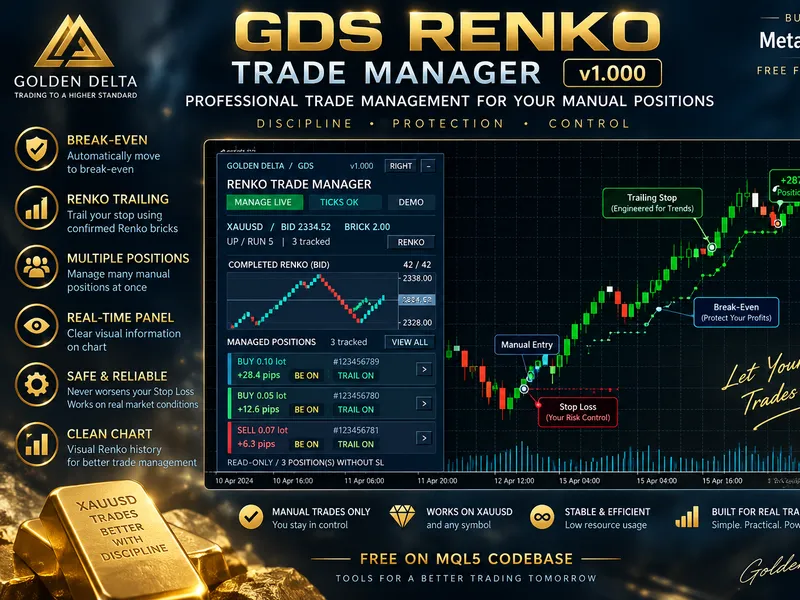
You may also like: GDS Renko Trade Manager for MetaTrader 5 - excellent alternative for expert users on MetaTrader 5.
Source Code
#property copyright "RobotFX"
#property version   "1.33"
#property description "This code is educational. Feel free to use, modify and upgrade as you wish. Visit ROBOTFX.ORG for professional trading tools"
#include <Trade\Trade.mqh>
#define EA_NAME     "USDX Trader"
#define EA_VERSION  "1.33"
#define MAXLEG      12
enum ENUM_PRESET
  {
   PRESET_USDX    = 0,
.......
⚠ Limitations & Risk Warning
- This tool is provided for educational and testing purposes only.
- Past performance does not guarantee future results.
- Trading involves substantial risk of loss. Use on a demo account first.
- Results may vary depending on market conditions, broker, and settings.
- We recommend thorough backtesting and forward testing before using with real funds.