





Partial Close Multi TP Manager for MetaTrader 5
Info
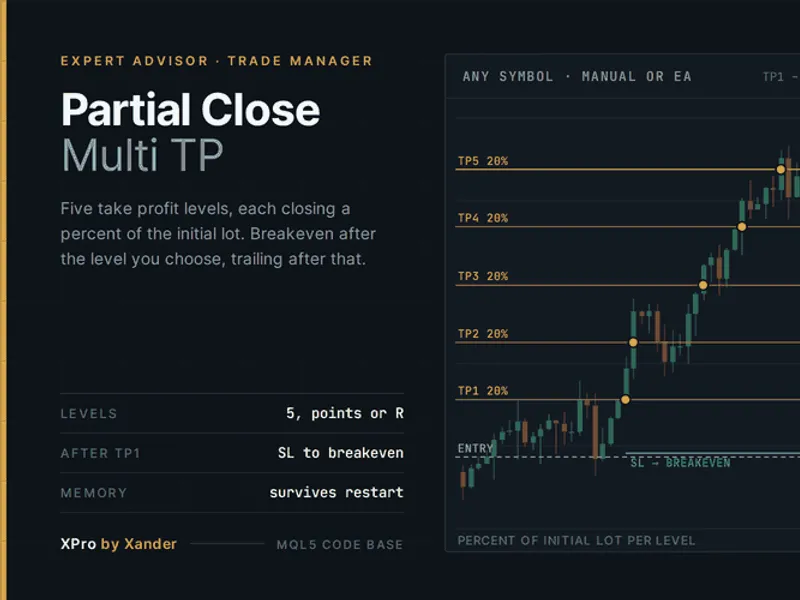
The Partial Close Multi TP Manager for MetaTrader 5 is a Expert Advisor for MetaTrader 5 that a versatile tool for metatrader 5 that allows for partial profit-taking across up to five distinct levels for any open position. This EA is designed to manage trades on various instruments including Gold (XAUUSD), EURUSD, indices, and cryptocurrencies.
Usage
This tool is typically used for automated trading on major forex pairs and gold.
Platform
This Expert Advisor works exclusively on MetaTrader 5 (both build 600+ and newer versions).
Setup
Place the downloaded file in MQL5/Experts folder via File ? Open Data Folder in MetaTrader 5.
How to Install and Use Partial Close Multi TP Manager for MetaTrader 5
1. Installation: Open the "File" menu, select "Open Data Folder," navigate to MQL/Experts, paste your file, and restart the terminal.
2. Activation: Drag the EA from the Navigator onto a chart, ensure "Allow live trading" is checked in the Common tab, and verify the AutoTrading button is green.
3. Optimization: Right-click your chart, choose "Expert List," click "Properties" to adjust inputs, and save your preferred setup as a set file for future use.
4. Maintenance: Regularly check the "Experts" tab in the terminal window to monitor trade logs and potential execution errors.
Frequently Asked Questions
Q: Why is my EA not opening trades? A: Check the "AutoTrading" button, ensure "Allow live trading" is enabled, and verify your broker allows automated trading on your account type.
Q: Can I run multiple EAs on one chart? A: No, each chart can only host one active EA; however, you can open multiple charts for different currency pairs to run several EAs.
Q: What does the "smiley face" icon mean? A: A smiley face in the top-right corner of the chart indicates the EA is successfully running; a frowny face means it is disabled.
What this tool does
A versatile tool for MetaTrader 5 that allows for partial profit-taking across up to five distinct levels for any open position.
Typical Use Case
This Expert Advisor excels in automated trading and technical analysis on MetaTrader 5.
Compatible Platform & Setup
This Expert Advisor works on MetaTrader 5. Place the file in the MQL5/Experts folder and restart the terminal.
Description & Settings
Related: Basket Pair Closer: Efficiently Close Trading Positions - another powerful expert for MetaTrader 5 traders.
A versatile tool for MetaTrader 5 that allows for partial profit-taking across up to five distinct levels for any open position.Also recommended: Basket Protective Close - similar expert with strong performance on MetaTrader 5.
This EA is designed to manage trades on various instruments including Gold (XAUUSD), EURUSD, indices, and cryptocurrencies.
Key Features:
- Set Take Profit (TP) levels at specified point distances from the entry or as multiples of the Stop Loss (Risk Ratio - R).
- Define the percentage of the initial lot size to be closed at each TP level.
- The EA monitors manual trades and positions opened by other EAs, filtered by Magic Number.
- Partial closes are executed automatically as price reaches each defined level.
Risk Management and Automation:
- After a partial close, the Stop Loss can be moved to breakeven with an optional offset.
- An optional trailing stop can be activated once breakeven is reached.
- Positions without an initial Stop Loss can have one automatically added.
- TP levels and executed closes are stored in terminal global variables, ensuring continuity through terminal restarts.
Lot Size Management:
- Partial volumes are automatically rounded to comply with the broker's minimum lot step.
- If the remaining volume falls below the minimum lot size, the entire position is closed.
Settings Overview:
Strategy Settings:
- TP Distance Mode: Choose between fixed points from entry or multiples of the Stop Loss distance (R).
- TP Distance (1-5): Specify the distance for each TP level in points or R multiples.
- TP Close Percent (1-5): Set the percentage of initial volume to close at each TP level. Levels with 0 percent or 0 distance are skipped.
- Close Remainder at Last Level: Option to close any remaining volume at the highest active TP level, regardless of its defined percentage.
Close / Exit Settings:
- Move SL to Breakeven: Specify which TP level should trigger the Stop Loss to move to breakeven. Set to 0 to disable.
- Breakeven Offset: Add points to the breakeven level to cover trading costs.
- Trailing Stop: Configure the start level, distance, and step for the trailing stop in points. It activates only after breakeven is reached.
Risk Protection Settings:
- Add Stop Loss: Define the distance in points to automatically add a Stop Loss to positions that do not have one. Set to 0 to disable this feature.
Filters Settings:
- Positions to Manage: Choose to manage only positions on the current chart's symbol or all symbols on the account from a single chart.
- Magic Number to Manage: Manage all positions (including manual trades) by setting this to 0, or specify a Magic Number to manage only positions opened by a particular EA.
- Manage Buy/Sell Positions: Enable or disable management for buy or sell positions independently.
Expert Settings:
- Max Slippage: Maximum allowed slippage in points for partial closes.
- Status on Chart: Display EA status as plain text on the chart.
- Log Actions: Enable logging of all EA actions to the Experts tab.
- Pop-up Alert: Configure optional alerts for each partial close.
Requirements:
- MetaTrader 5 platform.
- Hedging or netting account type.
- Algo trading must be enabled in the MT5 terminal settings.
Usage Notes:
- A single chart is sufficient for managing all account positions when 'Positions to Manage' is set to 'all symbols'.
- The EA operates on a one-second timer and also reacts to price ticks.
- The EA does not have its own Magic Number; executed deals retain the original Magic Number of the managed position, preserving the integrity of other EAs' statistics.
Customization and Integration:
- Attach the EA to your preferred trading chart (e.g., XAUUSD, EURUSD, BTCUSD).
- It can enhance scalping or grid EAs that typically use a single TP.
- In R mode, it transforms a Stop Loss into a dynamic risk-reward ladder (1R, 2R, 3R), suitable for various trading strategies.
- The core functions (XP_CloseVolume, XP_BreakEven, XP_Trailing) are modular and can be integrated into your custom Expert Advisors or trade managers.
About the Code:
- This is open-source software. Feel free to use, adapt, and build upon it.
Related Tools:
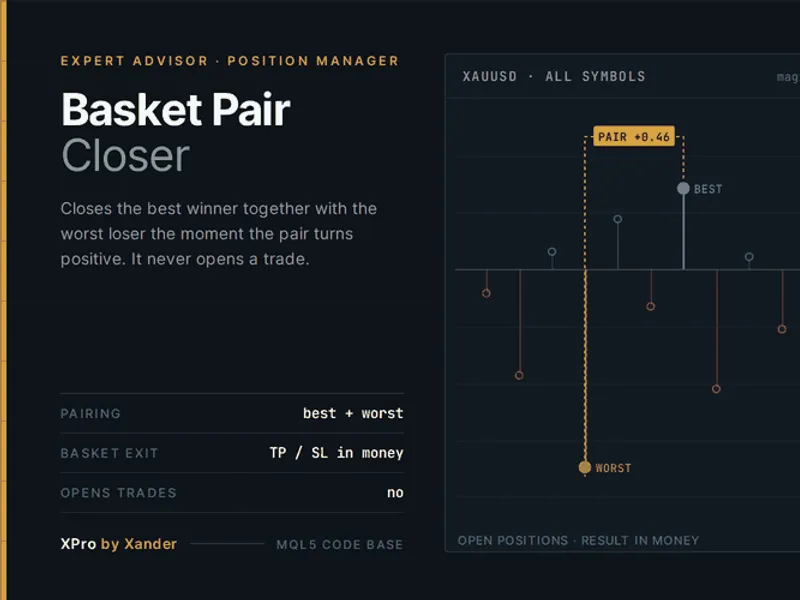
- Basket Pair Closer: Manages pairs by closing the best winner with the worst loser.
- XPro Trade Panel: A comprehensive panel for manual trade entries, Stop Loss, breakeven, and partial closes on MT5 and MT4.
- Grid XAUUSD & Gold Recovery: Expert Advisors specifically for Gold trading, designed to work with this manager.
Version History:
v1.0 - 2026-10-25 - Initial release.
You may also like: Close All Positions on Maximum Loss - excellent alternative for expert users on MetaTrader 5.
Source Code
#property copyright "RobotFX"
#property link "https://robotfx.org"
#property version     "1.00"
#property description "This code is educational. Feel free to use, modify and upgrade as you wish. Visit ROBOTFX.ORG for professional trading tools"
#include <Trade\Trade.mqh>
enum ENUM_XP_TP_MODE
  {
   XP_TP_POINTS = 0,
   XP_TP_RISK   = 1
  };
.......
⚠ Limitations & Risk Warning
- This tool is provided for educational and testing purposes only.
- Past performance does not guarantee future results.
- Trading involves substantial risk of loss. Use on a demo account first.
- Results may vary depending on market conditions, broker, and settings.
- We recommend thorough backtesting and forward testing before using with real funds.