






Basket Pair Closer: Efficiently Close Trading Positions
Info
The Basket Pair Closer: Efficiently Close Trading Positions is a Expert Advisor for MetaTrader 5 that basket pair closer manages trading positions by pairing a profitable trade with a losing one. It calculates the combined profit, swap, and commission.
Usage
This tool is typically used for automated trading on major forex pairs and gold.
Platform
This Expert Advisor works exclusively on MetaTrader 5 (both build 600+ and newer versions).
Setup
Place the downloaded file in MQL5/Experts folder via File ? Open Data Folder in MetaTrader 5.
How to Install and Use Basket Pair Closer: Efficiently Close Trading Positions
1. Installation: Open the "File" menu, select "Open Data Folder," navigate to MQL/Experts, paste your file, and restart the terminal.
2. Activation: Drag the EA from the Navigator onto a chart, ensure "Allow live trading" is checked in the Common tab, and verify the AutoTrading button is green.
3. Optimization: Right-click your chart, choose "Expert List," click "Properties" to adjust inputs, and save your preferred setup as a set file for future use.
4. Maintenance: Regularly check the "Experts" tab in the terminal window to monitor trade logs and potential execution errors.
Frequently Asked Questions
Q: Why is my EA not opening trades? A: Check the "AutoTrading" button, ensure "Allow live trading" is enabled, and verify your broker allows automated trading on your account type.
Q: Can I run multiple EAs on one chart? A: No, each chart can only host one active EA; however, you can open multiple charts for different currency pairs to run several EAs.
Q: What does the "smiley face" icon mean? A: A smiley face in the top-right corner of the chart indicates the EA is successfully running; a frowny face means it is disabled.
What this tool does
Basket Pair Closer manages trading positions by pairing a profitable trade with a losing one.
Typical Use Case
This Expert Advisor excels in automated trading and technical analysis on MetaTrader 5.
Compatible Platform & Setup
This Expert Advisor works on MetaTrader 5. Place the file in the MQL5/Experts folder and restart the terminal.
Description & Settings
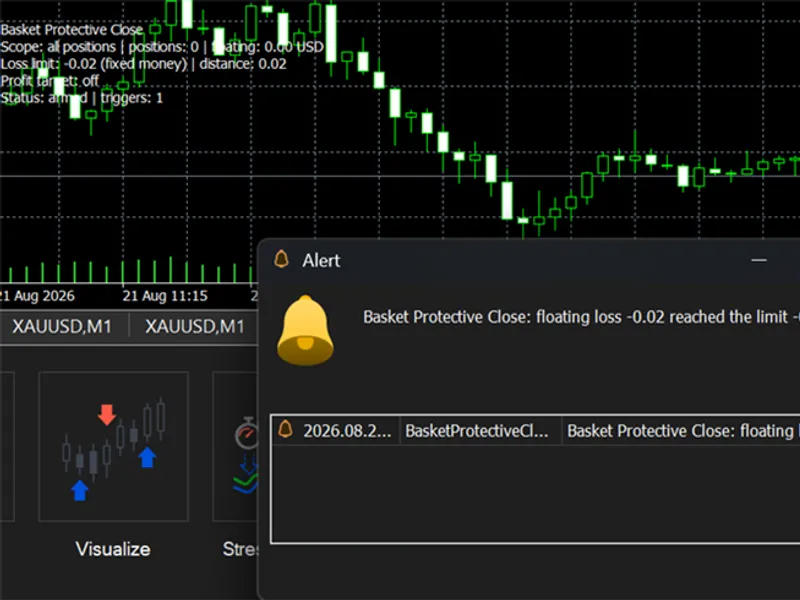
Related: Basket Protective Close - another powerful expert for MetaTrader 5 traders.
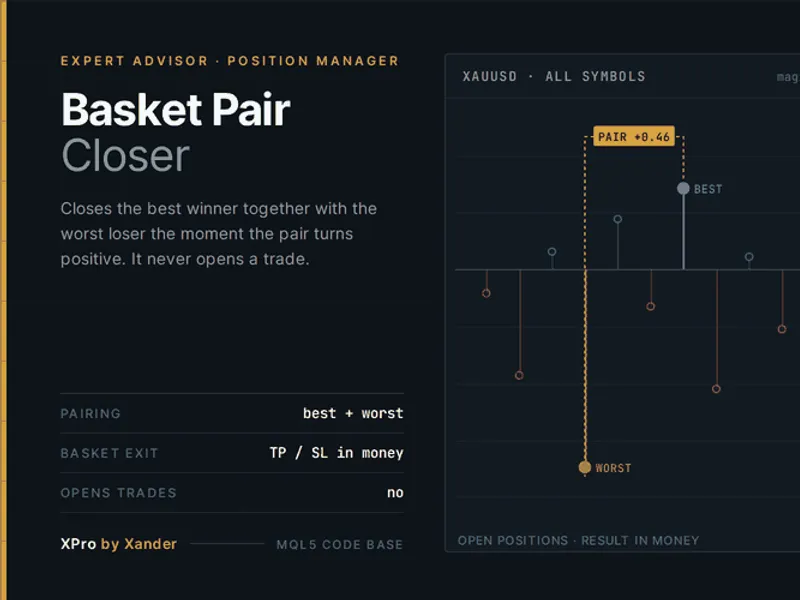
Basket Pair Closer manages trading positions by pairing a profitable trade with a losing one. It calculates the combined profit, swap, and commission. When this total reaches a predefined minimum, it closes both positions, closing the winning trade first to secure the profit.Also recommended: Tandem: A Pair Trading Strategy for MetaTrader - similar expert with strong performance on MetaTrader 5.
This Expert Advisor (EA) operates by identifying the best-performing winning trade and the worst-performing losing trade within a managed group. It then aggregates their results. The EA is designed to manage trades based on various criteria, including chart symbol, magic number, or manual trades, allowing it to work alongside existing grid EAs or manage manually opened baskets.
Two optional rules can close all managed positions simultaneously: a basket take profit and a basket stop loss, both defined in account currency. Each closing action is verified, and retries are performed after a short delay if necessary.
The EA features a user-friendly panel that displays open positions, the current floating result, the tickets for the best winner and worst loser, the combined sum of the pair against the set minimum, and a visual indicator that turns green when a pair is ready for closure. The panel also includes buttons to manually close the pair, close all positions, or pause the EA's operations. The EA aims to reduce exposure on a trade-by-trade basis and does not inherently convert a losing basket into a winning one.
Settings
Enable pair close: Activates or deactivates the pair closing functionality.
Minimum combined profit of the pair (money): Sets the minimum profit target (including swap and commission) for a pair to be closed. A value of 0 closes trades at breakeven. The default value is 0.50.
Minimum open positions before acting: Specifies the minimum number of managed positions that must be open before the pair closing logic is applied. The default is 2.
Enable basket take profit and Basket take profit (money): When enabled, all managed positions are closed if the total floating result reaches the specified profit target. This feature is off by default.
Enable basket stop loss and Basket stop loss (money, positive number): When enabled, all managed positions are closed if the total floating result drops to the specified loss amount. For example, 50 means closing at -50. This feature is off by default.
Magic number to manage: Set to 0 to manage all positions, including manual trades. Alternatively, specify the magic number of your grid EA to manage only its associated trades.
Manage the chart symbol only: If true, the EA is limited to managing positions on the current chart's symbol. Set to false to manage positions across all symbols from a single chart. This is also necessary for netting accounts where only one position per symbol is allowed.
Pause between close actions (seconds): Defines the delay in seconds after a close action before the next action is initiated, allowing the terminal and broker to process. The default is 3 seconds.
Max deviation (points): The maximum allowable slippage for market close orders.
Show panel, Panel X offset, Panel Y offset, Panel font size: Controls the visibility of the panel and allows customization of its position and font size.
How to use it
Attach the EA to a chart of the symbol you wish to manage. Any timeframe is suitable, as the EA operates on every tick and uses a one-second timer. You can use one instance per symbol or one instance with the chart symbol filter disabled to manage all account positions. The single symbol pair logic requires a hedging account, as it closes both buy and sell trades, or multiple trades on the same side. For netting accounts, use the 'all symbols' mode.
Before deploying on a live account, it is recommended to test the EA in the strategy tester's visual mode. Manually open several positions, observe the panel's indicator turning green when the pair sum meets the minimum requirement, and review the log for details of each closure, including ticket numbers and combined results.
Make it yours
The core pair logic is encapsulated in two functions, XP_FindPair and XP_ClosePair, making it easy to integrate into your own grid or martingale EA. Potential enhancements include managing one winner against multiple losers, pairing based on lot size instead of profit, implementing a trailing basket take profit, adding a session filter, or incorporating an equity-based pause. This EA is designed to complement various trading strategies and existing tools, such as XANDER Grid XAUUSD (magic 2001), XANDER Gold Recovery, any martingale EA, or manual scalping on instruments like gold, EURUSD, GBPUSD, US30, or NAS100. You can maintain your preferred entry methods, such as Smart Money Concepts, support and resistance, or other trading systems, while leveraging this EA for optimized basket exits.
About this code
This is an open-source tool. Feel free to use, adapt, or build upon it. New versions and tools are typically announced on the author's MQL5 channel. Questions, suggestions, and backtest results are welcomed in the Xander Lab group. More tools are available on the author's profile.
Related tools include: XANDER Grid XAUUSD, XANDER Gold Recovery, and XPro Trade Panel.
The concept of overlapping trades was inspired by Grid EA Pro by Nguyen Nghiem Duy (MQL5 Code Base, 2020). This code has been completely rewritten for MT5 as a standalone position manager.
Changelog
v1.0 (2026-10-25): initial release.
You may also like: Pairs Trading Robot - excellent alternative for expert users on MetaTrader 5.
Source Code
.......
⚠ Limitations & Risk Warning
- This tool is provided for educational and testing purposes only.
- Past performance does not guarantee future results.
- Trading involves substantial risk of loss. Use on a demo account first.
- Results may vary depending on market conditions, broker, and settings.
- We recommend thorough backtesting and forward testing before using with real funds.