



Opening Range Breakout with NR4 / NR7 Contraction Filters (2026 Update)
Info
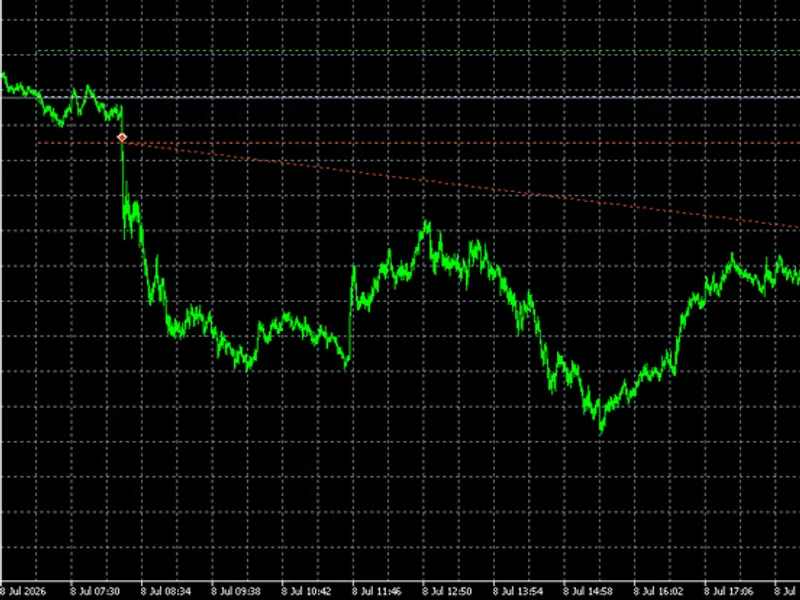
The Opening Range Breakout with NR4 / NR7 Contraction Filters (2026 Update) is a Expert Advisor for MetaTrader 5 that opening range breakout with nr4 / nr7 contraction filtersthis expert advisor implements a trading strategy based on the principle that following a period of low volatility (narrow trading range), the market is more likely to experience a significant price movement. The strategy combines the concepts of Opening Range Breakout and price contraction/expansion, as detailed by Toby Crabel in his trading literature.
Usage
This tool is typically used for breakout trading when price moves beyond key support/resistance levels.
Platform
This Expert Advisor works exclusively on MetaTrader 5 (both build 600+ and newer versions).
Setup
Place the downloaded file in MQL5/Experts folder via File ? Open Data Folder in MetaTrader 5.
How to Install and Use Opening Range Breakout with NR4 / NR7 Contraction Filters (2026 Update)
1. Installation: Open the "File" menu, select "Open Data Folder," navigate to MQL/Experts, paste your file, and restart the terminal.
2. Activation: Drag the EA from the Navigator onto a chart, ensure "Allow live trading" is checked in the Common tab, and verify the AutoTrading button is green.
3. Optimization: Right-click your chart, choose "Expert List," click "Properties" to adjust inputs, and save your preferred setup as a set file for future use.
4. Maintenance: Regularly check the "Experts" tab in the terminal window to monitor trade logs and potential execution errors.
Frequently Asked Questions
Q: Why is my EA not opening trades? A: Check the "AutoTrading" button, ensure "Allow live trading" is enabled, and verify your broker allows automated trading on your account type.
Q: Can I run multiple EAs on one chart? A: No, each chart can only host one active EA; however, you can open multiple charts for different currency pairs to run several EAs.
Q: What does the "smiley face" icon mean? A: A smiley face in the top-right corner of the chart indicates the EA is successfully running; a frowny face means it is disabled.
What this tool does
Opening Range Breakout with NR4 / NR7 Contraction FiltersThis Expert Advisor implements a trading strategy based on the principle that following a period of low volatility (narrow trading range), the market is more likely to experience a significant price movement.
Typical Use Case
This Expert Advisor excels in automated trading and technical analysis on MetaTrader 5.
Compatible Platform & Setup
This Expert Advisor works on MetaTrader 5. Place the file in the MQL5/Experts folder and restart the terminal.
Description & Settings
Related: Fx Craft Example EA: Range Breakout with Pending Orders - another powerful expert for MetaTrader 5 traders.
Opening Range Breakout with NR4 / NR7 Contraction FiltersAlso recommended: ORB Risk Managed: Opening Range Breakout with Account Protection - similar expert with strong performance on MetaTrader 5.
This Expert Advisor implements a trading strategy based on the principle that following a period of low volatility (narrow trading range), the market is more likely to experience a significant price movement.
The strategy combines the concepts of Opening Range Breakout and price contraction/expansion, as detailed by Toby Crabel in his trading literature. This implementation is adapted for continuous trading environments like XAUUSD.
Recommended Settings
- Symbol: XAUUSD (Gold). The default settings are optimized for gold but can be adapted for other liquid instruments.
- Timeframe: Any. The Expert Advisor internally utilizes M1 and D1 data, making the chart's timeframe irrelevant to its core logic. M1 charts are recommended for visual testing.
Trading Logic
1. Session Initiation: The EA identifies the start of the trading session, by default set to 08:00 London time, automatically adjusting for daylight saving time based on the broker's server time.
2. Offset Calculation: An entry offset is determined either by calculating the "stretch" (average distance from session open to its extremes) or by using a fixed multiple of the previous day's Average True Range (ATR).
3. Daily Filter Check: The previous day's trading range is evaluated against the selected contraction filter.
4. Order Placement: If the day meets the filter criteria, buy stop and sell stop orders are placed above and below the session open, respectively. The stop loss for each order is set at the opposite entry level.
5. Order Management: Upon execution of one order, the opposing order is automatically canceled. Any remaining unfilled orders are removed at the end of the entry window.
6. Trade Closure: All open trades are closed a predetermined number of minutes after the session start (defaulting to 13 hours) to ensure the EA is flat before the daily market break, particularly relevant for gold trading.
Contraction Filters
- None: Serves as a baseline, trading every day to allow for comparison with filtered results.
- NR4: Triggers if yesterday's trading range is narrower than each of the preceding three days' ranges.
- NR7: Triggers if yesterday's trading range is narrower than each of the preceding six days' ranges.
- Inside Day + NR4: Combines the NR4 condition with an inside day (where the current day's range is contained within the previous day's range).
- 3-Bar NR: Triggers if the combined range of the last three days is the narrowest within any three-day window over the preceding twenty days.
- Any of the above: Allows any of the specified contraction filters to trigger a trade.
- Optional: Skip Trading After Wide-Range Day: An additional filter to avoid trading on days following significantly wide-range days (WS4 or WS7).
Risk Management Features
- Dynamic Lot Sizing: Lot size is calculated based on a specified percentage risk per trade and the stop loss distance.
- Daily Loss Limit: A limit on the maximum daily loss based on account equity, useful for adhering to proprietary trading firm rules.
- Maximum Fills per Session: Limits the number of trades executed within a single session.
- Spread and Market Condition Filters: Includes checks for maximum spread (as a percentage of the entry offset), stops-level, freeze-level, available free margin, and trading volume.
- Price Level Avoidance: Skips trading on a given day if the price has already moved beyond a critical entry level before the EA is prepared to trade.
Input Parameters
- Session Settings: Time mode (London or broker server time with daylight saving handling), broker server time zone (GMT+0, GMT+2/+3 New York Close, or fixed offset), session start hour and minute, entry window duration, and trade exit time (minutes after session start).
- Entry Offset Parameters: Offset calculation mode (stretch or ATR), lookback period for stretch calculation, ATR period, and ATR multiple.
- Day Filters: Selection of contraction filters and the option to skip days after wide-range days.
- Exit Parameters: Take-profit multiplier (0 disables take-profit).
- Risk Management Parameters: Risk percentage per trade, daily loss limit percentage, maximum trades per session, option to use minimum lot size when calculated lot is smaller, maximum risk at minimum lot, and magic number for trade identification.
- Filter Parameters: Maximum spread as a percentage of the entry offset, optional hard stop loss in points, and option to skip trading on Fridays.
- Display Settings: Option to visually draw session open and entry levels on the chart.
Important Notes
- Ensure the broker's server time zone is configured correctly. Using London time mode ensures the session consistently begins at 08:00 London time throughout the year.
- The narrow-range filters rely on the broker's daily candles. Short Sunday candles, often present on GMT+0 servers, are excluded from this analysis.
- For accounts with limited capital, the calculated risk-based lot size may fall below the broker's minimum lot requirement. In such cases, the EA will skip the trade unless the "use minimum lot" option is enabled.
- This tool is intended for research and educational purposes and does not guarantee profitability. Thorough testing on your broker's data is strongly recommended before deploying in live trading environments.
You may also like: Regime Router: Trend/Range Classifier with Per-Regime Win Rate Ledger - excellent alternative for expert users on MetaTrader 5.
Source Code
#property copyright "RobotFX"
#property version     "1.06"
#property description "This code is educational. Feel free to use, modify and upgrade as you wish. Visit ROBOTFX.ORG for professional trading tools"
#include <Trade\Trade.mqh>
enum E_OFFSET_MODE
  {
   OFFSET_STRETCH = 0,
   OFFSET_ATR     = 1
  };
enum E_DAY_FILTER
.......
⚠ Limitations & Risk Warning
- This tool is provided for educational and testing purposes only.
- Past performance does not guarantee future results.
- Trading involves substantial risk of loss. Use on a demo account first.
- Results may vary depending on market conditions, broker, and settings.
- We recommend thorough backtesting and forward testing before using with real funds.