



ADX Auto Range: Automated Trend Strength and Consolidation Detection
Info
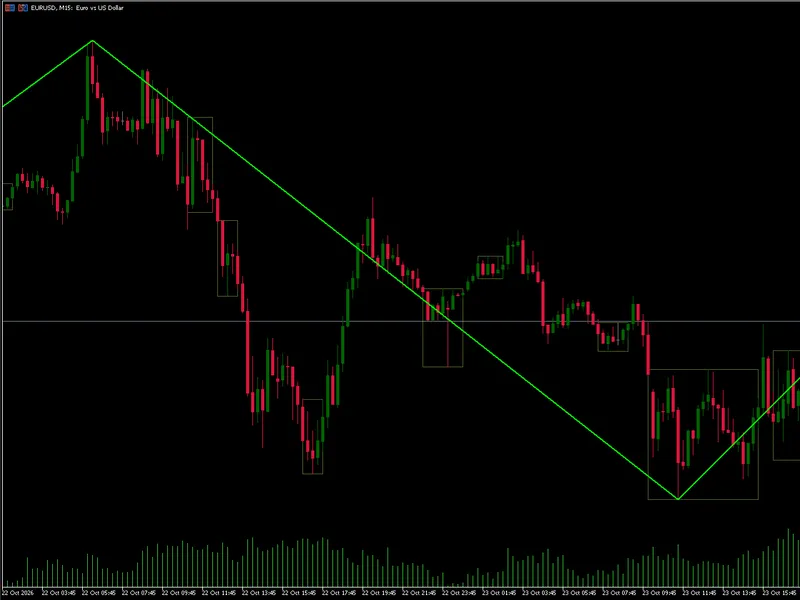
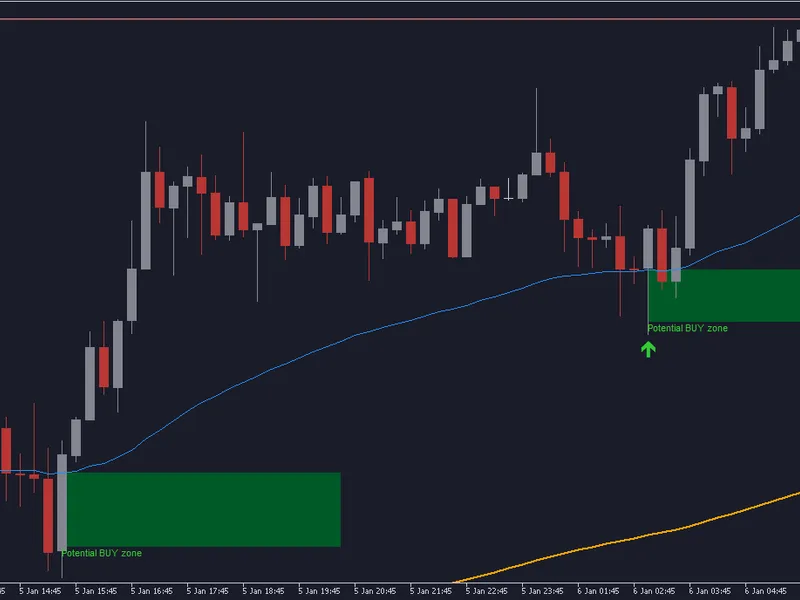
The ADX Auto Range: Automated Trend Strength and Consolidation Detection is a Indicator for MetaTrader 5 that this indicator automates the identification of market consolidation ranges by measuring fading trend strength via the average directional index (adx). Instead of relying on subjective price-action analysis, it systematically detects when a strong rally or trend is dying and starts drawing a consolidation range around the choppy market area where it would be considered extremely risky to trade inside.
Usage
This tool is typically used for trend following strategies across multiple currency pairs.
Platform
This Indicator works exclusively on MetaTrader 5 (both build 600+ and newer versions).
Setup
Place the downloaded file in MQL5/Indicators folder via File ? Open Data Folder in MetaTrader 5.
How to Install and Use ADX Auto Range: Automated Trend Strength and Consolidation Detection
1. Installation: Place your file in the MQL/Indicators folder via "Open Data Folder" and restart your terminal.
2. Loading: Find the indicator in the Navigator, drag it onto your chart, and configure the input parameters in the popup window.
3. Customization: Press Ctrl+I to open the indicator list, select your tool, and click "Properties" to change colors, levels, or visual styles.
4. Updating: Replace the old file in the Indicators folder with the new version and restart the platform to apply changes.
Frequently Asked Questions
Q: Why is my indicator not showing? A: Verify the file is in the MQL/Indicators folder, or try right-clicking the "Indicators" tree in the Navigator and clicking "Refresh."
Q: Do custom indicators slow down the platform? A: Too many complex indicators can impact performance; remove unused ones via the "Indicator List" (Ctrl+I).
Q: Can I use MT4 indicators on MT5? A: No, MQL4 and MQL5 are distinct languages; ensure the indicator is compiled specifically for your platform version.
What this tool does
This indicator automates the identification of market consolidation ranges by measuring fading trend strength via the Average Directional Index (ADX).
Typical Use Case
This Indicator excels in trend following on MetaTrader 5.
Compatible Platform & Setup
This Indicator works on MetaTrader 5. Place the file in the MQL5/Indicators folder and restart the terminal.
Description & Settings
Related: Trend Buy/Sell Zones with Automated Lot Sizing and Risk Panel for MT5 - another powerful indicator for MetaTrader 5 traders.
This indicator automates the identification of market consolidation ranges by measuring fading trend strength via the Average Directional Index (ADX). Instead of relying on subjective price-action analysis, it systematically detects when a strong rally or trend is dying and starts drawing a consolidation range around the choppy market area where it would be considered extremely risky to trade inside.Also recommended: Elliott Wave Auto Counter: Automatic Wave Labeling for MT4/MT5 - similar indicator with strong performance on MetaTrader 5.
Sensitivity (InpSlopeBars): Determines how far back each strength reading compares (ADX[shift] vs. ADX[shift - InpSlopeBars]).
- 1 = Noisy/Fast (one-bar difference)
- 2 = Balanced (ignores a single up-tick inside a decline)
- 4+ = Macro Fade (slower, broader detection)
Confirmation (InpDeclineBars): Specifies how many consecutive negative slope readings must occur before a range box is officially opened.
- With 1 you get a single sample: ADX[t] < ADX[t-2].
- Setting it to 2 also requires ADX[t-1] < ADX[t-3].
- At 3 you add ADX[t-2] < ADX[t-4].
InpEndOnStrengthRise: When true, an open range is also closed as soon as strength rises (ADX[t] > ADX[t-2], using the same slope), in addition to a breakout. It only affects closing, never opening, and a box still needs InpMinRangeBars to be drawn. false means ranges only end on a genuine price breakout, meaning that the range will only conclude once the candles close above the high of the range, or below the low of the range. Price breaking out of the range does not always conclude a breakout, as in a bearish trend, sometimes the price can push upwards slightly out of the range before the real bearish move happens.
InpBreakoutPercent: Minimum percentage of a candle's total range that must close outside the boundary to validate a breakout.
InpMinRangeBars: Minimum bar width required for a range box to be finalized and drawn on the chart.
Developed in 2026.
You may also like: Auto Zig Zag Fibonacci Golden Zone Indicator for MT5 - excellent alternative for indicator users on MetaTrader 5.
Source Code
#property copyright "RobotFX"
#property version   "1.85"
#property indicator_chart_window
#property indicator_buffers 3
#property indicator_plots   0
#property description "This code is educational. Feel free to use, modify and upgrade as you wish. Visit ROBOTFX.ORG for professional trading tools"
input group "ADX"
input ENUM_TIMEFRAMES InpAdxTimeframe = PERIOD_CURRENT;
input int             InpAdxPeriod    = 14;
input int             InpSlopeBars    = 2;
.......
⚠ Limitations & Risk Warning
- This tool is provided for educational and testing purposes only.
- Past performance does not guarantee future results.
- Trading involves substantial risk of loss. Use on a demo account first.
- Results may vary depending on market conditions, broker, and settings.
- We recommend thorough backtesting and forward testing before using with real funds.