

Snowies EA with 3 Indicators
Info
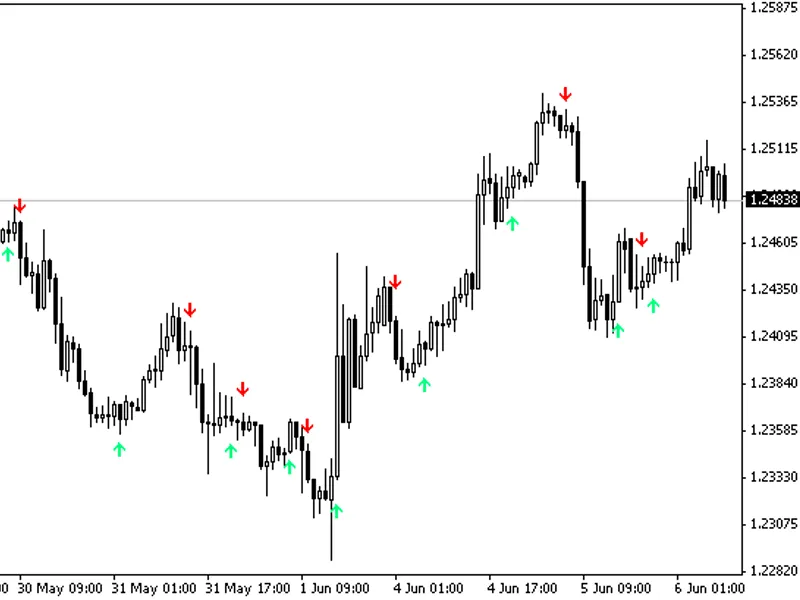
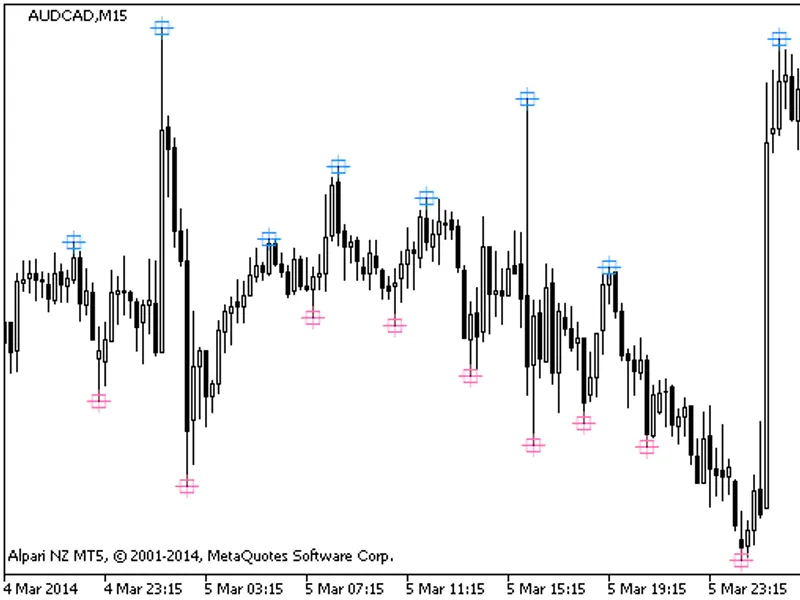
The Snowies EA with 3 Indicators is a Expert Advisor for MetaTrader 4 that this ea utilizes three indicators: lwma crossover signal, ama, and fxbay-macd. LWMA Crossover Signal:- Plots two points on the chart where the faster and slower LW-moving averages cross over.
Usage
This tool is typically used for automated trading on major forex pairs and gold.
Platform
This Expert Advisor works exclusively on MetaTrader 4 (both build 600+ and newer versions).
Setup
Place the downloaded file in MQL4/Experts folder via File ? Open Data Folder in MetaTrader 4.
How to Install and Use Snowies EA with 3 Indicators
1. Installation: Open the "File" menu, select "Open Data Folder," navigate to MQL/Experts, paste your file, and restart the terminal.
2. Activation: Drag the EA from the Navigator onto a chart, ensure "Allow live trading" is checked in the Common tab, and verify the AutoTrading button is green.
3. Optimization: Right-click your chart, choose "Expert List," click "Properties" to adjust inputs, and save your preferred setup as a set file for future use.
4. Maintenance: Regularly check the "Experts" tab in the terminal window to monitor trade logs and potential execution errors.
Frequently Asked Questions
Q: Why is my EA not opening trades? A: Check the "AutoTrading" button, ensure "Allow live trading" is enabled, and verify your broker allows automated trading on your account type.
Q: Can I run multiple EAs on one chart? A: No, each chart can only host one active EA; however, you can open multiple charts for different currency pairs to run several EAs.
Q: What does the "smiley face" icon mean? A: A smiley face in the top-right corner of the chart indicates the EA is successfully running; a frowny face means it is disabled.
What this tool does
This EA utilizes three indicators: LWMA Crossover Signal, AMA, and FXBay-MACD.
Typical Use Case
This Expert Advisor excels in automated trading and technical analysis on MetaTrader 4.
Compatible Platform & Setup
This Expert Advisor works on MetaTrader 4. Place the file in the MQL4/Experts folder and restart the terminal.
Description & Settings
Related: error ea with profitable run - another powerful expert for MetaTrader 4 traders.
This EA utilizes three indicators: LWMA Crossover Signal, AMA, and FXBay-MACD.LWMA Crossover Signal:
Also recommended: Universal Configurable EA with Integrated Indicators - similar expert with strong performance on MetaTrader 4.
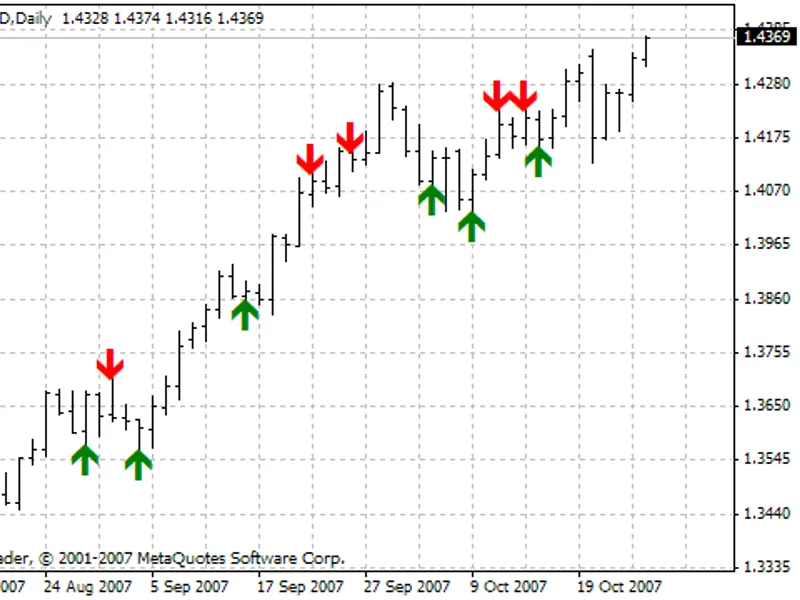
- Plots two points on the chart where the faster and slower LW-moving averages cross over.
- A downward-pointing red arrow indicates a downward trend and a potential short trade.
- An upward-pointing spring green arrow indicates an upward trend and a potential long trade.
LWMA variables:
- Faster LWMA
- Slower LWMA
AMA:
- Draws a moving average line with blue dots during an upward trend and gold dots during a downward trend.
- Gold dots on the AMA line, along with the red arrow on the LWMA, indicate a potential short trade.
- Blue dots on the AMA line, along with the spring green arrow on the LWMA, indicate a potential long trade.
AMA variable inputs:
- PeriodAMA
- NFast
- NSlow
- G
- DK
FXBay-MACD:
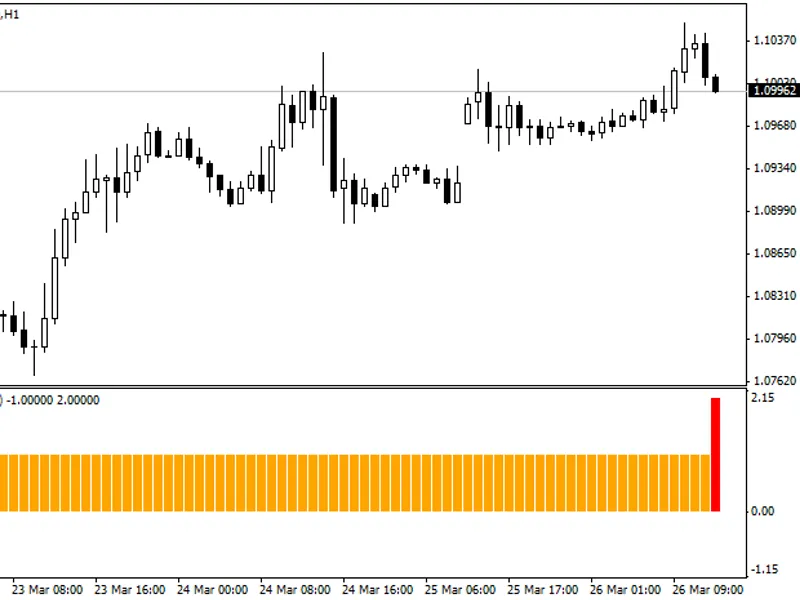
- Standard MACD indicator with a histogram showing the difference between the two plotted lines.
- The histogram's positive or negative value helps determine the entry and exit points for long and short trades.
Trading Logic:
- Long Trade Entry: Green arrow (LWMA) + Blue dot (AMA) + Positive histogram (MACD).
- Long Trade Exit: MACD histogram hits 0.000 or lower.
- Short Trade Entry: Red arrow (LWMA) + Gold dot (AMA) + Negative histogram (MACD).
- Short Trade Exit: MACD histogram hits 0.00 or higher.
MACD variables:
- Fast EMA
- Slow EMA
- Signal EMA
Other variables:
- Stop Loss in pips
- Risk percentage of the account balance
- Take Profit in pips
- Trade execution: Next opened candle or instant
Recommended settings for 15-minute charts:
LWMA:
- Fast LWMA: 7
- Slow LWMA: 30
AMA:
- Period AMA: 9
- NFast: 7
- NSlow: 30
- G: 1.4
- DK: 3.0
MACD:
- Fast MA: 12
- Slow MA: 30
- Signal: 9
Timeframes: M5 to H4
Note: When risk is set to 0, the EA trades a fixed lot size for every trade. Reverse the trading logic by setting 'reverse' to true.
You may also like: News Expert Advisor: Momentum Trading without Indicators - excellent alternative for expert users on MetaTrader 4.
Source Code
#define decimal_conversion 10
#define comment_digits 2
#define last_bar 1
#define this_bar 0
#define negative_value -1
#define retrycount    10
#define retrydelay    500
#define long          1
#define short         -1
#define all           0
.......
⚠ Limitations & Risk Warning
- This tool is provided for educational and testing purposes only.
- Past performance does not guarantee future results.
- Trading involves substantial risk of loss. Use on a demo account first.
- Results may vary depending on market conditions, broker, and settings.
- We recommend thorough backtesting and forward testing before using with real funds.