


Supertrend Scalper with Breakeven Win Rate Panel
Info
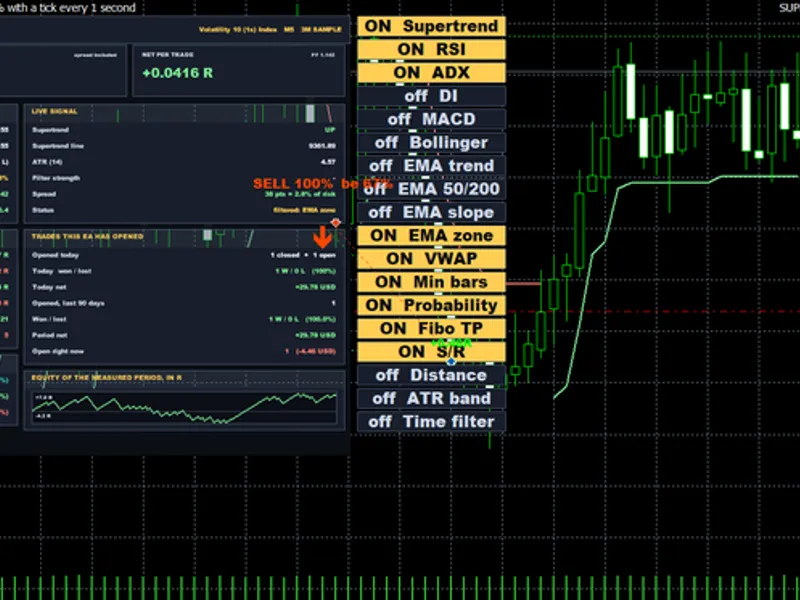
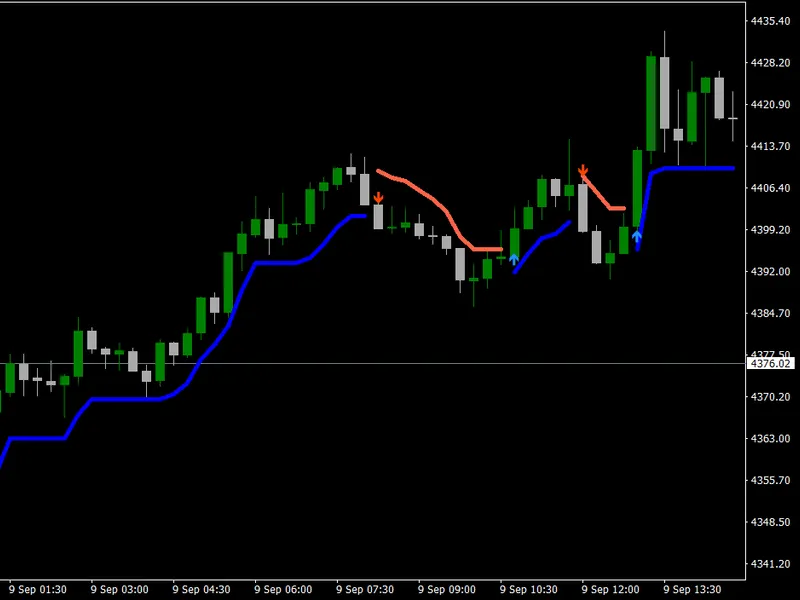
The Supertrend Scalper with Breakeven Win Rate Panel is a Expert Advisor for MetaTrader 5 that what it isa supertrend flip scalper for metatrader 5 with a stack of optional filters (rsi, adx/di, macd divergence, bollinger bands, ema trend and slope, ema zone, vwap, atr range and strength, distance from the supertrend line, support/resistance, minimum bars between signals and a probability threshold). Every filter can be switched on or off with a button on the chart, and the statistics update instantly.
Usage
This tool is typically used for scalping on lower timeframes (M1-M15).
Platform
This Expert Advisor works exclusively on MetaTrader 5 (both build 600+ and newer versions).
Setup
Place the downloaded file in MQL5/Experts folder via File ? Open Data Folder in MetaTrader 5.
How to Install and Use Supertrend Scalper with Breakeven Win Rate Panel
1. Installation: Open the "File" menu, select "Open Data Folder," navigate to MQL/Experts, paste your file, and restart the terminal.
2. Activation: Drag the EA from the Navigator onto a chart, ensure "Allow live trading" is checked in the Common tab, and verify the AutoTrading button is green.
3. Optimization: Right-click your chart, choose "Expert List," click "Properties" to adjust inputs, and save your preferred setup as a set file for future use.
4. Maintenance: Regularly check the "Experts" tab in the terminal window to monitor trade logs and potential execution errors.
Frequently Asked Questions
Q: Why is my EA not opening trades? A: Check the "AutoTrading" button, ensure "Allow live trading" is enabled, and verify your broker allows automated trading on your account type.
Q: Can I run multiple EAs on one chart? A: No, each chart can only host one active EA; however, you can open multiple charts for different currency pairs to run several EAs.
Q: What does the "smiley face" icon mean? A: A smiley face in the top-right corner of the chart indicates the EA is successfully running; a frowny face means it is disabled.
What this tool does
What it isA Supertrend flip scalper for MetaTrader 5 with a stack of optional filters (RSI, ADX/DI, MACD divergence, Bollinger Bands, EMA trend and slope, EMA zone, VWAP, ATR range and strength, distance from the Supertrend line, support/resistance, minimum bars between signals and a probability threshold).
Typical Use Case
This Expert Advisor excels in trend following on MetaTrader 5.
Compatible Platform & Setup
This Expert Advisor works on MetaTrader 5. Place the file in the MQL5/Experts folder and restart the terminal.
Description & Settings
Related: Tick Scalper Helper: Tick Chart and One-Click Trading Panel for MT5 - another powerful expert for MetaTrader 5 traders.
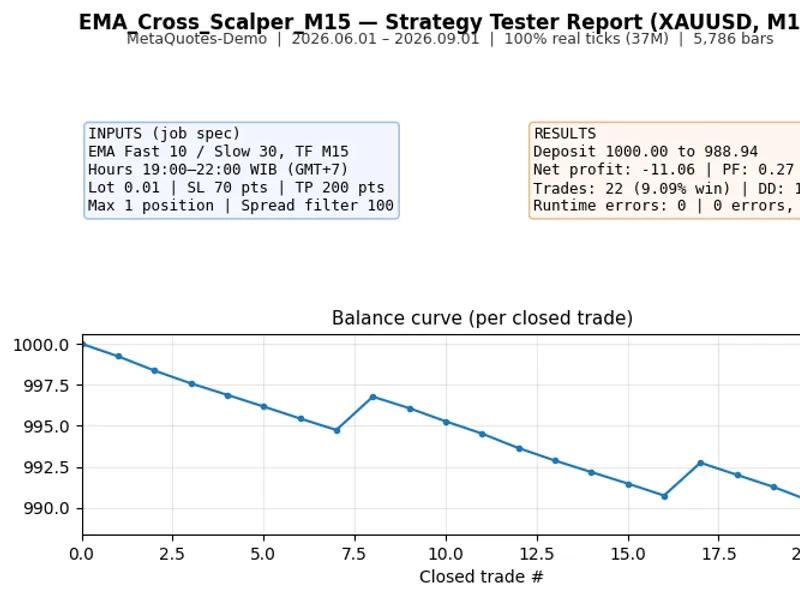
What it isAlso recommended: EMA Cross Scalper for XAUUSD (M15) with WIB Session Filter - similar expert with strong performance on MetaTrader 5.
A Supertrend flip scalper for MetaTrader 5 with a stack of optional filters (RSI, ADX/DI, MACD divergence, Bollinger Bands, EMA trend and slope, EMA zone, VWAP, ATR range and strength, distance from the Supertrend line, support/resistance, minimum bars between signals and a probability threshold). Every filter can be switched on or off with a button on the chart, and the statistics update instantly.
Why the panel matters
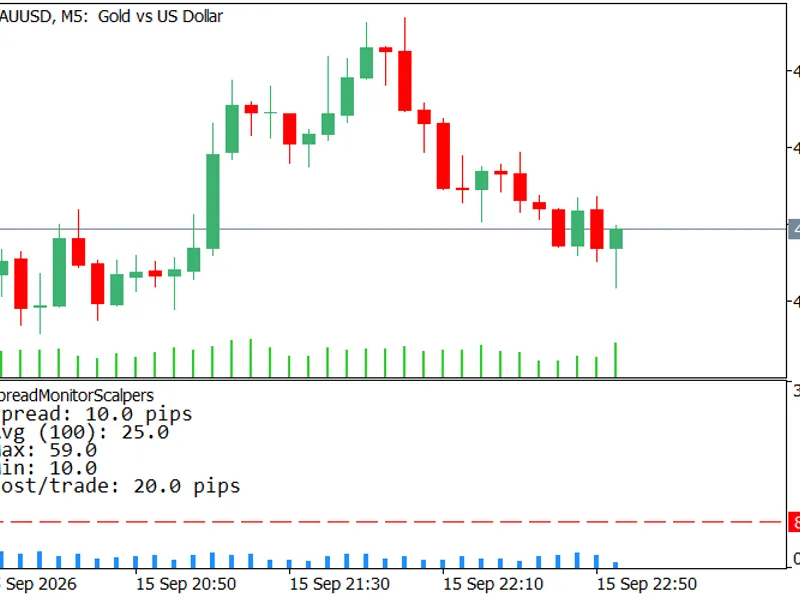
A high win rate is easy to produce: put the target closer than the stop. With a 3 ATR stop and a 1.5 ATR target, you need 66.7% wins just to break even. The panel shows the actual win rate beside the breakeven win rate, and charges each trade the bar’s real recorded spread plus slippage both ways. If the actual figure is not clearly above the breakeven figure, the setting loses money, however large the percentage looks.
Measured result (please read)
Tested on about 5 years of XAUUSD M5 data with real per-bar spread, the core signal’s win rate landed on the breakeven line at every target tried (1.5, 1.85 and 3.0 ATR). Before costs it was roughly flat. After spread it lost a small amount per trade. This EA is published as a research and learning tool that shows how to measure a strategy honestly, not as a profitable system.
How it works
A signal appears when the Supertrend flips direction on a closed bar.
Each enabled filter is checked. The probability threshold can also require a minimum share of all 14 checks to agree.
The stop is placed at a multiple of ATR. The target is either a fixed ATR multiple or the nearest enabled Fibonacci level.
Optional: early close when the Supertrend reverses, a time window, and buy/sell on/off.
Recommended symbol and timeframe:
XAUUSD, M5. It runs on other symbols, but the defaults were chosen for gold.
Main inputs
Supertrend: ATR period and multiplier
SL/TP: stop and target as multiples of ATR, Fibonacci TP levels
Filters: each filter has an on/off switch and its own settings
Trading: risk % per trade or fixed lots, maximum lot, maximum positions, daily loss limit, maximum spread as a share of the stop
Statistics: months of history replayed, replay slippage, panel position and size
Notes
Switching filters until the panel turns green is selection, not research. Check any filter set on a later period that was not used to choose it.
Test on your own broker’s data before any live use.
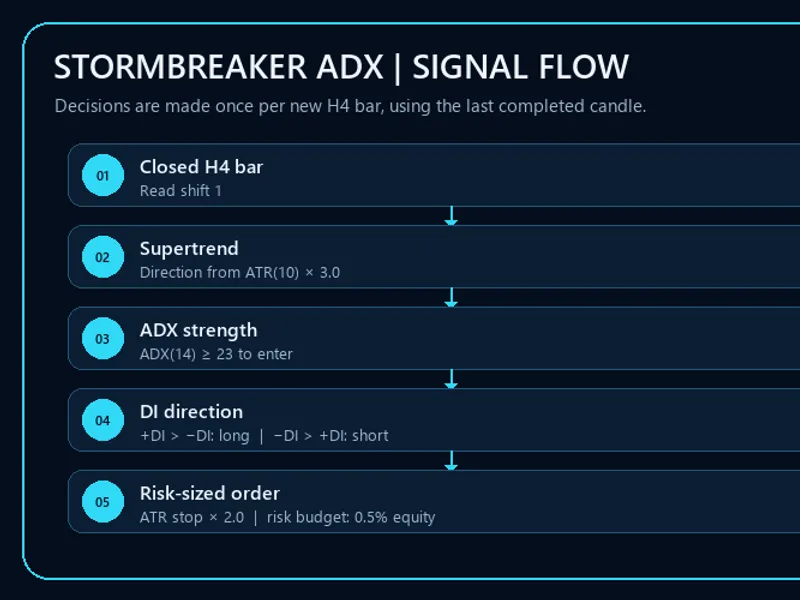
You may also like: Stormbreaker ADX - Supertrend and DMI Trend EA for MT5 - excellent alternative for expert users on MetaTrader 5.
Source Code
#property copyright "RobotFX"
#property link "https://robotfx.org"
#property version   "1.01"
#include <Trade\Trade.mqh>
#include <Trade\PositionInfo.mqh>
#include <Canvas\Canvas.mqh>
#define PFX      "SSE_"
#define MAXSIG   4096
input group "==== Supertrend Settings ===="
input int      ATR_Period                 = 14;
.......
⚠ Limitations & Risk Warning
- This tool is provided for educational and testing purposes only.
- Past performance does not guarantee future results.
- Trading involves substantial risk of loss. Use on a demo account first.
- Results may vary depending on market conditions, broker, and settings.
- We recommend thorough backtesting and forward testing before using with real funds.