

Spread Monitor for Scalpers
Info
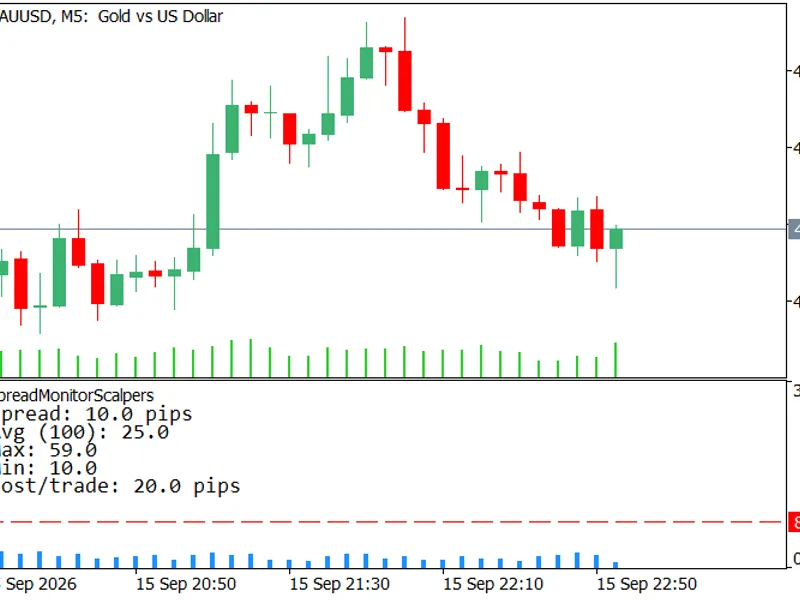
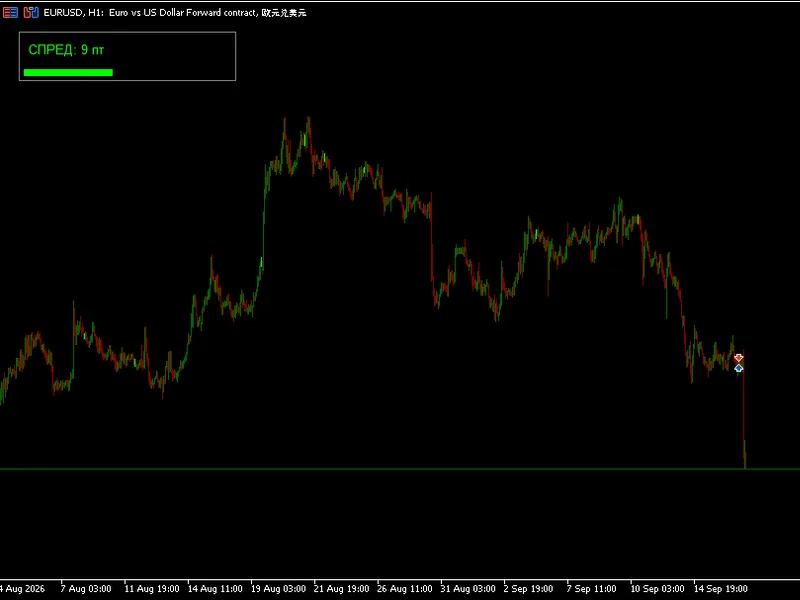
The Spread Monitor for Scalpers is a Indicator for MetaTrader 5 that a sub-window indicator designed for scalpers that displays the live trading spread as a histogram. It also features a horizontal threshold line and provides statistics on current, average, maximum, and minimum spreads over a configurable lookback period.
Usage
This tool is typically used for scalping on lower timeframes (M1-M15).
Platform
This Indicator works exclusively on MetaTrader 5 (both build 600+ and newer versions).
Setup
Place the downloaded file in MQL5/Indicators folder via File ? Open Data Folder in MetaTrader 5.
How to Install and Use Spread Monitor for Scalpers
1. Installation: Place your file in the MQL/Indicators folder via "Open Data Folder" and restart your terminal.
2. Loading: Find the indicator in the Navigator, drag it onto your chart, and configure the input parameters in the popup window.
3. Customization: Press Ctrl+I to open the indicator list, select your tool, and click "Properties" to change colors, levels, or visual styles.
4. Updating: Replace the old file in the Indicators folder with the new version and restart the platform to apply changes.
Frequently Asked Questions
Q: Why is my indicator not showing? A: Verify the file is in the MQL/Indicators folder, or try right-clicking the "Indicators" tree in the Navigator and clicking "Refresh."
Q: Do custom indicators slow down the platform? A: Too many complex indicators can impact performance; remove unused ones via the "Indicator List" (Ctrl+I).
Q: Can I use MT4 indicators on MT5? A: No, MQL4 and MQL5 are distinct languages; ensure the indicator is compiled specifically for your platform version.
What this tool does
A sub-window indicator designed for scalpers that displays the live trading spread as a histogram.
Typical Use Case
This Indicator excels in automated trading and technical analysis on MetaTrader 5.
Compatible Platform & Setup
This Indicator works on MetaTrader 5. Place the file in the MQL5/Indicators folder and restart the terminal.
Description & Settings
Related: Spread Monitor Indicator for MetaTrader 5 - another powerful indicator for MetaTrader 5 traders.
A sub-window indicator designed for scalpers that displays the live trading spread as a histogram.Also recommended: Enhanced Spread Monitor for MetaTrader 5 - similar indicator with strong performance on MetaTrader 5.
It also features a horizontal threshold line and provides statistics on current, average, maximum, and minimum spreads over a configurable lookback period.Additionally, it calculates and shows the round-trip spread cost per trade, indicating the pips required to break even.
The indicator includes an alert system (popup, log, and optional push notifications) that triggers when the spread exceeds a user-defined threshold, with a cooldown mechanism to prevent excessive alerts during sustained wide spreads.
The spread is reported in pips and is accurately adapted for any symbol, including 5-digit/3-digit (JPY) brokers and metals, using the Digits() function.
This indicator solely reads and displays information; it does not send, modify, or close any orders.
Features
Spread histogram in a sub-window
- The live spread is visualized as a vertical bar in a dedicated pane below the main chart, ensuring it does not obscure candle data.
- As MT5 does not maintain per-bar spread history, bars from before the indicator's attachment will appear empty.
- From the moment of attachment, each new bar records its spread, and the forming bar tracks the live spread tick-by-tick.
- This recorded history persists for the duration of the trading session.
Fixed vertical scale, no flicker
- The histogram's Y-axis is set to a fixed scale (defaulting to 0 to 4 times the alert threshold, or user-configurable) rather than auto-adjusting to visible data.
- This ensures stable visual representation of bar heights and the threshold line.
History survives a timeframe switch
- Recorded spread data is saved to a small file per symbol and timeframe when 'Remember spread history' is enabled.
- This allows the indicator to retain M5 spread history when switching to M15 and back, preventing data loss.
- Each symbol has its own separate history file, preventing data mixing.
Threshold line on the histogram
- A dashed horizontal line is displayed on the histogram at the user-defined 'Spread threshold (pips)'.
- This allows for immediate visual comparison of the current spread against the set limit.
Statistics panel (current / avg / max / min)
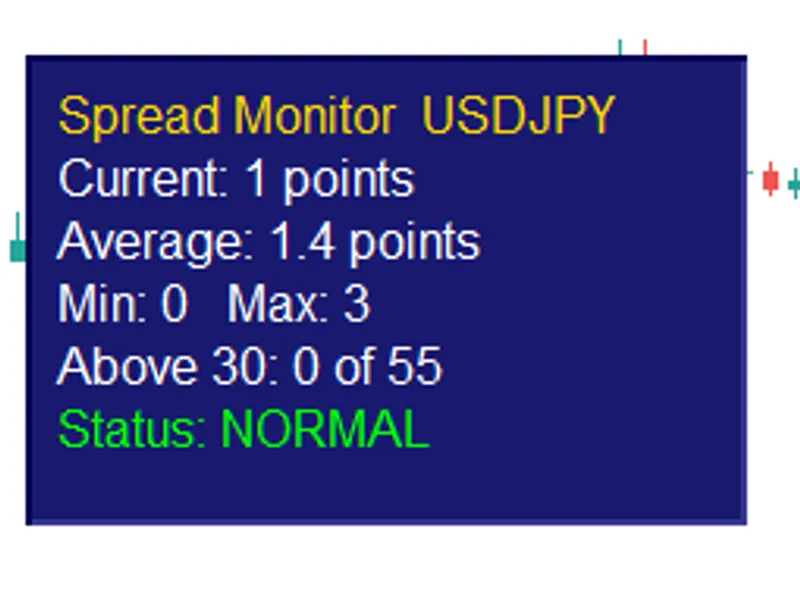
- A panel in the corner displays the live spread, along with the average, maximum, and minimum spreads over the specified 'Lookback' period.
- This provides a numerical representation of spread widening.
Round-trip cost per trade
- The indicator calculates and displays the 'Cost/trade' in the panel, which is the spread multiplied by two (entry and exit costs).
- This value represents the exact number of pips a trade must overcome to reach break-even.
Spread-threshold alert with cooldown
- When the spread exceeds the defined threshold, an alert is generated, including a popup message and a log entry indicating the current spread and threshold.
- A configurable 'Alert cooldown (seconds)' prevents repetitive alerts when the spread remains wide.
Optional push notifications
- The spread alert can be configured to send push notifications to the MetaTrader mobile application.
Spread in pips, correct on any symbol
- The indicator converts the raw point spread from SymbolInfoInteger(SYMBOL_SPREAD) into pips based on the symbol's digit count.
- This ensures accurate readings for 5-digit, 3-digit (JPY) brokers, and metals.
Configurable panel
- Users can customize the data location, font size, and text color of the statistics panel.
- The histogram and threshold line colors are also adjustable.
Single file, no dependencies, no external includes.
Compiles with 0 errors and 0 warnings.
How to use
Attach the indicator to any chart.
A spread histogram will appear in a sub-window, a dashed threshold line will be overlaid on it, and a statistics panel will display in a corner.
Configure the following parameters:
- Lookback bars: Set the window size (in bars) for calculating average, maximum, and minimum spread (default is 100).
- Alert threshold (pips): Define the spread level above which entry decisions should be cautious. The histogram bar crossing the dashed line, the 'Spread:' value turning red, and an alert firing indicate the spread has exceeded this limit.
- Histogram scale ceiling (pips): Defaults to 4 times the alert threshold. Adjust this manually if the spread frequently spikes higher.
- Alert cooldown (seconds): Fine-tune this setting to manage the frequency of alerts when the spread remains wide.
- Show cost per trade: Enable this option to view 'Cost/trade' (round-trip spread) in the panel, representing the break-even pip requirement.
- Push notifications: Optionally enable this to receive spread alerts on your mobile device.
- Remember spread history: Keep this enabled to preserve recorded spread bars across timeframe changes. Disable it if you prefer not to store small files in the MQL5\Files directory.
Why use it
For scalpers, the spread is a direct cost that significantly impacts profitability.
A wide spread requires earning more pips before a trade becomes profitable, and sudden spread widenings can turn a potential entry into a loss.
The status bar's raw spread number is insufficient; a histogram provides a clearer visualization.
This indicator places the spread in its own dedicated pane, alongside average and extreme values, and clearly states the round-trip cost as a break-even figure.
This crucial number helps in deciding whether a scalping setup is viable.
The indicator focuses solely on providing cost information without requiring additional trading settings or broker interaction.
Screenshots
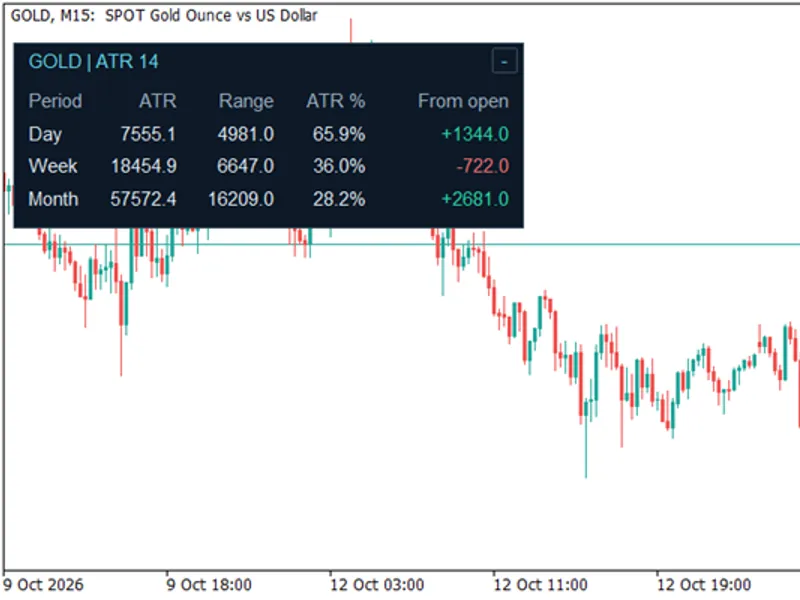
You may also like: ATR Monitor — Daily, Weekly, and Monthly Range - excellent alternative for indicator users on MetaTrader 5.
Source Code
#property copyright "RobotFX"
#property link "https://robotfx.org"
#property version   "1.32"
#property description "This code is educational. Feel free to use, modify and upgrade as you wish. Visit ROBOTFX.ORG for professional trading tools"
#property indicator_separate_window
#property indicator_plots   1
#property indicator_buffers 1
#property indicator_label1  "Spread"
#property indicator_type1  DRAW_HISTOGRAM
#property indicator_color1 clrDodgerBlue
.......
⚠ Limitations & Risk Warning
- This tool is provided for educational and testing purposes only.
- Past performance does not guarantee future results.
- Trading involves substantial risk of loss. Use on a demo account first.
- Results may vary depending on market conditions, broker, and settings.
- We recommend thorough backtesting and forward testing before using with real funds.