



MD Scalper EA: Trend/Reversal Scalping with Trailing Stop
Info
The MD Scalper EA: Trend/Reversal Scalping with Trailing Stop is a Expert Advisor for MetaTrader 4 that md scalper is a rapid scalping expert advisor for metatrader 4, designed to detect momentum using a short moving average channel and execute trades with pending stop orders and a tight trailing stop. How it worksSignal GenerationThe EA calculates two 3-period smoothed moving averages on the High and Low prices.
Usage
This tool is typically used for scalping on lower timeframes (M1-M15).
Platform
This Expert Advisor works exclusively on MetaTrader 4 (both build 600+ and newer versions).
Setup
Place the downloaded file in MQL4/Experts folder via File ? Open Data Folder in MetaTrader 4.
How to Install and Use MD Scalper EA: Trend/Reversal Scalping with Trailing Stop
1. Installation: Open the "File" menu, select "Open Data Folder," navigate to MQL/Experts, paste your file, and restart the terminal.
2. Activation: Drag the EA from the Navigator onto a chart, ensure "Allow live trading" is checked in the Common tab, and verify the AutoTrading button is green.
3. Optimization: Right-click your chart, choose "Expert List," click "Properties" to adjust inputs, and save your preferred setup as a set file for future use.
4. Maintenance: Regularly check the "Experts" tab in the terminal window to monitor trade logs and potential execution errors.
Frequently Asked Questions
Q: Why is my EA not opening trades? A: Check the "AutoTrading" button, ensure "Allow live trading" is enabled, and verify your broker allows automated trading on your account type.
Q: Can I run multiple EAs on one chart? A: No, each chart can only host one active EA; however, you can open multiple charts for different currency pairs to run several EAs.
Q: What does the "smiley face" icon mean? A: A smiley face in the top-right corner of the chart indicates the EA is successfully running; a frowny face means it is disabled.
What this tool does
MD Scalper is a rapid scalping Expert Advisor for MetaTrader 4, designed to detect momentum using a short moving average channel and execute trades with pending stop orders and a tight trailing stop.
Typical Use Case
This Expert Advisor excels in trend following on MetaTrader 4.
Compatible Platform & Setup
This Expert Advisor works on MetaTrader 4. Place the file in the MQL4/Experts folder and restart the terminal.
Description & Settings
Related: Scalper EA for Weekend Trading on BTC - another powerful expert for MetaTrader 4 traders.
MD Scalper is a rapid scalping Expert Advisor for MetaTrader 4, designed to detect momentum using a short moving average channel and execute trades with pending stop orders and a tight trailing stop.Also recommended: fs s long trade scalper - similar expert with strong performance on MetaTrader 4.
How it works
Signal Generation
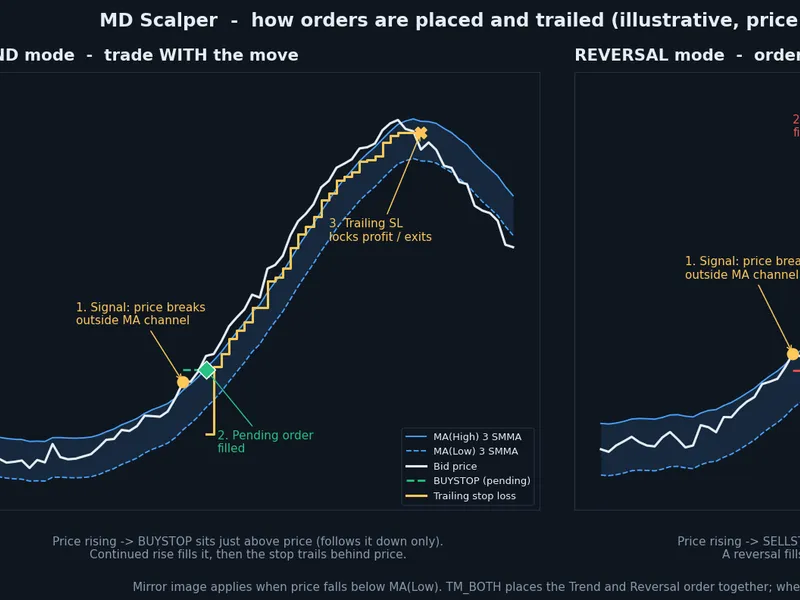
The EA calculates two 3-period smoothed moving averages on the High and Low prices. A BUY signal is generated when the Bid price breaks above the MA(High), and a SELL signal when it breaks below the MA(Low). A volatility filter, set by the Filter value, requires the current bar's range to exceed a specified threshold.
Trade Modes
The TradeMode input determines the type of pending order placed:
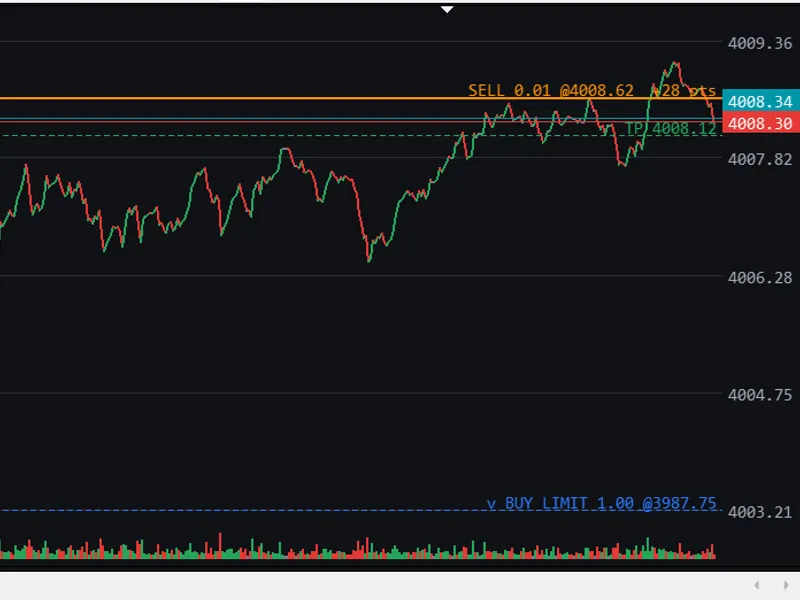
Trend Mode: Places an order in the direction of price movement. A rising price will place a BUYSTOP just above the current price, while a falling price places a SELLSTOP just below it.
Reversal Mode: Places an order opposite to the direction of price movement. A rising price will place a SELLSTOP just below the current price, and a falling price will place a BUYSTOP just above it.
Both Modes: Places both Trend and Reversal orders simultaneously. Whichever order fills first is executed, and the other is canceled.
Pending Order Management
Pending orders dynamically adjust their position relative to the market price. A BUYSTOP order only moves downwards, and a SELLSTOP order only moves upwards, ensuring the order remains close to the market and triggers on minor price movements.
Trailing Stop Loss
Once a trade is active, the stop loss follows the price at a specified Distance in points. The TrailStart and TrailStep settings offer further control over when the trailing stop activates and how frequently it adjusts.
Single Position Management
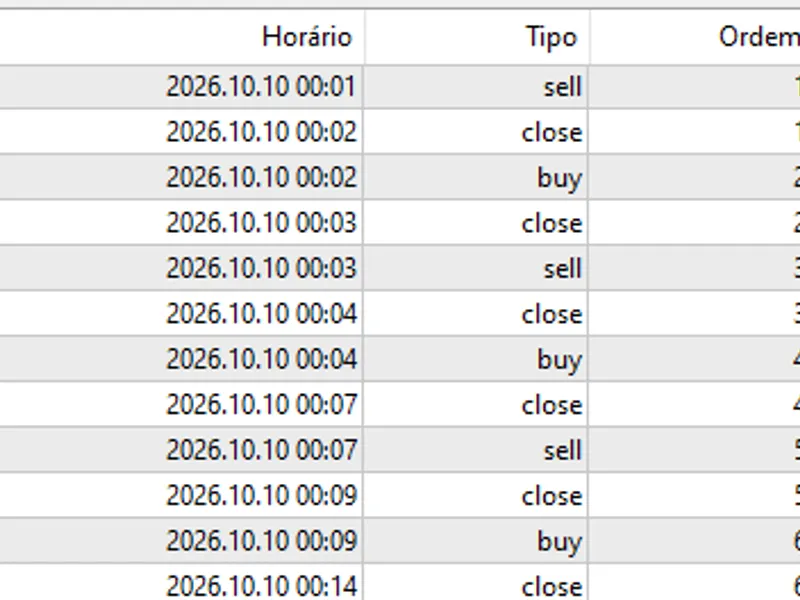
The EA operates with only one open position at any given time. Upon closing a trade, a new signal initiates the trading cycle.
Broker and Latency Optimization
For optimal performance, TEST the EA on a 1-minute chart with low latency and a minimal Stop Loss level, such as with IC Markets. Consider increasing the SL to 30 points to mitigate stop hunting and allow for price fluctuations.
The EA automatically respects the broker's stop level and freeze level settings (AutoStopLevel).
Modifications to orders are rate-limited (MinModifyMs) with minimum step sizes to prevent excessive server requests.
The EA includes retry mechanisms for requote, busy, and off-quote errors, with a brief pause after a failed order submission.
It measures and displays average order latency and can disable entries if latency becomes excessively high.
ExtraLatencyPoints provides an additional buffer for order offsets and trailing distances.
Stale pending orders are automatically deleted if they exceed a certain age, fall outside the trading session, or if the spread becomes too wide.
Additional Features
Spread Filter: Monitors average and current spread, accounting for commission (auto-detected or manually set).
Lot Size Modes: Supports fixed lot sizes, risk percentage of balance based on stop loss, or the original leverage-based calculation. Includes a free margin check.
Optional Protections: Includes settings for maximum trades per day, daily loss limits, a cooldown period after trade closure, a Friday cutoff time, and a time filter that can span across midnight.
On-Chart Panel: Displays real-time information including the current signal, spread, latency, today's profit/loss, and reasons for entry blocking.
Key Input Parameters
Input Parameter
Meaning
TradeMode
Specifies the trading mode: Trend, Reversal, or Both.
MAPeriod, MAMethod
Moving Average settings (default is 3, Smoothed method).
Filter
Minimum required range of the current bar in points for signal confirmation.
Limit
Offset in points from the price for placing pending orders.
StopLoss, TakeProfit
Initial Stop Loss and Take Profit levels in points (0 disables the feature).
Distance
Trailing stop distance in points (a negative value disables the trailing stop).
MaxSpreadPlusCommission
Maximum allowable spread plus commission in points for trade entry.
LotMode, FixedLots, RiskPercent
Settings for determining the position size.
MagicNumber
Unique identifier for orders placed by this EA.
Recommendations
The default settings (Limit 2, StopLoss 10, Distance 2) are configured for tight spreads and minimal stop levels, suitable for specific account types. For other accounts, the AutoStopLevel feature can automatically adjust these distances.
It is crucial to TEST the EA thoroughly on a demo account before live trading. Factors such as latency and broker execution speed can significantly impact live results and cannot be fully replicated in the Strategy Tester.
Scalping performance is highly dependent on the spread, execution speed, and the broker's infrastructure.
Risk Warning: Trading leveraged financial instruments involves a high level of risk and may not be suitable for all investors. Simulated or past performance is not indicative of future results.
You may also like: Renko Scalper - excellent alternative for expert users on MetaTrader 4.
Source Code
яю
#property copyright "RobotFX"
#property link "https://robotfx.org"
#property version   "2.00"
#property strict
#property description "This code is educational. Feel free to use, modify and upgrade as you wish. Visit ROBOTFX.ORG for professional trading tools"
#define SPREAD_SAMPLES 30
enum ENUM_TRADE_MODE
{
   TM_REVERSAL = 0,
.......
⚠ Limitations & Risk Warning
- This tool is provided for educational and testing purposes only.
- Past performance does not guarantee future results.
- Trading involves substantial risk of loss. Use on a demo account first.
- Results may vary depending on market conditions, broker, and settings.
- We recommend thorough backtesting and forward testing before using with real funds.