

mam a c d
Info
The mam a c d is a Expert Advisor for MetaTrader 5 that two main ima (moving average, ma) indicators with periods 85 and 75 are calculated using low prices, and a third ima (moving average, ma) with a period of 5 is calculated based on close prices. A position is opened when the fast IMA (Moving Average, MA) with a period of 5 crosses both slow IMAs.
Usage
This tool is typically used for automated trading on major forex pairs and gold.
Platform
This Expert Advisor works exclusively on MetaTrader 5 (both build 600+ and newer versions).
Setup
Place the downloaded file in MQL5/Experts folder via File ? Open Data Folder in MetaTrader 5.
How to Install and Use mam a c d
1. Installation: Open the "File" menu, select "Open Data Folder," navigate to MQL/Experts, paste your file, and restart the terminal.
2. Activation: Drag the EA from the Navigator onto a chart, ensure "Allow live trading" is checked in the Common tab, and verify the AutoTrading button is green.
3. Optimization: Right-click your chart, choose "Expert List," click "Properties" to adjust inputs, and save your preferred setup as a set file for future use.
4. Maintenance: Regularly check the "Experts" tab in the terminal window to monitor trade logs and potential execution errors.
Frequently Asked Questions
Q: Why is my EA not opening trades? A: Check the "AutoTrading" button, ensure "Allow live trading" is enabled, and verify your broker allows automated trading on your account type.
Q: Can I run multiple EAs on one chart? A: No, each chart can only host one active EA; however, you can open multiple charts for different currency pairs to run several EAs.
Q: What does the "smiley face" icon mean? A: A smiley face in the top-right corner of the chart indicates the EA is successfully running; a frowny face means it is disabled.
What this tool does
Two main IMA (Moving Average, MA) indicators with periods 85 and 75 are calculated using low prices, and a third IMA (Moving Average, MA) with a period of 5 is calculated based on close prices.
Typical Use Case
This Expert Advisor excels in automated trading and technical analysis on MetaTrader 5.
Compatible Platform & Setup
This Expert Advisor works on MetaTrader 5. Place the file in the MQL5/Experts folder and restart the terminal.
Description & Settings
Related: Supertrend Scalper with Breakeven Win Rate Panel - another powerful expert for MetaTrader 5 traders.
Two main IMA (Moving Average, MA) indicators with periods 85 and 75 are calculated using low prices, and a third IMA (Moving Average, MA) with a period of 5 is calculated based on close prices.Also recommended: Tick Scalper Helper: Tick Chart and One-Click Trading Panel for MT5 - similar expert with strong performance on MetaTrader 5.
A position is opened when the fast IMA (Moving Average, MA) with a period of 5 crosses both slow IMAs. An additional factor is the MACD's position above zero for an up trade or its growth.
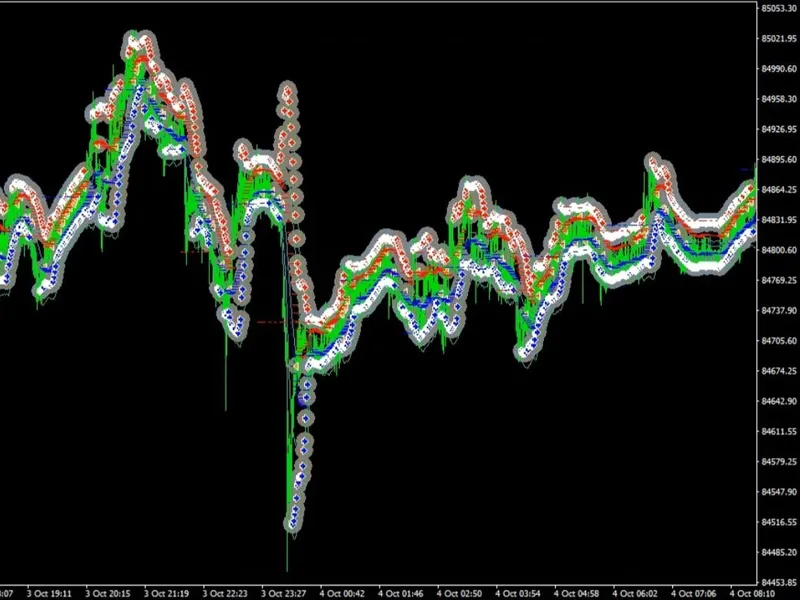
Two MAs are used for visual trading, with a small take profit of 15-20 points, depending on currency volatility. The stop loss of 10-15 points is rarely triggered.
Testing results for the last year (from 2022.01.01 to 2022.10.31) at the M15 timeframe:
- The positive result was only obtained for USDJPY.
Results of testing for the last year (from 2022.01.01 to 2022.10.31) at the H1 timeframe.
You may also like: Accurate Broker GMT Offset and Daylight Saving Time Rules from Price History - excellent alternative for expert users on MetaTrader 5.
Source Code
/.......
⚠ Limitations & Risk Warning
- This tool is provided for educational and testing purposes only.
- Past performance does not guarantee future results.
- Trading involves substantial risk of loss. Use on a demo account first.
- Results may vary depending on market conditions, broker, and settings.
- We recommend thorough backtesting and forward testing before using with real funds.