


UT Bot Alerts for MT4: Signal Statistics and Session Filtering
Info
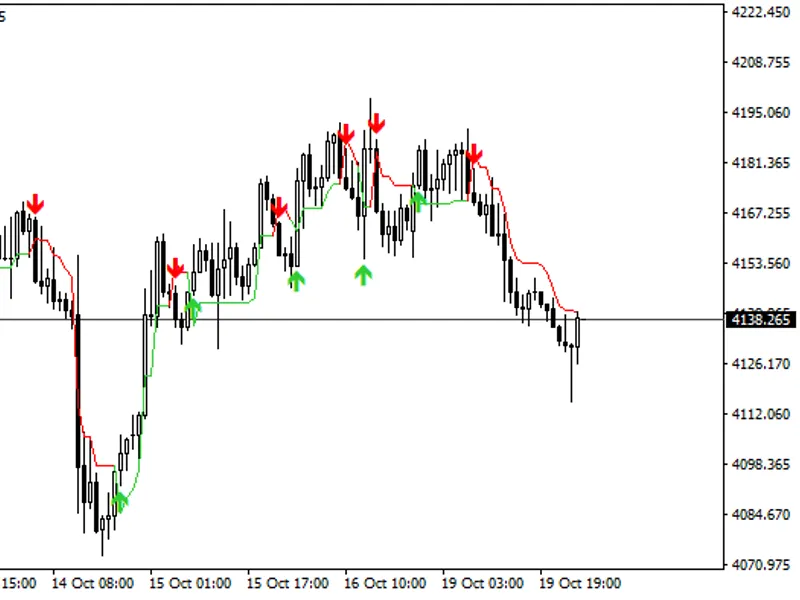
The UT Bot Alerts for MT4: Signal Statistics and Session Filtering is a Indicator for MetaTrader 4 that ut bot alerts for mt4 is a direct port of the popular tradingview script by quantnomad (pine v4, 2020), with contributions from hpotter and yo_adriiiiaan. The original script is open source.
Usage
This tool is typically used for enhancing chart analysis and decision making.
Platform
This Indicator works exclusively on MetaTrader 4 (both build 600+ and newer versions).
Setup
Place the downloaded file in MQL4/Indicators folder via File ? Open Data Folder in MetaTrader 4.
How to Install and Use UT Bot Alerts for MT4: Signal Statistics and Session Filtering
1. Installation: Place your file in the MQL/Indicators folder via "Open Data Folder" and restart your terminal.
2. Loading: Find the indicator in the Navigator, drag it onto your chart, and configure the input parameters in the popup window.
3. Customization: Press Ctrl+I to open the indicator list, select your tool, and click "Properties" to change colors, levels, or visual styles.
4. Updating: Replace the old file in the Indicators folder with the new version and restart the platform to apply changes.
Frequently Asked Questions
Q: Why is my indicator not showing? A: Verify the file is in the MQL/Indicators folder, or try right-clicking the "Indicators" tree in the Navigator and clicking "Refresh."
Q: Do custom indicators slow down the platform? A: Too many complex indicators can impact performance; remove unused ones via the "Indicator List" (Ctrl+I).
Q: Can I use MT4 indicators on MT5? A: No, MQL4 and MQL5 are distinct languages; ensure the indicator is compiled specifically for your platform version.
What this tool does
UT Bot Alerts for MT4 is a direct port of the popular TradingView script by QuantNomad (Pine v4, 2020), with contributions from HPotter and Yo_adriiiiaan.
Typical Use Case
This Indicator excels in automated trading and technical analysis on MetaTrader 4.
Compatible Platform & Setup
This Indicator works on MetaTrader 4. Place the file in the MQL4/Indicators folder and restart the terminal.
Description & Settings
Related: Chandelier Exit for MT4: A Precise Port with Enhanced Signal Statistics - another powerful indicator for MetaTrader 4 traders.
UT Bot Alerts for MT4 is a direct port of the popular TradingView script by QuantNomad (Pine v4, 2020), with contributions from HPotter and Yo_adriiiiaan. The original script is open source.Also recommended: Volatility Regime Shader for MT4: Adaptive Volatility Classification - similar indicator with strong performance on MetaTrader 4.
The indicator logic is identical to the original:
ATR Calculation:
The indicator uses a custom ATR calculation (Wilder's RMA seeded with an SMA), not the built-in iATR function.
Trailing Stop Logic:
It implements a trailing stop mechanism using nested iff/nz recursion. The stop moves with price in the direction of the trend, ratcheting up when price rises above it and down when price falls below it. It resets to a price deviation (Key Value * ATR) when price crosses the stop.
Buy/Sell Signals:
Buy signals are generated when the source price moves above the stop and crosses it upwards. Sell signals are the opposite.
Bar Coloring:
Bars are colored green when the price is above the trailing stop and red when below.
Optional Heikin Ashi Source:
The indicator can use a Heikin Ashi close price (average of OHLC/4) as the source.
Original Inputs:
Key Value, ATR Period (default 10), Heikin Ashi (on/off).
MT4 Enhancements:
Trailing Stop Line:
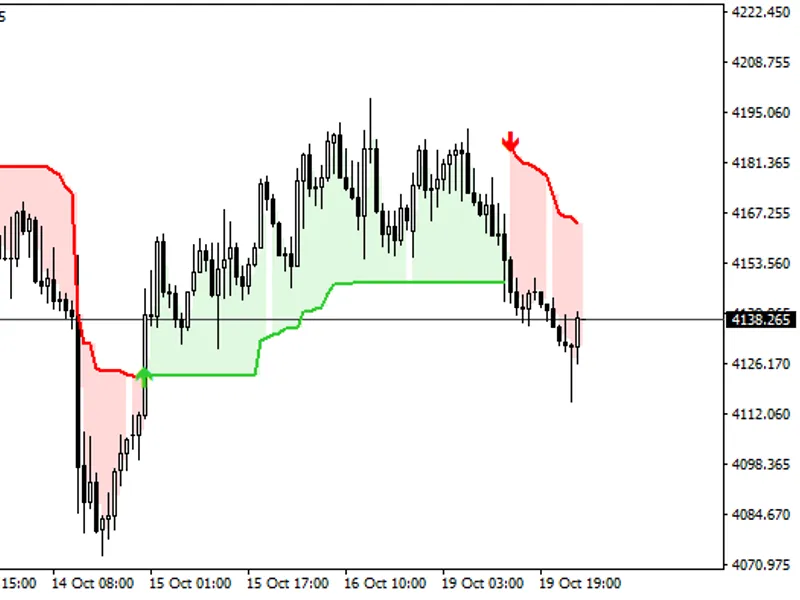
Unlike the original which only colored bars, this version draws the trailing stop level directly on the chart.
Signal Statistics Panel:
A new panel displays comprehensive statistics for signals. It tracks trades, win rate, net profit (pips/USD after spread and commission), profit factor, longest losing streak, maximum drawdown, the current open trade, and the cost per trade.
Daily Session Filter:
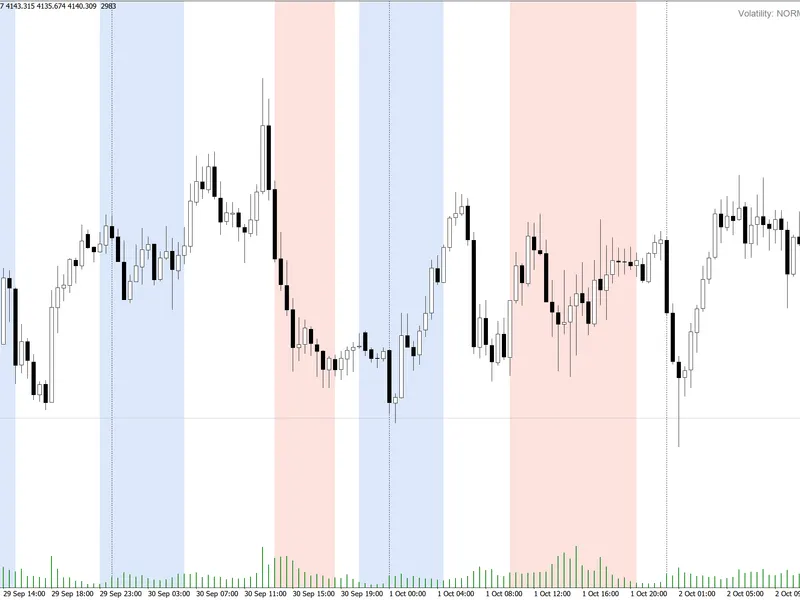
An optional filter allows users to specify start and end times for trading sessions in their local time zone. This feature supports overnight windows. When enabled, it can optionally close trades at the session end and visually highlights the trading session on the chart. The panel statistics will reflect trades within the active session when this filter is used. It is off by default.
Trade Marks:
Each identified trade is marked on the chart. Hovering over a mark reveals trade details including prices, exit reason, and the outcome.
Alerts:
New alerts are available for new Buy or Sell signals.
EA Buffers:
Buffers are provided for Expert Advisors (iCustom): 3 for Buy signals, 4 for Sell signals, and 13 for the trailing stop.
Important Considerations:
The statistics panel is designed to help users evaluate past signals. It is crucial to examine the 'cost per trade' line, especially on short timeframes (1-5 minutes), as spread and commission costs can be significant relative to the price movement between signals. This panel is not a substitute for a backtest and does not guarantee future results. This version is updated for 2026.
You may also like: Smart Session Breakout MT4: Asian Range Breakout with ATR Filter and Alerts - excellent alternative for indicator users on MetaTrader 4.
Source Code
яю
#property copyright "RobotFX"
#property version   "1.10"
#property description "This code is educational. Feel free to use, modify and upgrade as you wish. Visit ROBOTFX.ORG for professional trading tools"
#property strict
#property indicator_chart_window
#property indicator_buffers 13
#property indicator_color1 clrLimeGreen
#property indicator_color2 clrRed
#property indicator_color3 clrDodgerBlue
.......
⚠ Limitations & Risk Warning
- This tool is provided for educational and testing purposes only.
- Past performance does not guarantee future results.
- Trading involves substantial risk of loss. Use on a demo account first.
- Results may vary depending on market conditions, broker, and settings.
- We recommend thorough backtesting and forward testing before using with real funds.