


Telegram Trade Notifier: Real-time Alerts and Daily Summaries
Info
The Telegram Trade Notifier: Real-time Alerts and Daily Summaries is a Expert Advisor for MetaTrader 5 that telegram trade notifier keeps you informed about your trading account when you are away from the terminal. Attach this Expert Advisor (EA) to a single chart, and it will send a Telegram message for every trade event.
Usage
This tool is typically used for automated trading on major forex pairs and gold.
Platform
This Expert Advisor works exclusively on MetaTrader 5 (both build 600+ and newer versions).
Setup
Place the downloaded file in MQL5/Experts folder via File ? Open Data Folder in MetaTrader 5.
How to Install and Use Telegram Trade Notifier: Real-time Alerts and Daily Summaries
1. Installation: Open the "File" menu, select "Open Data Folder," navigate to MQL/Experts, paste your file, and restart the terminal.
2. Activation: Drag the EA from the Navigator onto a chart, ensure "Allow live trading" is checked in the Common tab, and verify the AutoTrading button is green.
3. Optimization: Right-click your chart, choose "Expert List," click "Properties" to adjust inputs, and save your preferred setup as a set file for future use.
4. Maintenance: Regularly check the "Experts" tab in the terminal window to monitor trade logs and potential execution errors.
Frequently Asked Questions
Q: Why is my EA not opening trades? A: Check the "AutoTrading" button, ensure "Allow live trading" is enabled, and verify your broker allows automated trading on your account type.
Q: Can I run multiple EAs on one chart? A: No, each chart can only host one active EA; however, you can open multiple charts for different currency pairs to run several EAs.
Q: What does the "smiley face" icon mean? A: A smiley face in the top-right corner of the chart indicates the EA is successfully running; a frowny face means it is disabled.
What this tool does
Telegram Trade Notifier keeps you informed about your trading account when you are away from the terminal.
Typical Use Case
This Expert Advisor excels in automated trading and technical analysis on MetaTrader 5.
Compatible Platform & Setup
This Expert Advisor works on MetaTrader 5. Place the file in the MQL5/Experts folder and restart the terminal.
Description & Settings
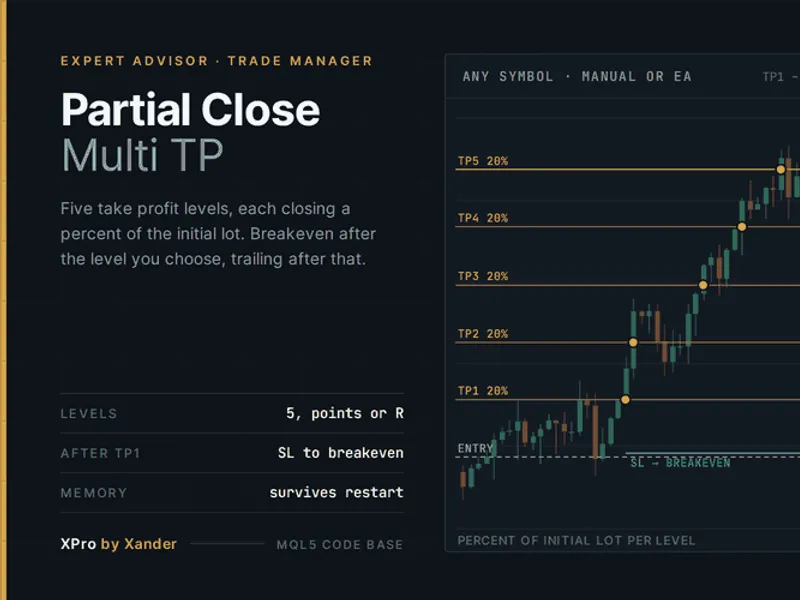
Related: Partial Close Multi TP Manager for MetaTrader 5 - another powerful expert for MetaTrader 5 traders.
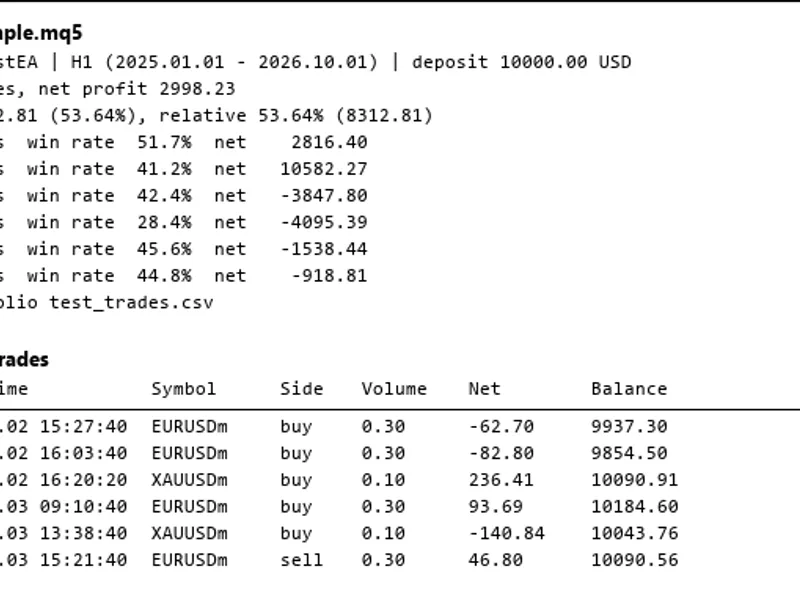
Telegram Trade Notifier keeps you informed about your trading account when you are away from the terminal.Also recommended: Strategy Tester Report Parser for Deals and Trades - similar expert with strong performance on MetaTrader 5.
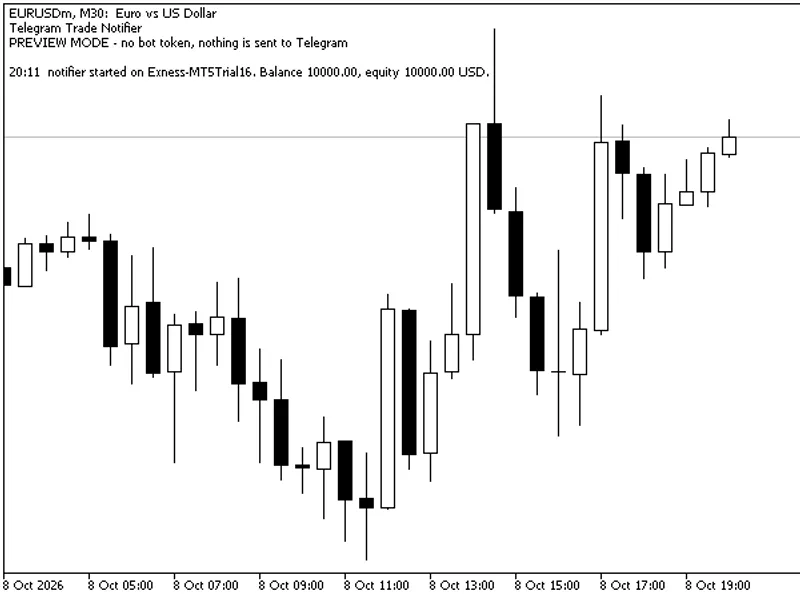
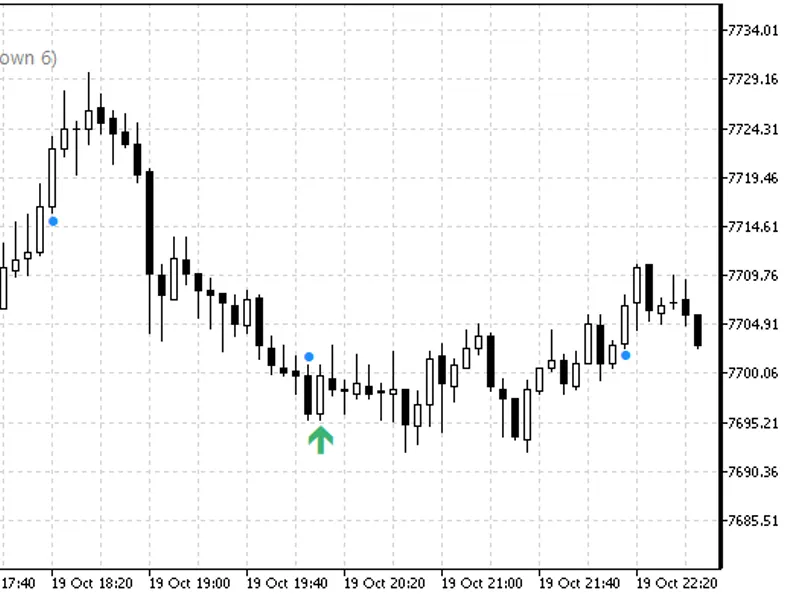
Attach this Expert Advisor (EA) to a single chart, and it will send a Telegram message for every trade event. This EA never opens, changes, or closes trades on your account.Preview mode demonstration on a EURUSD M30 chart (demo account): Without a bot token, messages are displayed directly on the chart.
Features:
- Position Opened: Notifies you of new positions including side, volume, symbol, price, stop loss, take profit, and the origin (EA, manual order, mobile app, or web terminal).
- Position Closed: Details the closing price, profit/loss in account currency, and the reason for closure (stop loss, take profit, or stop out).
- Pending Orders: Alerts for placed, cancelled, or expired pending orders.
- Stop Loss / Take Profit Changes: Optional notifications for when stop loss or take profit levels are modified (disabled by default to prevent excessive messages from trailing stops).
- Daily Summary: Provides a summary at a user-defined server hour, including closed trades, win/loss count, closed trade results, open positions, floating profit/loss, balance, and equity.
Message Handling:
Messages are queued and sent via a timer, ensuring network latency does not slow down trading events. Failed messages are retried up to 5 times. Errors that cannot be resolved by retries, such as an invalid bot token or chat ID, are logged in the Experts journal.
Preview Mode:
To test the EA without sending actual Telegram messages, leave the bot token field empty. In this mode, messages are displayed on the chart and in the Experts journal. The chart also shows the EA's status (messages sent, waiting, last error) and the most recent messages.
Setup Instructions:
1. Create a bot in Telegram using @BotFather and copy the provided bot token.
2. Send a message to your bot or add it to a group/channel. Use a tool like @userinfobot to find your chat ID.
3. In MetaTrader 5, navigate to Tools > Options > Expert Advisors. Enable 'Allow WebRequest for listed URL' and add the necessary URL.
4. Attach the EA to any chart. Enter your bot token and chat ID in the EA's input parameters.
Input Parameters:
- Bot Token: Your bot token from @BotFather. Leave empty for preview mode.
- Chat ID: The user, group, or channel ID where messages should be sent.
- Message Title: Customize the title of the messages. If empty, it defaults to "Account
- EA Start / Position Opened / Position Closed Notifications: Enable/disable notifications for these events (default: true).
- Pending Order Placed / Cancelled Notifications: Enable/disable notifications for pending order events (default: true).
- Stop Loss / Take Profit Changed Notifications: Enable/disable notifications for SL/TP changes (default: false).
- Daily Summary / Summary at Server Hour: Enable/disable the daily summary and set the server hour (0-23) for its delivery (default: true / 23).
- Only This Magic Number: Filter trades by magic number. Set to -1 to include all trades (default: -1).
- Only This Symbol: Filter trades by symbol. Leave empty to include all symbols (default: empty).
- Show Status and Last Messages on Chart: Enable/disable the display of status and recent messages on the chart (default: true).
- Number of Messages Shown on Chart: Define how many recent messages are displayed on the chart (default: 6).
Important Notes:
- Keep your bot token private. Do not share .set files that contain your token.
- In the Strategy Tester, WebRequests are not permitted. Therefore, messages will be printed in the journal instead of being sent. For testing purposes within the Strategy Tester, the EA will simulate opening and closing one small test trade daily (minimum lot size, closed after 4 hours) so you can observe the message output in the journal.
You may also like: Programmatically Attach Expert Advisors with Custom Inputs to MetaTrader 5 Charts - excellent alternative for expert users on MetaTrader 5.
Source Code
#property copyright "RobotFX"
#property link "https://robotfx.org"
#property version     "1.01"
#property description "This code is educational. Feel free to use, modify and upgrade as you wish. Visit ROBOTFX.ORG for professional trading tools"
#include <Trade\Trade.mqh>
input group "Telegram"
input string InpBotToken     = "";
input string InpChatId       = "";
input string InpTitle        = "";
input group "Messages"
.......
⚠ Limitations & Risk Warning
- This tool is provided for educational and testing purposes only.
- Past performance does not guarantee future results.
- Trading involves substantial risk of loss. Use on a demo account first.
- Results may vary depending on market conditions, broker, and settings.
- We recommend thorough backtesting and forward testing before using with real funds.