
Strategy Tester Report Parser for Deals and Trades
Info
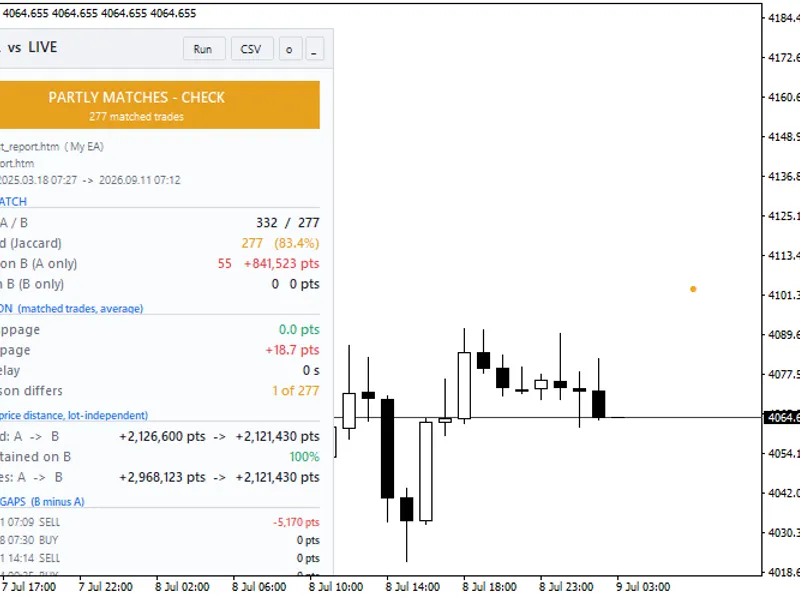
The Strategy Tester Report Parser for Deals and Trades is a Expert Advisor for MetaTrader 5 that parse saved strategy tester reports into deals and tradesthis utility reads a strategy tester report saved as html and extracts its deals, closed trades, and key performance figures. This enables other MQL5 code to process backtest results for purposes such as comparing reports, creating portfolios, exporting data, or validating against account history.
Usage
This tool is typically used for automated trading on major forex pairs and gold.
Platform
This Expert Advisor works exclusively on MetaTrader 5 (both build 600+ and newer versions).
Setup
Place the downloaded file in MQL5/Experts folder via File ? Open Data Folder in MetaTrader 5.
How to Install and Use Strategy Tester Report Parser for Deals and Trades
1. Installation: Open the "File" menu, select "Open Data Folder," navigate to MQL/Experts, paste your file, and restart the terminal.
2. Activation: Drag the EA from the Navigator onto a chart, ensure "Allow live trading" is checked in the Common tab, and verify the AutoTrading button is green.
3. Optimization: Right-click your chart, choose "Expert List," click "Properties" to adjust inputs, and save your preferred setup as a set file for future use.
4. Maintenance: Regularly check the "Experts" tab in the terminal window to monitor trade logs and potential execution errors.
Frequently Asked Questions
Q: Why is my EA not opening trades? A: Check the "AutoTrading" button, ensure "Allow live trading" is enabled, and verify your broker allows automated trading on your account type.
Q: Can I run multiple EAs on one chart? A: No, each chart can only host one active EA; however, you can open multiple charts for different currency pairs to run several EAs.
Q: What does the "smiley face" icon mean? A: A smiley face in the top-right corner of the chart indicates the EA is successfully running; a frowny face means it is disabled.
What this tool does
Parse Saved Strategy Tester Reports into Deals and TradesThis utility reads a Strategy Tester report saved as HTML and extracts its deals, closed trades, and key performance figures.
Typical Use Case
This Expert Advisor excels in automated trading and technical analysis on MetaTrader 5.
Compatible Platform & Setup
This Expert Advisor works on MetaTrader 5. Place the file in the MQL5/Experts folder and restart the terminal.
Description & Settings
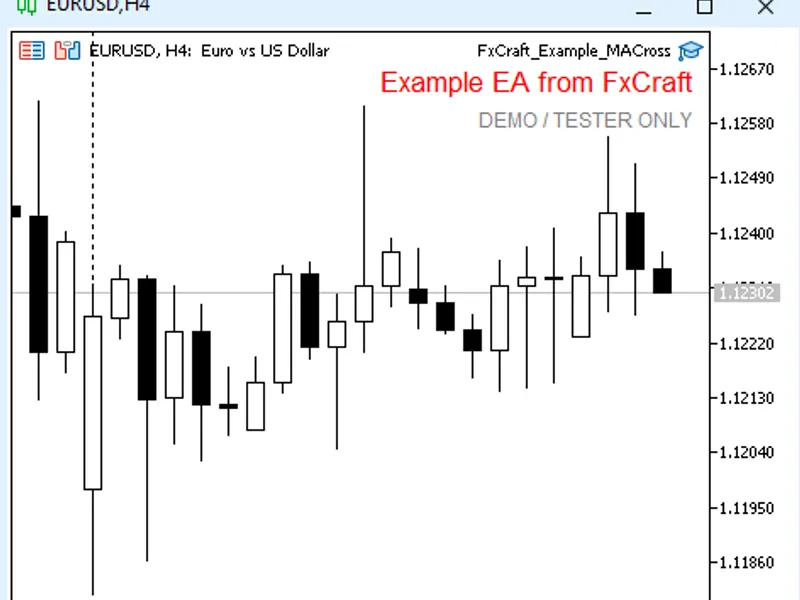
Related: Fx Craft Example EA: MA Cross Strategy Explained - another powerful expert for MetaTrader 5 traders.
Parse Saved Strategy Tester Reports into Deals and TradesAlso recommended: Manual Trade Pad for MetaTrader 5 Strategy Tester - similar expert with strong performance on MetaTrader 5.
This utility reads a Strategy Tester report saved as HTML and extracts its deals, closed trades, and key performance figures. This enables other MQL5 code to process backtest results for purposes such as comparing reports, creating portfolios, exporting data, or validating against account history.
Usage
#include
CTesterReport report;
if(report.Load("MyTest.htm"))
{
for(int i = 0; i < report.Trades(); i++)
{
}
double maxMoney, maxPercent, relMoney, relPercent;
report.BalanceDrawdowns(maxMoney, maxPercent, relMoney, relPercent);
}
else
Print(report.LastError());
Data Read
The utility parses the following from the Strategy Tester report:
Test Settings: Includes the Expert Advisor name, testing period, currency, and initial deposit.
Deals (SReportDeal): Parses each row of the Deals table, extracting details such as time, ticket, symbol, type, direction, volume, price, commission, swap, profit, balance, and comment.
Closed Trades (SReportTrade): Reconstructs closed trades. Since the report does not provide explicit position numbers, each trade exit is matched with the oldest open entry of the same symbol and opposite side. Partial closes or reversals result in a trade entry for each segment, with commissions allocated proportionally to the closed volume.
Profit and Drawdowns: Extracts Net Profit and balance drawdowns as presented in the report. This includes 'Maximal' drawdown (the largest monetary and percentage drop) and 'Relative' drawdown (the largest percentage drop with its corresponding monetary value). Deposits and withdrawals made after the initial trade are excluded from drawdown calculations, consistent with the Strategy Tester's methodology.
The parser supports reading both UTF-16 (standard terminal output) and UTF-8 encoded report files.
Example
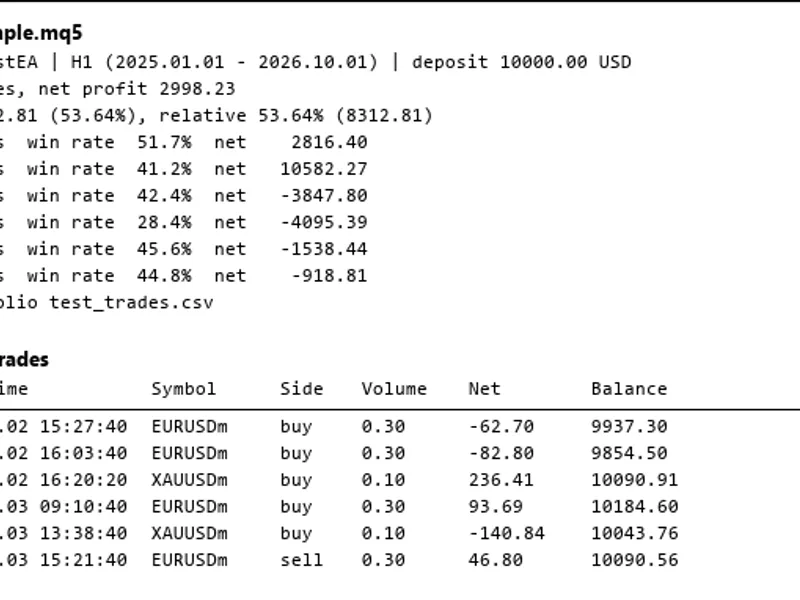
The provided script TesterReportExample.mq5 demonstrates how to read a report from the MQL5\Files directory, display a summary of results by symbol and side, and export each closed trade to a CSV file.
Verification
Extensive testing on a variety of saved reports (encompassing multiple symbols, varying execution delays, mid-test withdrawals, and diverse initial deposits) confirmed that the calculated net profit and balance drawdowns precisely match the figures in the report header. Furthermore, the analysis of thousands of closed trades showed perfect alignment with results from an independent analysis tool.
File Placement
Place TesterReport.mqh in the MQL5\Include\TesterReport directory.
Place TesterReportExample.mq5 in the MQL5\Scripts\TesterReport directory.
Updated for 2026.
You may also like: GBPJPY Monday Strategy: Simple Weekly Long Trade - excellent alternative for expert users on MetaTrader 5.
Source Code
#property copyright "RobotFX"
#property version     "1.00"
#property script_show_inputs
#include <TesterReport\TesterReport.mqh>
input string InpReport = "Report.htm";
input bool   InpCommon = false;
input string InpCsv    = "Report_trades.csv";
void OnStart()
  {
   CTesterReport report;
.......
⚠ Limitations & Risk Warning
- This tool is provided for educational and testing purposes only.
- Past performance does not guarantee future results.
- Trading involves substantial risk of loss. Use on a demo account first.
- Results may vary depending on market conditions, broker, and settings.
- We recommend thorough backtesting and forward testing before using with real funds.