


Order Watchdog: Account Anomaly Alerts for MT5
Info
The Order Watchdog: Account Anomaly Alerts for MT5 is a Expert Advisor for MetaTrader 5 that order watchdog is a read-only expert advisor designed to monitor your entire mt5 account for anomalies. It operates on any live or demo chart without executing trades, focusing solely on reading positions, orders, and deal history to send timely alerts.
Usage
This tool is typically used for automated trading on major forex pairs and gold.
Platform
This Expert Advisor works exclusively on MetaTrader 5 (both build 600+ and newer versions).
Setup
Place the downloaded file in MQL5/Experts folder via File ? Open Data Folder in MetaTrader 5.
How to Install and Use Order Watchdog: Account Anomaly Alerts for MT5
1. Installation: Open the "File" menu, select "Open Data Folder," navigate to MQL/Experts, paste your file, and restart the terminal.
2. Activation: Drag the EA from the Navigator onto a chart, ensure "Allow live trading" is checked in the Common tab, and verify the AutoTrading button is green.
3. Optimization: Right-click your chart, choose "Expert List," click "Properties" to adjust inputs, and save your preferred setup as a set file for future use.
4. Maintenance: Regularly check the "Experts" tab in the terminal window to monitor trade logs and potential execution errors.
Frequently Asked Questions
Q: Why is my EA not opening trades? A: Check the "AutoTrading" button, ensure "Allow live trading" is enabled, and verify your broker allows automated trading on your account type.
Q: Can I run multiple EAs on one chart? A: No, each chart can only host one active EA; however, you can open multiple charts for different currency pairs to run several EAs.
Q: What does the "smiley face" icon mean? A: A smiley face in the top-right corner of the chart indicates the EA is successfully running; a frowny face means it is disabled.
What this tool does
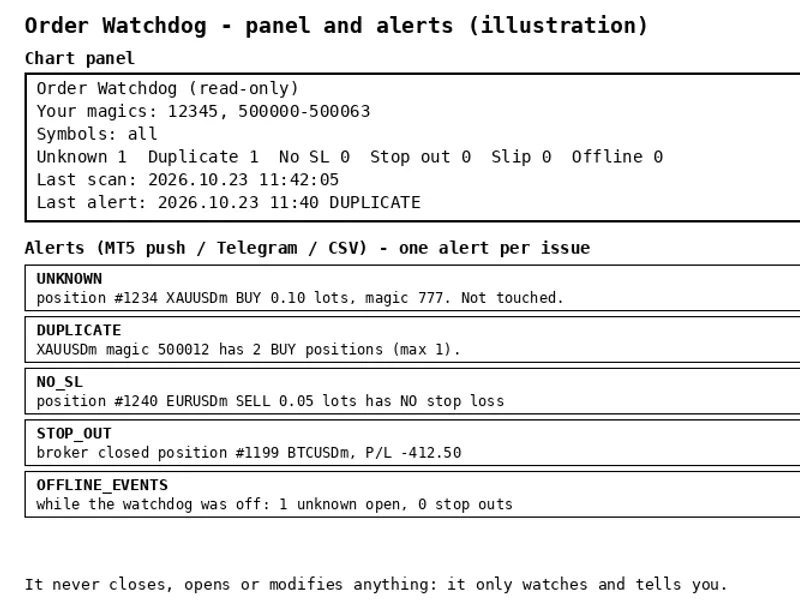
Order Watchdog is a read-only Expert Advisor designed to monitor your entire MT5 account for anomalies.
Typical Use Case
This Expert Advisor excels in automated trading and technical analysis on MetaTrader 5.
Compatible Platform & Setup
This Expert Advisor works on MetaTrader 5. Place the file in the MQL5/Experts folder and restart the terminal.
Description & Settings
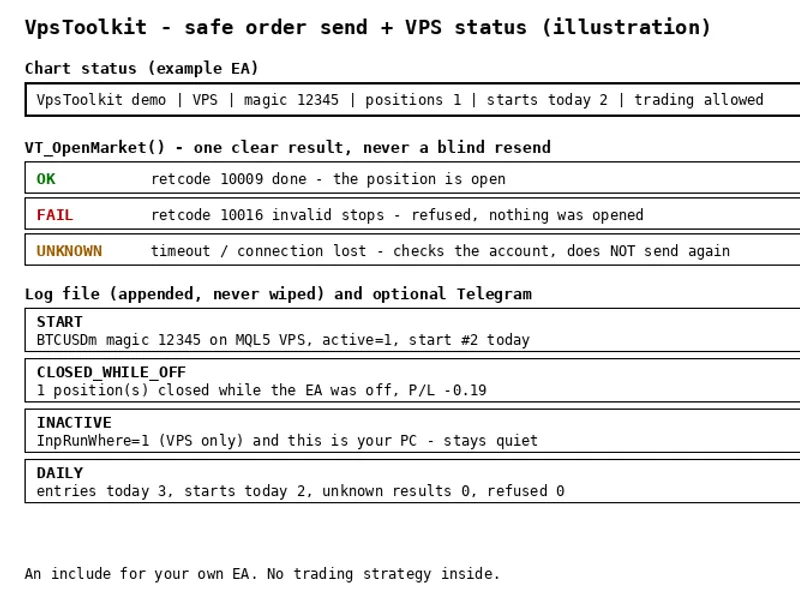
Related: VPS Toolkit: Secure Order Sending and Restart-Safe State for Expert Advisors - another powerful expert for MetaTrader 5 traders.
Order WatchdogAlso recommended: Fx Craft Example EA: Range Breakout with Pending Orders - similar expert with strong performance on MetaTrader 5.
is a read-only Expert Advisor designed to monitor your entire MT5 account for anomalies. It operates on any live or demo chart without executing trades, focusing solely on reading positions, orders, and deal history to send timely alerts.This tool is ideal for users running one or more Expert Advisors on a PC or VPS who need immediate notification of unexpected trade activity, such as those arising from connection interruptions, system restarts, or broker-related issues.
Alert Conditions
Unknown Magic Numbers: Flags positions or pending orders with magic numbers not present in your specified list. Manual trades can be exempted.
Duplicate Positions: Detects multiple positions for the same magic number, symbol, and direction (e.g., two buy orders after a reconnection).
Missing Stop Loss: Alerts if a position remains without a Stop Loss after a defined grace period.
Stop Outs: Notifies when positions are closed by the broker due to margin stop outs.
Stop Loss Slippage: Identifies Stop Loss orders that executed at a price significantly worse than the specified limit.
Downtime Activity: Upon reactivation, it reviews the deal history to report any unknown-magic positions opened or stop outs that occurred while the Watchdog was inactive.
Quick Setup
Attach the EA to any chart; it monitors all symbols automatically.
Specify your Expert Advisors' magic numbers in the InpMagics input, accepting comma-separated values and ranges (e.g., 12345, 500000-500063).
Optionally, configure InpMaxPerMagic (e.g., 1) and enable InpRequireSL.
Alerts are delivered via MT5 mobile app push notifications, a CSV log file, and optionally through Telegram.
Design Principles
Each detected issue triggers a single alert that persists until resolved. Alerts from a single scan are consolidated into one message to prevent alert storms and avoid MT5 push notification limits.
Alerted issues and their last seen timestamps are stored in a state file, ensuring that restarts do not re-report old alerts or forget downtime periods.
Scans are performed only when the terminal is connected. The downtime check initiates only after a stable connection of 15 seconds.
Invalid inputs will prevent the EA from starting. This includes improperly formatted magic number lists, non-existent symbols (e.g., incorrect suffix), or checks requiring magic numbers when none are provided.
The InpRunWhere parameter allows flexible deployment: run on any device, exclusively on an MQL5 VPS, or only on your local PC.
Telegram integration is optional and timer-initiated. Ensure WebRequest is enabled in Tools > Options > Expert Advisors > Allow WebRequest.
Strategy Tester Functionality
In the Strategy Tester, the InpTesterDemo input generates sample trades (including an unknown magic number, a duplicate without SL) and closes them to demonstrate alert functionality. This feature is exclusive to the Strategy Tester. A built-in self-test (InpRunSelfTest) verifies input parsing and alert logic.
Testing and Validation
Compiled without errors or warnings. Self-test completed successfully with 35 checks passed.
Strategy Tester runs on EURUSD and XAUUSD confirmed unknown magic, duplicate, and no-SL alerts, each appearing once per issue without repetition.
Live demo account (hedging, EURUSD) testing confirmed: an unknown-magic position was reported immediately, two positions with the same magic triggered a single DUPLICATE alert, and both positions raised NO_SL alerts after the grace period.
Post-restart behavior confirmed no false re-reporting. An unknown-magic position opened during Watchdog downtime was reported approximately 20 seconds after reconnection (OFFLINE_EVENTS). Closing test positions did not generate false alerts.
Push notifications fail gracefully with a single clear message in the Experts log (error 4517) if a MetaQuotes ID is not configured, avoiding repeated alerts.
Further confirmation is pending for: push delivery to mobile, Telegram alerts, SL slippage, and real stop-out scenarios. Please report any discrepancies or issues.
This tool is available free of charge. Feedback and suggestions are welcome in the comments section.
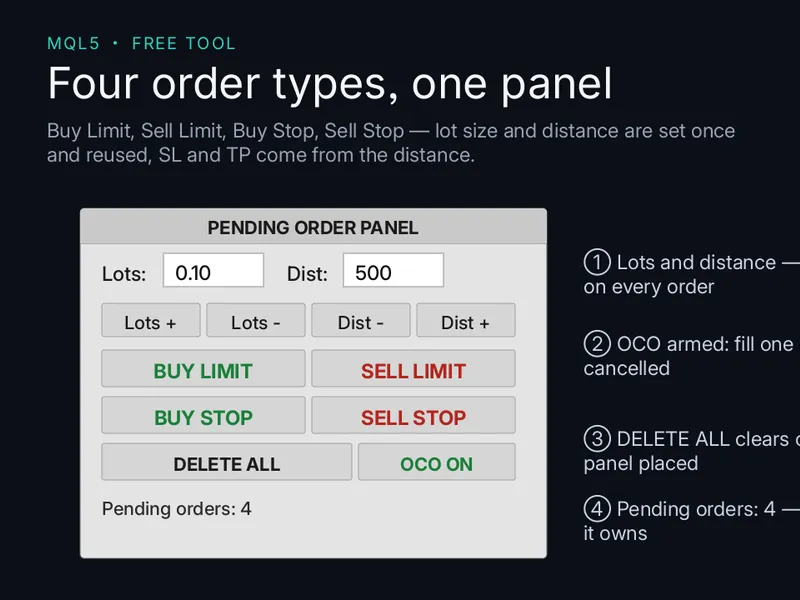
You may also like: Pending Panel MT5: One-Click Pending Orders with OCO Functionality - excellent alternative for expert users on MetaTrader 5.
Source Code
#property copyright "RobotFX"
#property link "https://robotfx.org"
#property version     "1.00"
#property description "This code is educational. Feel free to use, modify and upgrade as you wish. Visit ROBOTFX.ORG for professional trading tools"
#include <Trade\Trade.mqh>

input group "What is yours"
input string InpMagics         = "";
input bool   InpManualIsOK     = true;
input string InpSymbols        = "";
.......
⚠ Limitations & Risk Warning
- This tool is provided for educational and testing purposes only.
- Past performance does not guarantee future results.
- Trading involves substantial risk of loss. Use on a demo account first.
- Results may vary depending on market conditions, broker, and settings.
- We recommend thorough backtesting and forward testing before using with real funds.