


MetaTrader Backtest Data Validation: Broker Bar and Tick History Check
Info
The MetaTrader Backtest Data Validation: Broker Bar and Tick History Check is a Script for MetaTrader 5 that backtest data preflight analyzes the price history your metatrader terminal can access for a specific symbol, timeframe, and date range. Before running a backtest, use this report to verify if your broker has provided bar data close to your requested dates.
Usage
This tool is typically used for enhancing chart analysis and decision making.
Platform
This Script works exclusively on MetaTrader 5 (both build 600+ and newer versions).
Setup
Place the downloaded file in MQL5/Scripts folder via File ? Open Data Folder in MetaTrader 5.
How to Install and Use MetaTrader Backtest Data Validation: Broker Bar and Tick History Check
1. Installation: Move your script file into the MQL/Scripts directory and restart the platform.
2. Execution: Drag the script onto a chart; it will perform a one-time action, such as closing all open orders or clearing chart objects.
3. Editing: Use MetaEditor (F4) to modify code, click "Compile," and verify no errors appear in the terminal before running.
4. Removing: Scripts stop automatically, but you can remove them manually by right-clicking the chart and choosing "Remove Script."
Frequently Asked Questions
Q: How are scripts different from EAs? A: Scripts execute a single action and then stop; EAs monitor the market and trade continuously.
Q: Can I assign a hotkey to a script? A: Yes, right-click the script in the Navigator, select "Set Hotkey," and define your preferred keyboard shortcut.
Q: Why did my script stop? A: Scripts are designed to stop immediately after finishing their programmed command; this is normal behavior.
What this tool does
Backtest Data Preflight analyzes the price history your MetaTrader terminal can access for a specific symbol, timeframe, and date range.
Typical Use Case
This Script excels in automated trading and technical analysis on MetaTrader 5.
Compatible Platform & Setup
This Script works on MetaTrader 5. Place the file in the MQL5/Scripts folder and restart the terminal.
Description & Settings
Related: Execution and Slippage Forensics for MetaTrader 5 Account History Audits - another powerful script for MetaTrader 5 traders.
Backtest Data Preflight analyzes the price history your MetaTrader terminal can access for a specific symbol, timeframe, and date range.Also recommended: Import Tick Data CSV to Custom Symbol for Realistic Backtesting - similar script with strong performance on MetaTrader 5.
Before running a backtest, use this report to verify if your broker has provided bar data close to your requested dates.
How to Run the Check
Compile the script in MetaEditor and apply it to a chart by dragging it from the Navigator window.
The script uses the current chart's symbol and timeframe by default. You can also specify a different symbol from Market Watch and select a different timeframe.
Set the 'From' and 'To' dates according to your broker's server time. The check includes the 'From' date and excludes the 'To' date. Leaving both at zero will check the last 30 days.
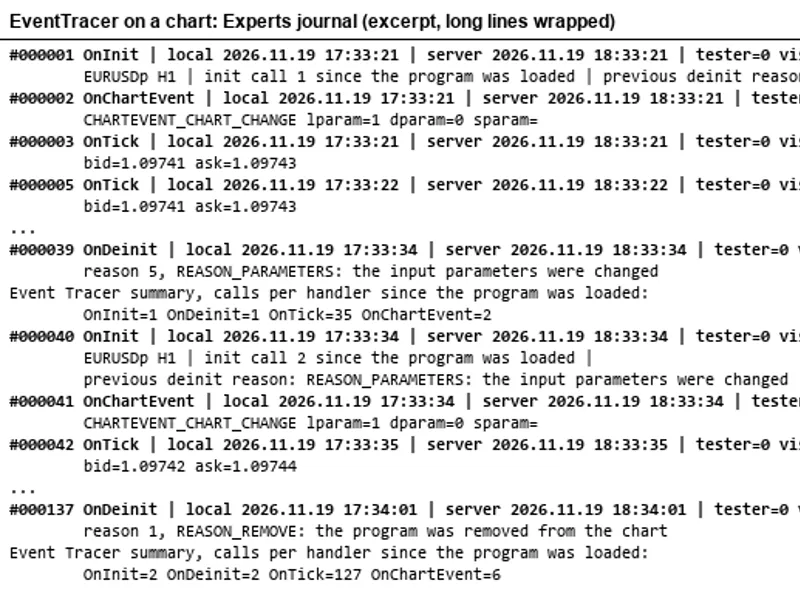
For MetaTrader 5, enable 'Check tick history' to also inspect tick data. The results will be displayed in the Experts tab.
Understanding the Report
The report details the bar count and the first and last open prices retrieved by the terminal. The 'edge offsets' indicate the proximity of these open prices to your requested dates.
A 'gap' is defined as a period between two consecutive open prices exceeding the selected timeframe. Examine these dates in relation to normal trading hours. Gaps can occur due to weekends and holidays. For monthly bars, the report shows the observed dates without a gap count.
The MT5 tick scan processes each server date individually. It provides separate counts for dates with no data ('Empty reads') and dates that returned an error. If ticks are available, the report will list their count and the earliest and latest timestamps.
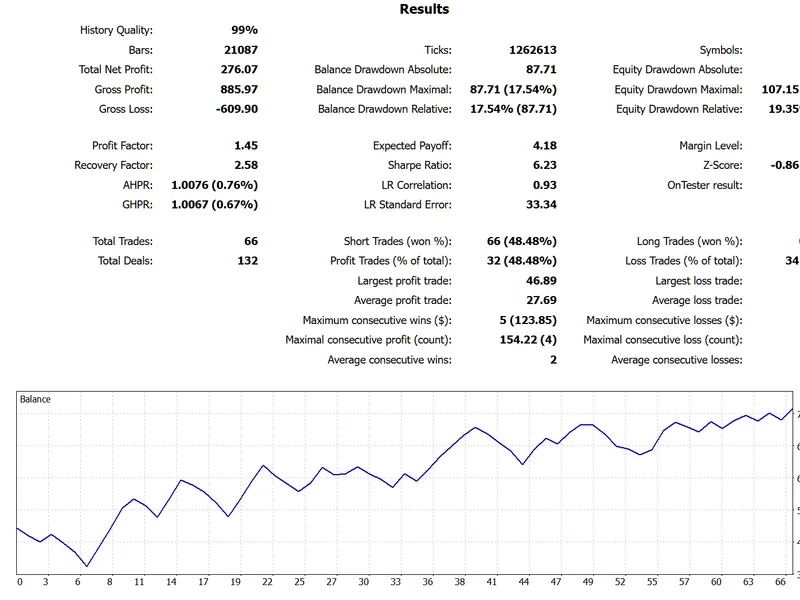
To test, apply the script to an hourly currency chart spanning a weekend. The report will show the time interval between the last open on Friday and the first open on Monday. Cross-reference this with the Strategy Tester report to confirm the exact data used during your backtest.
This tool is compatible with MetaTrader 4 and MetaTrader 5. Last updated 2026.
You may also like: Risk-Based Lot Size Calculator for MetaTrader - excellent alternative for script users on MetaTrader 5.
Source Code
#property strict
#ifndef BDP_NO_PROGRAM
#property copyright "RobotFX"
#property link "https://robotfx.org"
#property version "1.0"
#property description "This code is educational. Feel free to use, modify and upgrade as you wish. Visit ROBOTFX.ORG for professional trading tools"
#property script_show_inputs
#endif
#define BDP_OK 0
#define BDP_ERROR_WINDOW (ERR_USER_ERROR_FIRST + 1)
.......
⚠ Limitations & Risk Warning
- This tool is provided for educational and testing purposes only.
- Past performance does not guarantee future results.
- Trading involves substantial risk of loss. Use on a demo account first.
- Results may vary depending on market conditions, broker, and settings.
- We recommend thorough backtesting and forward testing before using with real funds.