
Session Range and Spread Indicator
Info
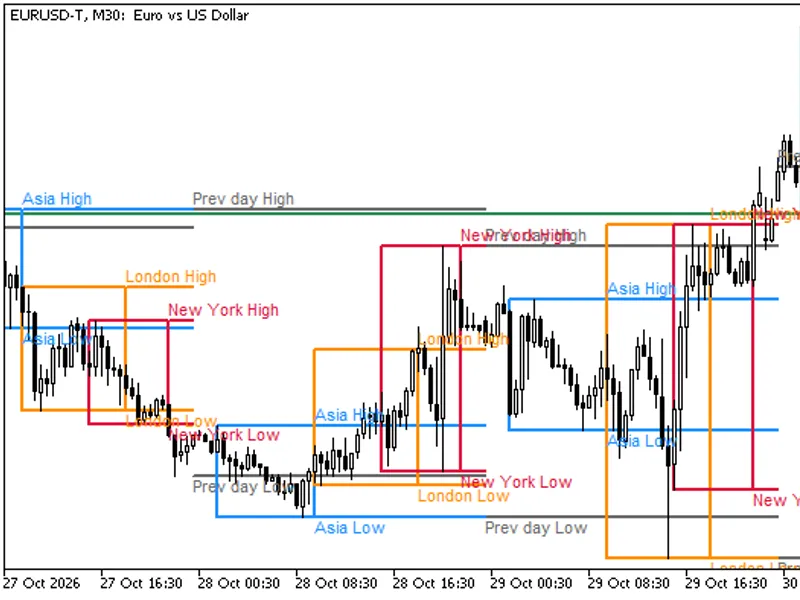
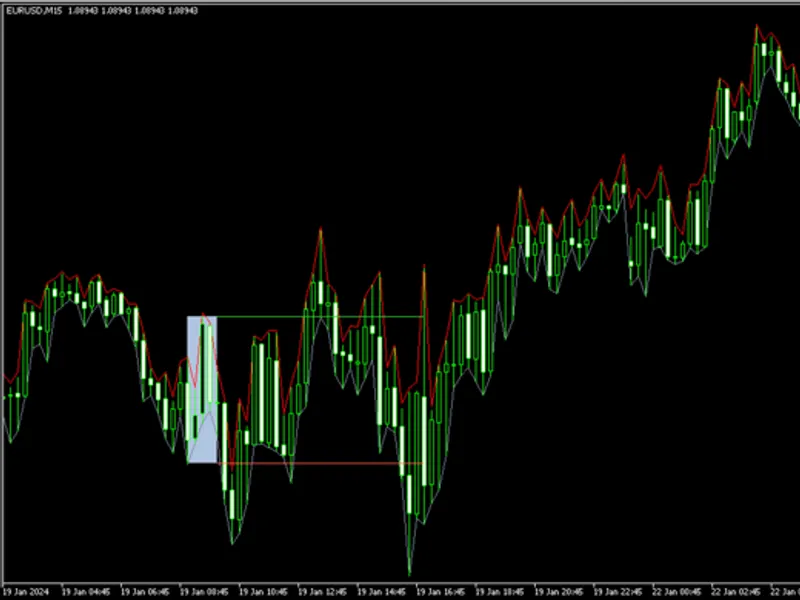
The Session Range and Spread Indicator is a Indicator for MetaTrader 5 that session range and spread identifies the three primary trading sessions on your chart. For each trading day, it displays a box illustrating the range from the session's highest high to its lowest low, along with the calculated session range.
Usage
This tool is typically used for enhancing chart analysis and decision making.
Platform
This Indicator works exclusively on MetaTrader 5 (both build 600+ and newer versions).
Setup
Place the downloaded file in MQL5/Indicators folder via File ? Open Data Folder in MetaTrader 5.
How to Install and Use Session Range and Spread Indicator
1. Installation: Place your file in the MQL/Indicators folder via "Open Data Folder" and restart your terminal.
2. Loading: Find the indicator in the Navigator, drag it onto your chart, and configure the input parameters in the popup window.
3. Customization: Press Ctrl+I to open the indicator list, select your tool, and click "Properties" to change colors, levels, or visual styles.
4. Updating: Replace the old file in the Indicators folder with the new version and restart the platform to apply changes.
Frequently Asked Questions
Q: Why is my indicator not showing? A: Verify the file is in the MQL/Indicators folder, or try right-clicking the "Indicators" tree in the Navigator and clicking "Refresh."
Q: Do custom indicators slow down the platform? A: Too many complex indicators can impact performance; remove unused ones via the "Indicator List" (Ctrl+I).
Q: Can I use MT4 indicators on MT5? A: No, MQL4 and MQL5 are distinct languages; ensure the indicator is compiled specifically for your platform version.
What this tool does
Session Range and Spread identifies the three primary trading sessions on your chart.
Typical Use Case
This Indicator excels in automated trading and technical analysis on MetaTrader 5.
Compatible Platform & Setup
This Indicator works on MetaTrader 5. Place the file in the MQL5/Indicators folder and restart the terminal.
Description & Settings
Related: Session High Low Alerts: Track and React to Trading Session Extremes - another powerful indicator for MetaTrader 5 traders.
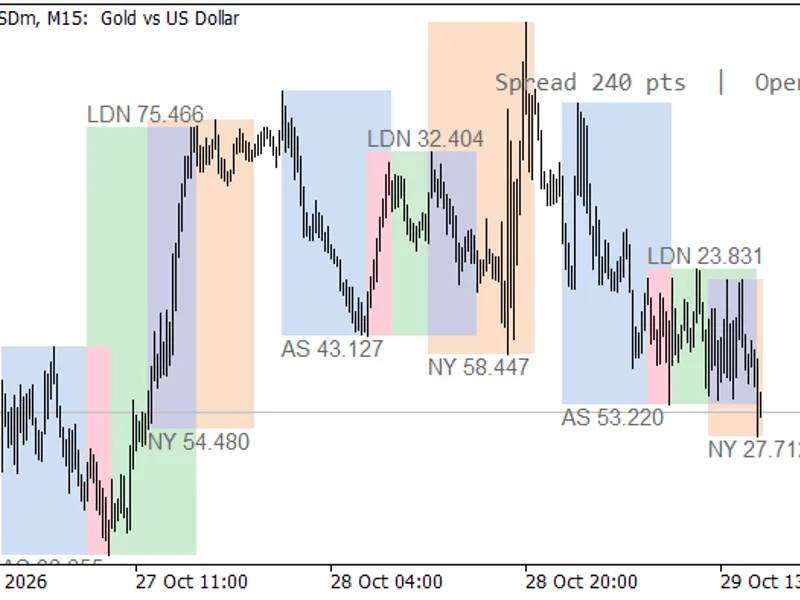
Session Range and Spread identifies the three primary trading sessions on your chart. For each trading day, it displays a box illustrating the range from the session's highest high to its lowest low, along with the calculated session range. A compact panel in a chart corner provides real-time spread information and indicates which trading sessions are currently active.Also recommended: ORB Box + VWAP Stats: Opening Range, Targets, and Historical Break Analysis - similar indicator with strong performance on MetaTrader 5.
The session boxes visually represent the trading activity of the Asia, London, and New York sessions, showing the trading range for each and the position of the current session relative to preceding ones. Many traders utilize the Asian session range as a benchmark for London breakouts or compare daily ranges to assess market volatility. This indicator exclusively draws visual elements; it does not engage in trading or provide any buy or sell signals.
XAUUSD M15: Ranges are displayed in price units.
How it Works
Session times are configured in UTC. On a live chart, the indicator automatically detects the broker's UTC offset by analyzing the difference between the server time and GMT. Alternatively, you can set the offset manually.
The indicator supports sessions that span across midnight, such as 22:00 to 06:00.
The session range is presented in pips for 3/5-digit forex pairs and in price units for metals, indices, and other symbols. You have the option to force the display to show price, points, or pips.
The session that is currently active is updated with every tick and is marked with an asterisk (*).
To enhance readability, London session labels are positioned above their respective boxes, while Asia and New York session labels are placed below, preventing overlap.
Session boxes are rendered on H1 and lower timeframes. On timeframes higher than H1, only the information panel is displayed.
All drawn objects are automatically removed when the indicator is detached from the chart.
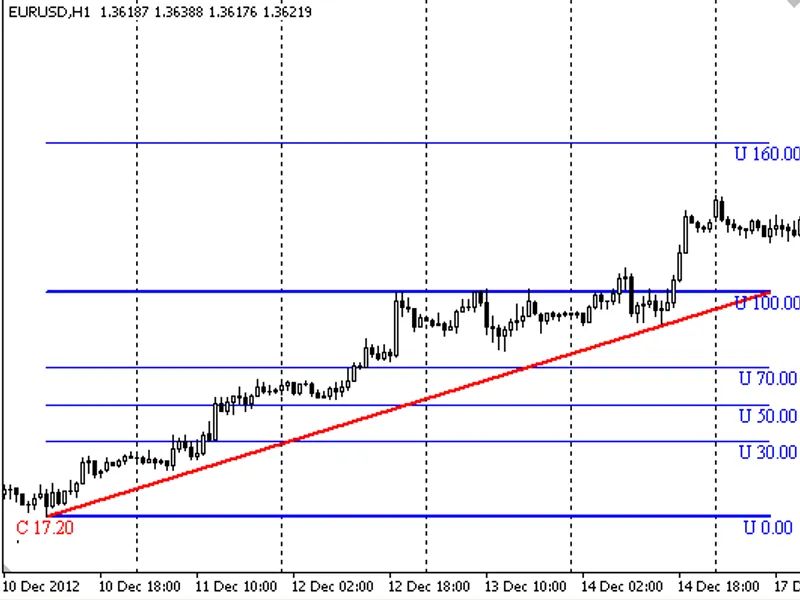
EURUSD H1: Ranges are displayed in pips.
Input Parameters
Input
Default
Description
Show Asia / London / New York session
true
Determines whether to draw the specified session.
Asia start / end
00:00 / 09:00
Session start and end times in UTC (HH:MM format).
London start / end
07:00 / 16:00
Session start and end times in UTC (HH:MM format).
New York start / end
12:00 / 21:00
Session start and end times in UTC (HH:MM format).
Asia / London / New York color
light blue / green / orange
Specifies the color for each session's box.
Broker UTC offset in hours
-99
-99 indicates automatic detection. Otherwise, enter the offset manually from -12 to 14.
Range units in labels
Auto
Automatically selects units (Auto), or forces display in Price, Points, or Pips.
Calendar days to draw
10
Sets the number of past days to draw session ranges (1 to 365).
Fill boxes
true
Determines if boxes should be filled or shown as outlines.
Show session range labels
true
Enables or disables the display of the session range value on each box.
Show spread / open-sessions panel
true
Toggles the display of the information panel on or off.
Panel corner
Right upper
Sets the position of the information panel on the chart.
Label and panel text color
Dim gray
Sets the color for text labels and the panel. A light color is recommended for dark charts.
Font size
9
Sets the font size for labels and panel text.
Notes
The default session times are based on standard GMT hours. During daylight saving time periods, adjust London and New York session start times one hour earlier if precise local opening times are required.
In the Strategy Tester, the broker's UTC offset cannot be automatically detected. Therefore, it defaults to 0. Manual entry of your broker's offset is necessary in this environment.
The default colors are optimized for a white chart background. For charts with a dark background, consider selecting darker box colors and a light text color for better visibility.
The spread displayed in the panel represents the current spread of the symbol in points, as provided by your trading terminal.
You may also like: Session Range Breakout Indicator for MT5 - excellent alternative for indicator users on MetaTrader 5.
Source Code
#property copyright "RobotFX"
#property link "https://robotfx.org"
#property version     "1.00"
#property description "This code is educational. Feel free to use, modify and upgrade as you wish. Visit ROBOTFX.ORG for professional trading tools"
#property indicator_chart_window
#property indicator_plots 0
enum ENUM_RANGE_UNITS
  {
   UNITS_AUTO=0,
   UNITS_PRICE=1,
.......
⚠ Limitations & Risk Warning
- This tool is provided for educational and testing purposes only.
- Past performance does not guarantee future results.
- Trading involves substantial risk of loss. Use on a demo account first.
- Results may vary depending on market conditions, broker, and settings.
- We recommend thorough backtesting and forward testing before using with real funds.