




Range Compression Percentile Indicator
Info
The Range Compression Percentile Indicator is a Indicator for MetaTrader 5 that the range compression percentile indicator provides a statistical measure of current market range relative to historical ranges. Understanding the IndicatorTraditional methods like Average Daily Range percent compare today's range to the average of recent periods.
Usage
This tool is typically used for enhancing chart analysis and decision making.
Platform
This Indicator works exclusively on MetaTrader 5 (both build 600+ and newer versions).
Setup
Place the downloaded file in MQL5/Indicators folder via File ? Open Data Folder in MetaTrader 5.
How to Install and Use Range Compression Percentile Indicator
1. Installation: Place your file in the MQL/Indicators folder via "Open Data Folder" and restart your terminal.
2. Loading: Find the indicator in the Navigator, drag it onto your chart, and configure the input parameters in the popup window.
3. Customization: Press Ctrl+I to open the indicator list, select your tool, and click "Properties" to change colors, levels, or visual styles.
4. Updating: Replace the old file in the Indicators folder with the new version and restart the platform to apply changes.
Frequently Asked Questions
Q: Why is my indicator not showing? A: Verify the file is in the MQL/Indicators folder, or try right-clicking the "Indicators" tree in the Navigator and clicking "Refresh."
Q: Do custom indicators slow down the platform? A: Too many complex indicators can impact performance; remove unused ones via the "Indicator List" (Ctrl+I).
Q: Can I use MT4 indicators on MT5? A: No, MQL4 and MQL5 are distinct languages; ensure the indicator is compiled specifically for your platform version.
What this tool does
The Range Compression Percentile indicator provides a statistical measure of current market range relative to historical ranges.
Typical Use Case
This Indicator excels in automated trading and technical analysis on MetaTrader 5.
Compatible Platform & Setup
This Indicator works on MetaTrader 5. Place the file in the MQL5/Indicators folder and restart the terminal.
Description & Settings
Related: ADX Auto Range: Automated Trend Strength and Consolidation Detection - another powerful indicator for MetaTrader 5 traders.
The Range Compression Percentile indicator provides a statistical measure of current market range relative to historical ranges.Also recommended: Session Range Breakout: Asia, London, and New York High/Low Levels - similar indicator with strong performance on MetaTrader 5.
Understanding the Indicator
Traditional methods like Average Daily Range percent compare today's range to the average of recent periods. However, this can be misleading if the average is skewed by occasional large-range days. This indicator addresses this by asking: what percentage of the last N completed periods had a smaller range than the current period's range so far? This calculates a true percentile rank based on the empirical distribution of historical ranges, offering a more precise view of current volatility compared to a simple average.
A low percentile (tight compression) often signals potential for range expansion, making it valuable for identifying breakout setups. Conversely, a high percentile indicates a day that has already moved significantly compared to its historical peers, suggesting less room for further expansion.
Interpreting the Readings
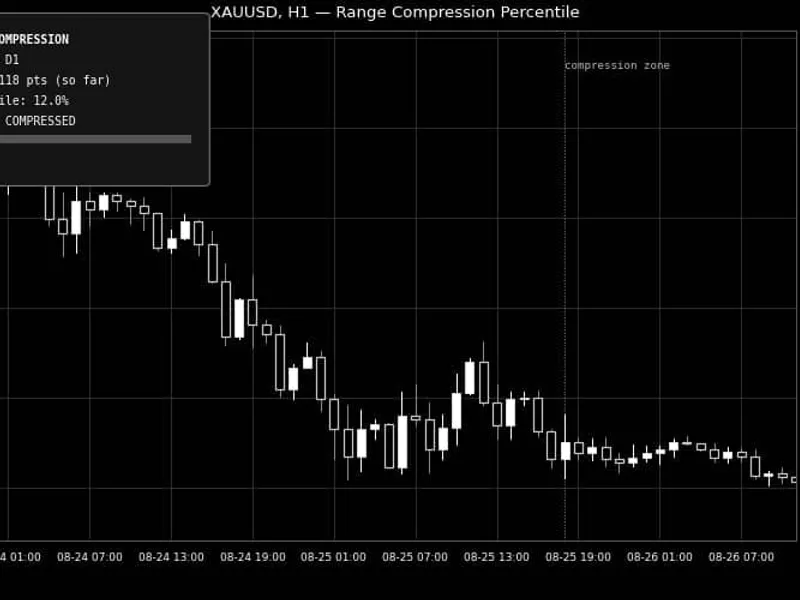
Percentile Value: This is the percentage of the last InpLookbackPeriods completed periods whose full range was less than the current period's range so far. For example, a 12% reading means today's range so far is smaller than 88% of the last 100 days.
COMPRESSED (default blue): Indicates a percentile at or below InpCompressionPercentile. The current period is unusually quiet compared to its historical performance.
EXPANDED (default red): Indicates a percentile at or above InpExpansionPercentile. The current period has already moved significantly more than most historical periods.
NORMAL (default silver): Applies to percentiles between the compression and expansion thresholds, signifying an ordinary trading range so far.
The Gauge Bar: A visual scale from 0 to 100, where the marker's position represents the current percentile. This allows for an immediate visual assessment of compression or expansion.
External Variables (Inputs)
Input
Default
Purpose
InpRangePeriod
D1
Defines the timeframe for a single 'range' unit (e.g., Daily, Weekly, H4).
InpLookbackPeriods
100
The number of completed historical periods used to calculate the current range's percentile rank.
InpCompressionPercentile
20.0
The percentile threshold below which the status is considered 'COMPRESSED'.
InpExpansionPercentile
80.0
The percentile threshold at or above which the status is considered 'EXPANDED'.
InpUpdateOnNewBarOnly
true
If true, the indicator updates only on new bars; if false, it updates on every tick.
InpPanelCorner
Left Upper
The chart corner where the indicator panel is anchored.
InpPanelXDistance / InpPanelYDistance
12 / 18
Pixel offset of the panel from the selected corner.
InpFontSize
9
Font size for all text within the indicator panel.
InpGaugeWidth / InpGaugeHeight
160 / 10
Pixel dimensions of the percentile gauge track.
InpCompressedColor / InpNormalColor / InpExpandedColor
DeepSkyBlue / Silver / Red
Colors for the Status text and gauge marker in compressed, normal, and expanded states.
InpPanelTextColor / InpPanelBgColor
White / Dark Gray
Color for static text and the background of the indicator panel.
Recommended Usage
This indicator is adaptable to any trading symbol. The percentile calculation is based on the instrument's own historical range distribution, meaning it self-calibrates to the current volatility regime without requiring manual adjustments. The InpRangePeriod input does not need to match the chart's timeframe; for instance, a Daily range percentile can be observed on an M15 chart.
The percentile value describes the current period's position relative to its history, not a future prediction. A 'COMPRESSED' reading increases the likelihood of expansion but does not guarantee it, and an 'EXPANDED' reading does not imply the price move is over. This indicator only analyzes price data and does not place, modify, or close orders, making it safe for all account types.
The indicator displays information within its own panel, avoiding chart clutter. All graphical objects are managed internally and are completely removed when the indicator is detached, ensuring a clean chart environment.
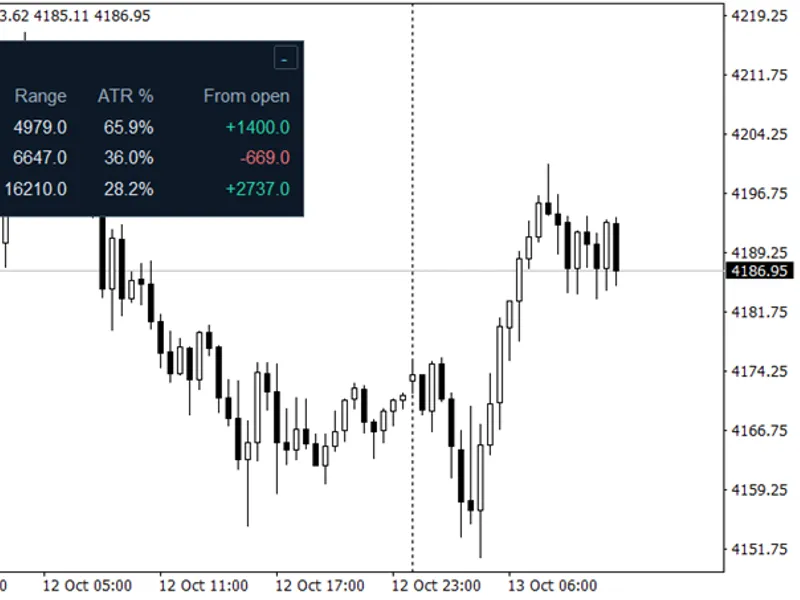
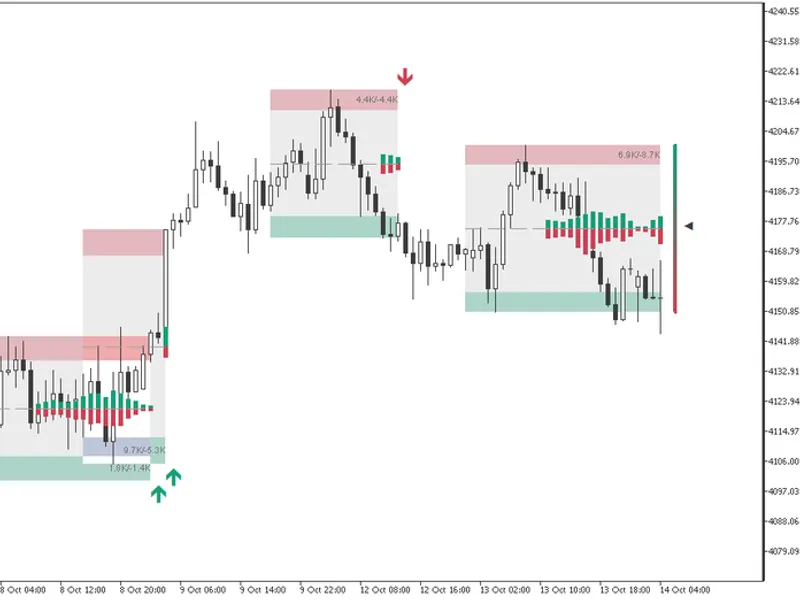
Fig. 1. Example of the indicator panel and gauge on XAUUSD H1, showing a compressed range.
You may also like: Compression Breakout Channels with Buy and Sell Volume Analysis - excellent alternative for indicator users on MetaTrader 5.
Source Code
#property copyright "RobotFX"
#property link "https://robotfx.org"
#property version   "1.00"
#property description "This code is educational. Feel free to use, modify and upgrade as you wish. Visit ROBOTFX.ORG for professional trading tools"
#property indicator_chart_window
#property indicator_buffers 0
#property indicator_plots   0
#property strict
input group "=== Range Settings ==="
input ENUM_TIMEFRAMES InpRangePeriod    = PERIOD_D1;
.......
⚠ Limitations & Risk Warning
- This tool is provided for educational and testing purposes only.
- Past performance does not guarantee future results.
- Trading involves substantial risk of loss. Use on a demo account first.
- Results may vary depending on market conditions, broker, and settings.
- We recommend thorough backtesting and forward testing before using with real funds.