





Compression Breakout Channels with Buy and Sell Volume Analysis
Info
The Compression Breakout Channels with Buy and Sell Volume Analysis is a Indicator for MetaTrader 5 that quiet market periods are the focus: when candles shorten, closing prices cluster, and trading ranges cease to expand. This indicator identifies each compression as it forms, delineates it as a channel once it persists sufficiently, and signals the bar that exits it.
Usage
This tool is typically used for breakout trading when price moves beyond key support/resistance levels.
Platform
This Indicator works exclusively on MetaTrader 5 (both build 600+ and newer versions).
Setup
Place the downloaded file in MQL5/Indicators folder via File ? Open Data Folder in MetaTrader 5.
How to Install and Use Compression Breakout Channels with Buy and Sell Volume Analysis
1. Installation: Place your file in the MQL/Indicators folder via "Open Data Folder" and restart your terminal.
2. Loading: Find the indicator in the Navigator, drag it onto your chart, and configure the input parameters in the popup window.
3. Customization: Press Ctrl+I to open the indicator list, select your tool, and click "Properties" to change colors, levels, or visual styles.
4. Updating: Replace the old file in the Indicators folder with the new version and restart the platform to apply changes.
Frequently Asked Questions
Q: Why is my indicator not showing? A: Verify the file is in the MQL/Indicators folder, or try right-clicking the "Indicators" tree in the Navigator and clicking "Refresh."
Q: Do custom indicators slow down the platform? A: Too many complex indicators can impact performance; remove unused ones via the "Indicator List" (Ctrl+I).
Q: Can I use MT4 indicators on MT5? A: No, MQL4 and MQL5 are distinct languages; ensure the indicator is compiled specifically for your platform version.
What this tool does
Quiet market periods are the focus: when candles shorten, closing prices cluster, and trading ranges cease to expand.
Typical Use Case
This Indicator excels in automated trading and technical analysis on MetaTrader 5.
Compatible Platform & Setup
This Indicator works on MetaTrader 5. Place the file in the MQL5/Indicators folder and restart the terminal.
Description & Settings
Related: Session Range Breakout: Asia, London, and New York High/Low Levels - another powerful indicator for MetaTrader 5 traders.
Quiet market periods are the focus: when candles shorten, closing prices cluster, and trading ranges cease to expand. This indicator identifies each compression as it forms, delineates it as a channel once it persists sufficiently, and signals the bar that exits it.Also recommended: Failed Breakout Detector: Identifying Trapped Traders - similar indicator with strong performance on MetaTrader 5.
Within each active channel, it visualizes the volume composition of each bar, differentiating between buy and sell pressure. This allows traders to observe whether buying or selling dominated the consolidation phase before the price direction becomes evident.
Channel Visualization
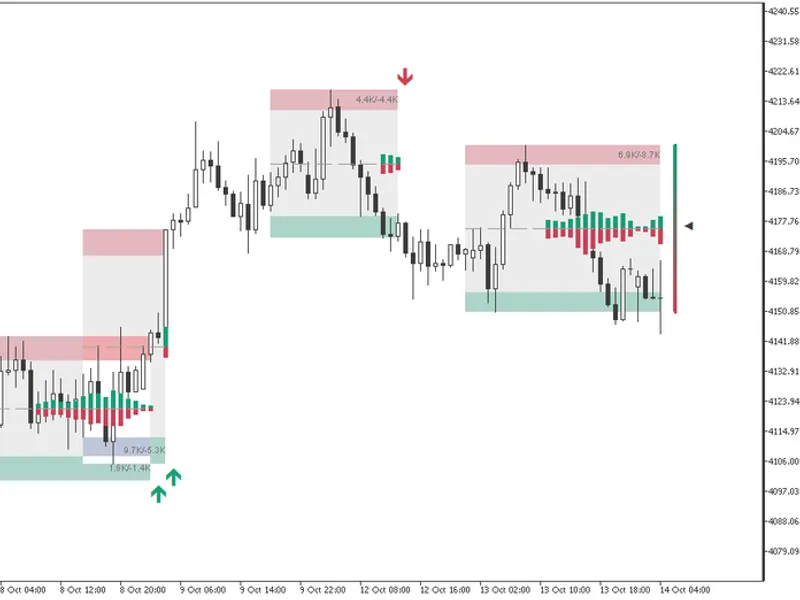
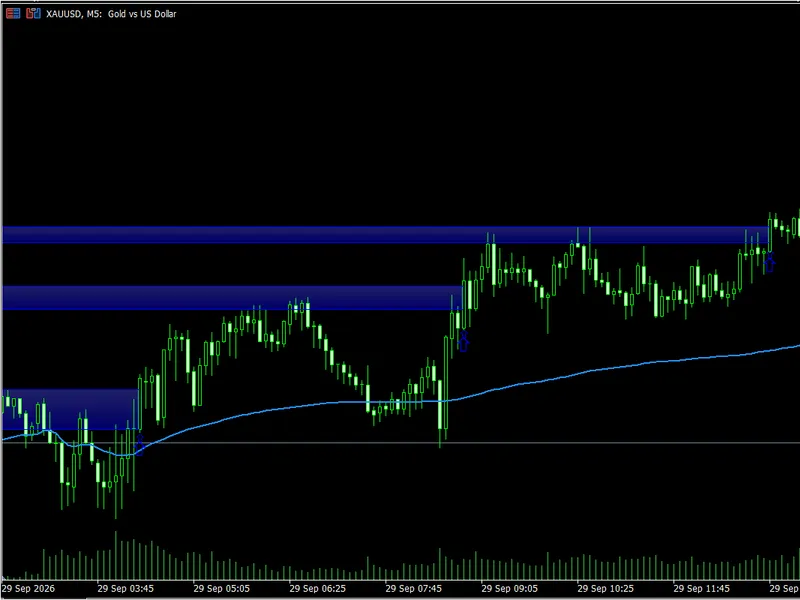
Each channel is represented by a gray box spanning from the highest high to the lowest low of the compression period. Within this box, a bearish band runs along the top edge and a bullish band along the bottom edge, with a dashed midline. The channel box extends to the right, bar by bar, until a price breakout occurs.
From Compression to Channel Formation
The indicator evaluates each closing price relative to the high-low range of the preceding 100 bars, assigning a value from 0 to 1. It then monitors the standard deviation of this value over 14 bars. Over a detection period, also defaulting to 14 bars, it determines whether a higher deviation or a lower deviation occurred more recently. A compression phase commences when the lower deviation becomes the more recent event. When the higher deviation reappears and the compression has persisted for over ten bars, the channel is drawn to encompass this entire period.
The edge bands are calibrated to half the average true range at the time of channel formation, ensuring their height adapts to the volatility of the specific symbol and timeframe. The channel box is displayed with a 10% tint of the chart's foreground color, and the bands with a 30% tint of their respective colors, maintaining readability on both light and dark chart themes. With the nested channels option disabled, new compressions whose price ranges overlap with an active channel are disregarded; when enabled, channels can be stacked.
Identifying the Breakout
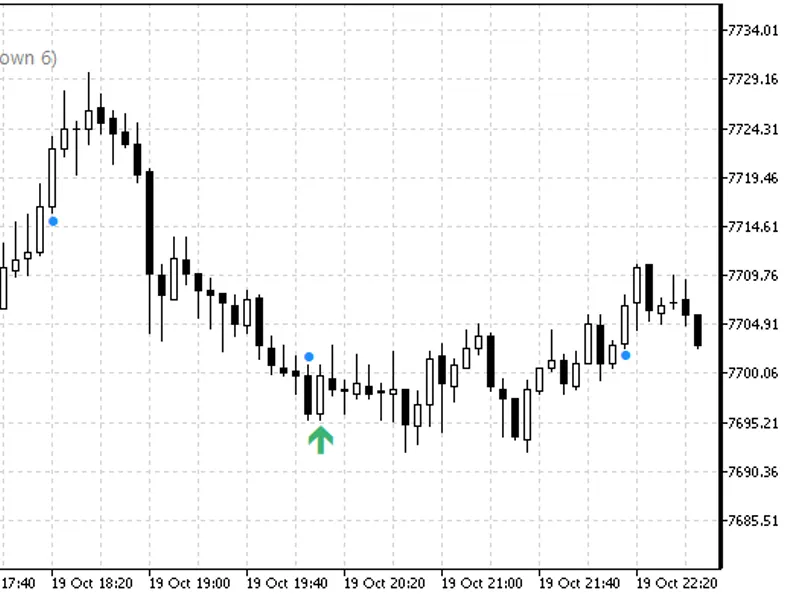
By default, a breakout is confirmed when the midpoint of a candle's body extends beyond the channel edge, meaning more than half of the body is outside the box. A wick alone does not constitute a breakout. If this setting is disabled, the closing price determines the breakout. A bullish breakout is indicated by an upward arrow at the bottom edge of the channel being exited, and a bearish breakout by a downward arrow at the top edge.
A channel that has been broken ceases to expand and remains visible on the chart with its midline and final volume reading. This preserves the historical context of past compressions. Up to 166 broken channels can be retained.
The breakout arrows are implemented as indicator buffers (buffer 10 for bullish arrows and buffer 11 for bearish arrows), not chart objects. The `EMPTY_VALUE` is used on all other bars. Expert Advisors can access this data using `iCustom` and `CopyBuffer`.
Volume Analysis within the Channel
The default volume analysis dissects the volume of each chart bar into buy and sell components using the M1 (1-minute) bars within it. A rising M1 bar is counted as buying volume, a falling bar as selling volume. If an M1 bar remains unchanged, its volume is attributed based on its close relative to the previous M1 close. The volume metric used is tick volume of the bars. If the source timeframe is not lower than the chart's timeframe, the chart bar itself is utilized.
Volume Candles:
These are rendered originating from the midline of the newest active channel, with buy volume extending upwards and sell volume downwards. Their height is calculated as the volume divided by the 20-bar average volume, multiplied by a quarter of the channel height and the candle height setting. This ensures the candles maintain proportional accuracy in both narrow and wide channels.
Volume Text:
Displayed in thousands at the right end of each channel, positioned within the band opposite to the price direction. For example, 6.9K for buy volume and -8.7K for sell volume.
Alternative Readouts:
Two other readout options modify both the candles and the text. The Total Volume readout displays mirrored gray candles above and below the midline, with darker shades indicating higher volume relative to its average. It also shows a single numerical value. The Buy Minus Sell readout renders a single candle, extending upward when buying volume exceeds selling volume and downward otherwise, along with the net difference.
Disabling the readout entirely removes the candles and text, while leaving channels, arrows, and the delta gauge visible on the chart.
The Delta Gauge
Positioned to the right of the last bar, a column of 21 segments spans the vertical height of the newest active channel. The segments transition in color from the bearish color at the bottom to the bullish color at the top. A pointer indicates the position of the current bar's buy minus sell volume relative to the lowest and highest values observed since the latest compression began. At the top, the bar represents the strongest buying pressure of the consolidation; at the bottom, the strongest selling pressure. The gauge updates with every tick and resets upon a bar that breaks a channel.
Alerts
Alerts can be configured as off, on breakouts only, or on both breakouts and new channel formations. Each alert is a one-time pop-up notification sent upon bar close, specifying the symbol, timeframe, and the event triggered.
Input Parameters
Channels:
Options include enabling nested channels (default: false), breakout confirmation based on body midpoint (default: true), normalization length (default: 100 bars), and squeeze detection length (default: 14 bars).
Volume:
Settings include the volume readout type (off, total, buy and sell, buy minus sell; default: buy and sell), the source timeframe for buy/sell split (default: 1 minute), and the volume candle height multiplier (default: 0.5, range: 0.1 to 2.0).
Colors:
User-selectable bullish and bearish colors used for bands, arrows, volume candles, and the delta gauge.
Alerts:
Configuration options: off, breakouts, or breakouts and new channels.
Functionality and Performance
This indicator operates on any symbol and timeframe. Upon loading, it processes the last 5,000 bars. Confirmed historical bars are processed once. The bar currently in progress is recalculated on each tick based on a snapshot of its state, ensuring historical data integrity. Removing the indicator cleans all drawn elements from the chart.
Educational content, not financial advice. Trading involves risk of loss. This information is current as of 2026.
You may also like: Momentum VWAP Barrier Breakout Indicator - excellent alternative for indicator users on MetaTrader 5.
Source Code
#property copyright "RobotFX"
#property link "https://robotfx.org"
#property version   "1.01"
#property description "This code is educational. Feel free to use, modify and upgrade as you wish. Visit ROBOTFX.ORG for professional trading tools"
#property indicator_chart_window
#property indicator_buffers 12
#property indicator_plots   4
#property indicator_type1   DRAW_COLOR_CANDLES
#property indicator_color1  clrGreen
#property indicator_label1  "Volume above open;Volume above high;Volume above low;Volume above close"
.......
⚠ Limitations & Risk Warning
- This tool is provided for educational and testing purposes only.
- Past performance does not guarantee future results.
- Trading involves substantial risk of loss. Use on a demo account first.
- Results may vary depending on market conditions, broker, and settings.
- We recommend thorough backtesting and forward testing before using with real funds.