
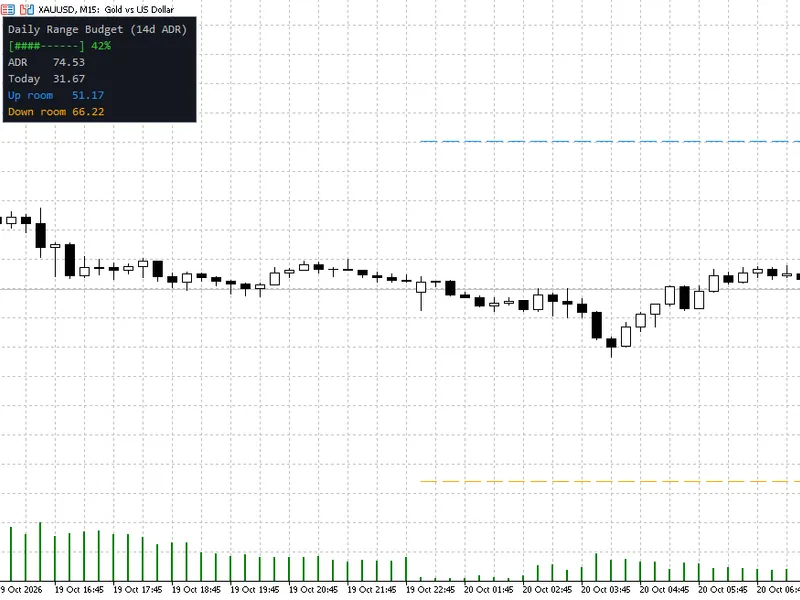
Opening Range Breakout EA for Gold (XAUUSD)
Info
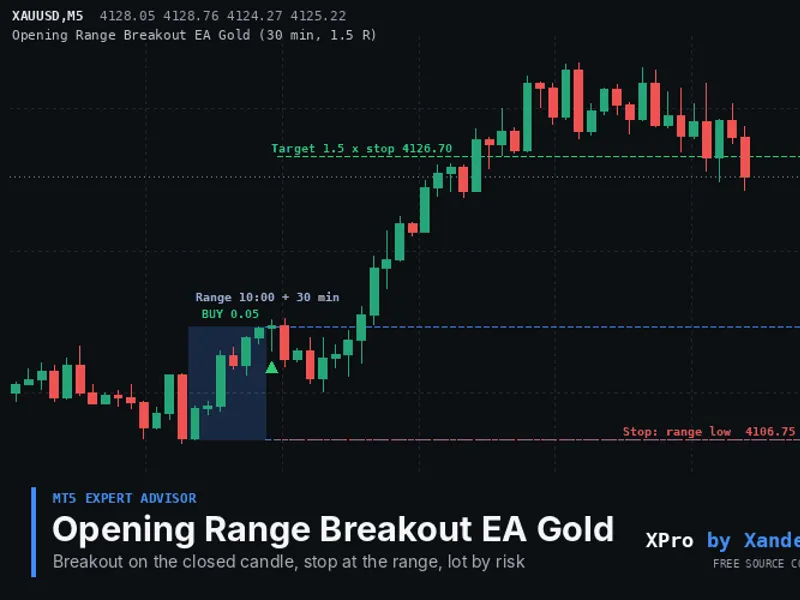
The Opening Range Breakout EA for Gold (XAUUSD) is a Expert Advisor for MetaTrader 5 that this expert advisor (ea) is designed to trade gold (xauusd) by identifying and trading breakouts from the opening range. The EA focuses on the first 30 minutes after the market open to establish a high and a low price range.
Usage
This tool is typically used for breakout trading when price moves beyond key support/resistance levels.
Platform
This Expert Advisor works exclusively on MetaTrader 5 (both build 600+ and newer versions).
Setup
Place the downloaded file in MQL5/Experts folder via File ? Open Data Folder in MetaTrader 5.
How to Install and Use Opening Range Breakout EA for Gold (XAUUSD)
1. Installation: Open the "File" menu, select "Open Data Folder," navigate to MQL/Experts, paste your file, and restart the terminal.
2. Activation: Drag the EA from the Navigator onto a chart, ensure "Allow live trading" is checked in the Common tab, and verify the AutoTrading button is green.
3. Optimization: Right-click your chart, choose "Expert List," click "Properties" to adjust inputs, and save your preferred setup as a set file for future use.
4. Maintenance: Regularly check the "Experts" tab in the terminal window to monitor trade logs and potential execution errors.
Frequently Asked Questions
Q: Why is my EA not opening trades? A: Check the "AutoTrading" button, ensure "Allow live trading" is enabled, and verify your broker allows automated trading on your account type.
Q: Can I run multiple EAs on one chart? A: No, each chart can only host one active EA; however, you can open multiple charts for different currency pairs to run several EAs.
Q: What does the "smiley face" icon mean? A: A smiley face in the top-right corner of the chart indicates the EA is successfully running; a frowny face means it is disabled.
What this tool does
This Expert Advisor (EA) is designed to trade Gold (XAUUSD) by identifying and trading breakouts from the opening range.
Typical Use Case
This Expert Advisor excels in automated trading and technical analysis on MetaTrader 5.
Compatible Platform & Setup
This Expert Advisor works on MetaTrader 5. Place the file in the MQL5/Experts folder and restart the terminal.
Description & Settings
Related: Giano Session Range Breakout EA - another powerful expert for MetaTrader 5 traders.
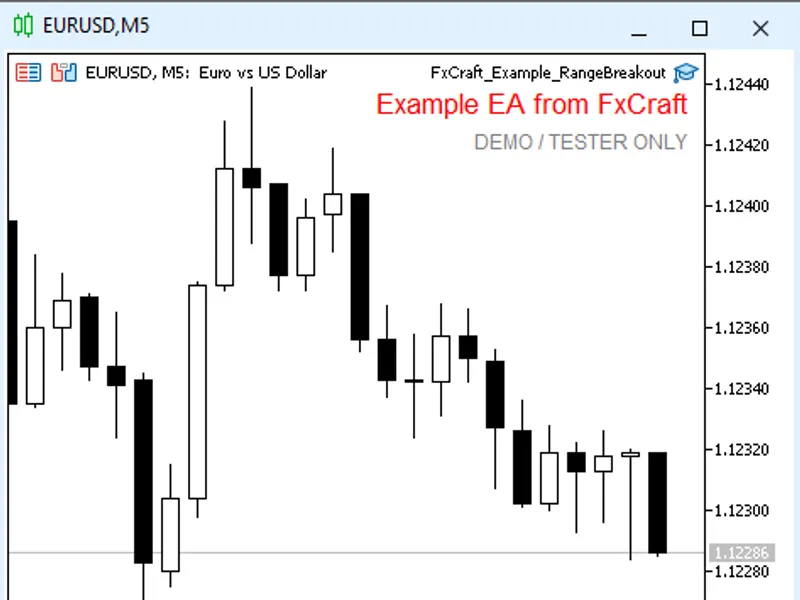
This Expert Advisor (EA) is designed to trade Gold (XAUUSD) by identifying and trading breakouts from the opening range.Also recommended: Fx Craft Example EA: Range Breakout with Pending Orders - similar expert with strong performance on MetaTrader 5.
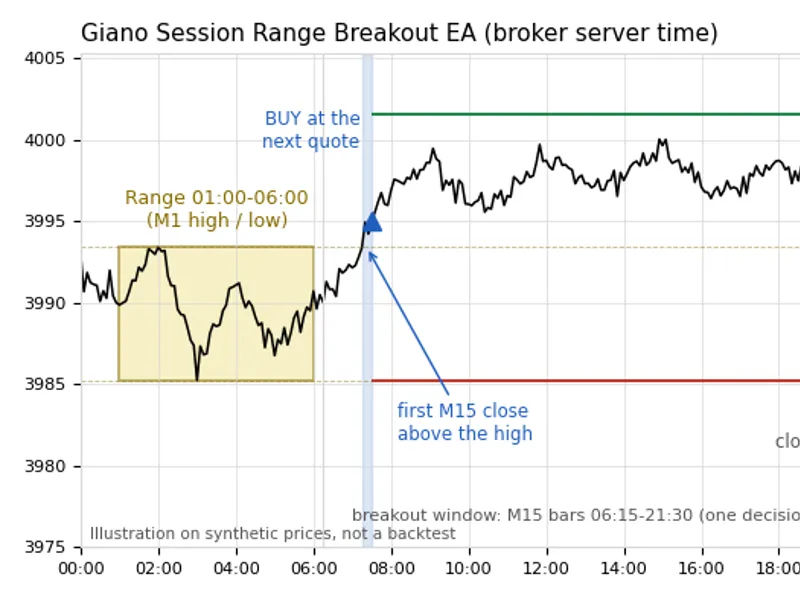
The EA focuses on the first 30 minutes after the market open to establish a high and a low price range. It then waits for the first candle that closes decisively outside of this established range.After the initial range-setting window, which defaults to starting at 10:00 server time, the EA monitors for a breakout. It will consider a trade entry if a candle closes above the high or below the low of the range, within a subsequent 180-minute period. A mere wick extending beyond the range level is not sufficient; the entire candle body must close beyond it.
By default, the EA opens only one trade position per day.
The stop loss is initially placed on the opposite side of the established range. Alternatively, users can opt to place the stop loss in the middle of the range.
The take profit target is set at 1.5 times the stop loss distance. If this value is set to 0, the take profit feature is disabled.
Lot size is managed to risk a predetermined percentage of the account balance, with a default set to 1 percent. This can also be configured as a fixed lot size.
All open positions are automatically closed at a specified time, defaulting to 22:00 server time, ensuring no overnight positions are held.
To filter trades, the EA includes settings for minimum and maximum range height in points, allowing users to avoid trading during periods of exceptionally tight or wide ranges. It also includes a maximum spread setting.
Trades can be enabled or disabled for specific days of the week, with Monday and Friday trading enabled by default.
Additional settings include Magic Number, Order Comment, Slippage control, and the option to display the range box visually on the chart.
EA Settings
Range Start Time: Specifies the starting time for defining the opening range (default: 10:00 server time, HH:MM).
Range Length: Sets the duration of the initial range period (default: 30 minutes).
Breakout Entry Window: The maximum number of minutes after the range ends to consider a breakout entry (default: 180 minutes).
Breakout Buffer: An additional buffer in points beyond the range to confirm a breakout (default: 0 points).
Allowed Direction: Configures trading direction to 'buy and sell', 'buy only', or 'sell only'.
Maximum Trades Per Day: Limits the number of trades executed daily (default: 1).
Lot Mode: Determines how lot size is calculated: 'fixed lot', 'risk percent of balance', or 'risk percent of equity' (defaults: risk 1 percent, fixed lot 0.01).
Stop Loss Placement: Selects the stop loss position: 'other side of the range' (default) or 'middle of the range'.
Take Profit Multiplier: Sets the take profit level as a multiple of the stop loss distance (default: 1.5; 0 to disable).
Close at End Time: Enables or disables automatic closing of trades at the end time (default: on).
End Time: The server time at which all open positions are closed (default: 22:00 server time).
Minimum Range Height: The minimum height of the opening range in points to consider for trading (0 = no limit).
Maximum Range Height: The maximum height of the opening range in points to consider for trading (0 = no limit).
Maximum Spread: The maximum spread in points allowed for opening a trade (0 = no limit).
Trade on Monday: Enables or disables trading on Mondays (default: on).
Trade on Friday: Enables or disables trading on Fridays (default: on).
Magic Number: A unique identifier for trades placed by this EA.
Order Comment: A custom comment for trades placed by this EA.
Slippage: The maximum allowed slippage in points for order execution.
Show Status Box: Displays a status box on the chart showing the range and other information.
System Requirements
This EA can be used on any symbol. For optimal performance, it is recommended to use a timeframe that is equal to or lower than the configured range length (e.g., M1 to M30 for a 30-minute range). Using a higher timeframe will result in a log message and no trading activity.
All times are based on the broker's server time. It is crucial to configure the EA's time settings according to your broker's server time, considering potential differences in GMT offsets.
The EA makes trading decisions based only on closed candles.
It manages only positions opened with its specific Magic Number on the chart's symbol.
The EA checks for sufficient free margin before placing any order.
Both netting and hedging account types are supported, as the EA manages only one open position at a time.
Customization Suggestions
Perform your own backtests using symbols like XAUUSD, XAGUSD, EURUSD, GBPUSD, US30, or NAS100. Experiment with different range lengths (e.g., 15, 30, 60 minutes) and timeframes (e.g., M5 vs. M15). Test various take profit multipliers (e.g., 1.0, 1.5, 2.0).
The core decision-making logic is within the XP_OnNewBar function, making it the ideal place to integrate custom filters such as trend indicators, news event pauses, Smart Money Concepts analysis, or additional trading sessions.
The accompanying utility functions XP_Lot, XP_MarginOk, and XP_CloseAll are provided for easy integration into your own custom EAs.
For users interested solely in visualizing the opening range, a free indicator named 'Opening Range Breakout Box' is available.
About the Code
This is an open-source project. You are welcome to use it as-is, modify it, or build upon it to create your own custom version. Questions, suggestions, and shared test results are encouraged in the comments section.
Changelog
v1.0 (2026-11-20): Initial release.
You may also like: Opening Range Breakout with NR4 / NR7 Contraction Filters (2026 Update) - excellent alternative for expert users on MetaTrader 5.
Source Code
#property copyright "RobotFX"
#property link "https://robotfx.org"
#property version     "1.00"
#property description "This code is educational. Feel free to use, modify and upgrade as you wish. Visit ROBOTFX.ORG for professional trading tools"
#include <Trade\Trade.mqh>
enum ENUM_XP_LOT_MODE
  {
   XP_LOT_FIXED   = 0,
   XP_LOT_BALANCE = 1,
   XP_LOT_EQUITY  = 2
.......
⚠ Limitations & Risk Warning
- This tool is provided for educational and testing purposes only.
- Past performance does not guarantee future results.
- Trading involves substantial risk of loss. Use on a demo account first.
- Results may vary depending on market conditions, broker, and settings.
- We recommend thorough backtesting and forward testing before using with real funds.