


MT5 Broker Environment Diagnostic Tool
Info
The MT5 Broker Environment Diagnostic Tool is a Script for MetaTrader 5 that mt5 broker environment report is a diagnostic script for metatrader 5. It provides a structured snapshot of the current terminal, account mode, symbol specifications, and trading environment.
Usage
This tool is typically used for enhancing chart analysis and decision making.
Platform
This Script works exclusively on MetaTrader 5 (both build 600+ and newer versions).
Setup
Place the downloaded file in MQL5/Scripts folder via File ? Open Data Folder in MetaTrader 5.
How to Install and Use MT5 Broker Environment Diagnostic Tool
1. Installation: Move your script file into the MQL/Scripts directory and restart the platform.
2. Execution: Drag the script onto a chart; it will perform a one-time action, such as closing all open orders or clearing chart objects.
3. Editing: Use MetaEditor (F4) to modify code, click "Compile," and verify no errors appear in the terminal before running.
4. Removing: Scripts stop automatically, but you can remove them manually by right-clicking the chart and choosing "Remove Script."
Frequently Asked Questions
Q: How are scripts different from EAs? A: Scripts execute a single action and then stop; EAs monitor the market and trade continuously.
Q: Can I assign a hotkey to a script? A: Yes, right-click the script in the Navigator, select "Set Hotkey," and define your preferred keyboard shortcut.
Q: Why did my script stop? A: Scripts are designed to stop immediately after finishing their programmed command; this is normal behavior.
What this tool does
MT5 Broker Environment Report is a diagnostic script for MetaTrader 5.
Typical Use Case
This Script excels in automated trading and technical analysis on MetaTrader 5.
Compatible Platform & Setup
This Script works on MetaTrader 5. Place the file in the MQL5/Scripts folder and restart the terminal.
Description & Settings
Related: Trade Environment Check: Account Mode, Symbol Rules, and Open Positions Report - another powerful script for MetaTrader 5 traders.
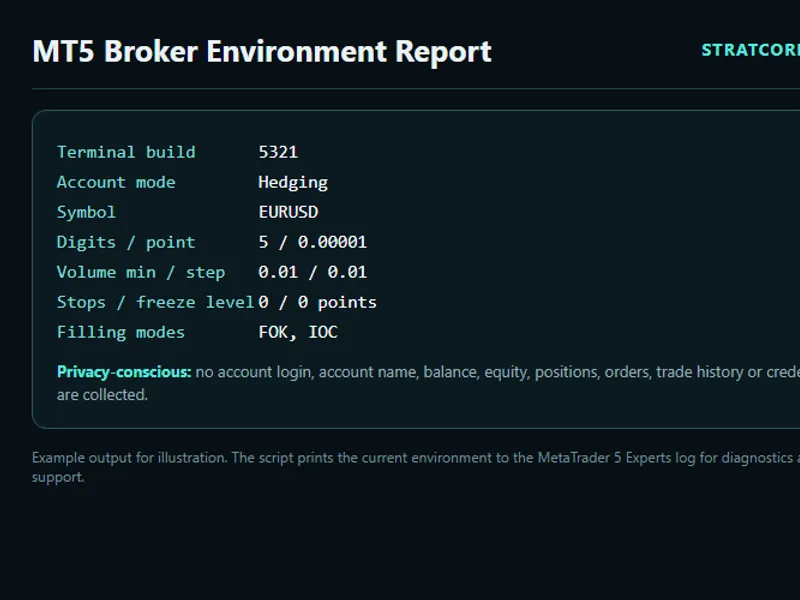
MT5 Broker Environment Report is a diagnostic script for MetaTrader 5. It provides a structured snapshot of the current terminal, account mode, symbol specifications, and trading environment. This information is logged to the Experts tab and can optionally be saved to a text file. The report is designed to help compare working and failing setups without revealing sensitive trading account activity.Also recommended: Broker Basket Preflight: Read-Only Diagnostics for Multi-Symbol Broker Configurations - similar script with strong performance on MetaTrader 5.
Purpose
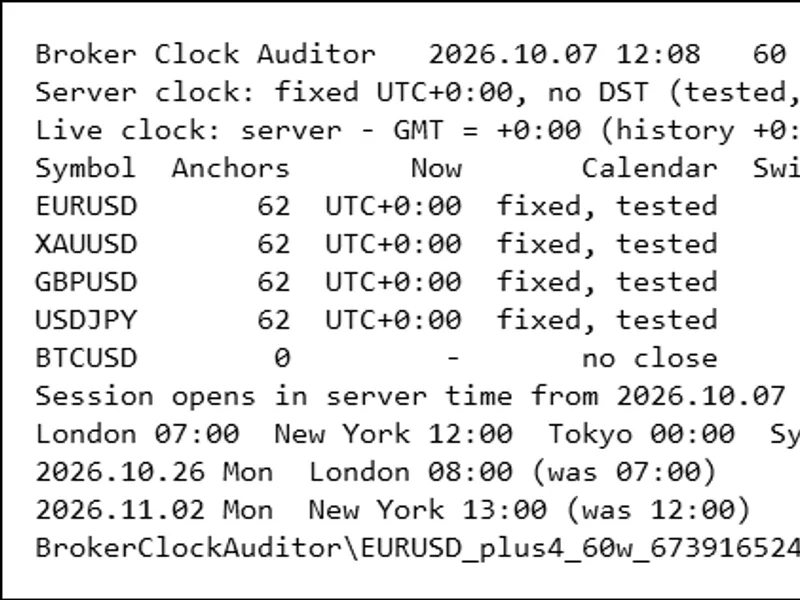
Broker and symbol specifications can vary significantly. Differences in symbol suffixes, volume increments, stop levels, filling policies, account modes, or terminal permissions can lead to an Expert Advisor behaving differently across environments. This script captures these critical configuration details in a repeatable format, which is invaluable for bug reporting and development discussions.
How to Use
1. Copy the file SCA_BrokerEnvironmentReport.mq5 to your MQL5\Scripts folder.
2. Compile the file in MetaEditor.
3. Attach the script to a chart.
4. Open the Experts tab in the terminal to view the report.
5. Review the generated report and select the specific fields you wish to share.
Inputs
- InpWriteTextFile: Determines whether to save the report to the terminal's Common Files directory.
- InpPrintToExperts: Controls whether the report is printed to the Experts log.
- InpFilePrefix: Sets a prefix for the generated text filename.
Reported Fields
The report includes the following information:
- Terminal and MQL5 build versions
- Account margin mode, leverage, and deposit currency
- Server time
- Current symbol details (identity, digits, point/tick sizes)
- Contract size
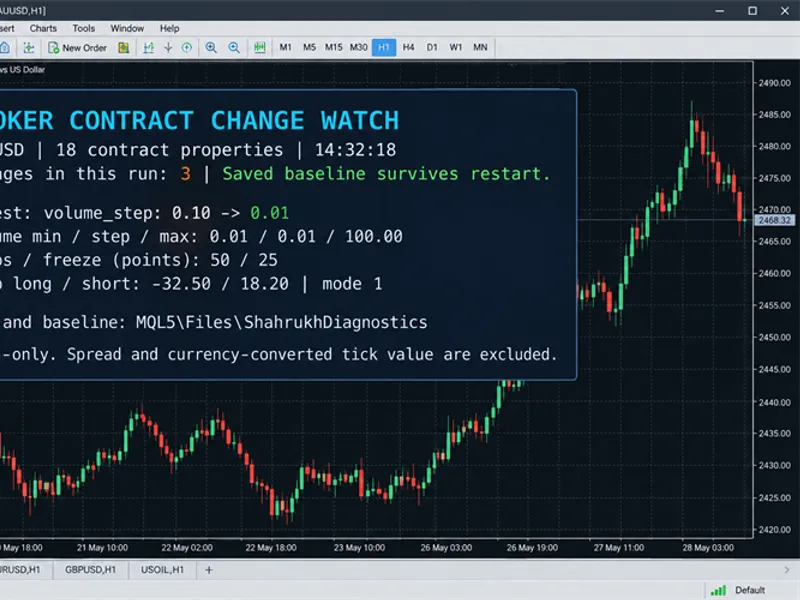
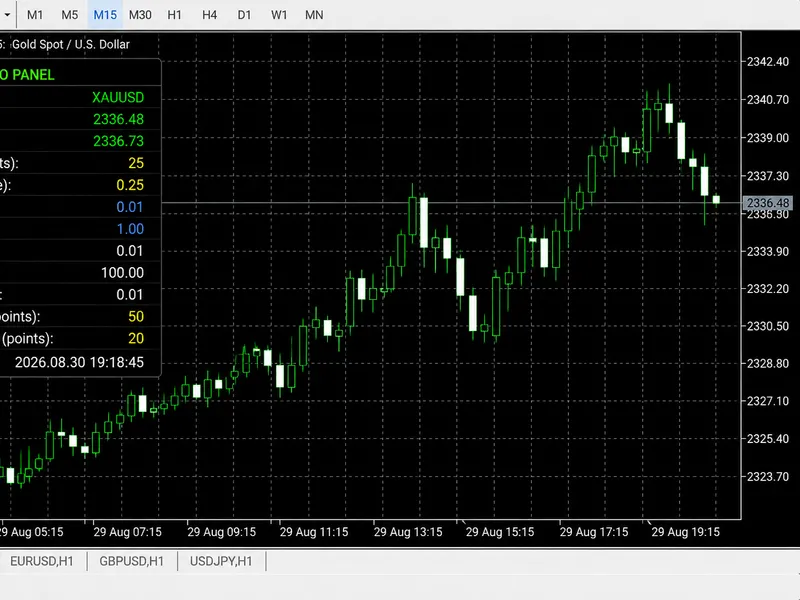
- Volume limits (minimum, maximum, step)
- Trade and order execution modes
- Stop and freeze levels
- Supported filling and order expiration modes
- Tick values
- Spread information
- Selected terminal permissions
Privacy and Safety
This script is designed with privacy in mind. It intentionally excludes sensitive information such as account login, account holder name, balance, equity, open positions, pending orders, trade history, and credentials. The script operates in a read-only mode and does not perform any trading operations (opening, modifying, or closing trades). Always review the generated report before sharing it. The reported values are purely diagnostic facts and do not constitute trading signals or financial advice.
Example Output
License
The source code is provided under the MIT License. Any example values shown in screenshots are purely illustrative.
You may also like: Accurate Gold Trading: Identifying Broker Symbols and Sizing Positions - excellent alternative for script users on MetaTrader 5.
Source Code
#property copyright "RobotFX"
#property link "https://robotfx.org"
#property version   "1.00"
#property strict
#property script_show_inputs
#property description "This code is educational. Feel free to use, modify and upgrade as you wish. Visit ROBOTFX.ORG for professional trading tools"
input bool   InpWriteTextFile = true;
input bool   InpPrintToExperts = true;
input string InpFilePrefix = "SCA_BrokerEnvironment";
void OnStart()
.......
⚠ Limitations & Risk Warning
- This tool is provided for educational and testing purposes only.
- Past performance does not guarantee future results.
- Trading involves substantial risk of loss. Use on a demo account first.
- Results may vary depending on market conditions, broker, and settings.
- We recommend thorough backtesting and forward testing before using with real funds.