

Broker Contract Change Watch MT5
Info
The Broker Contract Change Watch MT5 is a Indicator for MetaTrader 5 that broker contract change watch mt5 records when selected contract properties differ from the last saved observation. What it watches- Digits, point size, minimum price tick, and contract size.
Usage
This tool is typically used for enhancing chart analysis and decision making.
Platform
This Indicator works exclusively on MetaTrader 5 (both build 600+ and newer versions).
Setup
Place the downloaded file in MQL5/Indicators folder via File ? Open Data Folder in MetaTrader 5.
How to Install and Use Broker Contract Change Watch MT5
1. Installation: Place your file in the MQL/Indicators folder via "Open Data Folder" and restart your terminal.
2. Loading: Find the indicator in the Navigator, drag it onto your chart, and configure the input parameters in the popup window.
3. Customization: Press Ctrl+I to open the indicator list, select your tool, and click "Properties" to change colors, levels, or visual styles.
4. Updating: Replace the old file in the Indicators folder with the new version and restart the platform to apply changes.
Frequently Asked Questions
Q: Why is my indicator not showing? A: Verify the file is in the MQL/Indicators folder, or try right-clicking the "Indicators" tree in the Navigator and clicking "Refresh."
Q: Do custom indicators slow down the platform? A: Too many complex indicators can impact performance; remove unused ones via the "Indicator List" (Ctrl+I).
Q: Can I use MT4 indicators on MT5? A: No, MQL4 and MQL5 are distinct languages; ensure the indicator is compiled specifically for your platform version.
What this tool does
Broker Contract Change Watch MT5 records when selected contract properties differ from the last saved observation.
Typical Use Case
This Indicator excels in automated trading and technical analysis on MetaTrader 5.
Compatible Platform & Setup
This Indicator works on MetaTrader 5. Place the file in the MQL5/Indicators folder and restart the terminal.
Description & Settings
Related: Accurate Broker Time Zones and Session Lines for MT4/MT5 - another powerful indicator for MetaTrader 5 traders.
Broker Contract Change Watch MT5 records when selected contract properties differ from the last saved observation.Also recommended: Broker Information Panel for MT5 - similar indicator with strong performance on MetaTrader 5.
What it watches
- Digits, point size, minimum price tick, and contract size.
- Minimum, maximum, and step volume, plus the directional volume limit.
- Stops and freeze levels.
- Trading mode, execution mode, filling flags, and allowed order flags.
- Swap mode, long and short swap values, and the triple-swap weekday.
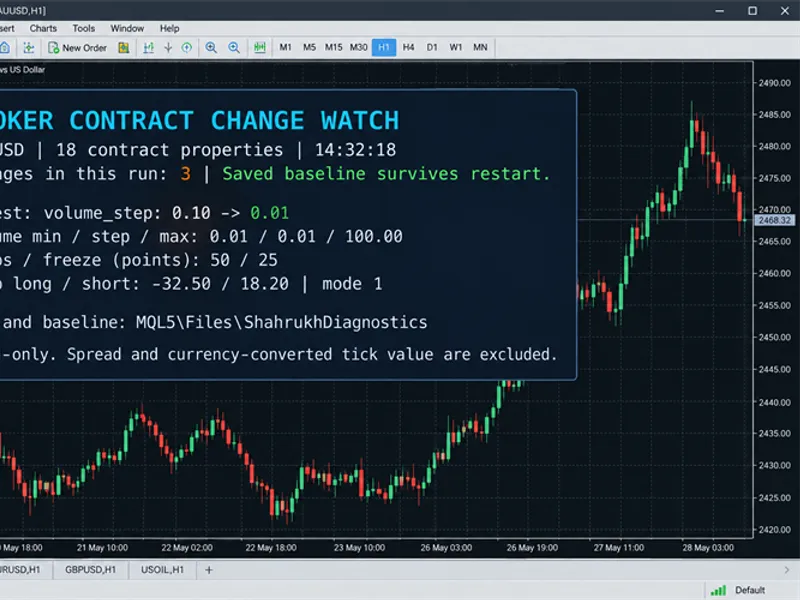
The tool stores a baseline for the account server, account login, and chart symbol. After reattachment or a terminal restart, it compares the next valid observation with the saved baseline.
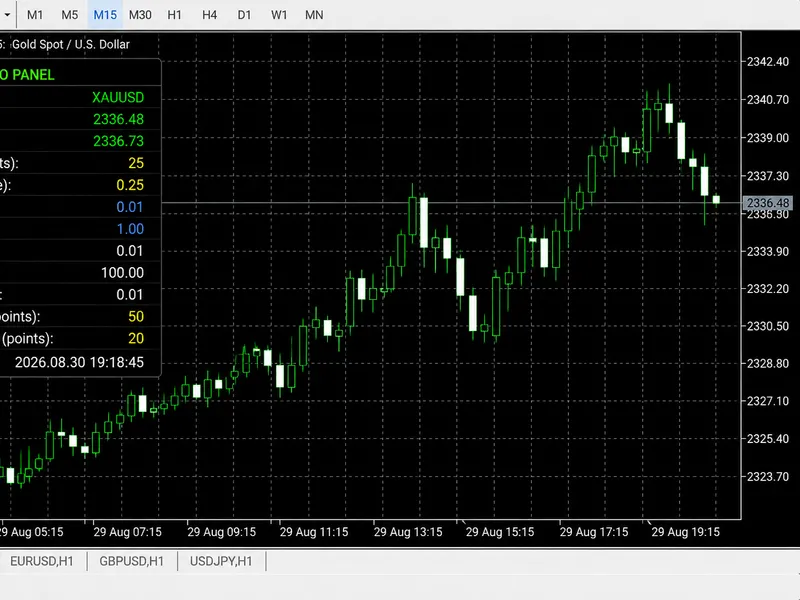
A small panel displays the latest change, volume settings, and stop restrictions.
The CSV contains the observed local time, property, previous value, and new value.
Spread and currency-converted tick value are excluded from the baseline because routine market movement can change them.
A change in a watched property is an observation, not an accusation of broker misconduct.
Inputs
Input
Default
Use
InpPollSeconds
10
Poll interval, from 1 to 3600 seconds.
InpResetBaseline
false
Explicitly replace the saved baseline on this attachment.
InpPopupAlerts
false
One terminal popup for a batch of changes.
InpPanelX / InpPanelY
16 / 24
Panel placement.
InpFontSize
10
Text size, from 8 to 18.
Keep reset disabled during ordinary use. Enable it only when intentionally starting a new baseline, then return it to false for later attachments.
A disconnected terminal or unavailable symbol specification does not advance the baseline.
A corrupt or incompatible saved file is rejected rather than silently accepted.
Limits
Only the chart symbol is watched.
Values changing and reverting between polls can be missed.
The tool cannot recover changes from before its first baseline or establish the exact time of a change during downtime.
Trading/filling/order flags are recorded as native MQL5 numeric values.
It does not audit trading-session schedules or all possible contract fields.
You may also like: Relative Broker Vigor Index (RBVI) Histogram Indicator - excellent alternative for indicator users on MetaTrader 5.
Source Code
#property copyright "RobotFX"
#property link "https://robotfx.org"
#property version   "1.00"
#property strict
#property indicator_chart_window
#property indicator_plots 0
string g_scope="",g_base="",g_last_error="";
int g_lock=INVALID_HANDLE,g_csv=INVALID_HANDLE;
void Note(const string event,const string message)
  { PrintFormat("[%s][%s] %s",MQLInfoString(MQL_PROGRAM_NAME),event,message); }
.......
⚠ Limitations & Risk Warning
- This tool is provided for educational and testing purposes only.
- Past performance does not guarantee future results.
- Trading involves substantial risk of loss. Use on a demo account first.
- Results may vary depending on market conditions, broker, and settings.
- We recommend thorough backtesting and forward testing before using with real funds.