




checking the time change on the server due to daylight saving time transition
Info
The checking the time change on the server due to daylight saving time transition is a Script for MetaTrader 5 that unfortunately, i found that some brokers the time change on the server is a bit incorrect, which i did not expect. and which surprised me very much.
Usage
This tool is typically used for enhancing chart analysis and decision making.
Platform
This Script works exclusively on MetaTrader 5 (both build 600+ and newer versions).
Setup
Place the downloaded file in MQL5/Scripts folder via File ? Open Data Folder in MetaTrader 5.
How to Install and Use checking the time change on the server due to daylight saving time transition
1. Installation: Move your script file into the MQL/Scripts directory and restart the platform.
2. Execution: Drag the script onto a chart; it will perform a one-time action, such as closing all open orders or clearing chart objects.
3. Editing: Use MetaEditor (F4) to modify code, click "Compile," and verify no errors appear in the terminal before running.
4. Removing: Scripts stop automatically, but you can remove them manually by right-clicking the chart and choosing "Remove Script."
Frequently Asked Questions
Q: How are scripts different from EAs? A: Scripts execute a single action and then stop; EAs monitor the market and trade continuously.
Q: Can I assign a hotkey to a script? A: Yes, right-click the script in the Navigator, select "Set Hotkey," and define your preferred keyboard shortcut.
Q: Why did my script stop? A: Scripts are designed to stop immediately after finishing their programmed command; this is normal behavior.
What this tool does
unfortunately, i found that some brokers the time change on the server is a bit incorrect, which i did not expect.
Typical Use Case
This Script excels in automated trading and technical analysis on MetaTrader 5.
Compatible Platform & Setup
This Script works on MetaTrader 5. Place the file in the MQL5/Scripts folder and restart the terminal.
Description & Settings
Related: advanced trade history exporter: mae, mfe, and time-based analysis - another powerful script for MetaTrader 5 traders.
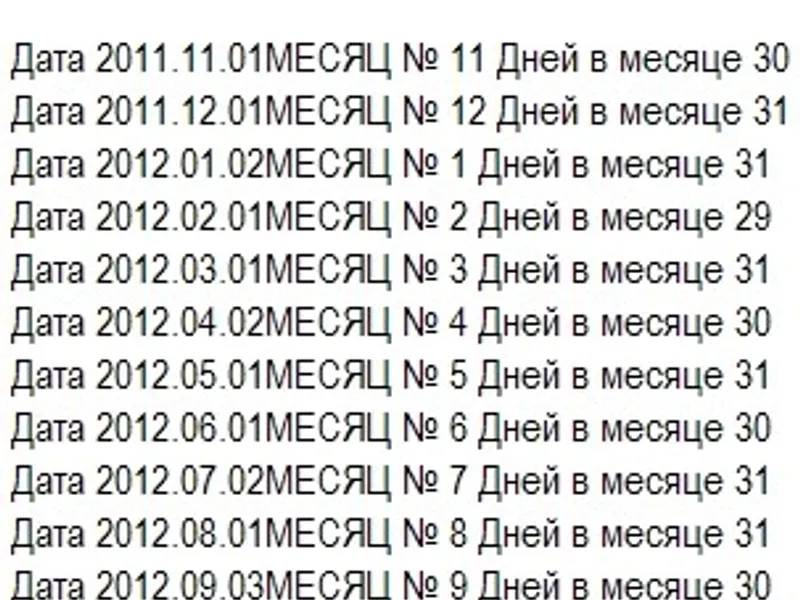
unfortunately, i found that some brokers the time change on the server is a bit incorrect, which i did not expect. and which surprised me very much. here is a script that anyone can use to check their broker. a forex session lasts exactly 120 hours: from sunday 5:00 pm est (north america) or est to friday 5:00 pm est. the problem arises because of daylight saving time and winter time, which do not occur on the same sundays in different regions of the world. in the us, for example, the changeover occurs on the second sunday in march and the first sunday in november. which also affects the start and end of the forex session. the eu will submit its annual report on the last sunday in march, after the us, and in the last sunday in october, i.e. in the us (see chronology above). this creates a transitional phase in which the us and eu have a different time difference than the usual 5 hour difference. hours (london), 6 hours (frankfurt, cet) or 7 hours (cyprus, eet). at the same time, this change in time difference should be reflected in the timestamp of the first and last hour of a forex session has been changed. thus, if a forex session starts at 00:00 (eet, mq time) on monday, it should after this change, time in the usa will start one hour earlier, i.e. on sunday.i.e. on sunday at 23:00. and ends one hour earlier on friday, at 23:00 (or 22:59:59). but unfortunately i had to realise (and with this script everyone can do it themselves) broker rating), which is available on mq demo account and on some real brokers' accounts the first hour always(!) appears on monday at 00:00, but the last hour as expected on friday at 23:00 (or 22:59) or one hour earlier. so, the first hour is missing. forex session for a trader or advisor to react to weekend events. in addition, the end of a forex session can no longer be determined by simply adding 120 to the first hour of a forex session, for example, to close all positions before the weekend. this script now checks if the broker's time has changed in the past and logs all forex sessions that are clearly odd or do not last 120 hours. no logging is done between if 120 hours have passed between the first and last hour of a forex session. at the end, the script displays the last timestamp received, the number of abbreviated session periods found, and the approximate number of years taken into account.Also recommended: Time Variable Conversion Utility - similar script with strong performance on MetaTrader 5.
You may also like: change chart and timeframe - excellent alternative for script users on MetaTrader 5.
Source Code
яю
#property copyright "RobotFX"
#property link "https://robotfx.org"
#property version   "1.01"
string  _WkDy[] = {"Su.","Mo.","Tu.","We.","Th.","Fr.","Sa."};
#define DoWs(t) (_WkDy[DoWi(t)])                               // Day of Week as string:  Sun, Mon, Tue, ...
#define DoWi(t) ((int)((t)/86400+4)%7)                         // Day of Week as integer:  Sun=0, Mon=1, Tue=2, ...
#define BoW(t) ((t)-((t)+345600)%604800)                       // Begin of Week 2017.08.03 11:30 => Sun, 2017.07.30 00:00 (fixed version)
#define WeekInSec    604800                                    // 60sec*60min*24h*7d = 604800 => 1 Week
#define _tSu(t)  DoWs(t)+" "+TimeToString(t,TIME_DATE)
.......
⚠ Limitations & Risk Warning
- This tool is provided for educational and testing purposes only.
- Past performance does not guarantee future results.
- Trading involves substantial risk of loss. Use on a demo account first.
- Results may vary depending on market conditions, broker, and settings.
- We recommend thorough backtesting and forward testing before using with real funds.