


advanced trade history exporter: mae, mfe, and time-based analysis
Info
The advanced trade history exporter: mae, mfe, and time-based analysis is a Script for MetaTrader 5 that evaluating your trading edge requires more than just looking at your win rate and net profit. you need to know how efficient your entries and exits are.
Usage
This tool is typically used for enhancing chart analysis and decision making.
Platform
This Script works exclusively on MetaTrader 5 (both build 600+ and newer versions).
Setup
Place the downloaded file in MQL5/Scripts folder via File ? Open Data Folder in MetaTrader 5.
How to Install and Use advanced trade history exporter: mae, mfe, and time-based analysis
1. Installation: Move your script file into the MQL/Scripts directory and restart the platform.
2. Execution: Drag the script onto a chart; it will perform a one-time action, such as closing all open orders or clearing chart objects.
3. Editing: Use MetaEditor (F4) to modify code, click "Compile," and verify no errors appear in the terminal before running.
4. Removing: Scripts stop automatically, but you can remove them manually by right-clicking the chart and choosing "Remove Script."
Frequently Asked Questions
Q: How are scripts different from EAs? A: Scripts execute a single action and then stop; EAs monitor the market and trade continuously.
Q: Can I assign a hotkey to a script? A: Yes, right-click the script in the Navigator, select "Set Hotkey," and define your preferred keyboard shortcut.
Q: Why did my script stop? A: Scripts are designed to stop immediately after finishing their programmed command; this is normal behavior.
What this tool does
evaluating your trading edge requires more than just looking at your win rate and net profit.
Typical Use Case
This Script excels in automated trading and technical analysis on MetaTrader 5.
Compatible Platform & Setup
This Script works on MetaTrader 5. Place the file in the MQL5/Scripts folder and restart the terminal.
Description & Settings
Related: Trade Excursion Report: Analyzing Maximum Adverse and Favorable Excursions - another powerful script for MetaTrader 5 traders.
evaluating your trading edge requires more than just looking at your win rate and net profit. you need to know how efficient your entries and exits are. are your stop losses too wide? are you leaving money on the table by closing too early?Also recommended: Comprehensive Stationarity Testing Suite for MetaTrader - similar script with strong performance on MetaTrader 5.
this script analyzes your historical deals, reconstructs your trades, and calculates advanced quantitative metrics, outputting everything into a clean .csv file that you can open directly in excel.key features & metrics calculated
mae (maximum adverse excursion):
calculates the maximum number of points the market moved against your position during the lifespan of the trade. helps you optimize your stop-loss placement.
mfe (maximum favorable excursion):
calculates the maximum number of points the market moved in your favor before the trade was closed. helps you identify if you are giving back too many unrealized gains.
forward returns (time-based excursions):
analyzes the exact price difference relative to your entry price at specific future intervals (t+30m, t+1h, t+4h, t+12h, t+1d, t+1w). this answers the quantitative question: "what if i had just held the trade for exactly x hours?" if a future time period hasn't occurred yet, it safely outputs n/a .
t+1w min (forward risk):
calculates the absolute worst-case drawdown (maximum adverse points) that occurred over the entire 1-week period following your entry. if the trade never went against you during that week, it reports 0 .
output format:
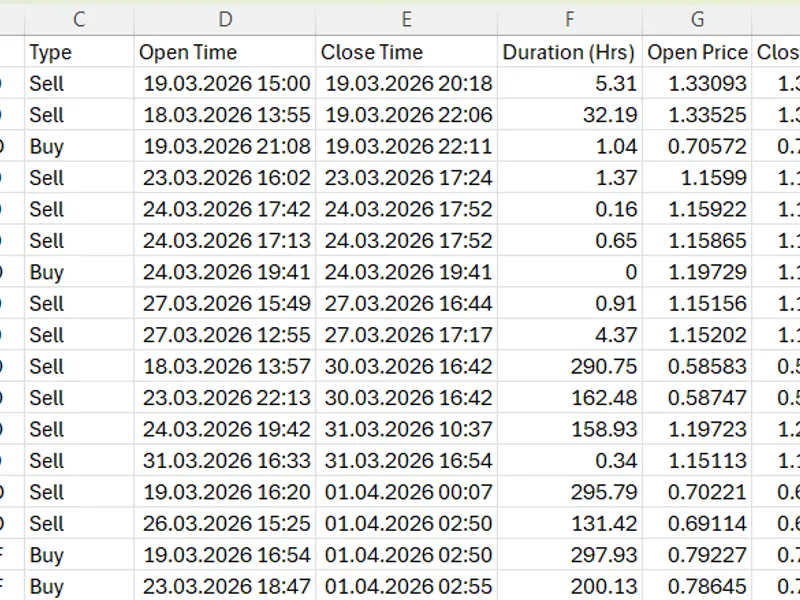
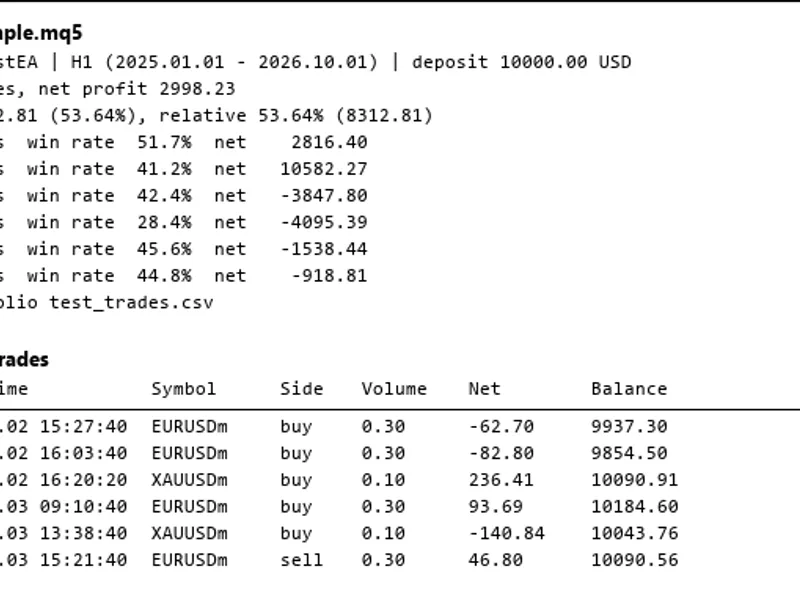
the script generates a csv file with the following columns: position id | symbol | type | open time | close time | duration (hrs) | open price | close price | profit ($) | profit (pts) | mae (pts) | mfe (pts) | t+30m | t+1h | t+4h | t+12h | t+1d | t+1w | t+1w min
input parameters
start date:
choose how far back in your terminal's history you want the script to scan (default: 2026.01.01 ).
how to use
download the .mq5 source code file.
in your metatrader 5 terminal, go to the top menu and click file -> open data folder.
navigate to the mql5\scripts folder and place the .mq5 file inside.
open the metaeditor (press f4 on your keyboard).
in the metaeditor navigator, find the script under the scripts folder, open it, and click the compile button at the top (or press f7).
back in the mt5 terminal, open the navigator panel (ctrl+n).
expand the scripts folder, find export_mae_mfe_points , and drag it onto any open chart.
set your desired start date and click ok.
the script will process your history and save a file named tradehistory_stats_points.csv in your mql5\files folder.
note:
the script utilizes m1 timeframe data ( copyhigh , copylow , copyclose ) to calculate the highly accurate excursion metrics. please ensure you have sufficient m1 history downloaded from your broker for the symbols and dates you are querying, otherwise, some metrics may report as 0.
You may also like: Trade Environment Check: Account Mode, Symbol Rules, and Open Positions Report - excellent alternative for script users on MetaTrader 5.
Source Code
#property script_show_inputs
input datetime inpstartdate = d'2026.01.01 00:00:00';
string getfutureexcursion(string sym, long pos_type, double open_price, datetime open_time, int add_seconds, double point_val)
{
datetime target_time = open_time + add_seconds;
if(target_time > timecurrent()) return "n/a";
double close_array[];
if(copyclose(sym, period_m1, target_time, 1, close_array) > 0)
{
double future_price = close_array[0];
.......
⚠ Limitations & Risk Warning
- This tool is provided for educational and testing purposes only.
- Past performance does not guarantee future results.
- Trading involves substantial risk of loss. Use on a demo account first.
- Results may vary depending on market conditions, broker, and settings.
- We recommend thorough backtesting and forward testing before using with real funds.