



Trade Signals Module Based on BrainTrend2 Indicator
Info
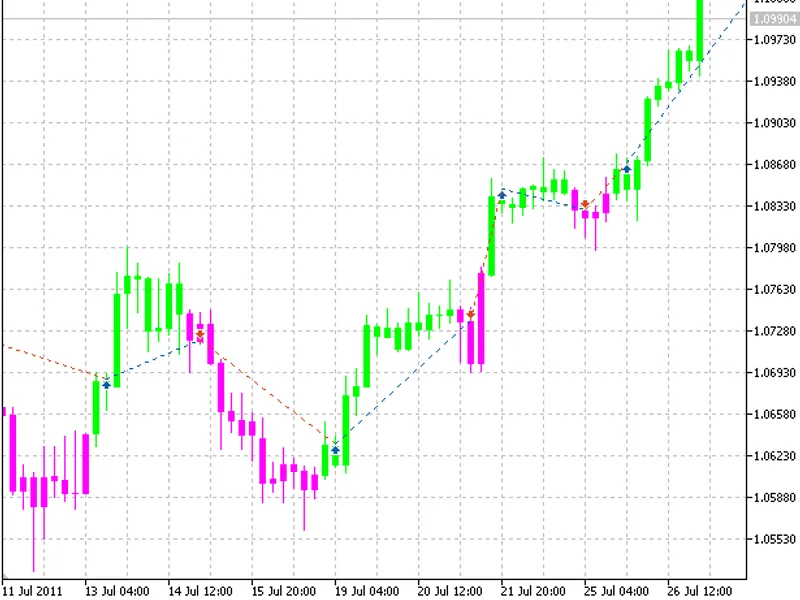
The Trade Signals Module Based on BrainTrend2 Indicator is a Library for MetaTrader 5 that a lime candle from the indicator signals a long position, while a magenta candle signals a short position. These signals are generated on completed bars.
Usage
This tool is typically used for trend following strategies across multiple currency pairs.
Platform
This Library works exclusively on MetaTrader 5 (both build 600+ and newer versions).
Setup
Place the downloaded file in MQL5/Libraries folder via File ? Open Data Folder in MetaTrader 5.
How to Install and Use Trade Signals Module Based on BrainTrend2 Indicator
1. Storage: Place library files in the MQL/Libraries directory to ensure they are accessible to your projects.
2. Implementation: Include the library in your code using the #import directive, ensuring you match the exact function names and parameters.
3. Compilation: Ensure the library is present in the directory before you compile your main EA or script, as the compiler links them during this phase.
4. Management: Keep libraries organized in sub-folders if you manage many custom functions to maintain a clean project structure.
Frequently Asked Questions
Q: What is a library file used for? A: Libraries store reusable code modules, allowing you to centralize common logic used by multiple EAs or indicators.
Q: Is a library executable? A: No, libraries are non-executable files containing functions; they must be imported into an EA, indicator, or script to function.
Q: Can I update a library while the platform is running? A: You should compile your EA or script after updating a library to ensure the latest code changes are integrated.
What this tool does
A lime candle from the indicator signals a long position, while a magenta candle signals a short position.
Typical Use Case
This Library excels in trend following on MetaTrader 5.
Compatible Platform & Setup
This Library works on MetaTrader 5. Place the file in the MQL5/Libraries folder and restart the terminal.
Description & Settings
Related: ATS Trade Management Library - Break-Even, Trailing Stop, and Partial Closes - another powerful library for MetaTrader 5 traders.
A lime candle from the indicator signals a long position, while a magenta candle signals a short position. These signals are generated on completed bars.Also recommended: MQTT Five — MQTT 5.0 Client Library for MetaTrader 5 - similar library with strong performance on MetaTrader 5.
Input parameters used during testing:
- ATR Period: 7
- Timeframe: H4
- Symbol: AUDUSD
- Lot Size: 0.1
- Stop Loss, Take Profit, Trailing: Not Used.
To utilize this trade signal module, place the braintrend2signal.mqh file into the following directory: terminal_data_folder\mql5\include\expert\signal\mysignals.
Additionally, the braintrend2.mq5 indicator must be placed in: terminal_data_folder\mql5\indicators.
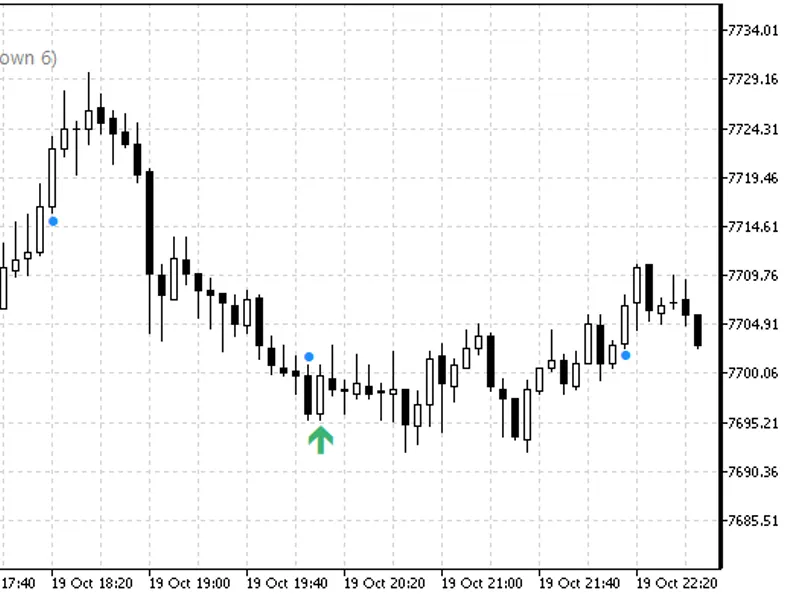
An example of trades on the chart is provided.
History backtesting results starting from 2011:
History backtesting results obtained up to 2026.
You may also like: asq session manager for metatrader 5 - excellent alternative for library users on MetaTrader 5.
Source Code
#property copyright "robotfx"
#property link "https://robotfx.org"
#property version   "1.00"
#property indicator_chart_window
#property indicator_buffers 5
#property indicator_plots   1
#property indicator_type1   draw_color_candles
#property indicator_label1  "flat; uptrend; downtrend;"
input int atr_period=7;
double extopenbuffer[];
.......
⚠ Limitations & Risk Warning
- This tool is provided for educational and testing purposes only.
- Past performance does not guarantee future results.
- Trading involves substantial risk of loss. Use on a demo account first.
- Results may vary depending on market conditions, broker, and settings.
- We recommend thorough backtesting and forward testing before using with real funds.