
asq session manager for metatrader 5
Info
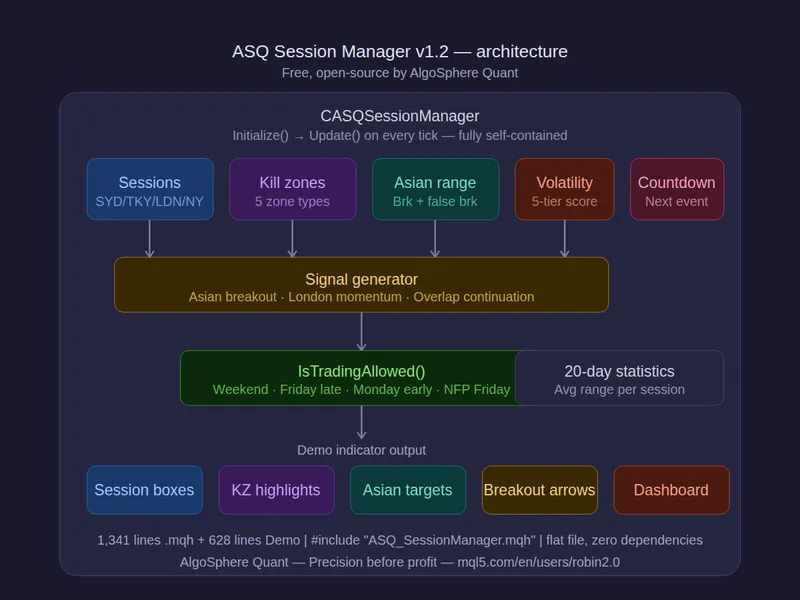
The asq session manager for metatrader 5 is a Library for MetaTrader 5 that asq session manager v1. 2 is a free and open-source tool that brings institutional-grade session awareness to your eas.
Usage
This tool is typically used for enhancing chart analysis and decision making.
Platform
This Library works exclusively on MetaTrader 5 (both build 600+ and newer versions).
Setup
Place the downloaded file in MQL5/Libraries folder via File ? Open Data Folder in MetaTrader 5.
How to Install and Use asq session manager for metatrader 5
1. Storage: Place library files in the MQL/Libraries directory to ensure they are accessible to your projects.
2. Implementation: Include the library in your code using the #import directive, ensuring you match the exact function names and parameters.
3. Compilation: Ensure the library is present in the directory before you compile your main EA or script, as the compiler links them during this phase.
4. Management: Keep libraries organized in sub-folders if you manage many custom functions to maintain a clean project structure.
Frequently Asked Questions
Q: What is a library file used for? A: Libraries store reusable code modules, allowing you to centralize common logic used by multiple EAs or indicators.
Q: Is a library executable? A: No, libraries are non-executable files containing functions; they must be imported into an EA, indicator, or script to function.
Q: Can I update a library while the platform is running? A: You should compile your EA or script after updating a library to ensure the latest code changes are integrated.
What this tool does
asq session manager v1.
Typical Use Case
This Library excels in automated trading and technical analysis on MetaTrader 5.
Compatible Platform & Setup
This Library works on MetaTrader 5. Place the file in the MQL5/Libraries folder and restart the terminal.
Description & Settings
Related: session time filter library - another powerful library for MetaTrader 5 traders.
asq session manager v1.2 is a free and open-source tool that brings institutional-grade session awareness to your eas. it identifies active sessions, kill zones, and asian range breakouts, empowering you to trade with precision.Also recommended: at r-based stop loss manager - similar library with strong performance on MetaTrader 5.
features:
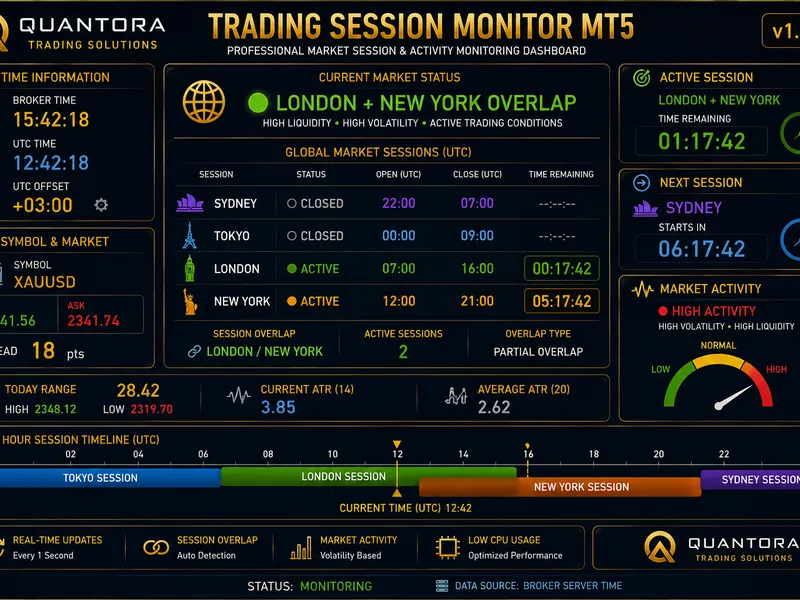
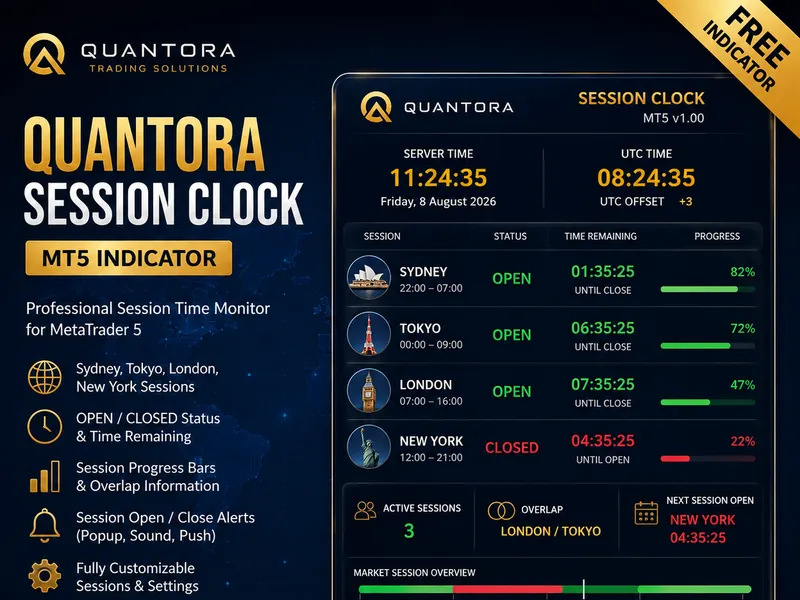
- detects 4 sessions: sydney, tokyo, london, and new york, with automatic broker gmt offset adjustment.
- identifies critical kill zones: london open, ny open, asian, london close, and london-ny overlap.
- asian range breakout detection with automatic range calculation (00:00-06:00 gmt), breakout arrows, false-break filtering, and 1.5x expansion targets.
- session volatility scoring using a 5-tier atr-relative meter (dead/low/normal/high/explosive) compared to the 20-day average range.
- countdown timer for upcoming session opens or kill zones, displaying hours and minutes remaining.
- tracks session phases: early, active, midday, and late for each session.
- built-in signal types: asian range breakout, london open momentum, and overlap continuation with entry, stop-loss, and take-profit levels.
- analyzes 20-day session ranges to identify the best sessions.
- nfp friday detection to avoid trading during non-farm payroll events on the first friday of each month.
- safety filters for weekend, friday late close, and monday early open protection.
- session overlap analysis with priority resolution (london > ny > tokyo > sydney).
demo indicator:
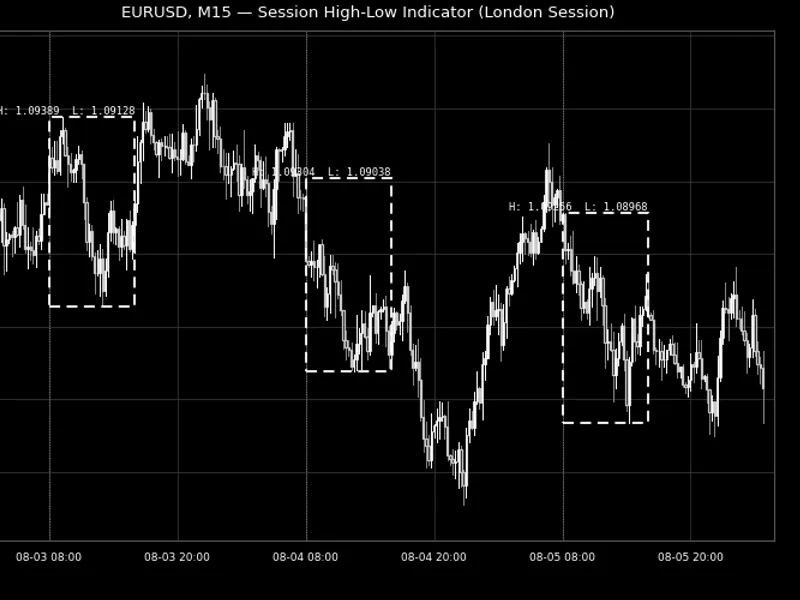
the included demo indicator, asq_sessionmanager_demo, provides a comprehensive visual representation:
- colored session boxes with labels (ldn=blue, nyc=red, tky=purple, syd=teal).
- kill zone highlights in gold with tooltips for direction and strength.
- asian range box with midline, breakout arrows, false-break markers, and expansion target lines.
- multi-panel dashboard: session progress, kill zone countdown, volatility meter, next event countdown, asian range state, signal panel, average ranges, and trading status with nfp friday warning.
usage:
#include "asq_sessionmanager.mqh"
casqsessionmanager session;
session.initialize(_symbol, pipvalue, 0); // 0 = auto-detect gmt offset
session.update(bid, ask); // call on every tick
place both files in the same folder for easy compilation.
files:
- asq_sessionmanager.mqh (1,341 lines) - library
- asq_sessionmanager_demo.mq5 (628 lines) - demo indicator
compatible with metatrader 5, all brokers, forex instruments, and timeframes. this powerful tool consists of 1,969 lines of production mql5 code, ensuring precision in your trading strategies.
You may also like: asq indicator manager - excellent alternative for library users on MetaTrader 5.
Source Code
#property copyright "robotfx"
#property link "https://robotfx.org"
#property version     "1.20"
#property description "This code is provided AS IS and intended for educational purposes only. Professional trading EAs and indicators - robotfx www.robotfx.org"
#property description "This code is provided AS IS and intended for educational purposes only. Professional trading EAs and indicators - robotfx www.robotfx.org"
#property description "This code is provided AS IS and intended for educational purposes only. Professional trading EAs and indicators - robotfx www.robotfx.org"
#property description "This code is provided AS IS and intended for educational purposes only. Professional trading EAs and indicators - robotfx www.robotfx.org"
#property description "This code is provided AS IS and intended for educational purposes only. Professional trading EAs and indicators - robotfx www.robotfx.org"
#property indicator_chart_window
#property indicator_buffers 0
.......
⚠ Limitations & Risk Warning
- This tool is provided for educational and testing purposes only.
- Past performance does not guarantee future results.
- Trading involves substantial risk of loss. Use on a demo account first.
- Results may vary depending on market conditions, broker, and settings.
- We recommend thorough backtesting and forward testing before using with real funds.