


ATS Trade Management Library - Break-Even, Trailing Stop, and Partial Closes
Info
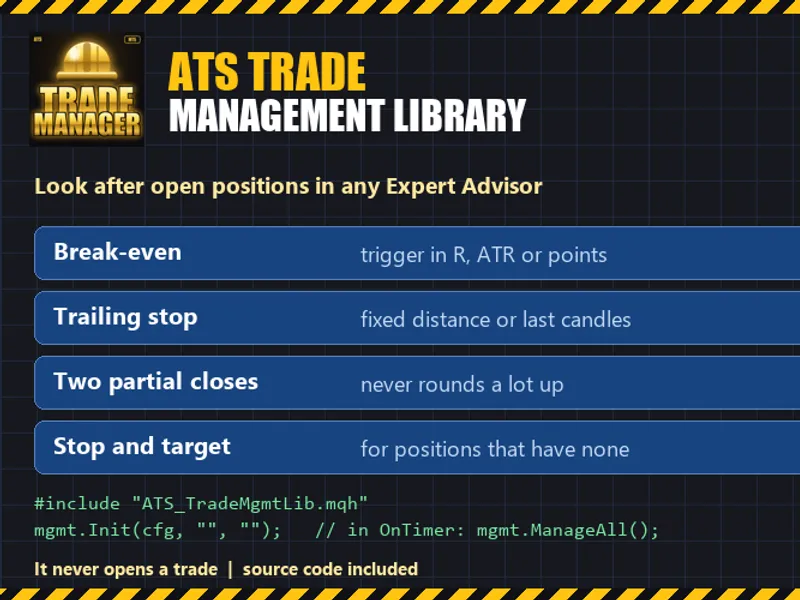
The ATS Trade Management Library - Break-Even, Trailing Stop, and Partial Closes is a Library for MetaTrader 5 that ats trade management library this is a small include file designed to manage open positions initiated by an expert advisor (ea), a trader, or another ea. It exclusively modifies stop levels and closes portions or all of a position; it does not open new trades.
Usage
This tool is typically used for enhancing chart analysis and decision making.
Platform
This Library works exclusively on MetaTrader 5 (both build 600+ and newer versions).
Setup
Place the downloaded file in MQL5/Libraries folder via File ? Open Data Folder in MetaTrader 5.
How to Install and Use ATS Trade Management Library - Break-Even, Trailing Stop, and Partial Closes
1. Storage: Place library files in the MQL/Libraries directory to ensure they are accessible to your projects.
2. Implementation: Include the library in your code using the #import directive, ensuring you match the exact function names and parameters.
3. Compilation: Ensure the library is present in the directory before you compile your main EA or script, as the compiler links them during this phase.
4. Management: Keep libraries organized in sub-folders if you manage many custom functions to maintain a clean project structure.
Frequently Asked Questions
Q: What is a library file used for? A: Libraries store reusable code modules, allowing you to centralize common logic used by multiple EAs or indicators.
Q: Is a library executable? A: No, libraries are non-executable files containing functions; they must be imported into an EA, indicator, or script to function.
Q: Can I update a library while the platform is running? A: You should compile your EA or script after updating a library to ensure the latest code changes are integrated.
What this tool does
ATS Trade Management Library This is a small include file designed to manage open positions initiated by an Expert Advisor (EA), a trader, or another EA.
Typical Use Case
This Library excels in automated trading and technical analysis on MetaTrader 5.
Compatible Platform & Setup
This Library works on MetaTrader 5. Place the file in the MQL5/Libraries folder and restart the terminal.
Description & Settings
Related: MQTT Five — MQTT 5.0 Client Library for MetaTrader 5 - another powerful library for MetaTrader 5 traders.
ATS Trade Management LibraryAlso recommended: simplified order management class for mt4/mt5 - similar library with strong performance on MetaTrader 5.
This is a small include file designed to manage open positions initiated by an Expert Advisor (EA), a trader, or another EA. It exclusively modifies stop levels and closes portions or all of a position; it does not open new trades.
Key Features
Break-Even: Automatically moves the stop-loss to the entry price (with an optional offset) once a position achieves a specified profit. The trigger for this can be set based on multiples of the initial stop-loss (R), Average True Range (ATR), or a fixed number of points.
Trailing Stop: Implements a trailing stop-loss that maintains a fixed distance behind the current price or the lowest low / highest high of the last N closed candles on a selected timeframe. The stop-loss only moves in favor of the trade and can be adjusted in defined increments.
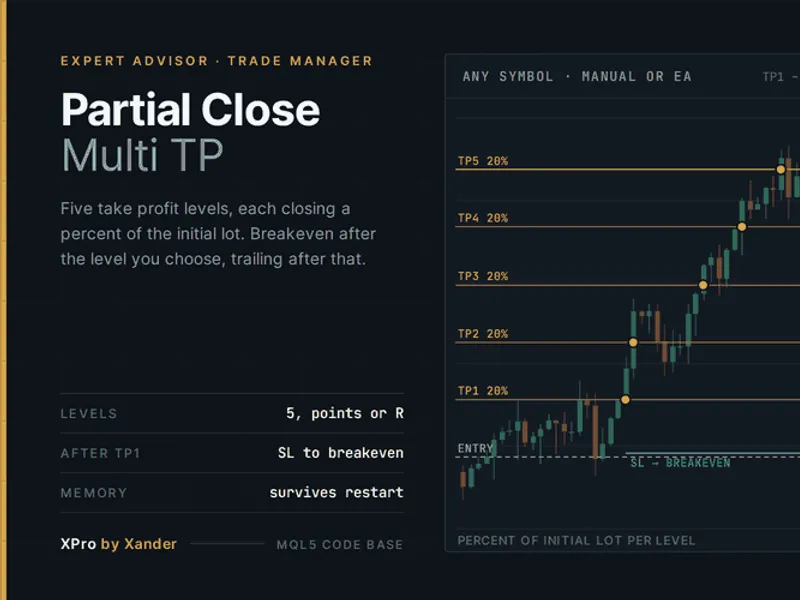
Partial Closes: Supports two distinct partial close operations. The first partial close exits a specified share of the position at a designated profit level. The second partial close exits a share of the ORIGINAL position at another level. An option is available to move the stop-loss to break-even after the first partial close. The volume for partial closes is adjusted to the nearest valid lot size, ensuring no less than the minimum lot size remains.
Automatic Stop and Target: Provides a stop-loss and take-profit for positions that may lack them (e.g., trades opened manually). The stop-loss can be set at ATR multiples or a number of points, and the take-profit can be set as a multiple of R (Risk).
Customization: Allows management of trades for every symbol or a specific symbol, and for every magic number or a defined list of magic numbers (where 0 represents trades opened manually).
Operational Details
The value 'R' represents the distance between the entry price and the stop-loss of a position at the moment the library begins managing it. Positions without an initial stop-loss do not have an 'R' value; for these, management relies on ATR, points, or the automatic stop-loss feature.
To ensure continuity after terminal restarts, status updates (like break-even adjustments or partial closes) are stored in Global Variables. This prevents the repetition of previously executed management actions.
The library respects broker's stop level restrictions. If a calculated stop-loss is closer to the current price than the minimum allowed distance, the library will attempt to set the stop on the next interval.
The core calculations are performed using plain functions without direct reliance on terminal data, enabling straightforward testing with fixed numerical inputs. The included self-test suite executes 36 distinct checks to validate these calculations.
Usage Example
#include "ATS_TradeMgmtLib.mqh"
CAtsTradeMgmt mgmt;
SAtsMgmtConfig cfg;
mgmt.DefaultConfig(cfg);
cfg.useBreakEven = true;
cfg.beUnit = ATS_UNIT_R;
cfg.beTrigger = 1.0;
cfg.trailMode = ATS_TRAIL_CANDLES;
cfg.trailBars = 3;
cfg.trailStart = 1.5;
mgmt.Init(cfg, "", ""); // Manages all symbols and all magic numbers
// In OnTimer(): mgmt.ManageAll();
Package Contents
The distributed package includes: ATS_TradeMgmtLib.mqh (the main library file), ATS_TradeMgmt_Demo.mq5 (an example EA demonstrating trade management in a concise manner), and ATS_TradeMgmt_SelfTest.mq5 (a script for running 36 calculation verification checks).
Important Considerations
This library does not generate trading signals and does not guarantee profitability. In rapidly moving markets, stop-loss orders, like any other, may be filled at a less favorable price.
Both the MetaTrader terminal and the associated EA must be active for the trade management functions to operate when the market price changes.
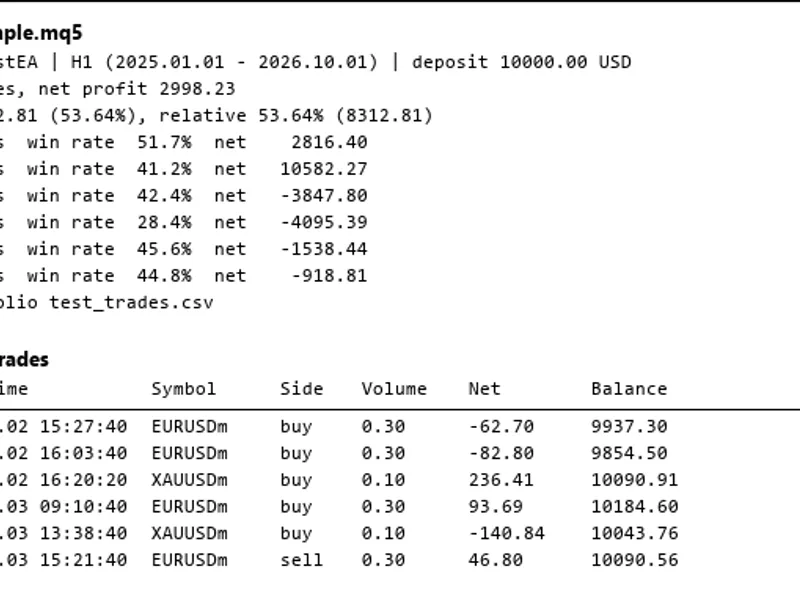
The library has been tested in the Strategy Tester, simulating daily trade openings, and confirming the correct operation of break-even, both partial closes, trailing stop, and automatic stop/target features. It has also been tested on demo accounts and functions correctly on both hedging and netting account types (for netting accounts, partial closes operate on the net position).
Last updated: 2026
You may also like: asq session manager for metatrader 5 - excellent alternative for library users on MetaTrader 5.
Source Code
#property copyright "RobotFX"
#property link "https://robotfx.org"
#property version   "1.00"
#property script_show_inputs
#include "ATS_TradeMgmtLib.mqh"
int g_pass = 0, g_fail = 0;
void Check(const bool ok, const string what)
  {
   if(ok)
      g_pass++;
.......
⚠ Limitations & Risk Warning
- This tool is provided for educational and testing purposes only.
- Past performance does not guarantee future results.
- Trading involves substantial risk of loss. Use on a demo account first.
- Results may vary depending on market conditions, broker, and settings.
- We recommend thorough backtesting and forward testing before using with real funds.