
Prop Firm News Countdown and Spread Monitor for MT5
Info
The Prop Firm News Countdown and Spread Monitor for MT5 is a Indicator for MetaTrader 5 that news releases significantly impact spreads before price movements. If you are running an Expert Advisor during events like CPI, NFP, or central bank rate decisions, a widened Bid-Ask spread can lead to trade stop-outs or violate a funded account's news trading restrictions.
Usage
This tool is typically used for enhancing chart analysis and decision making.
Platform
This Indicator works exclusively on MetaTrader 5 (both build 600+ and newer versions).
Setup
Place the downloaded file in MQL5/Indicators folder via File ? Open Data Folder in MetaTrader 5.
How to Install and Use Prop Firm News Countdown and Spread Monitor for MT5
1. Installation: Place your file in the MQL/Indicators folder via "Open Data Folder" and restart your terminal.
2. Loading: Find the indicator in the Navigator, drag it onto your chart, and configure the input parameters in the popup window.
3. Customization: Press Ctrl+I to open the indicator list, select your tool, and click "Properties" to change colors, levels, or visual styles.
4. Updating: Replace the old file in the Indicators folder with the new version and restart the platform to apply changes.
Frequently Asked Questions
Q: Why is my indicator not showing? A: Verify the file is in the MQL/Indicators folder, or try right-clicking the "Indicators" tree in the Navigator and clicking "Refresh."
Q: Do custom indicators slow down the platform? A: Too many complex indicators can impact performance; remove unused ones via the "Indicator List" (Ctrl+I).
Q: Can I use MT4 indicators on MT5? A: No, MQL4 and MQL5 are distinct languages; ensure the indicator is compiled specifically for your platform version.
What this tool does
News releases significantly impact spreads before price movements.
Typical Use Case
This Indicator excels in automated trading and technical analysis on MetaTrader 5.
Compatible Platform & Setup
This Indicator works on MetaTrader 5. Place the file in the MQL5/Indicators folder and restart the terminal.
Description & Settings
Related: Spectar Prop Challenge Dashboard - another powerful indicator for MetaTrader 5 traders.
News releases significantly impact spreads before price movements. If you are running an Expert Advisor during events like CPI, NFP, or central bank rate decisions, a widened Bid-Ask spread can lead to trade stop-outs or violate a funded account's news trading restrictions. Manually checking the economic calendar on each chart is inefficient.Also recommended: Daily Loss Limit Tracker for Prop Firm Trading - similar indicator with strong performance on MetaTrader 5.
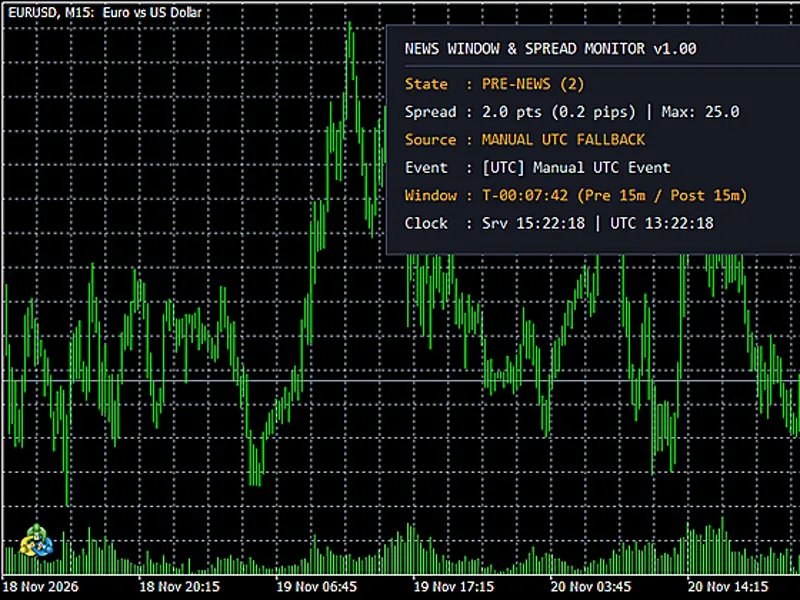
The PropFirm News Spread Monitor was developed to track the live MQL5 economic calendar and real-time spreads within a single, lightweight chart panel. Operating on a 250-millisecond timer, the indicator assesses if the current trading symbol is within the pre-news warning window, the post-news lockout window, or exceeding the maximum allowed spread in points. It then outputs these readings directly to three iCustom buffers, allowing any Expert Advisor to read a single numeric state code before executing trades.
iCustom Buffers and State Machine
Your Expert Advisor reads bar index 0 using CopyBuffer. The indicator exposes three DRAW_NONE data buffers and can optionally display a HUD in the top-right corner (totaling 10 chart objects, scaled for high-resolution displays). Buffer 0 (ExtStateBuf) outputs state codes: 0 (STATE_INIT), 1 (STATE_NORMAL), 2 (STATE_PRE_NEWS), 3 (STATE_LOCKED_WINDOW), or 4 (STATE_SPREAD_ALERT). Buffer 1 (ExtSpreadBuf) reports the live Bid-Ask spread in points, using _Point and a SYMBOL_SPREAD fallback. Buffer 2 (ExtSecondsToNewsBuf) shows the signed seconds remaining until the next event (negative during the post-news lockout period, or EMPTY_VALUE when no events are scheduled for 24 hours).
If the built-in MQL5 Economic Calendar returns no events (e.g., within the Strategy Tester or on an offline weekend chart), the monitor utilizes a daily UTC fallback window if InpEnableManualUtcFallback is enabled. Once a live calendar event enters the post-news lockout range, g_lockedNewsWinEnd stores the lockout end timestamp to ensure the window remains locked until the timer expires.
EA Integration Snippet (MQL5)
int g_newsMonitorHandle = INVALID_HANDLE;
int OnInit()
{
g_newsMonitorHandle = iCustom(_Symbol, _Period, "PropFirm_News_Spread_Monitor");
if(g_newsMonitorHandle == INVALID_HANDLE)
return(INIT_FAILED);
return(INIT_SUCCEEDED);
}
bool IsNewsAndSpreadClear()
{
double stateBuf[1];
if(CopyBuffer(g_newsMonitorHandle, 0, 0, 1, stateBuf) <= 0)
return(false);
return((int)MathRound(stateBuf[0]) == 1); // 1 == STATE_NORMAL
}
Input Parameters
Parameter
Default
Description
InpPreNewsMinutes
15
Pre-news warning window in minutes before the event timestamp (>= 1).
InpPostNewsMinutes
15
Post-news lockout window in minutes after the event timestamp (>= 1).
InpMaxSpreadPoints
25.0
Maximum allowed Bid-Ask spread in points before raising STATE_SPREAD_ALERT (>= 1.0).
InpHighImpactOnly
true
When true, tracks high-impact calendar events only; when false, includes moderate-impact events.
InpFilterChartCurrencies
true
Filters calendar events to match the active chart's base or profit currency.
InpEnableManualUtcFallback
true
Uses a daily UTC schedule window when the MQL5 calendar returns no events.
InpManualNewsUtcHour
13
Manual fallback event hour in UTC (0-23).
InpManualNewsUtcMinute
30
Manual fallback event minute in UTC (0-59).
InpManualNewsLabel
Manual UTC Event
Event title displayed on the HUD when manual UTC fallback is active.
InpPanelX
20
Top-right HUD panel horizontal offset in pixels.
InpPanelY
20
Top-right HUD panel vertical offset in pixels.
Technical Scope
This indicator provides single-chart live calendar countdowns, spread gating, and iCustom state output. It does not flatten open positions, delete pending orders, replay historical tick data, or analyze backtest reports. For comprehensive account-level risk management tools and related documentation, please visit my MQL5 profile.
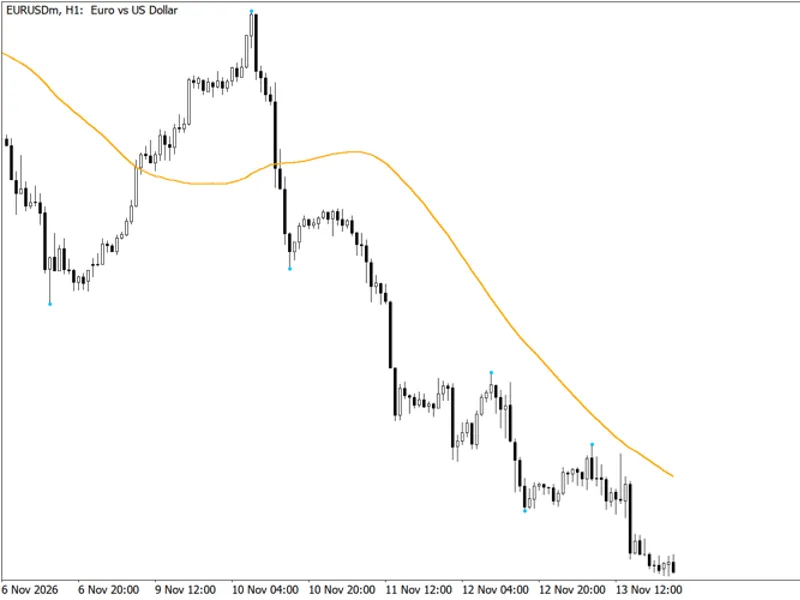
You may also like: Confirmed Swing Pivots with Trend Moving Average - excellent alternative for indicator users on MetaTrader 5.
Source Code
#property copyright "RobotFX"
#property link "https://robotfx.org"
#property version     "1.00"
#property description "This code is educational. Feel free to use, modify and upgrade as you wish. Visit ROBOTFX.ORG for professional trading tools"
#property indicator_chart_window
#property indicator_buffers 3
#property indicator_plots   3
#property indicator_type1   DRAW_NONE
#property indicator_label1  "Monitor State (0=Init,1=Normal,2=PreNews,3=Locked,4=SpreadAlert)"
#property indicator_type2   DRAW_NONE
.......
⚠ Limitations & Risk Warning
- This tool is provided for educational and testing purposes only.
- Past performance does not guarantee future results.
- Trading involves substantial risk of loss. Use on a demo account first.
- Results may vary depending on market conditions, broker, and settings.
- We recommend thorough backtesting and forward testing before using with real funds.