


Prop Firm Guardian: Manage Daily Loss, Max Loss, and Profit Target
Info
The Prop Firm Guardian: Manage Daily Loss, Max Loss, and Profit Target is a Expert Advisor for MetaTrader 5 that prop firm guardian is a risk management tool designed for funded and challenge accounts, ensuring compliance with strict prop firm rules. It monitors the equity of the entire account, taking action to prevent losses beyond predefined limits.
Usage
This tool is typically used for automated trading on major forex pairs and gold.
Platform
This Expert Advisor works exclusively on MetaTrader 5 (both build 600+ and newer versions).
Setup
Place the downloaded file in MQL5/Experts folder via File ? Open Data Folder in MetaTrader 5.
How to Install and Use Prop Firm Guardian: Manage Daily Loss, Max Loss, and Profit Target
1. Installation: Open the "File" menu, select "Open Data Folder," navigate to MQL/Experts, paste your file, and restart the terminal.
2. Activation: Drag the EA from the Navigator onto a chart, ensure "Allow live trading" is checked in the Common tab, and verify the AutoTrading button is green.
3. Optimization: Right-click your chart, choose "Expert List," click "Properties" to adjust inputs, and save your preferred setup as a set file for future use.
4. Maintenance: Regularly check the "Experts" tab in the terminal window to monitor trade logs and potential execution errors.
Frequently Asked Questions
Q: Why is my EA not opening trades? A: Check the "AutoTrading" button, ensure "Allow live trading" is enabled, and verify your broker allows automated trading on your account type.
Q: Can I run multiple EAs on one chart? A: No, each chart can only host one active EA; however, you can open multiple charts for different currency pairs to run several EAs.
Q: What does the "smiley face" icon mean? A: A smiley face in the top-right corner of the chart indicates the EA is successfully running; a frowny face means it is disabled.
What this tool does
Prop Firm Guardian is a risk management tool designed for funded and challenge accounts, ensuring compliance with strict prop firm rules.
Typical Use Case
This Expert Advisor excels in automated trading and technical analysis on MetaTrader 5.
Compatible Platform & Setup
This Expert Advisor works on MetaTrader 5. Place the file in the MQL5/Experts folder and restart the terminal.
Description & Settings
Related: Prop Firm Equity Guard: Daily and Maximum Drawdown Protection - another powerful expert for MetaTrader 5 traders.
Prop Firm Guardian is a risk management tool designed for funded and challenge accounts, ensuring compliance with strict prop firm rules. It monitors the equity of the entire account, taking action to prevent losses beyond predefined limits.Also recommended: Prop Risk Guard: Comprehensive Account Protection - similar expert with strong performance on MetaTrader 5.
Key Features
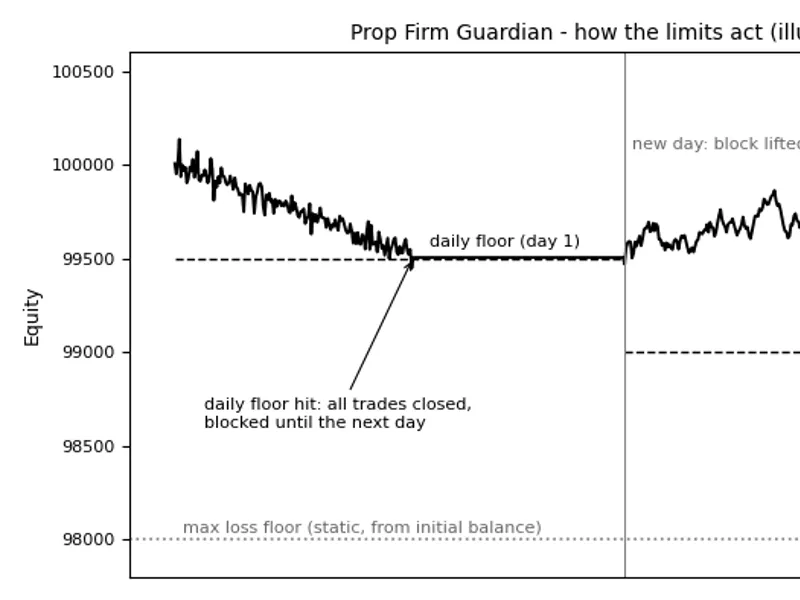
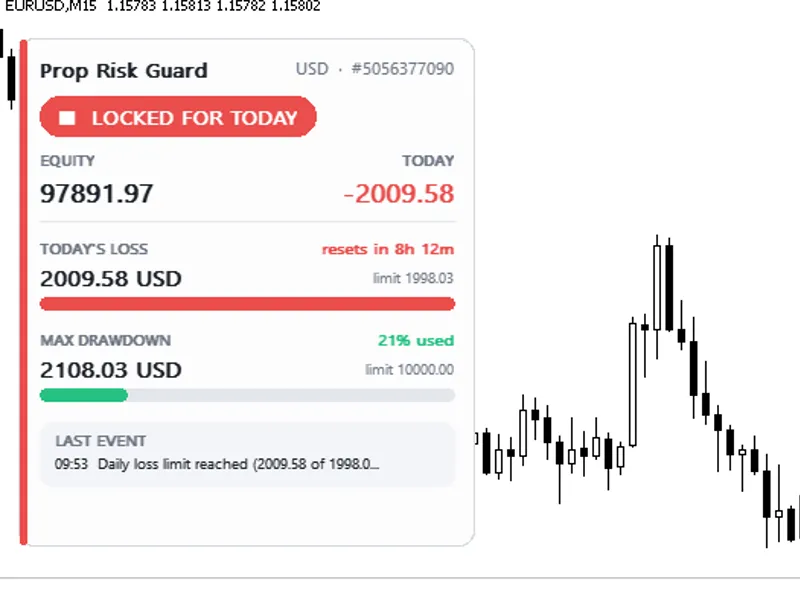
- Daily Loss Protection: The tool calculates a daily floor based on the initial or day-start balance and a specified daily loss limit. When equity drops to this floor, all positions and pending orders are closed, and trading is blocked until the next day.
- Max Loss Control: Set a maximum loss limit as a percentage of the initial or highest closed balance. When this limit is breached, the tool closes all trades and permanently blocks trading until manually reset.
- Profit Target Lock: Optionally set a profit target. When reached, the tool closes all positions and locks the account to secure gains.
- Safety Buffer: A buffer percentage ensures that limits are not exceeded due to slippage or spread.
- Global Variable Blocking: While blocked, the tool sets a global variable (PFG_BLOCKED) to prevent other EAs from opening trades.
Inputs and Customization
- Initial Account Balance: Set the starting balance for the challenge/funded account.
- Daily Loss Limit: Define the daily loss limit as a percentage of the initial or day-start balance.
- Max Loss Limit: Set the maximum loss limit as a percentage, with static or trailing options.
- Profit Target: Specify a profit target percentage; set to 0 to disable.
- Safety Buffer: Define the buffer percentage to act before reaching limits.
- Day Reset Hour: Choose the server hour for daily trading reset.
- Close Manual Trades: Option to close all trades or only those with a specific magic number.
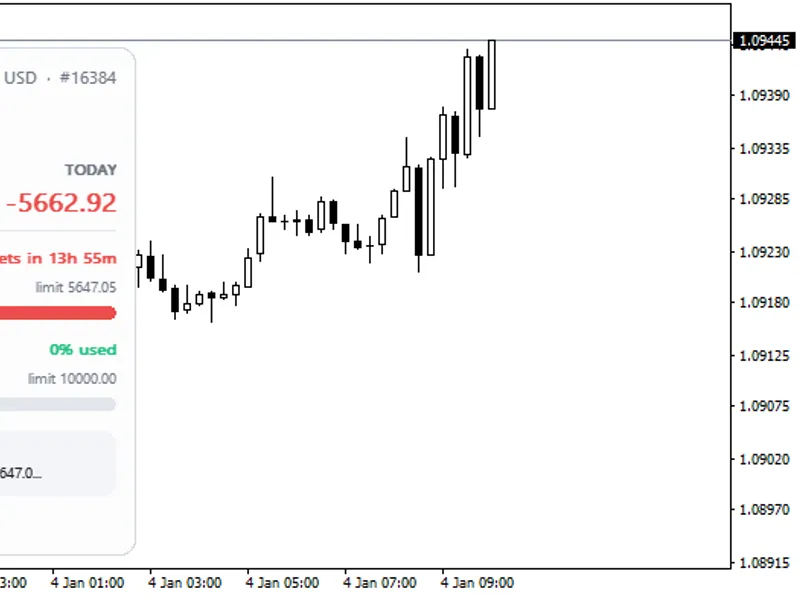
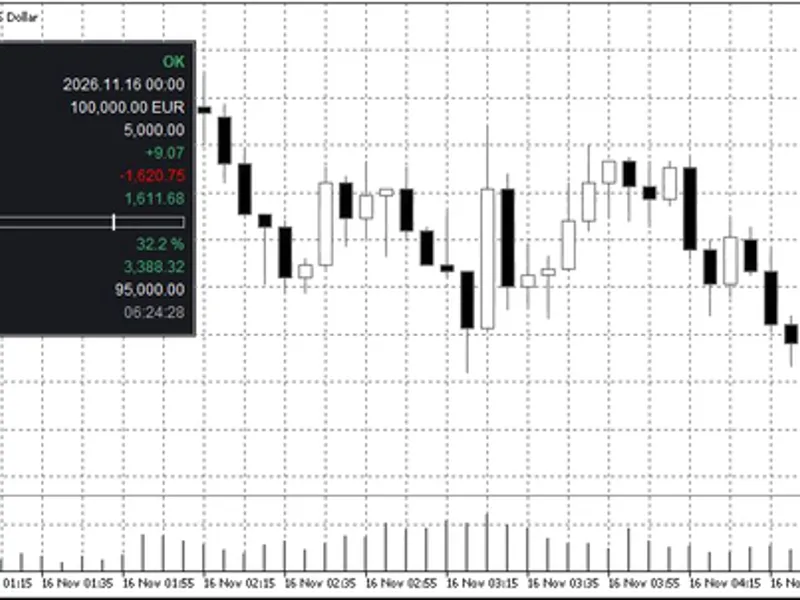
- Show Status on Chart: Display equity, floors, and remaining room on the chart.
Notes
- Symbol and Timeframe Independence: Works on any symbol and timeframe.
- Market Closing: Trades are closed at market prices, requiring a buffer to account for fast market conditions.
- Permanent Block Removal: Delete the PFG_BLOCKED global variable to lift a permanent block.
- Testing: Thoroughly tested with random trade openings, ensuring accurate limit triggers and blocked trade management.
- Compliance: Always adhere to your prop firm's rules; this tool assists but does not replace official guidelines.
You may also like: G7 Pro Trade Manager and Prop Firm Equity Protector: 1-Click HUD for Advanced Trading - excellent alternative for expert users on MetaTrader 5.
Source Code
#property copyright "RobotFX"
#property version   "1.00"
#property description "This code is educational. Feel free to use, modify and upgrade as you wish. Visit ROBOTFX.ORG for professional trading tools"
#include <Trade/Trade.mqh>
enum ENUM_MAXLOSS_MODE
  {
   MAXLOSS_STATIC   = 0,
   MAXLOSS_TRAILING = 1
  };
enum ENUM_DAILY_BASE
.......
⚠ Limitations & Risk Warning
- This tool is provided for educational and testing purposes only.
- Past performance does not guarantee future results.
- Trading involves substantial risk of loss. Use on a demo account first.
- Results may vary depending on market conditions, broker, and settings.
- We recommend thorough backtesting and forward testing before using with real funds.