


Smart Liquidity Hunter: MT4 Indicator for Confirmed Swing Sweeps
Info
The Smart Liquidity Hunter: MT4 Indicator for Confirmed Swing Sweeps is a Indicator for MetaTrader 4 that overviewsmart liquidity hunter v1. 11 is a MetaTrader 4 indicator designed to identify price sweeps around previously confirmed swing highs and lows.
Usage
This tool is typically used for enhancing chart analysis and decision making.
Platform
This Indicator works exclusively on MetaTrader 4 (both build 600+ and newer versions).
Setup
Place the downloaded file in MQL4/Indicators folder via File ? Open Data Folder in MetaTrader 4.
How to Install and Use Smart Liquidity Hunter: MT4 Indicator for Confirmed Swing Sweeps
1. Installation: Place your file in the MQL/Indicators folder via "Open Data Folder" and restart your terminal.
2. Loading: Find the indicator in the Navigator, drag it onto your chart, and configure the input parameters in the popup window.
3. Customization: Press Ctrl+I to open the indicator list, select your tool, and click "Properties" to change colors, levels, or visual styles.
4. Updating: Replace the old file in the Indicators folder with the new version and restart the platform to apply changes.
Frequently Asked Questions
Q: Why is my indicator not showing? A: Verify the file is in the MQL/Indicators folder, or try right-clicking the "Indicators" tree in the Navigator and clicking "Refresh."
Q: Do custom indicators slow down the platform? A: Too many complex indicators can impact performance; remove unused ones via the "Indicator List" (Ctrl+I).
Q: Can I use MT4 indicators on MT5? A: No, MQL4 and MQL5 are distinct languages; ensure the indicator is compiled specifically for your platform version.
What this tool does
OverviewSmart Liquidity Hunter v1.
Typical Use Case
This Indicator excels in automated trading and technical analysis on MetaTrader 4.
Compatible Platform & Setup
This Indicator works on MetaTrader 4. Place the file in the MQL4/Indicators folder and restart the terminal.
Description & Settings
Related: Smart Swing-Pivot Support and Resistance Zones for MT4 - another powerful indicator for MetaTrader 4 traders.
OverviewAlso recommended: Smart Session Breakout MT4: Asian Range Breakout with ATR Filter and Alerts - similar indicator with strong performance on MetaTrader 4.
Smart Liquidity Hunter v1.11 is a MetaTrader 4 indicator designed to identify price sweeps around previously confirmed swing highs and lows. It utilizes OHLC prices as a proxy for liquidity, without accessing actual resting orders or stop-loss levels, and does not execute trades.
Signal Rules
A bullish signal is generated when a closed candle sweeps below an eligible swing low and then closes back above it. Conversely, a bearish signal occurs when a sweep above an eligible swing high is followed by a close back below it.
The sweep penetration must exceed the greater of a fixed points threshold or a volatility threshold. Volatility is determined by the simple mean of true ranges from candles preceding the signal candle. Additional filters for wick, closing position, freshness, and optional candle direction must also be met.
Only swings confirmed prior to the signal candle are considered eligible. Candles that qualify in both directions simultaneously are skipped. Signals are not displayed on unfinished candles.
Inputs and Defaults
SwingStrength = 3
: Specifies the number of candles required on each side of a swing point for confirmation.
MaxSwingAge = 100
: Sets the maximum distance in bars from the signal candle to an eligible swing.
MaxBarsToScan = 1000
: Limits the number of closed historical candles for calculation.
MinSweepPoints = 12
: Defines the minimum sweep threshold in symbol points.
VolatilityPeriod = 14
: Sets the lookback period for calculating the simple mean of preceding true ranges.
MinSweepVolRatio = 0.10
: A multiplier for the mean true range to determine the volatility-based sweep threshold.
MinWickPercent = 25.0
: The minimum rejection wick as a percentage of the candle's range. For bullish setups, this refers to the lower wick; for bearish setups, the upper wick.
MinCloseLocationPct = 60.0
: The minimum closing position as a percentage of the candle's range. For bullish setups, closes must be within the upper 40% of the range; for bearish setups, within the lower 40%.
RequireFreshLevel = true
: If enabled, excludes levels previously pierced by an intervening candle.
RequireCandleColor = false
: When true, requires the close to be above the open for bullish setups and below the open for bearish setups.
ShowLiquidityLevels = true
: Enables the display of eligible swing-high and swing-low levels on the chart.
ShowDashboard = true
: Enables the display of the chart information panel.
ArrowPaddingPoints = 8
: Sets the minimum arrow offset from the candle's high or low in symbol points.
ArrowOffsetVolRatio = 0.18
: A multiplier of the mean true range used for arrow spacing. The larger of this value and ArrowPaddingPoints is applied.
DashboardInstanceId = A
: A unique identifier for each indicator instance on the same chart, ranging from 1 to 40 characters.
DashboardTextColor = clrDodgerBlue
: Sets the color for the dashboard text.
AlertPopup = false
: Enables popup alerts for new closed-bar signals.
AlertSound = false
: Enables an audible alert sound for new closed-bar signals.
AlertPush = false
: Enables push notifications; requires prior configuration of terminal notification settings.
DashboardX = 15
: Sets the horizontal distance of the dashboard from the chart's left edge in pixels.
DashboardY = 30
: Sets the vertical distance of the dashboard from the chart's top edge in pixels.
Chart Examples
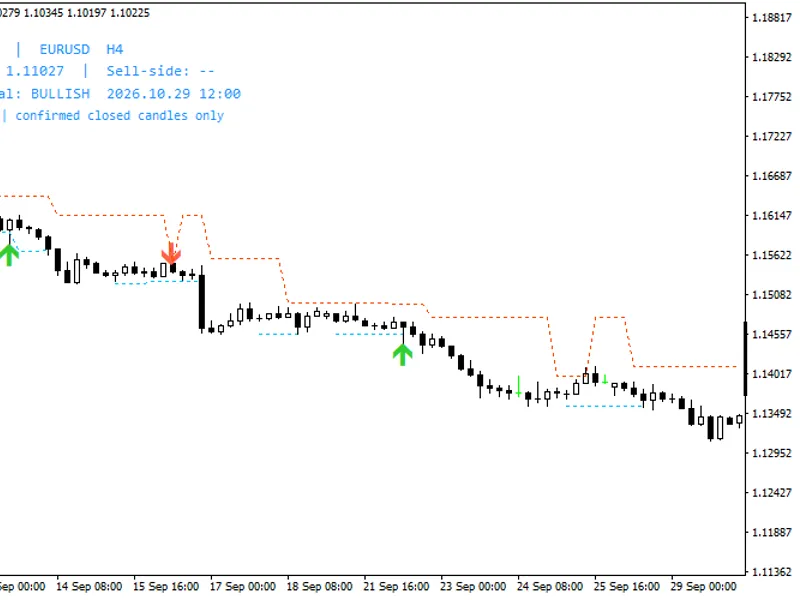
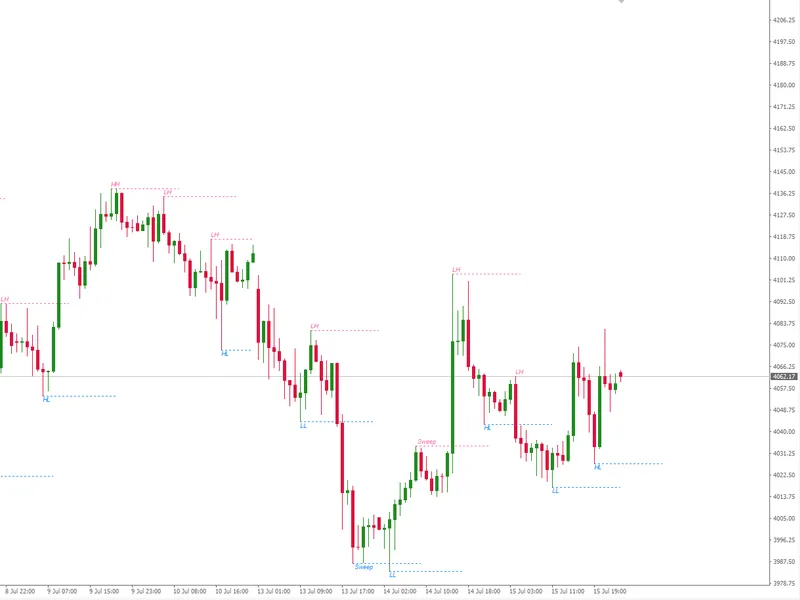
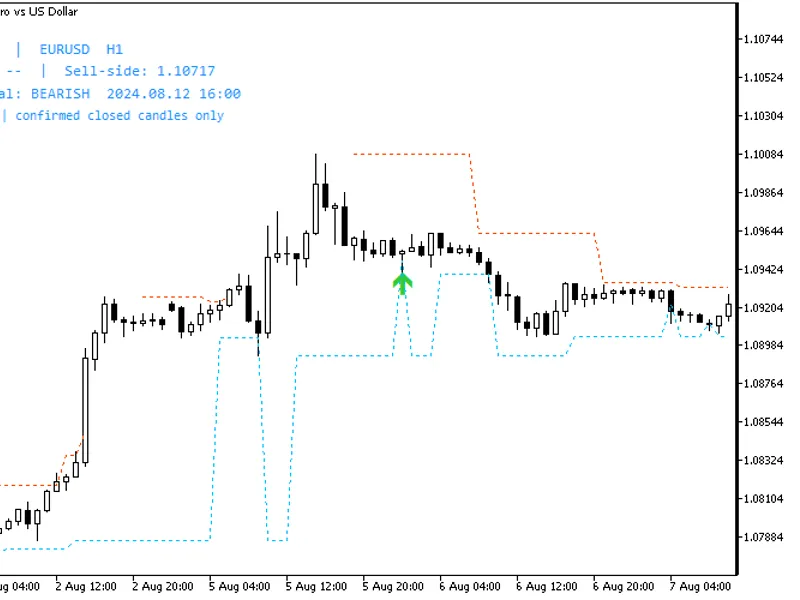
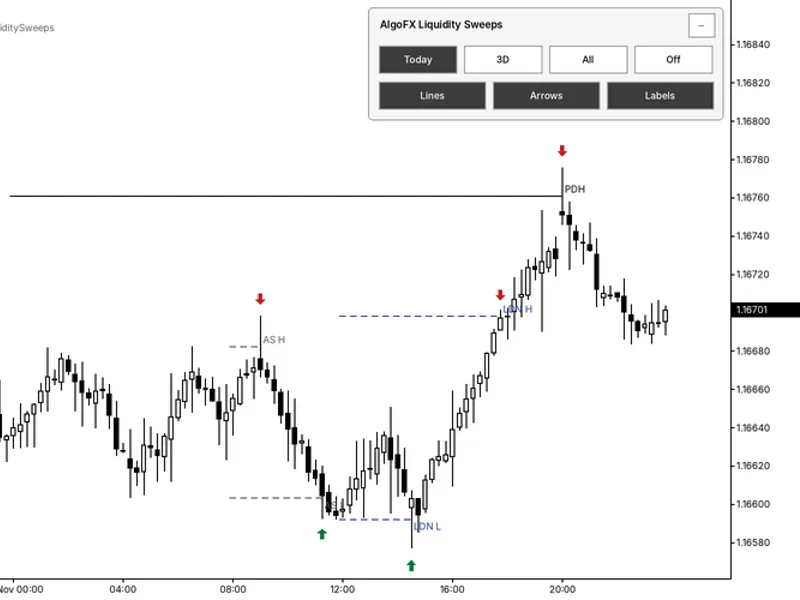
Green arrows indicate bullish sweeps below the qualifying closed candle. Red arrows indicate bearish sweeps above the qualifying closed candle. Dotted lines represent eligible swing-high and swing-low levels.
The dashboard displays the latest eligible levels and the most recent signal within the scanned history. Consequently, a historical screenshot might show an earlier signal than the timestamp indicated on the dashboard.
Figure 1. MT4, EURUSD H4: a historical bullish sweep signal.
Figure 2. MT4, EURUSD H4: a historical bearish sweep signal.
Usage Notes
Begin by using the default input settings. Swing confirmation relies on subsequent candles, meaning a swing is not immediately available when its high or low is formed. Historical output is dependent on input parameters, available price history, and the calculation window.
Alerts are inactive by default. Alerts are not triggered for initial indicator attachment, history resets, or catch-up batches. For multiple indicator instances, ensure distinct DashboardInstanceId values (e.g., A, B) and different DashboardY positions are used.
User Guide
For detailed installation instructions, settings explanations, chart examples, and troubleshooting, please refer to the
Smart Liquidity Hunter user guide for MT4 and MT5
.
Version 1.11 Update Notes
Dashboard object names are now persistent across profile reloads, preventing duplicate labels. Core signal calculation logic remains unchanged. A marked sweep does not guarantee a subsequent reversal.
You may also like: External Range Liquidity (ERL) Indicator: Advanced Market Structure and Liquidity Analysis - excellent alternative for indicator users on MetaTrader 4.
Source Code
#property strict
#property copyright "RobotFX"
#property link "https://robotfx.org"
#property version   "1.11"
#property description "This code is educational. Feel free to use, modify and upgrade as you wish. Visit ROBOTFX.ORG for professional trading tools"
#property indicator_chart_window
#property indicator_buffers 4
#ifdef __MQL5__
#property indicator_plots 4
#property indicator_label1 "Bullish liquidity sweep"
.......
⚠ Limitations & Risk Warning
- This tool is provided for educational and testing purposes only.
- Past performance does not guarantee future results.
- Trading involves substantial risk of loss. Use on a demo account first.
- Results may vary depending on market conditions, broker, and settings.
- We recommend thorough backtesting and forward testing before using with real funds.