




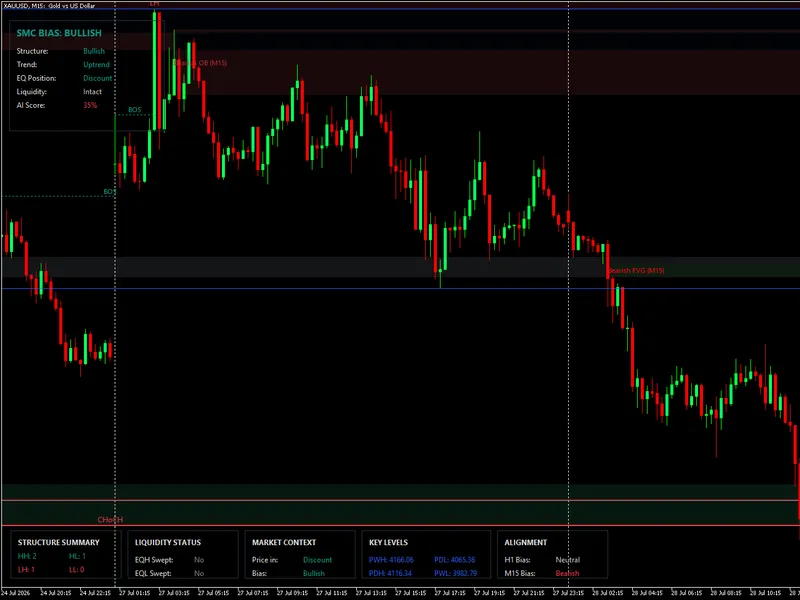
Smart Money Concept Expert Advisor: Market Structure, FVG, and Pullback Trading
Info
The Smart Money Concept Expert Advisor: Market Structure, FVG, and Pullback Trading is a Expert Advisor for MetaTrader 5 that this expert advisor trades fair value gaps (fvg) in the direction of market structure, as described by smart money concepts. This EA is the third in a series.
Usage
This tool is typically used for automated trading on major forex pairs and gold.
Platform
This Expert Advisor works exclusively on MetaTrader 5 (both build 600+ and newer versions).
Setup
Place the downloaded file in MQL5/Experts folder via File ? Open Data Folder in MetaTrader 5.
How to Install and Use Smart Money Concept Expert Advisor: Market Structure, FVG, and Pullback Trading
1. Installation: Open the "File" menu, select "Open Data Folder," navigate to MQL/Experts, paste your file, and restart the terminal.
2. Activation: Drag the EA from the Navigator onto a chart, ensure "Allow live trading" is checked in the Common tab, and verify the AutoTrading button is green.
3. Optimization: Right-click your chart, choose "Expert List," click "Properties" to adjust inputs, and save your preferred setup as a set file for future use.
4. Maintenance: Regularly check the "Experts" tab in the terminal window to monitor trade logs and potential execution errors.
Frequently Asked Questions
Q: Why is my EA not opening trades? A: Check the "AutoTrading" button, ensure "Allow live trading" is enabled, and verify your broker allows automated trading on your account type.
Q: Can I run multiple EAs on one chart? A: No, each chart can only host one active EA; however, you can open multiple charts for different currency pairs to run several EAs.
Q: What does the "smiley face" icon mean? A: A smiley face in the top-right corner of the chart indicates the EA is successfully running; a frowny face means it is disabled.
What this tool does
This Expert Advisor trades fair value gaps (FVG) in the direction of market structure, as described by Smart Money Concepts.
Typical Use Case
This Expert Advisor excels in automated trading and technical analysis on MetaTrader 5.
Compatible Platform & Setup
This Expert Advisor works on MetaTrader 5. Place the file in the MQL5/Experts folder and restart the terminal.
Description & Settings
Related: SMC Gold EA: Smart Money Concepts for XAUUSD M15 with Liquidity Sweep and Order Blocks - another powerful expert for MetaTrader 5 traders.
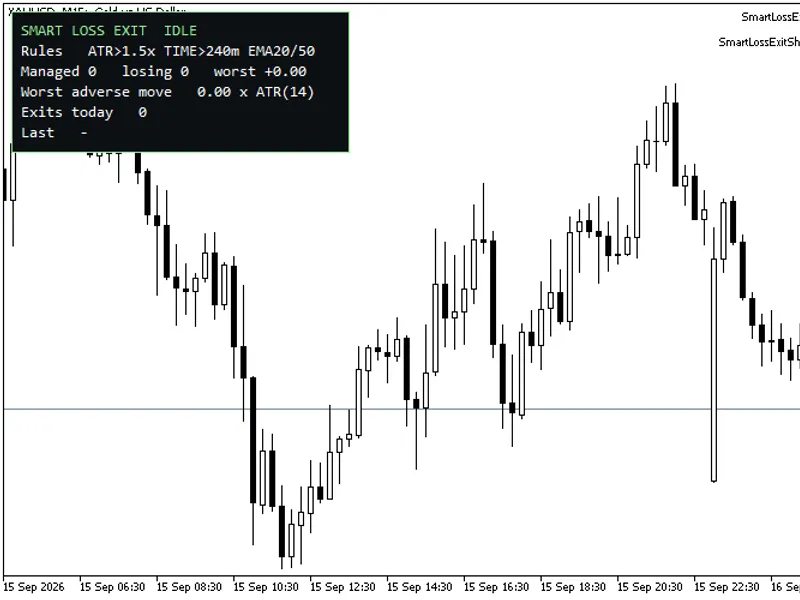
This Expert Advisor trades fair value gaps (FVG) in the direction of market structure, as described by Smart Money Concepts.Also recommended: Smart Loss Exit: Proactive Exit for Losing Trades - similar expert with strong performance on MetaTrader 5.
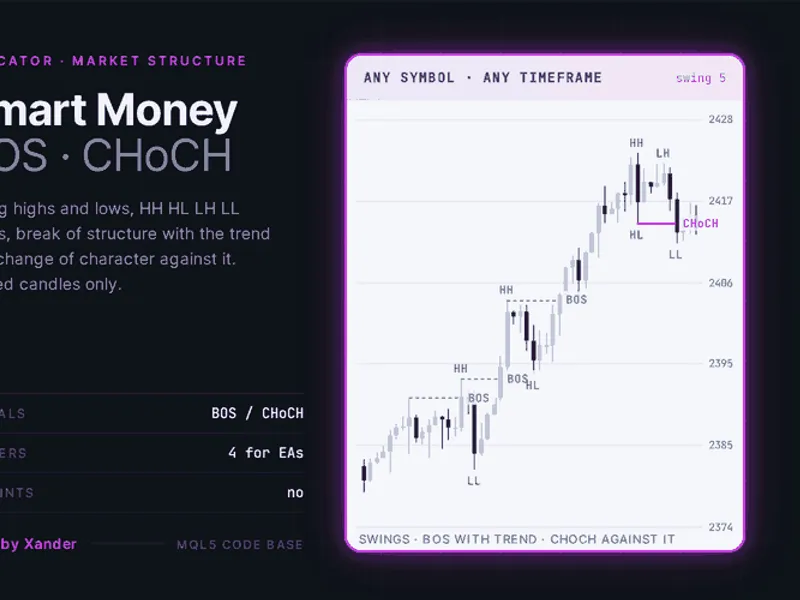
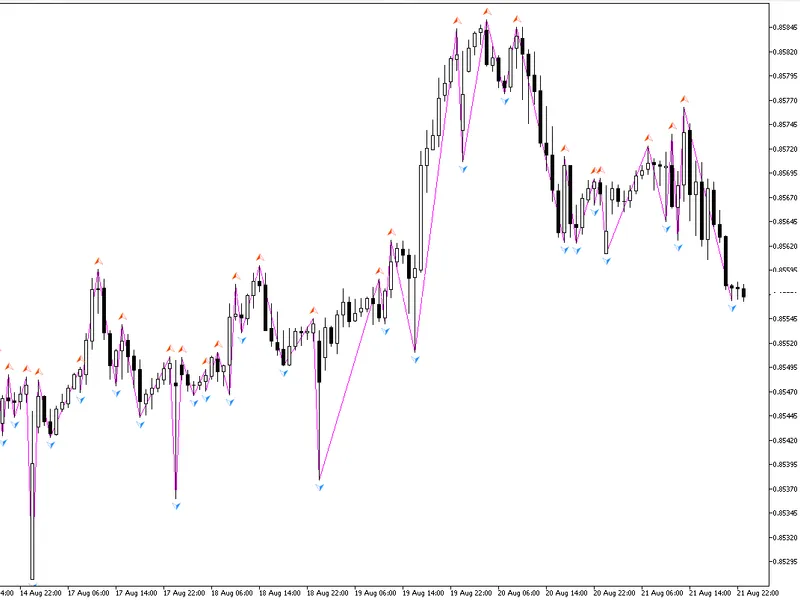
This EA is the third in a series. Previous components include the SMC Pullback Indicator, which identifies significant highs and lows, and the SMC Market Structure Indicator, which defines trends, points of structure change (BoS, CHoCH), and liquidity sweeps. This Expert Advisor trades based on the output of these components.
The EA utilizes the same structure engine as the indicator, ensuring consistency between trading signals and chart visualization. The core classes are included from the SmcMarketStructure.mqh file.
Disclaimer: This EA is provided as a teaching tool and a starting point, not as a guaranteed profitable system. It demonstrates how market structure and fair value gaps can be integrated into a functional Expert Advisor, including setup confirmation, gap identification and filtering, and position sizing based on structural stops.
A complete and profitable SMC strategy typically requires additional components such as multi-timeframe analysis, advanced pattern recognition, robust risk and money management, order blocks, order flow, and more selective entry rules.
This EA offers a clean, well-structured foundation with the market structure engine already implemented, allowing users to integrate their own trading ideas.
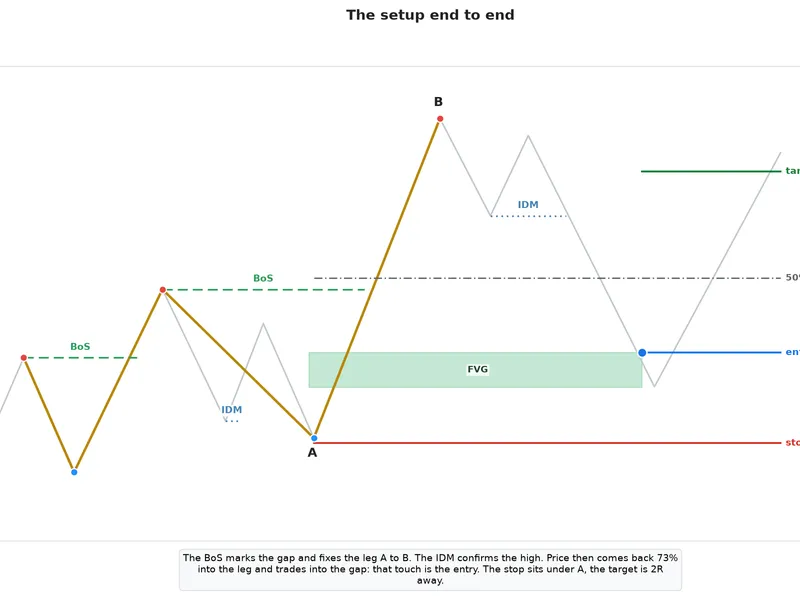
Trading Setup for Long Trades (Short trades are a mirror image):
Condition
Rationale
1. The trend is up, and the last structural break was a BoS.
Only trades continuation. The EA remains inactive after a CHoCH until the first BoS of the new trend appears.
2. The BoS confirms the presence of tradable gaps.
The scan identifies gaps between the structure low and the bar that caused the break. Only these specific gaps are considered tradable.
3. The structure high is confirmed by price taking the IDM (Inducement).
Until the inducement is taken, the leg's high is not confirmed, making it impossible to measure retracements accurately.
4. Price retraces into a confirmed gap within the leg.
This touch serves as the entry signal. A depth filter excludes trades where the retracement is too shallow.
All elements in the setup are generated by the EA's logic. The pale line represents pullback swings, the gold line indicates structure, and points A (structure low) and B (confirmed structure high) are referenced for subsequent calculations.
What Constitutes a Fair Value Gap (FVG):
An FVG is a three-candle pattern where the middle candle's range is not fully covered by the subsequent candle, leaving a price imbalance.
Bullish Gap: The low of candle 3 is higher than the high of candle 1.
Bearish Gap: The high of candle 3 is lower than the low of candle 1.
The area between these levels is the gap.
Filters for Tradable Gaps:
- Position: The gap must form between the structure low and the bar that broke the level. Older gaps are disregarded.
- Side: The gap must be entirely below the level broken by the BoS. Gaps above this level are considered chasing.
- Size: The gap must meet a minimum width threshold (defined in points or pips). This is the primary filter for noise on lower timeframes.
Each valid gap is displayed as a box labeled FVG, which extends until price interacts with it, showing how long it remained untested.
Depth of Retracement into a Gap:
A gap near the high of a leg is considered weak. The depth filter ensures that price retraces sufficiently into the leg (measured from the confirmed high 'B' towards the structure low 'A') before a gap is traded. A minimum retracement of 50% is the default, meaning price must return to at least the midpoint of the leg.
Interacting with a gap versus trading a gap: A gap may be touched multiple times. It stops extending upon the first touch but remains eligible for trading until price moves significantly beyond it or it is traded through.
Entry, Stop Loss, and Take Profit:
- Entry: At market upon price trading into the gap (ask for long, bid for short).
- Stop Loss: Placed at the structure low 'A' (less a small buffer). If this level is breached, the trade's premise is invalidated.
- Take Profit: A fixed multiple of the risk (Risk:Reward ratio), configurable via the 'Take profit, in R' input.
Position Sizing:
Position size is dynamically calculated based on a percentage of the account balance risked, ensuring consistent monetary risk across trades regardless of stop distance. A fixed lot size option is also available.
Order Guards:
The EA includes checks to prevent trades where the stop loss would be placed on the wrong side of price or inside the broker's minimum stop distance. It also logs if the smallest tradable volume would exceed the specified risk percentage.
Position Management (Optional):
The `CPositionManager` class manages optional stop movement rules:
- Break Even: Moves the stop loss to the entry price once a specified profit target is reached. An offset can be added to lock in a small profit.
- Trailing Stop: Activates after a certain profit threshold is met, moving the stop loss incrementally behind price by a specified distance.
Both rules ensure the stop loss only moves forward. The system prioritizes the more favorable stop level between break-even and trailing stop.
Handling Market Structure Changes:
- CHoCH: Upon a Change of Character (CHoCH), the EA halts trading until the first confirmation of the new trend (BoS) appears. This prevents trading within choppy ranges.
- New BoS: A new Break of Structure (BoS) within the current trend resets the gap scan and clears previous FVG observations, focusing only on the current leg.
Inputs:
Structure Engine Inputs:
- Start by looking for: Default 'Swing high'. Determines initial search direction.
- Pullback break confirmed by: Default 'Wick'. Controls swing sensitivity. 'Close' results in fewer, larger swings.
- IDM taken when reference is: Default 'Wick'. Determines if IDM requires a touch or a close.
- Bars of history to build on: Default 3000. Window for rebuilding structure.
Fair Value Gaps Inputs:
- Distance inputs are in: Default 'Points'. Unit for gap size and stop buffer.
- Minimum gap size: Default 50. Minimum width for a tradable gap. Set to 0 to accept all gaps.
- Only trade once the IDM is taken: Default 'true'. If false, trades gaps immediately after BoS without IDM confirmation.
Trading Inputs:
- Take profit, in R: Default 2.0. Take profit target as a multiple of risk.
- Stop buffer beyond the structure: Default 20. Points/pips buffer below the structure low 'A'.
- Minimum retracement into the leg: Default 50%. Depth filter for entry.
- Max open positions: Default 1. Maximum concurrent trades.
- Position size from: Default 'Risk percent'. Options: 'Risk percent' or 'Fixed lot'.
- Risk per trade: Default 1.0%. Percentage of balance risked per trade.
Break Even and Trailing Inputs:
- Move the stop to break even: Default 'true'. Enables break-even functionality.
- Profit that arms it: Default 100. Profit in points/pips required to trigger break-even.
- Offset beyond entry: Default 10. Points/pips offset from entry for the break-even stop.
- Trail the stop: Default 'true'. Enables trailing stop functionality.
- Profit before trailing starts: Default 150. Profit in points/pips required to initiate trailing.
- Smallest move worth making: Default 20. Minimum price movement before stop modification.
- Distance held behind price: Default 100. Points/pips distance for the trailing stop.
Display Group:
Controls the visibility of FVG boxes and structure lines. Disabling structure drawing can improve performance during long optimization runs.
Important Considerations Before Running:
- Closed Bars Only: Market structure is evaluated on closed bars. Entries are checked on every tick.
- Structure Repainting: The structure definition can adjust based on new price action until the IDM is taken. Trades are only executed from confirmed legs, so stops are not moved retroactively. The pre-confirmation chart display is provisional.
- Continuation Strategy: The EA avoids trading reversals and remains dormant after the initial CHoCH in a ranging market.
- Simplified Trade Management: Features one entry, one target, and optional break-even/trailing stops. No partial closes, scaling, or grid strategies are included, focusing on the core structure and FVG premise.
- Test Thoroughly: Default parameters are starting points, not recommendations. Backtests and live testing are crucial.
Testing Information:
The following files comprise the EA:
- SMC_StructureFVG_EA.mq5: Contains the core EA logic, including gap scanning, filters, trade execution, and drawing.
- PositionManager.mqh: Handles break-even and trailing stop functionalities.
- SmcMarketStructure.mqh: Provides the market structure engines, usable in other EAs.
Place all three files in the same directory to compile. The includes are relative, requiring no additional installation steps.
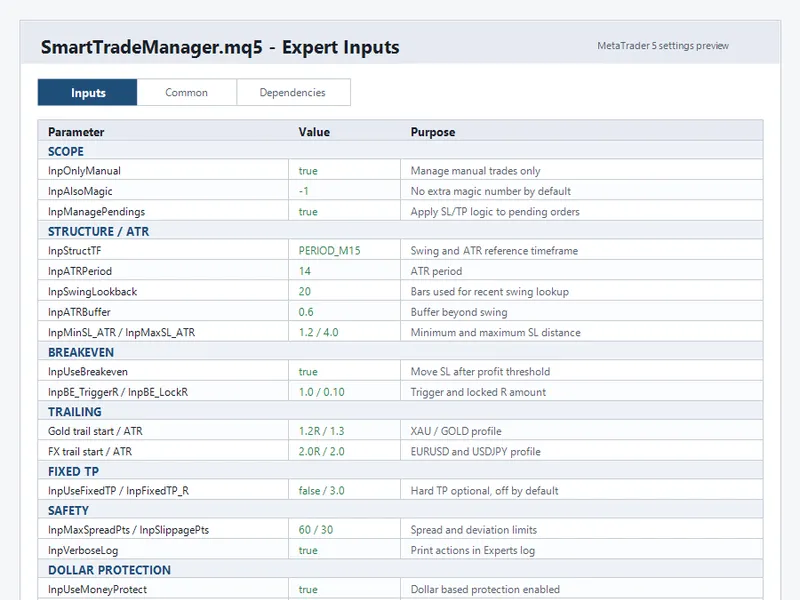
You may also like: Smart Trade Manager for MT5 - excellent alternative for expert users on MetaTrader 5.
Source Code
#property copyright "RobotFX"
#property link "https://robotfx.org"
#property version   "1.00"
#property description "This code is educational. Feel free to use, modify and upgrade as you wish. Visit ROBOTFX.ORG for professional trading tools"
#include <Trade/Trade.mqh>
#include "SmcMarketStructure.mqh"
#include "PositionManager.mqh"
enum ENUM_DIST_UNIT
  {
   DIST_POINTS,
.......
⚠ Limitations & Risk Warning
- This tool is provided for educational and testing purposes only.
- Past performance does not guarantee future results.
- Trading involves substantial risk of loss. Use on a demo account first.
- Results may vary depending on market conditions, broker, and settings.
- We recommend thorough backtesting and forward testing before using with real funds.