




Smart Money Concepts: Break of Structure and Change of Character Analysis
Info
The Smart Money Concepts: Break of Structure and Change of Character Analysis is a Indicator for MetaTrader 5 that this indicator analyzes market structure on any chart (e. g.
Usage
This tool is typically used for enhancing chart analysis and decision making.
Platform
This Indicator works exclusively on MetaTrader 5 (both build 600+ and newer versions).
Setup
Place the downloaded file in MQL5/Indicators folder via File ? Open Data Folder in MetaTrader 5.
How to Install and Use Smart Money Concepts: Break of Structure and Change of Character Analysis
1. Installation: Place your file in the MQL/Indicators folder via "Open Data Folder" and restart your terminal.
2. Loading: Find the indicator in the Navigator, drag it onto your chart, and configure the input parameters in the popup window.
3. Customization: Press Ctrl+I to open the indicator list, select your tool, and click "Properties" to change colors, levels, or visual styles.
4. Updating: Replace the old file in the Indicators folder with the new version and restart the platform to apply changes.
Frequently Asked Questions
Q: Why is my indicator not showing? A: Verify the file is in the MQL/Indicators folder, or try right-clicking the "Indicators" tree in the Navigator and clicking "Refresh."
Q: Do custom indicators slow down the platform? A: Too many complex indicators can impact performance; remove unused ones via the "Indicator List" (Ctrl+I).
Q: Can I use MT4 indicators on MT5? A: No, MQL4 and MQL5 are distinct languages; ensure the indicator is compiled specifically for your platform version.
What this tool does
This indicator analyzes market structure on any chart (e.
Typical Use Case
This Indicator excels in automated trading and technical analysis on MetaTrader 5.
Compatible Platform & Setup
This Indicator works on MetaTrader 5. Place the file in the MQL5/Indicators folder and restart the terminal.
Description & Settings
Related: Swing Detector by Pullback (Smart Money Concepts) - another powerful indicator for MetaTrader 5 traders.
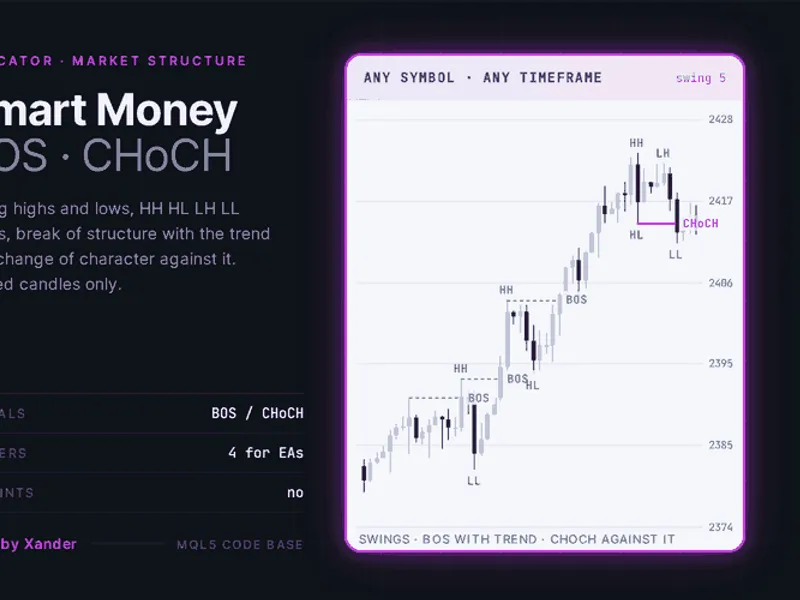
This indicator analyzes market structure on any chart (e.g., Gold XAUUSD, EURUSD) using only closed candles.Also recommended: Sniper Gold SMC Pro Plus: Institutional Smart Money Concepts Indicator for MT5 - similar indicator with strong performance on MetaTrader 5.
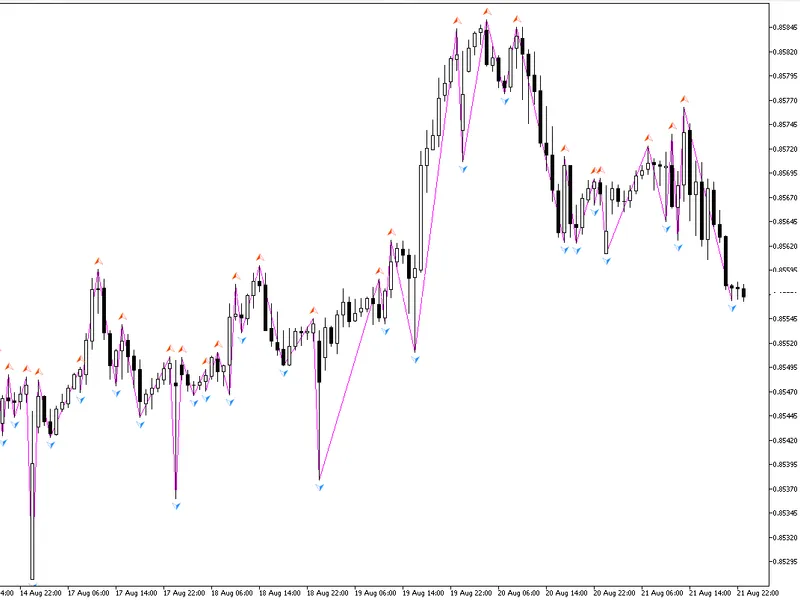
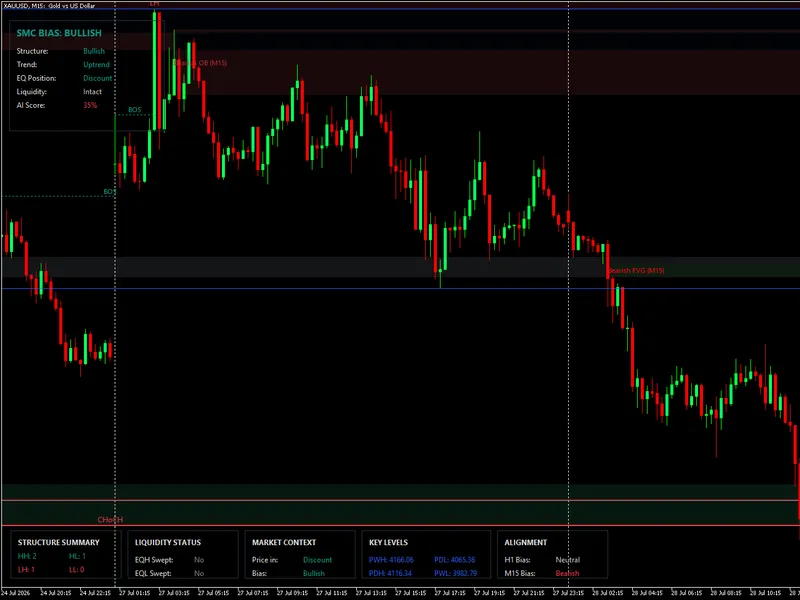
A swing high or low is confirmed when N candles on each side are respectively lower or higher. Each swing is labeled: HH (Higher High), HL (Higher Low), LH (Lower High), or LL (Lower Low).
When a candle closes beyond the last confirmed swing, the break is identified. A close above the last swing high in a bullish structure signifies a BOS (Break of Structure). In a bearish structure, a similar close is a CHoCH (Change of Character), indicating a trend flip.
Alerts can be configured for each break, including pop-up messages, push notifications, or sound alerts triggered by the newly closed candle. This information is also written to four buffers, readable by Expert Advisors (EAs) using iCustom.
The swing confirmation requires N closed candles after the swing point, meaning labels appear with a delay, and the forming candle provides no historical data. This basic structure layer intentionally excludes advanced concepts like order blocks, fair value gaps, or liquidity sweeps, serving as contextual information rather than direct entry signals.
Settings
Structure
Swing length (Default: 5): Defines the number of candles on each side of a swing high or low. A lower number (e.g., 3) generates more swings and breaks, while a higher number (e.g., 10) filters for larger swings.
Bars to analyze (Default: 1500): Specifies the number of bars from the right edge of the chart to be processed. Setting it to 0 analyzes all available history.
Display
Draw BOS lines (Default: true): Enables or disables the drawing of Break of Structure lines (dotted style by default).
Draw CHoCH lines (Default: true): Enables or disables the drawing of Change of Character lines (solid style by default). Line styles can be customized.
Label swings (Default: true): Displays text labels (HH, HL, LH, LL) for each confirmed swing.
Show arrow buffers (Default: false): Draws the four indicator buffers as dots and circles on the chart. This is off by default as the lines provide similar visual information. Buffers are populated regardless of this setting.
Bullish color, Bearish color, Swing label color, Line width, Label font size: Customizable visual settings for the indicator elements.
Alerts
Pop-up (Default: false): Triggers an on-screen alert message for each break.
Push notification (Default: false): Sends a push notification to mobile devices for each break.
Sound (Default: false): Plays a sound alert for each break.
Sound file (Default: alert.wav): Specifies the sound file to be used for alerts.
Indicator settings
Object prefix (Default: XP_SMC_): A prefix applied to all indicator-generated lines and labels. This ensures that only indicator-related objects are removed when the indicator is detached. Using unique prefixes allows running multiple instances of the indicator on the same chart (e.g., with different swing lengths).
Requirements
Platform: MetaTrader 5.
Symbol: Any.
Timeframe: Any.
Account type: Any.
Functionality: This is an indicator and does not perform trading operations.
Sufficient historical data for the chosen swing length (at least twice the swing length plus two bars).
EA Integration:
For Expert Advisors, the indicator buffers are as follows:
Buffer 0: BOS Up
Buffer 1: BOS Down
Buffer 2: CHoCH Up
Buffer 3: CHoCH Down
The value in these buffers represents the low of the breaking candle for bullish breaks and the high for bearish breaks. Other bars will contain EMPTY_VALUE.
Customization and Usage:
Experiment with loading the indicator on different timeframes (e.g., XAUUSD H1 and M15 simultaneously) to observe the relationship between breaks on various scales. Test on different instruments like EURUSD, GBPUSD, US30, NAS100, or BTCUSD to identify optimal swing lengths for each.
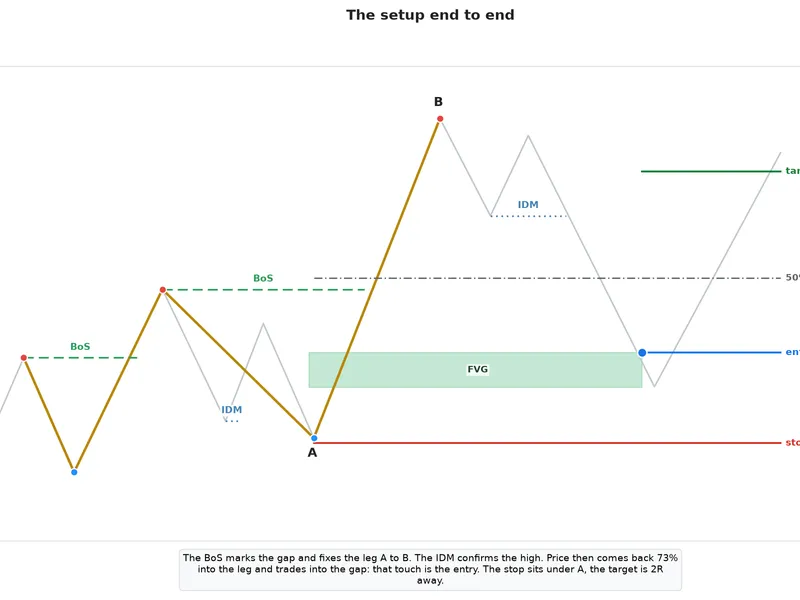
For traders using Smart Money Concepts, this indicator provides a foundational layer. Enhance it by adding your own order blocks before CHoCH candles, marking fair value gaps, or filtering breaks by specific trading sessions (e.g., London and New York only).
For EA developers, leverage iCustom to access buffer 2 or 3 as a trend flip filter for entries, or use BOS in the same direction as a continuation signal.
The swing detection and break logic are implemented as concise functions that can be directly incorporated into your custom code.
About this Code
This is an open-source tool. Feel free to use, adapt, or build upon it.
New versions and related tools are announced on the MQL5 channel.
Questions, suggestions, and shared backtests are welcomed in the Xander Lab group.
Additional tools are available on the author's profile.
Provided as is, use at your own risk.
Related Tools
Partial Close Multi TP Manager
Basket Pair Closer
XPro Trade Panel
XANDER Grid XAUUSD
XANDER Gold Recovery
Changelog
v1.0 - 2026-10-25 - Initial release
You may also like: Smart Trend Score Indicator for MetaTrader 5 - excellent alternative for indicator users on MetaTrader 5.
Source Code
#property copyright "RobotFX"
#property link "https://robotfx.org"
#property version     "1.00"
#property description "This code is educational. Feel free to use, modify and upgrade as you wish. Visit ROBOTFX.ORG for professional trading tools"
#property indicator_chart_window
#property indicator_buffers 4
#property indicator_plots   4
#property indicator_label1  "BOS Up"
#property indicator_type1   DRAW_ARROW
#property indicator_color1  clrDodgerBlue
.......
⚠ Limitations & Risk Warning
- This tool is provided for educational and testing purposes only.
- Past performance does not guarantee future results.
- Trading involves substantial risk of loss. Use on a demo account first.
- Results may vary depending on market conditions, broker, and settings.
- We recommend thorough backtesting and forward testing before using with real funds.