
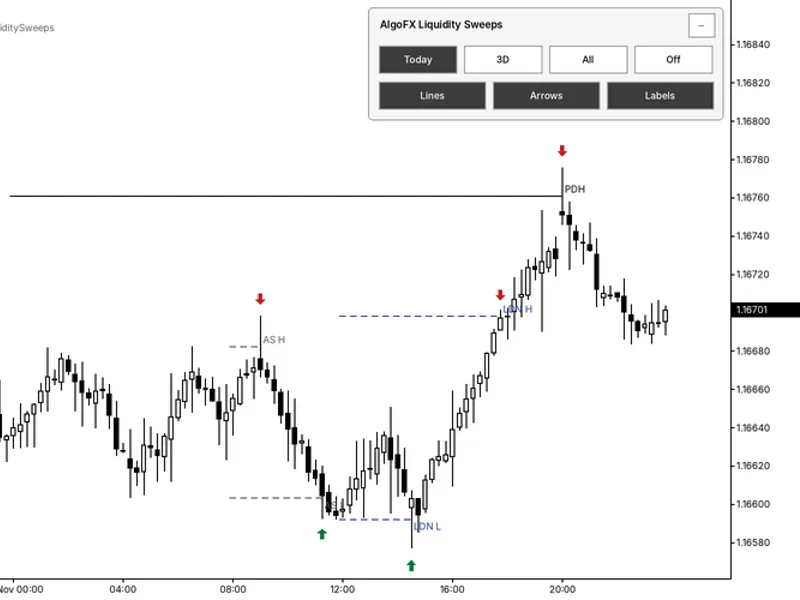
Identifying Liquidity Sweeps: Equal Highs and Lows
Info
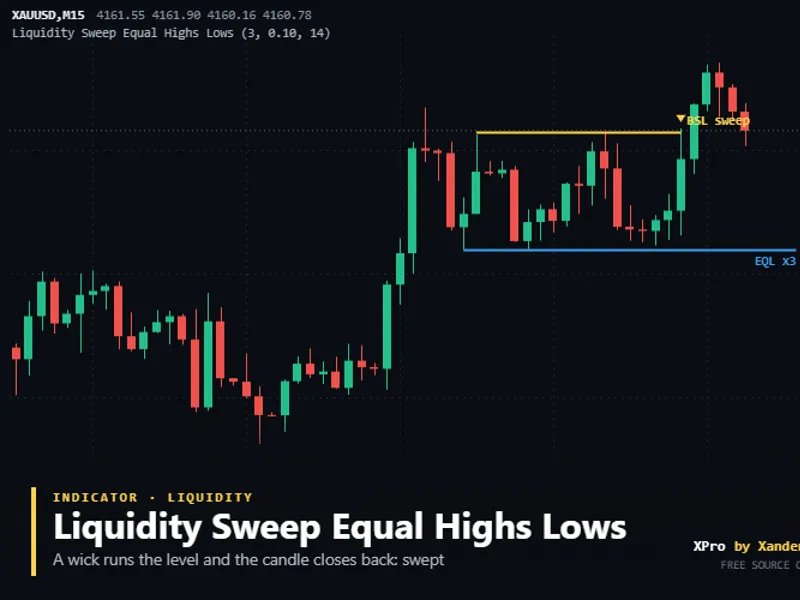
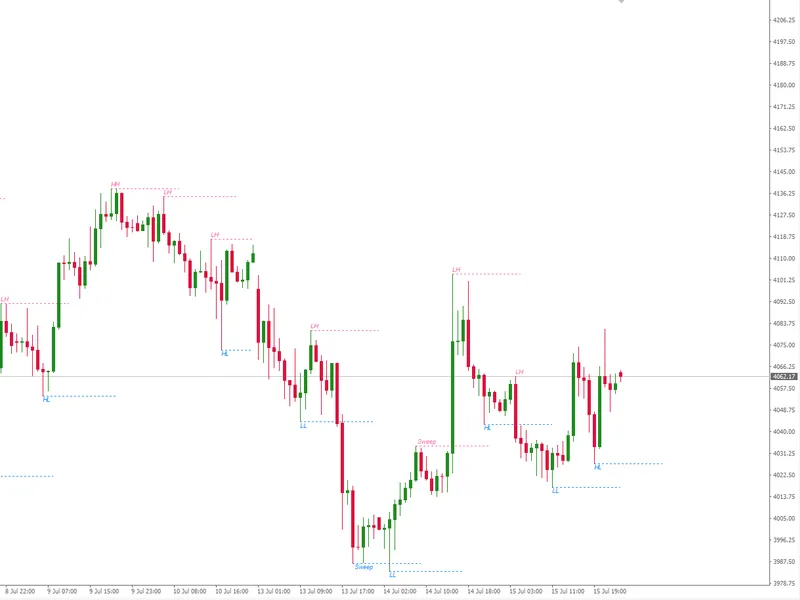
The Identifying Liquidity Sweeps: Equal Highs and Lows is a Indicator for MetaTrader 5 that equal highs and equal lows on gold (xauusd) or any symbol are identified as liquidity lines. These are formed by two or more confirmed swing points that conclude within a very close range, defined by a fraction of the Average True Range (ATR), with no intervening candles reaching that level first.
Usage
This tool is typically used for enhancing chart analysis and decision making.
Platform
This Indicator works exclusively on MetaTrader 5 (both build 600+ and newer versions).
Setup
Place the downloaded file in MQL5/Indicators folder via File ? Open Data Folder in MetaTrader 5.
How to Install and Use Identifying Liquidity Sweeps: Equal Highs and Lows
1. Installation: Place your file in the MQL/Indicators folder via "Open Data Folder" and restart your terminal.
2. Loading: Find the indicator in the Navigator, drag it onto your chart, and configure the input parameters in the popup window.
3. Customization: Press Ctrl+I to open the indicator list, select your tool, and click "Properties" to change colors, levels, or visual styles.
4. Updating: Replace the old file in the Indicators folder with the new version and restart the platform to apply changes.
Frequently Asked Questions
Q: Why is my indicator not showing? A: Verify the file is in the MQL/Indicators folder, or try right-clicking the "Indicators" tree in the Navigator and clicking "Refresh."
Q: Do custom indicators slow down the platform? A: Too many complex indicators can impact performance; remove unused ones via the "Indicator List" (Ctrl+I).
Q: Can I use MT4 indicators on MT5? A: No, MQL4 and MQL5 are distinct languages; ensure the indicator is compiled specifically for your platform version.
What this tool does
Equal highs and equal lows on Gold (XAUUSD) or any symbol are identified as liquidity lines.
Typical Use Case
This Indicator excels in automated trading and technical analysis on MetaTrader 5.
Compatible Platform & Setup
This Indicator works on MetaTrader 5. Place the file in the MQL5/Indicators folder and restart the terminal.
Description & Settings
Related: Thanos AI Level Strength: Identifying Significant Support and Resistance - another powerful indicator for MetaTrader 5 traders.
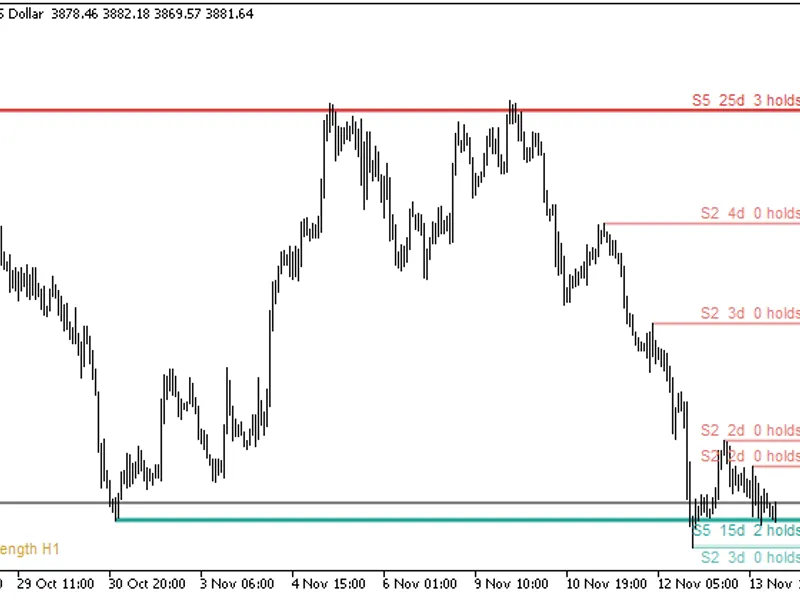
Equal highs and equal lows on Gold (XAUUSD) or any symbol are identified as liquidity lines. These are formed by two or more confirmed swing points that conclude within a very close range, defined by a fraction of the Average True Range (ATR), with no intervening candles reaching that level first. Each subsequent swing at the same price level reinforces the line.Also recommended: Smart Liquidity Hunter: MT5 Indicator for Confirmed Swing Sweeps - similar indicator with strong performance on MetaTrader 5.
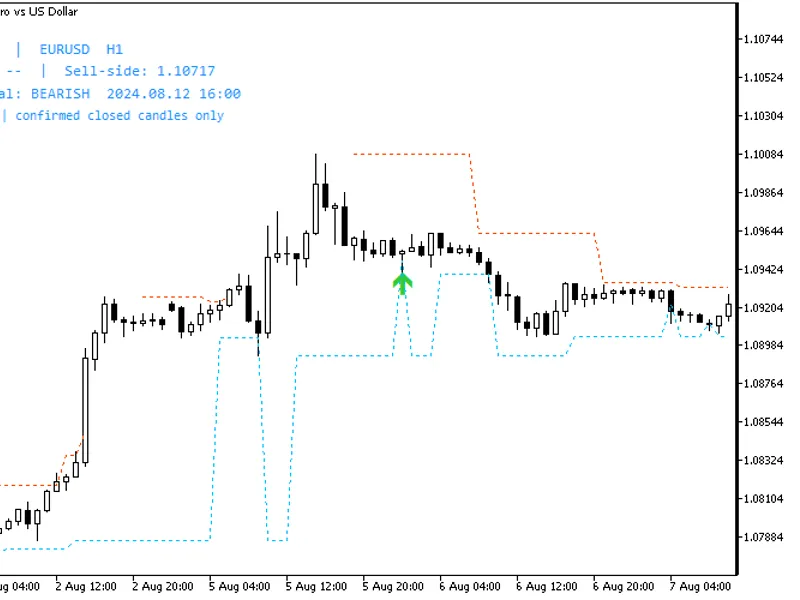
A liquidity sweep occurs when a later candle penetrates this line and closes back within it, indicating that buy-side or sell-side liquidity has been taken, and the price has reversed. If a candle closes beyond the line, the level is marked as 'taken,' differentiating it from a true breakout.
Swing confirmations are based on closed bars, meaning these lines appear several bars after the second swing and do not repaint. A sweep highlights where stop-loss orders may have been triggered but does not predict future price direction. It is recommended to test this indicator on your preferred symbols before live trading.
Settings
Swing length: The number of bars on either side required to confirm a swing. The default is 3.
Tolerance: Defines the maximum difference (in ATR units) between two swings for them to be considered equal. The default is 0.10.
ATR period: The period for the ATR calculation. The default is 14.
Maximum bars between the two swings: The maximum number of bars allowed between two swing points to be considered part of the same liquidity level. The default is 100.
Bars to scan: The amount of historical data to analyze upon loading the indicator. The default is 1500.
Display options: Settings for showing equal highs/lows, maximum active levels, maximum swept levels, whether to keep 'taken' levels, and customization of colors, line width, and font size.
Alerts: Options to receive notifications for new equal highs or lows, and for sweep events, via pop-up, push notification, and sound.
Object prefix: Allows running multiple instances of the indicator on the same chart by assigning a unique prefix.
Requirements
This indicator is compatible with any symbol, timeframe, and broker. It functions solely by drawing lines and labels and does not execute trades.
Customization and Usage
Experiment with XAUUSD, EURUSD, GBPUSD, US30, and NAS100 on M5, M15, and H1 timeframes. A lower tolerance setting identifies only the clearest double tops and bottoms, while a wider tolerance can reveal more liquidity pools. Liquidity sweeps are a foundational element in many Smart Money Concepts (SMC) strategies, often preceding a change of character and a subsequent return to an order block or fair value gap. This tool, combined with XP_AddSwing (for level building) and XP_CheckSweeps (for classifying sweeps or taken levels), can serve as a valuable filter for custom Expert Advisors.
About this code
This is an open-source tool. Users are free to use, adapt, or build upon it.
New versions and additional tools are typically announced on the MQL5 channel. Questions, suggestions, and shared backtests are welcomed in the Xander Lab group. More tools are available on the author's profile. This tool is provided as is, and use is at your own risk.
Related Tools
Fair Value Gap Zones Tracker
Order Blocks Zones SMC
Smart Money Concepts BOS CHoCH
Changelog
v1.0 - 2026-11-02 - Initial release
You may also like: Algo FX Session Liquidity Sweeps Indicator - excellent alternative for indicator users on MetaTrader 5.
Source Code
.......
⚠ Limitations & Risk Warning
- This tool is provided for educational and testing purposes only.
- Past performance does not guarantee future results.
- Trading involves substantial risk of loss. Use on a demo account first.
- Results may vary depending on market conditions, broker, and settings.
- We recommend thorough backtesting and forward testing before using with real funds.