





SMC Liquidity Sweep Scalper (Order Block EA with Live Win-Rate Tracking)
Info
The SMC Liquidity Sweep Scalper (Order Block EA with Live Win-Rate Tracking) is a Expert Advisor for MetaTrader 5 that smc liquidity sweep scalper is a smart money concepts style scalper built around one core idea. Price often wicks past a recent high or low to trigger stops before reversing.
Usage
This tool is typically used for scalping on lower timeframes (M1-M15).
Platform
This Expert Advisor works exclusively on MetaTrader 5 (both build 600+ and newer versions).
Setup
Place the downloaded file in MQL5/Experts folder via File ? Open Data Folder in MetaTrader 5.
How to Install and Use SMC Liquidity Sweep Scalper (Order Block EA with Live Win-Rate Tracking)
1. Installation: Open the "File" menu, select "Open Data Folder," navigate to MQL/Experts, paste your file, and restart the terminal.
2. Activation: Drag the EA from the Navigator onto a chart, ensure "Allow live trading" is checked in the Common tab, and verify the AutoTrading button is green.
3. Optimization: Right-click your chart, choose "Expert List," click "Properties" to adjust inputs, and save your preferred setup as a set file for future use.
4. Maintenance: Regularly check the "Experts" tab in the terminal window to monitor trade logs and potential execution errors.
Frequently Asked Questions
Q: Why is my EA not opening trades? A: Check the "AutoTrading" button, ensure "Allow live trading" is enabled, and verify your broker allows automated trading on your account type.
Q: Can I run multiple EAs on one chart? A: No, each chart can only host one active EA; however, you can open multiple charts for different currency pairs to run several EAs.
Q: What does the "smiley face" icon mean? A: A smiley face in the top-right corner of the chart indicates the EA is successfully running; a frowny face means it is disabled.
What this tool does
SMC Liquidity Sweep Scalper is a Smart Money Concepts style scalper built around one core idea.
Typical Use Case
This Expert Advisor excels in automated trading and technical analysis on MetaTrader 5.
Compatible Platform & Setup
This Expert Advisor works on MetaTrader 5. Place the file in the MQL5/Experts folder and restart the terminal.
Description & Settings
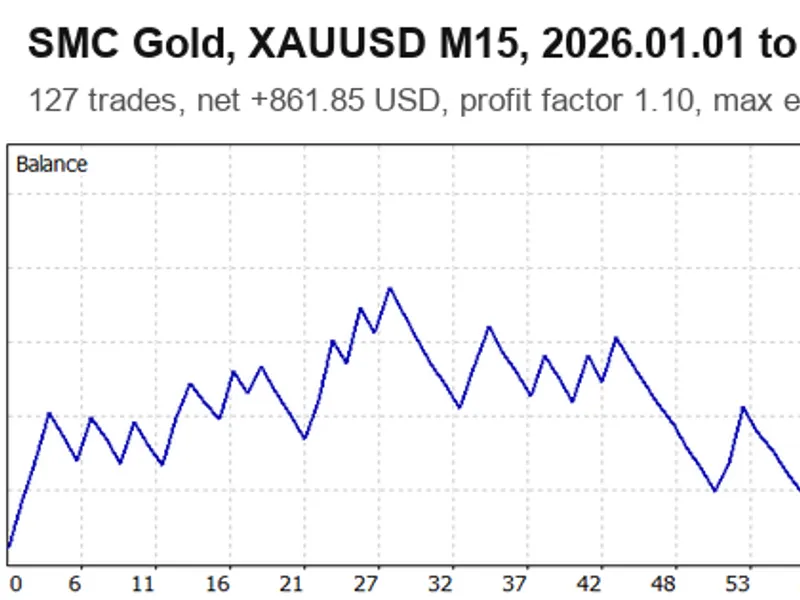
Related: SMC Gold EA: Smart Money Concepts for XAUUSD M15 with Liquidity Sweep and Order Blocks - another powerful expert for MetaTrader 5 traders.
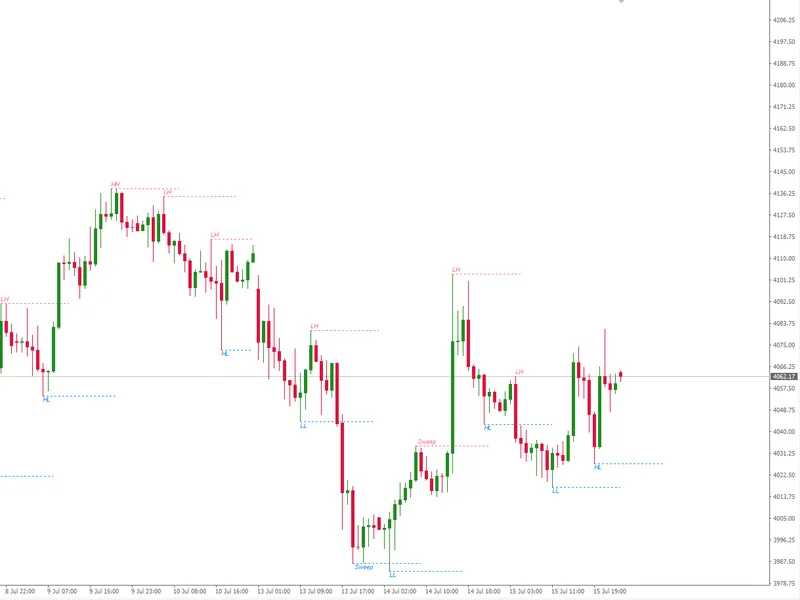
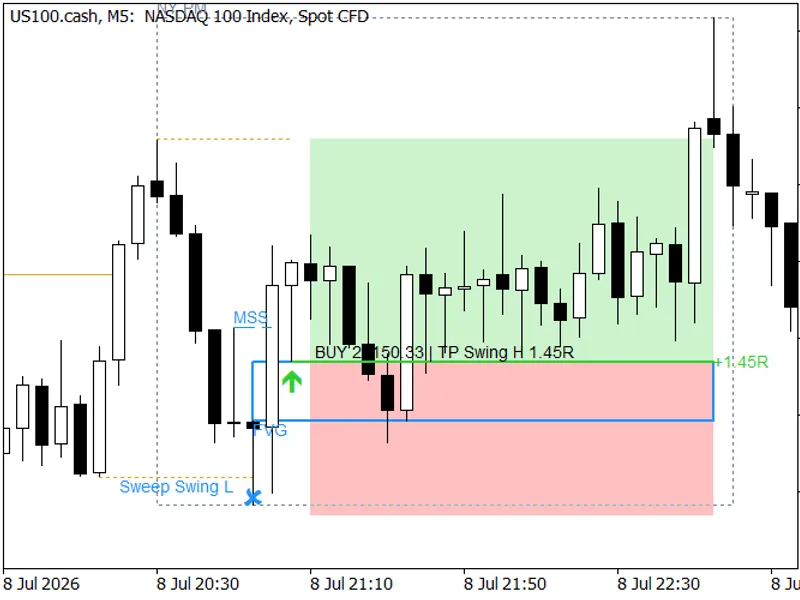
SMC Liquidity Sweep Scalper is a Smart Money Concepts style scalper built around one core idea. Price often wicks past a recent high or low to trigger stops before reversing. That wick is a liquidity sweep. This EA waits for exactly that. It watches for price to poke past a recent swing high or low and then close back through it. The candle that made that sweep gets treated as an Order Block. Once a following candle confirms the move with a small break of structure back through that zone the EA takes the trade.Also recommended: liquidity sweep h4 - m15 (swing highs and lows) / mq l5 - similar expert with strong performance on MetaTrader 5.
How It Works Step By Step
Tracks the most recent unswept swing high and low using confirmed closed bars only so nothing repaints after the fact
Watches for a liquidity sweep beyond that level
Waits a configurable number of bars for a confirmation break back through the sweep candle's body
Enters at market with a stop loss placed beyond the sweep extreme and a fixed R:R take profit sized off risk percent of balance
Scales everything off ATR instead of fixed points so the same settings behave sensibly on Gold EURUSD or anything else rather than being tuned for one instrument alone
A Scorecard Not Just A Drawn Zone
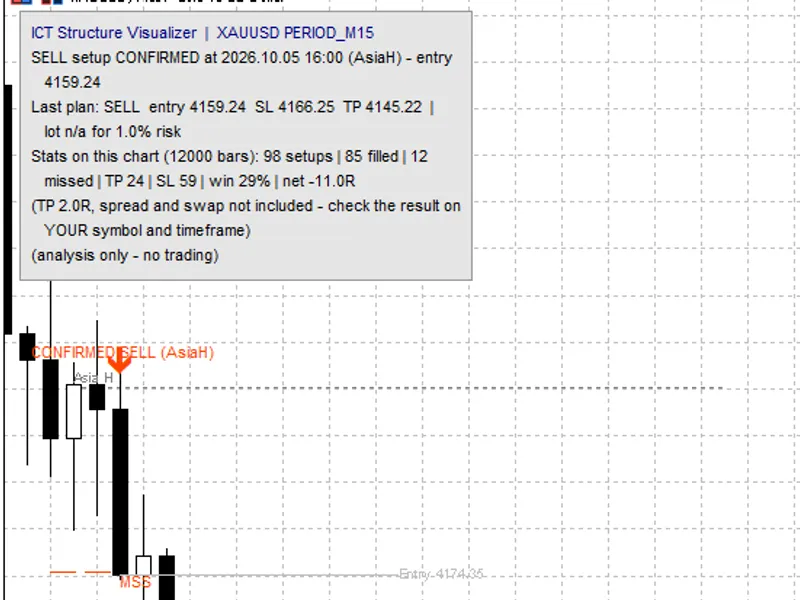
Most SMC tools draw a box and leave you to judge it yourself. This one goes further. Every trade the EA takes gets a labeled box on the chart showing the historical win rate for that exact setup type — bullish or bearish — based on the EA's own closed trades so far. Once the trade closes the box updates to WIN or LOSS. Over time you end up with a running scorecard built from real results instead of a static zone that never tells you whether it actually worked.
Trend Filter And Quality Gates
A higher-timeframe trend filter compares price against an EMA on a timeframe you choose so the EA only takes sweeps that agree with the bigger picture. On top of that a few quality gates run before every entry. The stop distance has to be meaningful relative to both ATR and the current spread. The confirmation candle has to show real momentum rather than a weak drift through the level. Weak setups get filtered out before they ever reach the order ticket.
Results So Far
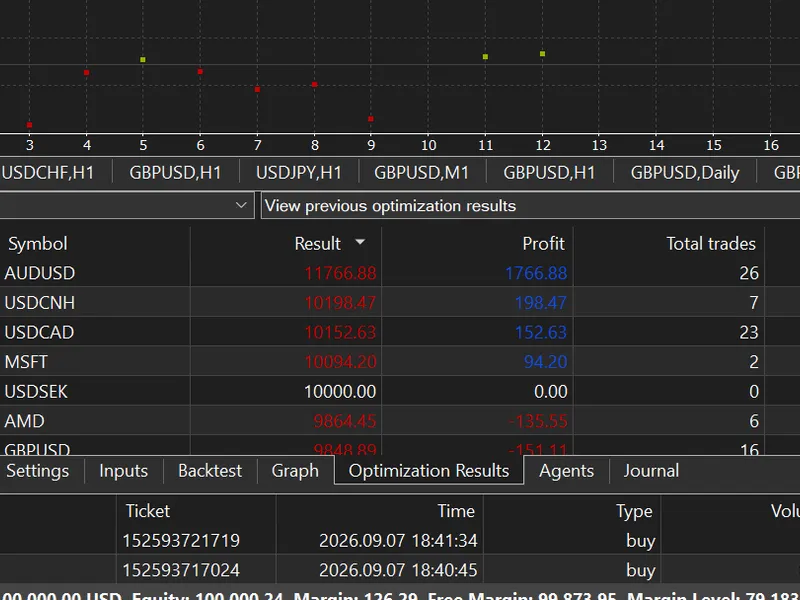
A batch of optimization passes run across a spread of symbols on H1. Starting balance for this run was 10000 per pass.
- AUDUSD +1766.88 26 2.36 67.96 4.32% 3.48 11.05
- USDCNH +198.47 7 1.49 28.35 4.57% 0.42 0.20
- USDCAD +152.63 23 1.11 6.64 6.02% 0.24 0.74
- MSFT +94.20 2 1.94 47.10 1.63% 0.56 0.13
- USDSEK 0.00 0 — — 0.00% — —
- AMD -135.55 6 0.73 -22.59 4.84% -0.27 0.20
- GBPUSD -151.11 16 0.86 -9.44 3.83% 0.39 0.55
A live demo run alongside this showed the EA managing small positions correctly in real time — a EURUSD buy at 0.1 lot and a USDCHF buy at 0.01 lot both opened and tracked with accurate live profit on a 100000 balance account. Nothing dramatic yet but it confirms execution and tracking work as expected.
This spread of outcomes is exactly the point of showing raw numbers instead of a highlight reel. One set of logic run unmodified across different instruments will always land somewhere between AUDUSD's result and GBPUSD's. That's normal. It's also exactly why you shouldn't assume this performs the same on whatever pair you attach it to.
Honest State Of This Project
This is an early build. Testing so far has been mainly on H1 across a handful of forex pairs. Results vary a lot by symbol as the table above shows plainly. It performed well in testing on some pairs and lost on others. That's expected for a single rule set applied across different instruments without per-symbol tuning but it means you should not assume profitability on whatever symbol you attach it to. Backtest it yourself on your own pair timeframe and broker before running it on even a demo account. Don't run it on stocks or CFDs. This logic was built around forex-style session and liquidity behavior specifically.
Key Inputs
- InpSwingLookback / InpMaxConfirmationBars — structure detection and how many bars the EA waits for confirmation.
- InpATRPeriod / InpMinSweepATRMult / InpSLBufferATRMult / InpMinSLToATRMult / InpMinSLToSpreadRatio — volatility-based sizing and the quality filters that block weak setups.
- InpUseTrendFilter / InpTrendTimeframe / InpTrendMAPeriod — the higher-timeframe bias filter.
- InpRiskPercent / InpRewardRatio / InpMaxSpreadPoints / InpMagicNumber — core trade management.
- InpUseSessionFilter / InpSessionStartHour / InpSessionEndHour — an optional server-time trading window.
Final Word
This does not guarantee profit on any symbol or account. Past backtest results are not a promise of future performance. Test thoroughly on a demo account and understand the logic before trusting it with real funds. Treat this as a starting point you can build on rather than a finished product. Free to use and modify. Feedback and reported issues are welcome. This is still evolving.
You may also like: Hunter EA V2, Liquidity Library, and FVGLibrary - excellent alternative for expert users on MetaTrader 5.
Source Code
#property copyright "RobotFX"
#property version   "1.00"
#property strict
#include <Trade/Trade.mqh>
CTrade trade;
input group "=== Swing / Structure ==="
input int              InpSwingLookback       = 5;
input int              InpMaxConfirmationBars = 3;
input group "=== Volatility (ATR-based, scales per symbol) ==="
input int              InpATRPeriod           = 14;
.......
⚠ Limitations & Risk Warning
- This tool is provided for educational and testing purposes only.
- Past performance does not guarantee future results.
- Trading involves substantial risk of loss. Use on a demo account first.
- Results may vary depending on market conditions, broker, and settings.
- We recommend thorough backtesting and forward testing before using with real funds.