






Hunter EA V2, Liquidity Library, and FVGLibrary
Info
The Hunter EA V2, Liquidity Library, and FVGLibrary is a Expert Advisor for MetaTrader 5 that hunter ea v2 is a powerful trading tool with dual trading modes, offering a standard fvglibrary mode and an encroachment mode for more conservative trading. In standard FVGLibrary mode, the EA enters trades when a candle touches an active fair value gap (FVG) and the FVG's direction aligns with the daily bias from the LiquidityLibrary.
Usage
This tool is typically used for automated trading on major forex pairs and gold.
Platform
This Expert Advisor works exclusively on MetaTrader 5 (both build 600+ and newer versions).
Setup
Place the downloaded file in MQL5/Experts folder via File ? Open Data Folder in MetaTrader 5.
How to Install and Use Hunter EA V2, Liquidity Library, and FVGLibrary
1. Installation: Open the "File" menu, select "Open Data Folder," navigate to MQL/Experts, paste your file, and restart the terminal.
2. Activation: Drag the EA from the Navigator onto a chart, ensure "Allow live trading" is checked in the Common tab, and verify the AutoTrading button is green.
3. Optimization: Right-click your chart, choose "Expert List," click "Properties" to adjust inputs, and save your preferred setup as a set file for future use.
4. Maintenance: Regularly check the "Experts" tab in the terminal window to monitor trade logs and potential execution errors.
Frequently Asked Questions
Q: Why is my EA not opening trades? A: Check the "AutoTrading" button, ensure "Allow live trading" is enabled, and verify your broker allows automated trading on your account type.
Q: Can I run multiple EAs on one chart? A: No, each chart can only host one active EA; however, you can open multiple charts for different currency pairs to run several EAs.
Q: What does the "smiley face" icon mean? A: A smiley face in the top-right corner of the chart indicates the EA is successfully running; a frowny face means it is disabled.
What this tool does
Hunter EA V2 is a powerful trading tool with dual trading modes, offering a standard FVGLibrary mode and an Encroachment mode for more conservative trading.
Typical Use Case
This Expert Advisor excels in automated trading and technical analysis on MetaTrader 5.
Compatible Platform & Setup
This Expert Advisor works on MetaTrader 5. Place the file in the MQL5/Experts folder and restart the terminal.
Description & Settings
Related: SMC Gold EA: Smart Money Concepts for XAUUSD M15 with Liquidity Sweep and Order Blocks - another powerful expert for MetaTrader 5 traders.
Hunter EA V2 is a powerful trading tool with dual trading modes, offering a standard FVGLibrary mode and an Encroachment mode for more conservative trading.Also recommended: SMC Liquidity Sweep Scalper (Order Block EA with Live Win-Rate Tracking) - similar expert with strong performance on MetaTrader 5.
In standard FVGLibrary mode, the EA enters trades when a candle touches an active fair value gap (FVG) and the FVG's direction aligns with the daily bias from the LiquidityLibrary. Encroachment mode, the recommended approach, waits for price encroachment on the FVG's midpoint before entering a trade with a directional bias matching the daily bias.
The EA ensures trade alignment with the market's structural bias and immediate price action. A bullish daily bias triggers buys from bullish FVGs or encroachment, while a bearish bias triggers sells.
Risk management is enhanced with an optional stop loss and a fixed profit target, defining a clear risk-reward profile.
## Key Features
- Flexible FVG detection with configurable timeframe and minimum gap size.
- Smart trade tracking prevents re-entering the same FVG setup and logs trade-FVG relationships.
- Enhanced logging provides detailed real-time console output for FVG events, bias updates, and trade execution.
- Visual object toggle for drawing FVG zones and encroachment points (pending fix).
- Callback-driven architecture for efficient event handling.
## LiquidityLibrary.mqh
This library is an advanced institutional liquidity detection tool, identifying and tracking key market levels where stop losses accumulate, known as liquidity pools.
## Core Capabilities
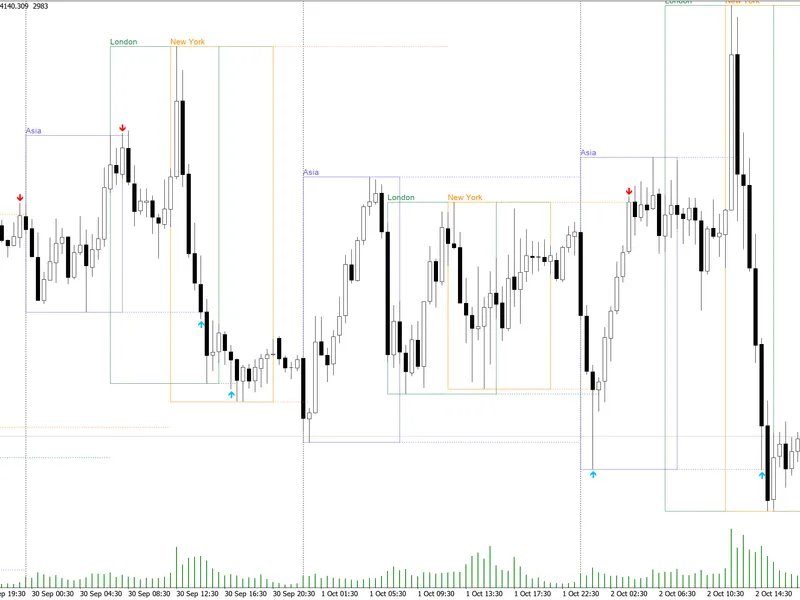
- Multi-type liquidity detection for swing highs/lows, equal highs/lows, session extremes, and historical levels.
- Session management for major trading sessions and specialized 'silver bullet' windows.
- Daily bias engine calculates market bias based on price and historical levels.
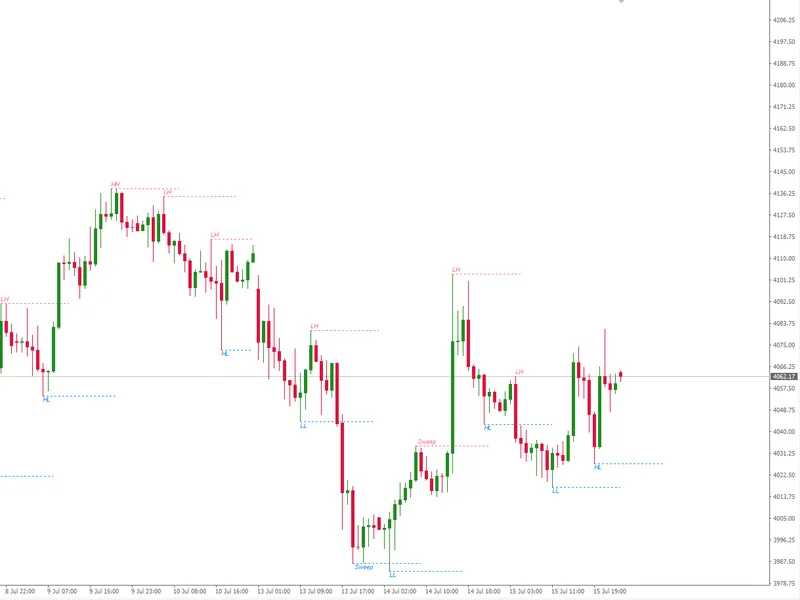
- Sweep detection monitors liquidity level breaches, signaling potential market structure shifts.
- Failure to displace logic identifies potential bias reversals.
## Key Features
- Visual plotting of color-coded horizontal lines for liquidity types.
- Priority system for liquidity targets in silver bullet sessions.
- Event callback system for real-time notifications.
- Dynamic array management for efficient memory allocation.
- Statistical reporting for active/swept liquidity levels.
## FVGLibrary.mqh
A sophisticated library for detecting and analyzing fair value gaps (FVGs), identifying institutional price inefficiencies.
## Core Capabilities
- Automatic FVG detection using three-candle patterns with a user-defined minimum gap size.
- Encroachment point calculation for precise midpoint identification.
- Directional bias determination based on price action at the encroachment point.
- Inverse FVG and reset logic to prevent false signals.
- High accuracy mode for more precise entry timing on lower timeframes.
## Key Features
- Event callback system for efficient trading logic.
- Visual plotting of FVGs and encroachment points with directional bias.
- Trade association for performance analysis per setup.
- Dynamic array management for efficient memory usage.
- Statistical reporting on FVG performance and rates.
You may also like: liquidity sweep h4 - m15 (swing highs and lows) / mq l5 - excellent alternative for expert users on MetaTrader 5.
⚠ Limitations & Risk Warning
- This tool is provided for educational and testing purposes only.
- Past performance does not guarantee future results.
- Trading involves substantial risk of loss. Use on a demo account first.
- Results may vary depending on market conditions, broker, and settings.
- We recommend thorough backtesting and forward testing before using with real funds.