




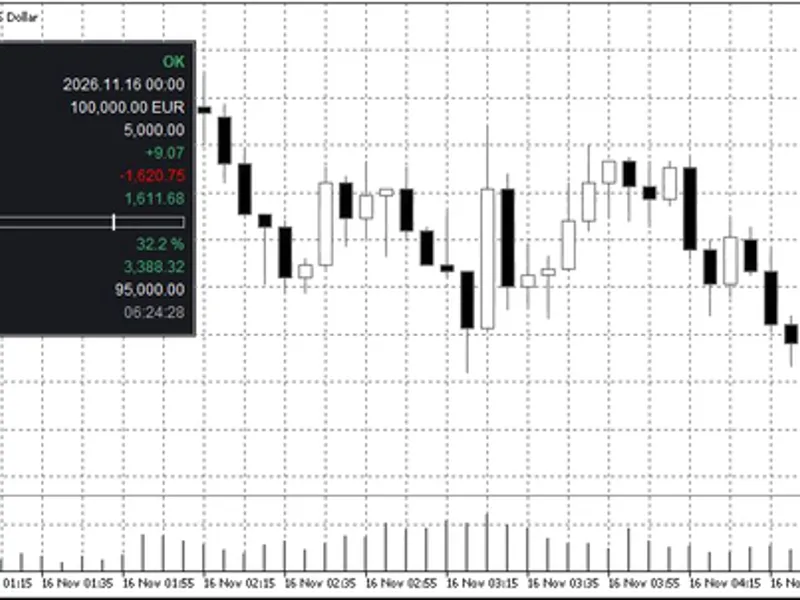
Spectar Prop Challenge Dashboard
Info
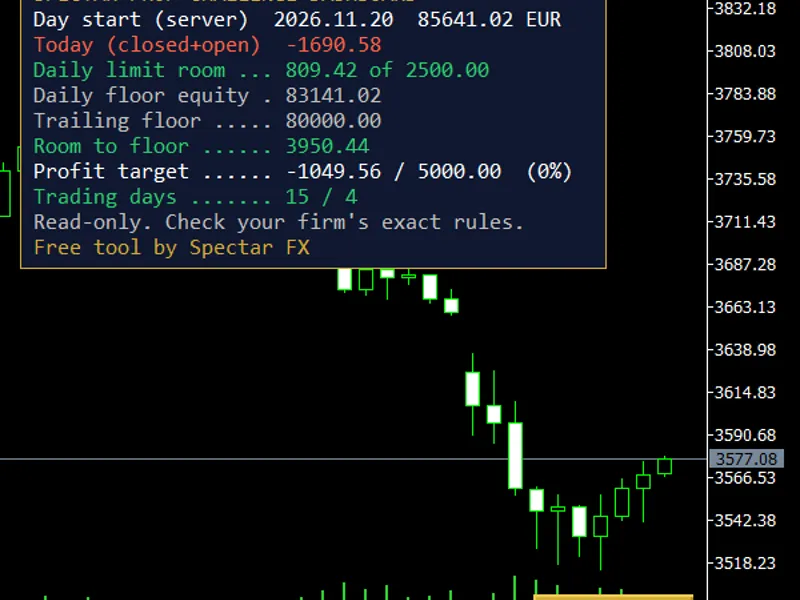
The Spectar Prop Challenge Dashboard is a Indicator for MetaTrader 5 that spectar prop challenge dashboardthis indicator displays essential trading challenge metrics in a single, real-time updating panel on your metatrader 5 chart. Panel Information:Day Start Balance: The balance recorded at broker server midnight, calculated from your trade history for accuracy.
Usage
This tool is typically used for enhancing chart analysis and decision making.
Platform
This Indicator works exclusively on MetaTrader 5 (both build 600+ and newer versions).
Setup
Place the downloaded file in MQL5/Indicators folder via File ? Open Data Folder in MetaTrader 5.
How to Install and Use Spectar Prop Challenge Dashboard
1. Installation: Place your file in the MQL/Indicators folder via "Open Data Folder" and restart your terminal.
2. Loading: Find the indicator in the Navigator, drag it onto your chart, and configure the input parameters in the popup window.
3. Customization: Press Ctrl+I to open the indicator list, select your tool, and click "Properties" to change colors, levels, or visual styles.
4. Updating: Replace the old file in the Indicators folder with the new version and restart the platform to apply changes.
Frequently Asked Questions
Q: Why is my indicator not showing? A: Verify the file is in the MQL/Indicators folder, or try right-clicking the "Indicators" tree in the Navigator and clicking "Refresh."
Q: Do custom indicators slow down the platform? A: Too many complex indicators can impact performance; remove unused ones via the "Indicator List" (Ctrl+I).
Q: Can I use MT4 indicators on MT5? A: No, MQL4 and MQL5 are distinct languages; ensure the indicator is compiled specifically for your platform version.
What this tool does
Spectar Prop Challenge DashboardThis indicator displays essential trading challenge metrics in a single, real-time updating panel on your MetaTrader 5 chart.
Typical Use Case
This Indicator excels in automated trading and technical analysis on MetaTrader 5.
Compatible Platform & Setup
This Indicator works on MetaTrader 5. Place the file in the MQL5/Indicators folder and restart the terminal.
Description & Settings
Related: Prop Firm Daily Loss and Drawdown Monitor - another powerful indicator for MetaTrader 5 traders.
Spectar Prop Challenge DashboardThis indicator displays essential trading challenge metrics in a single, real-time updating panel on your MetaTrader 5 chart.
Also recommended: Prop Firm News Countdown and Spread Monitor for MT5 - similar indicator with strong performance on MetaTrader 5.
Panel Information:
Day Start Balance: The balance recorded at broker server midnight, calculated from your trade history for accuracy. An option is available to display the higher of balance or equity at server midnight if the panel was active during that time.
Today's P/L: Represents the sum of closed trades and floating Profit/Loss since the broker's server midnight.
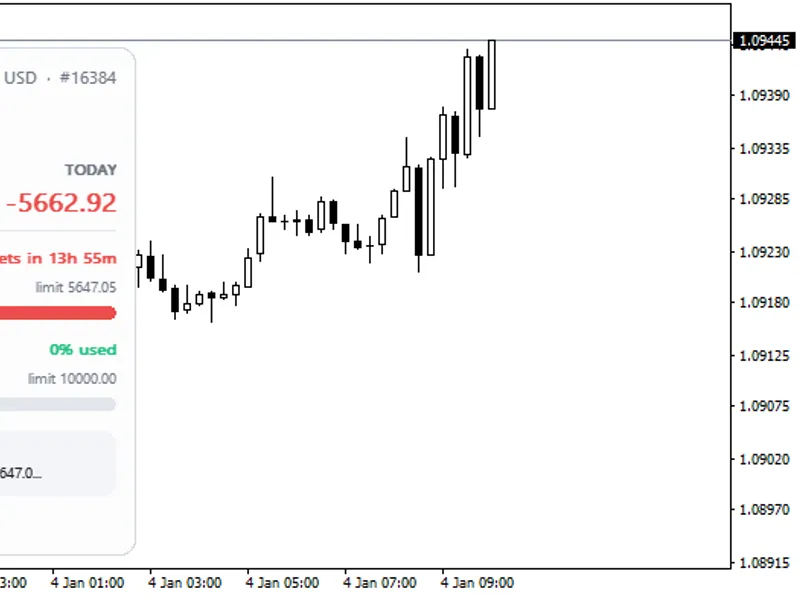
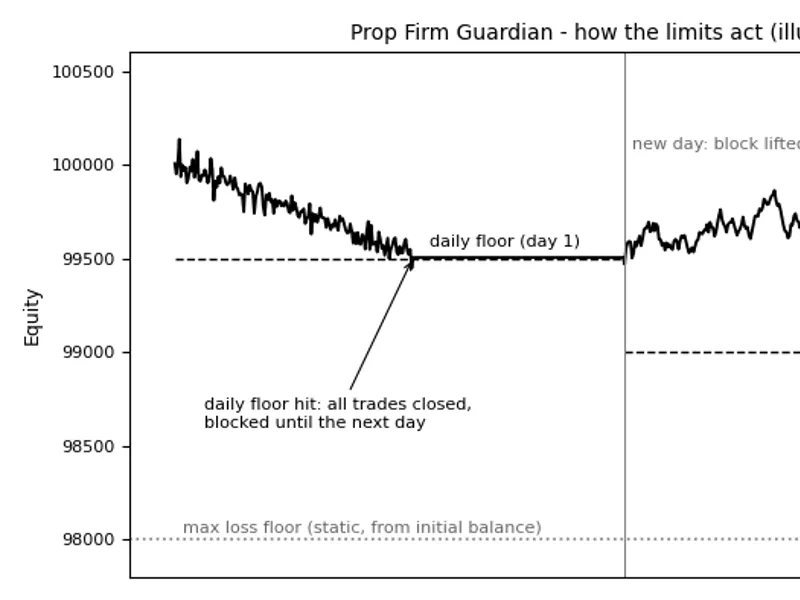
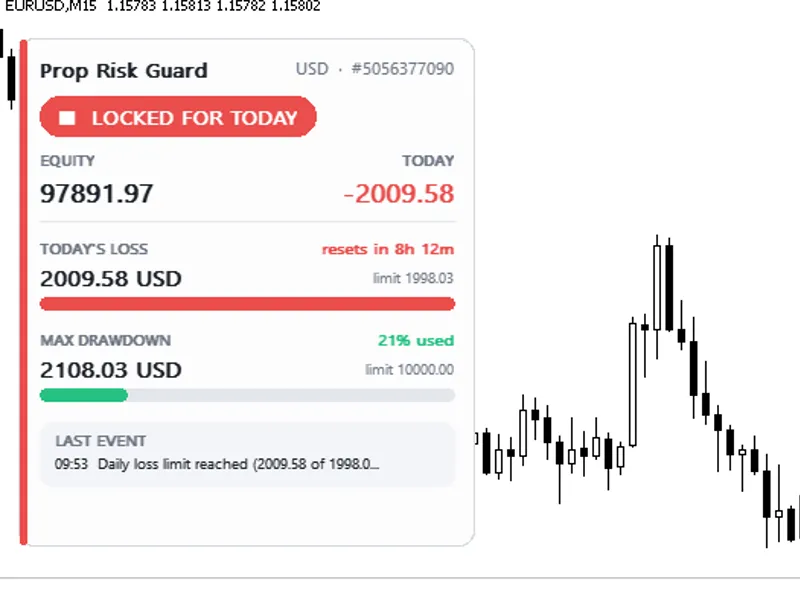
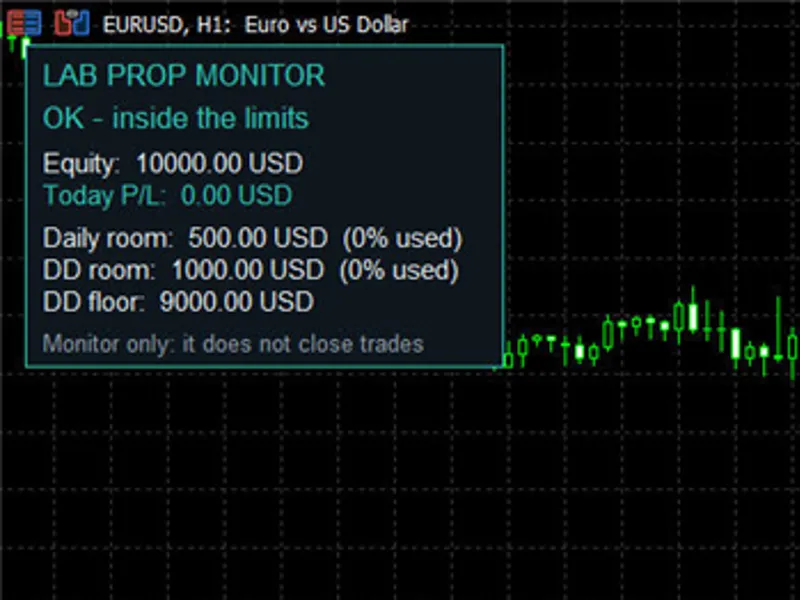
Daily Limit Room: Indicates the remaining allowable loss before reaching your predefined daily loss limit, and the equity level at which this limit is met.
Overall Floor: This can be a static value (initial balance minus maximum allowable loss) or a trailing value (highest closed balance minus maximum allowable loss). There is an option to prevent the trailing floor from falling below the initial start balance.
Profit Target: Tracks progress towards your profit target and displays the number of trading days elapsed since your account start date.
Visual Alerts: Panel colors change to orange when a limit is approached (exceeding a warning level) and to red when a limit is reached.
Customizable Inputs:
All values are user-defined; no presets are applied. Entering '0' for any value will disable that specific line. Configurable inputs include: start balance, start date, daily loss limit, daily limit measurement method, overall maximum loss, floor type (static or trailing), profit target, minimum trading days, warning level threshold, panel corner, position adjustment, and font size.
Functionality Limitations:
This indicator does not perform any trading actions such as opening, modifying, or closing trades. It does not utilize DLLs or make external web requests. Proprietary trading firm rules vary and are subject to change. Always refer to your specific firm's rulebook and compare the dashboard figures with your firm's official reports.
You may also like: Daily Loss Limit Tracker for Prop Firm Trading - excellent alternative for indicator users on MetaTrader 5.
Source Code
#property copyright "RobotFX"
#property link "https://robotfx.org"
#property version     "1.00"
#property description "This code is educational. Feel free to use, modify and upgrade as you wish. Visit ROBOTFX.ORG for professional trading tools"
#property indicator_chart_window
#property indicator_plots 0
enum ENUM_DAILY_BASE
  {
   BASE_BALANCE = 0,
   BASE_HIGHER  = 1
.......
⚠ Limitations & Risk Warning
- This tool is provided for educational and testing purposes only.
- Past performance does not guarantee future results.
- Trading involves substantial risk of loss. Use on a demo account first.
- Results may vary depending on market conditions, broker, and settings.
- We recommend thorough backtesting and forward testing before using with real funds.