





Liquidity Sweep Detector Indicator
Info
The Liquidity Sweep Detector Indicator is a Indicator for MetaTrader 5 that liquidity sweep detectorthe idea behind itold swing highs and lows tend to accumulate resting stop-loss and breakout orders just beyond them. That cluster of orders is liquidity, and price is frequently pushed just far enough past the level to trigger it before reversing back the other way.
Usage
This tool is typically used for enhancing chart analysis and decision making.
Platform
This Indicator works exclusively on MetaTrader 5 (both build 600+ and newer versions).
Setup
Place the downloaded file in MQL5/Indicators folder via File ? Open Data Folder in MetaTrader 5.
How to Install and Use Liquidity Sweep Detector Indicator
1. Installation: Place your file in the MQL/Indicators folder via "Open Data Folder" and restart your terminal.
2. Loading: Find the indicator in the Navigator, drag it onto your chart, and configure the input parameters in the popup window.
3. Customization: Press Ctrl+I to open the indicator list, select your tool, and click "Properties" to change colors, levels, or visual styles.
4. Updating: Replace the old file in the Indicators folder with the new version and restart the platform to apply changes.
Frequently Asked Questions
Q: Why is my indicator not showing? A: Verify the file is in the MQL/Indicators folder, or try right-clicking the "Indicators" tree in the Navigator and clicking "Refresh."
Q: Do custom indicators slow down the platform? A: Too many complex indicators can impact performance; remove unused ones via the "Indicator List" (Ctrl+I).
Q: Can I use MT4 indicators on MT5? A: No, MQL4 and MQL5 are distinct languages; ensure the indicator is compiled specifically for your platform version.
What this tool does
Liquidity Sweep DetectorThe idea behind itOld swing highs and lows tend to accumulate resting stop-loss and breakout orders just beyond them.
Typical Use Case
This Indicator excels in automated trading and technical analysis on MetaTrader 5.
Compatible Platform & Setup
This Indicator works on MetaTrader 5. Place the file in the MQL5/Indicators folder and restart the terminal.
Description & Settings
Related: ICT Model Tracker: Sweep, MSS, and FVG Analysis with Performance Statistics - another powerful indicator for MetaTrader 5 traders.
Liquidity Sweep DetectorAlso recommended: GDS Renko Liquidity Sweep Lab: Price Action Analysis - similar indicator with strong performance on MetaTrader 5.
The idea behind it
Old swing highs and lows tend to accumulate resting stop-loss and breakout orders just beyond them. That cluster of orders is liquidity, and price is frequently pushed just far enough past the level to trigger it before reversing back the other way.
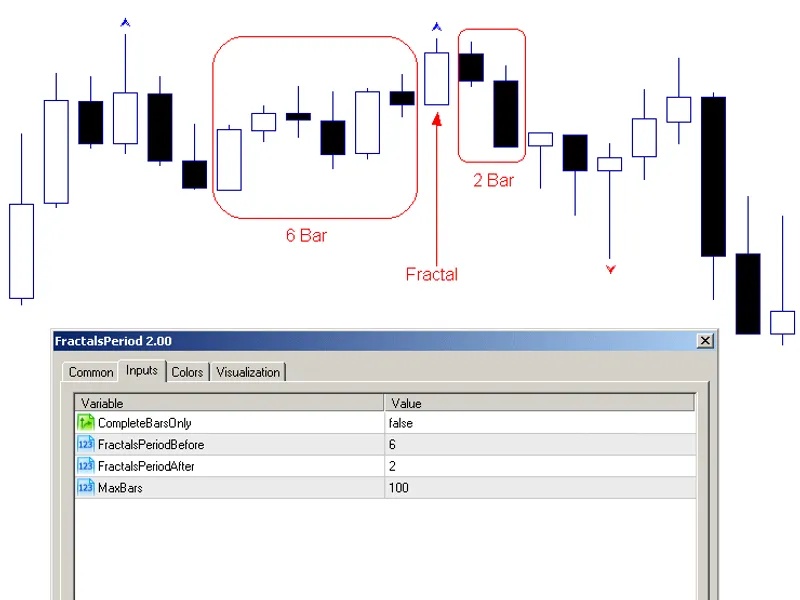
This indicator formalizes that pattern in two steps. First, it identifies genuine fractal swing points (a high or low that is the extreme of its local neighborhood on both sides). Second, it watches every closed bar afterward for a wick that pierces one of those levels by a meaningful amount and closes back on the other side. This is the signature of a sweep rather than a genuine breakout.
Swing confirmation is inherently a few bars delayed by definition (a pivot can't be confirmed until enough bars exist on its right side to prove it was the local extreme). Sweep checks only run on bars that have fully closed, so nothing here repaints once drawn. A level, once confirmed, stays exactly where it was confirmed, and a sweep arrow, once plotted, stays exactly on the bar that triggered it.
How to interpret it
Level line (default gray, dashed) — a confirmed swing high or swing low, drawn from the bar it formed on. It extends live to the current bar while unswept.
Upward arrow (default green) — a bullish sweep: price wicked below a swing low and closed back above it. This is a potential liquidity grab before a move up.
Downward arrow (default red) — a bearish sweep: price wicked above a swing high and closed back below it. This is a potential liquidity grab before a move down.
A line turning gray/frozen — that level has just been swept. Its line stops extending exactly at the sweep bar instead of continuing forward, so old, already-swept levels are visually distinct from ones still live.
Price label (optional) — shows the exact level price next to each sweep arrow, so you do not need to hover over the line to read it.
External variables (inputs)
Input
Default
Purpose
InpSwingLookback
5
Bars required on each side of a candidate bar for it to be confirmed as a swing high/low.
InpMaxLevelsToTrack
20
Maximum number of levels kept on the chart at once. The single oldest tracked level is dropped whenever a new one exceeds this cap.
InpMinWickPoints
30
Minimum wick distance beyond a level, in points, for a piercing candle to count as a genuine sweep.
InpRequireCloseBackInside
true
When true, the candle must also close back on the level's original side. When false, any sufficiently deep wick counts.
InpOneSweepPerLevel
true
When true, a level stops being checked after its first sweep. When false, the same level can produce multiple sweep signals over time.
InpShowLevels
true
Draws the swing level lines themselves, not just the sweep arrows.
InpExtendLevelsUntilSwept
true
When true, an unswept level's line keeps extending live to the current bar. When false, it stops after a fixed number of bars.
InpLevelExtendBars
50
Fixed extension length (in bars), used only when InpExtendLevelsUntilSwept is false.
InpLevelColor / InpSweptLevelColor
Silver / Dim Gray
Line color for a level before and after it has been swept.
InpBullishSweepColor / InpBearishSweepColor
Lime / Red
Arrow and label color for bullish (swept low) vs. bearish (swept high) signals.
InpShowLabels
true
Shows the exact level price next to each sweep arrow.
InpArrowWidth
2
Width of the sweep arrow markers.
Recommended use
Works on any symbol and any timeframe. Swing-based liquidity concepts apply the same way regardless of instrument. Though, like any fractal-pivot method, a larger InpSwingLookback on a lower timeframe finds fewer, more significant levels, while a smaller value finds more, noisier ones.
Because pivot confirmation requires bars on both sides, expect a delay of InpSwingLookback bars between a swing actually forming and its level appearing on the chart. This is a structural property of fractal detection, not a bug, and it is what keeps the indicator from repainting.
A sweep is a pattern observation, not a trade signal on its own. It flags that liquidity was likely taken at a level and price rejected it, which many traders use as one confirmation among several rather than an automatic entry trigger.
This indicator only reads price data and never places, modifies, or closes any order, so it is safe to run on any account type.
All chart objects are created under a single internal name prefix and are fully removed via ObjectsDeleteAll() in OnDeinit() when the indicator is detached, so it leaves nothing behind on the chart.
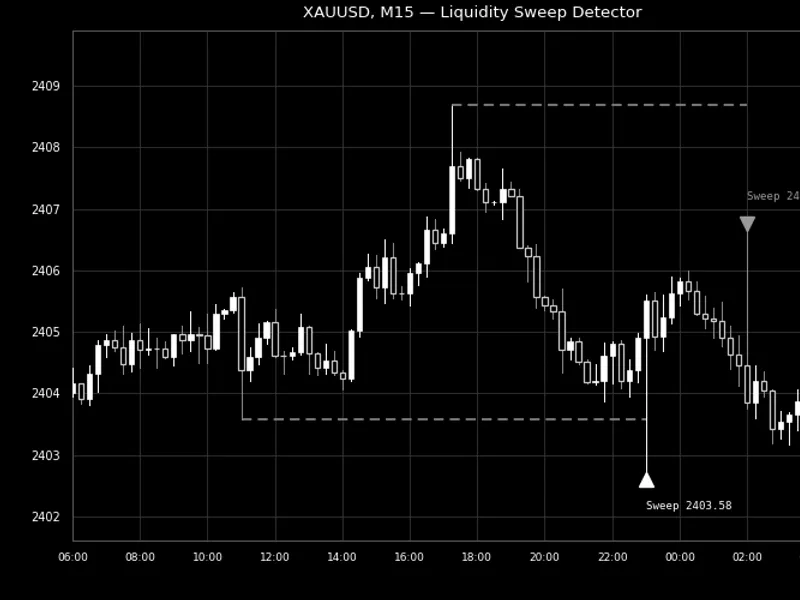
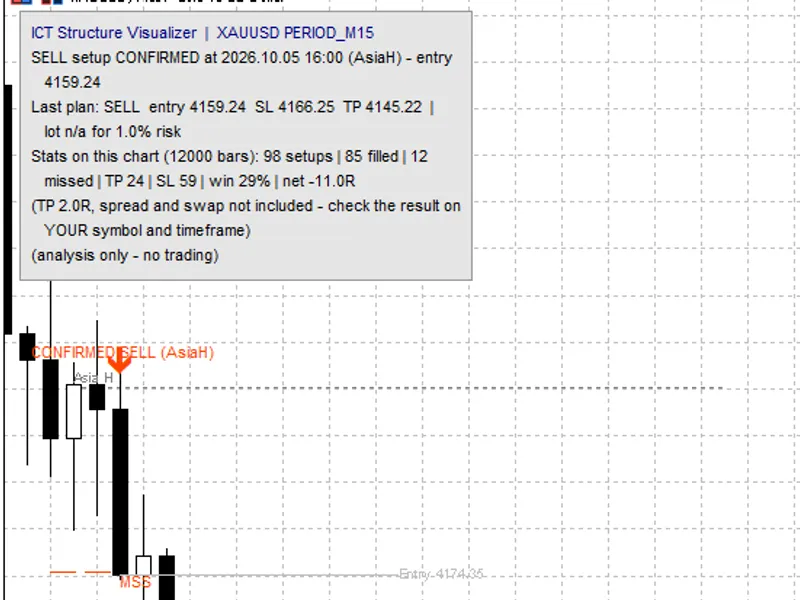
Fig. 1. A bullish sweep of a swing low and a bearish sweep of a swing high on XAUUSD M15. Rendered in black and white per the Code Base image guidelines (750x500 px).
You may also like: ICT Structure Visualizer: Liquidity, MSS, FVG, and Statistics - excellent alternative for indicator users on MetaTrader 5.
Source Code
#property copyright "RobotFX"
#property link "https://robotfx.org"
#property version   "1.00"
#property description "This code is educational. Feel free to use, modify and upgrade as you wish. Visit ROBOTFX.ORG for professional trading tools"
#property indicator_chart_window
#property indicator_buffers 0
#property indicator_plots   0
#property strict
input group "=== Swing (Liquidity Level) Detection ==="
input int InpSwingLookback     = 5;
.......
⚠ Limitations & Risk Warning
- This tool is provided for educational and testing purposes only.
- Past performance does not guarantee future results.
- Trading involves substantial risk of loss. Use on a demo account first.
- Results may vary depending on market conditions, broker, and settings.
- We recommend thorough backtesting and forward testing before using with real funds.