





Broker Rollover Spread Logger and EA Guard
Info
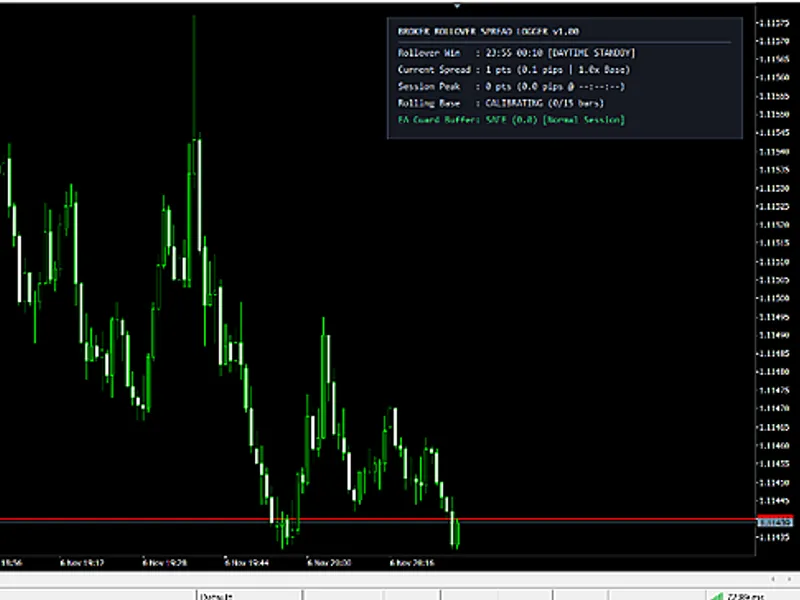
The Broker Rollover Spread Logger and EA Guard is a Indicator for MetaTrader 5 that broker rollover spread logger and ea guardif you are holding positions or running automated expert advisors (eas) across the daily server rollover period (typically between 23:55 and 00:10 server time), you have likely experienced periods of reduced liquidity and significant increases in bid-ask spreads, often jumping 5x to 15x within seconds. During these times, the mid-price typically remains stable.
Usage
This tool is typically used for enhancing chart analysis and decision making.
Platform
This Indicator works exclusively on MetaTrader 5 (both build 600+ and newer versions).
Setup
Place the downloaded file in MQL5/Indicators folder via File ? Open Data Folder in MetaTrader 5.
How to Install and Use Broker Rollover Spread Logger and EA Guard
1. Installation: Place your file in the MQL/Indicators folder via "Open Data Folder" and restart your terminal.
2. Loading: Find the indicator in the Navigator, drag it onto your chart, and configure the input parameters in the popup window.
3. Customization: Press Ctrl+I to open the indicator list, select your tool, and click "Properties" to change colors, levels, or visual styles.
4. Updating: Replace the old file in the Indicators folder with the new version and restart the platform to apply changes.
Frequently Asked Questions
Q: Why is my indicator not showing? A: Verify the file is in the MQL/Indicators folder, or try right-clicking the "Indicators" tree in the Navigator and clicking "Refresh."
Q: Do custom indicators slow down the platform? A: Too many complex indicators can impact performance; remove unused ones via the "Indicator List" (Ctrl+I).
Q: Can I use MT4 indicators on MT5? A: No, MQL4 and MQL5 are distinct languages; ensure the indicator is compiled specifically for your platform version.
What this tool does
Broker Rollover Spread Logger and EA GuardIf you are holding positions or running automated Expert Advisors (EAs) across the daily server rollover period (typically between 23:55 and 00:10 server time), you have likely experienced periods of reduced liquidity and significant increases in bid-ask spreads, often jumping 5x to 15x within seconds.
Typical Use Case
This Indicator excels in automated trading and technical analysis on MetaTrader 5.
Compatible Platform & Setup
This Indicator works on MetaTrader 5. Place the file in the MQL5/Indicators folder and restart the terminal.
Description & Settings
Related: ICT Session Boxes: Four GMT Windows with Automatic Broker Offset and High/Low Lines - another powerful indicator for MetaTrader 5 traders.
Broker Rollover Spread Logger and EA GuardAlso recommended: Accurate Broker Time Zones and Session Lines for MT4/MT5 - similar indicator with strong performance on MetaTrader 5.
If you are holding positions or running automated Expert Advisors (EAs) across the daily server rollover period (typically between 23:55 and 00:10 server time), you have likely experienced periods of reduced liquidity and significant increases in bid-ask spreads, often jumping 5x to 15x within seconds. During these times, the mid-price typically remains stable. However, a sudden spike in the Ask price can trigger a pending Buy Stop order, prematurely close a short trade with a tight stop-loss, or cause floating equity to fall below a proprietary trading firm's daily loss limit precisely at midnight.
The Broker Rollover Spread Logger was developed to meticulously track these midnight spikes on a tick-by-tick basis and provide EAs with a reliable pause signal. When attached to a chart, this indicator first scans up to 240 historical bars outside the rollover window to establish an immediate daytime baseline spread. This baseline is capped at 50 points during the seeding phase to prevent historical spikes from skewing the average. During normal trading hours, it continuously updates this baseline using an outlier-filtered exponential average. Once the server time enters your defined rollover window, the indicator monitors each tick. If the live spread exceeds a threshold determined by InpSpikeMultiplier (defaulting to 3.0x the baseline spread) and InpMinSpikePts, it sets the iCustom Buffer 0 to 1.0, signaling a potential issue.
iCustom Buffers and Telemetry
Your EA only needs to read bar index 0 using the CopyBuffer function. The indicator provides three accessible buffers and generates a summary log at the conclusion of the rollover window:
Buffer 0 (ExtGuardFlagBuf):
Returns 1.0 (indicating BLOCK) when the live spread breaches your specified limit during the rollover period on the current bar. Otherwise, it returns 0.0 (indicating SAFE).
Buffer 1 (ExtCurSpreadBuf):
Reports the current Bid-Ask spread in points on every incoming tick.
Buffer 2 (ExtPeakSpreadBuf):
Records the highest spread observed during the active or the most recently completed rollover session.
Additionally, if the InpWriteCsvLog parameter is enabled, the indicator appends the date, peak spread in points, the timestamp of the peak spread, the baseline spread, and the calculated spike ratio to a CSV file named Rollover_Spread_Log_<Symbol>.csv, located in the MQL5/Files directory. This feature allows for auditing your broker's midnight execution performance over extended live trading periods. Global variables are utilized to maintain the baseline spread and peak values across different timeframes, with an automatic expiration mechanism if the data becomes stale for more than 48 hours.
EA Integration Snippet (MQL5)
int g_rolloverGuardHandle = INVALID_HANDLE;
int OnInit()
{
g_rolloverGuardHandle = iCustom(_Symbol, _Period, "Broker_Rollover_Spread_Logger");
if(g_rolloverGuardHandle == INVALID_HANDLE)
return(INIT_FAILED);
return(INIT_SUCCEEDED);
}
bool IsRolloverSpreadSafe()
{
double flag[1];
if(CopyBuffer(g_rolloverGuardHandle, 0, 0, 1, flag) <= 0)
return(true);
return(flag[0] < 0.5); // false when Buffer 0 == 1.0 (BLOCK)
}
Input Parameters
Parameter
Default
Description
InpRolloverStartHour
23
Rollover window start hour (Broker Server Time, 0-23).
InpRolloverStartMin
55
Rollover window start minute (0-59).
InpRolloverEndHour
0
Rollover window end hour (Broker Server Time, 0-23).
InpRolloverEndMin
10
Rollover window end minute (0-59).
InpSpikeMultiplier
3.0
Spike alert threshold as a multiplier of daytime baseline spread.
InpMinSpikePts
25
Minimum spread in points required before triggering a spike flag.
InpMaxSafeSpreadPts
0
Optional hard spread cap in points (0 = disabled, uses multiplier).
InpLogToExperts
true
Prints spike alerts and end-of-window summaries to the Experts log.
InpWriteCsvLog
false
Appends daily rollover summaries to MQL5/Files/Rollover_Spread_Log_<Symbol>.csv.
InpSaveGlobalVar
true
Saves baseline and peak values in terminal GlobalVariables across chart reloads.
InpPanelX
20
Top-right HUD horizontal pixel offset.
InpPanelY
20
Top-right HUD vertical pixel offset.
Technical Scope
This tool focuses on live, single-symbol rollover spread tracking and provides an iCustom gating mechanism for EAs. It does not reconstruct historical M1 equity curves across multiple symbols, calculate specific time zone High-Water Marks from HTML Strategy Tester reports, or perform static source code analysis. For auditing backtest reports against proprietary firm drawdown rules before live trading, or for implementing an automated equity and news circuit breaker that flattens open positions before a drawdown breach, please refer to the risk management tools available on my MQL5 profile. This tool is designed for use with MetaTrader 5 and is compatible with systems operating in 2026.
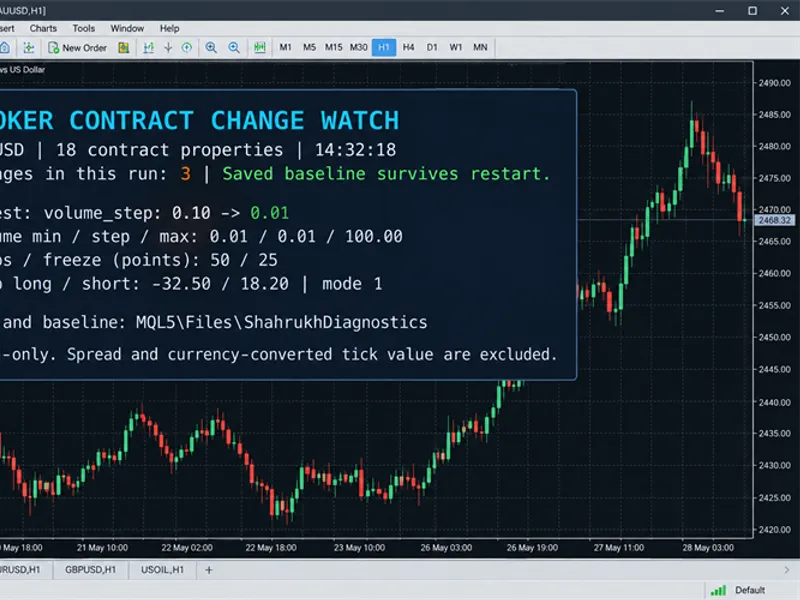
You may also like: Broker Contract Change Watch MT5 - excellent alternative for indicator users on MetaTrader 5.
Source Code
#property copyright "RobotFX"
#property link "https://robotfx.org"
#property version     "1.00"
#property description "This code is educational. Feel free to use, modify and upgrade as you wish. Visit ROBOTFX.ORG for professional trading tools"
#property indicator_chart_window
#property indicator_buffers 3
#property indicator_plots   3
#property indicator_type1   DRAW_NONE
#property indicator_label1  "Rollover Guard Flag (1=Block, 0=Safe)"
#property indicator_type2   DRAW_NONE
.......
⚠ Limitations & Risk Warning
- This tool is provided for educational and testing purposes only.
- Past performance does not guarantee future results.
- Trading involves substantial risk of loss. Use on a demo account first.
- Results may vary depending on market conditions, broker, and settings.
- We recommend thorough backtesting and forward testing before using with real funds.