

Daily Loss Guard: Account Protection for Funded Traders
Info
The Daily Loss Guard: Account Protection for Funded Traders is a Expert Advisor for MetaTrader 5 that what it doesdaily loss guard is a risk-management tool designed to protect funded and proprietary trading accounts. It operates by monitoring the entire account, including all Expert Advisors (EAs) and manual trades, and intervenes when predefined daily loss or total drawdown limits are breached.
Usage
This tool is typically used for automated trading on major forex pairs and gold.
Platform
This Expert Advisor works exclusively on MetaTrader 5 (both build 600+ and newer versions).
Setup
Place the downloaded file in MQL5/Experts folder via File ? Open Data Folder in MetaTrader 5.
How to Install and Use Daily Loss Guard: Account Protection for Funded Traders
1. Installation: Open the "File" menu, select "Open Data Folder," navigate to MQL/Experts, paste your file, and restart the terminal.
2. Activation: Drag the EA from the Navigator onto a chart, ensure "Allow live trading" is checked in the Common tab, and verify the AutoTrading button is green.
3. Optimization: Right-click your chart, choose "Expert List," click "Properties" to adjust inputs, and save your preferred setup as a set file for future use.
4. Maintenance: Regularly check the "Experts" tab in the terminal window to monitor trade logs and potential execution errors.
Frequently Asked Questions
Q: Why is my EA not opening trades? A: Check the "AutoTrading" button, ensure "Allow live trading" is enabled, and verify your broker allows automated trading on your account type.
Q: Can I run multiple EAs on one chart? A: No, each chart can only host one active EA; however, you can open multiple charts for different currency pairs to run several EAs.
Q: What does the "smiley face" icon mean? A: A smiley face in the top-right corner of the chart indicates the EA is successfully running; a frowny face means it is disabled.
What this tool does
What it doesDaily Loss Guard is a risk-management tool designed to protect funded and proprietary trading accounts.
Typical Use Case
This Expert Advisor excels in automated trading and technical analysis on MetaTrader 5.
Compatible Platform & Setup
This Expert Advisor works on MetaTrader 5. Place the file in the MQL5/Experts folder and restart the terminal.
Description & Settings
Related: Prop-firm Guard: Daily Loss and Max Drawdown Protection for Challenge Accounts - another powerful expert for MetaTrader 5 traders.
What it doesAlso recommended: Daily Loss Guard - Protect Your Trading Account - similar expert with strong performance on MetaTrader 5.
Daily Loss Guard is a risk-management tool designed to protect funded and proprietary trading accounts. It operates by monitoring the entire account, including all Expert Advisors (EAs) and manual trades, and intervenes when predefined daily loss or total drawdown limits are breached. It does not execute trades itself.
Limits and Measurement
Daily Loss:
Measured as the difference between the start-of-day equity or balance (configurable) and the current equity. Limits can be set as a percentage of the base value or a fixed monetary amount.
Total Drawdown:
This can be measured in two ways: Static Drawdown, which is the difference between a fixed reference balance (either set manually or the balance at the EA's start) and the current equity; or Trailing Drawdown, which tracks the highest equity reached and measures the difference to the current equity. Limits can be set as a percentage or a monetary amount.
Equity Calculation:
Equity calculation includes floating profits and losses, as well as swaps, ensuring that open positions impact the risk limits before they are closed.
Intervention Actions
When a limit is reached, Daily Loss Guard performs the following actions:
1. Closes all open positions.
2. Deletes all pending orders (optionally filtered).
Account Lock:
The account is locked until the next trading day, as defined by a configurable reset time. During the locked period, any new trades opened or orders placed are immediately closed or deleted. This action is repeated on every tick to ensure compliance.
Error Handling:
If a trade closure fails due to requotes, connection issues, or a closed market, the EA will retry the action multiple times within the same pass and subsequently on every tick until all trades are closed and orders deleted.
Reset and Resumption:
At the start of the next trading day, the account lock is released, and a new start-of-day base is established. The total drawdown limit is immediately re-evaluated. If the account equity is still below the threshold, the guard will re-lock the account.
Early Warning System
At a configurable percentage (defaulting to 80%) of a set limit, the EA will provide alerts:
- A message in the Experts log.
- An on-screen Alert.
- An optional push notification to your mobile device.
These alerts are also triggered when a limit is hit or if AutoTrading is disabled, which is necessary for the EA to perform trade closures.
On-Chart Panel
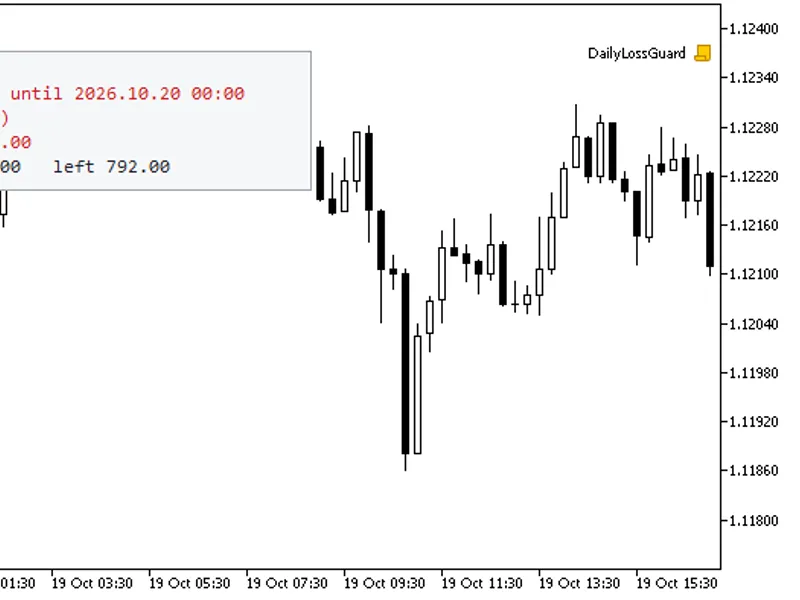
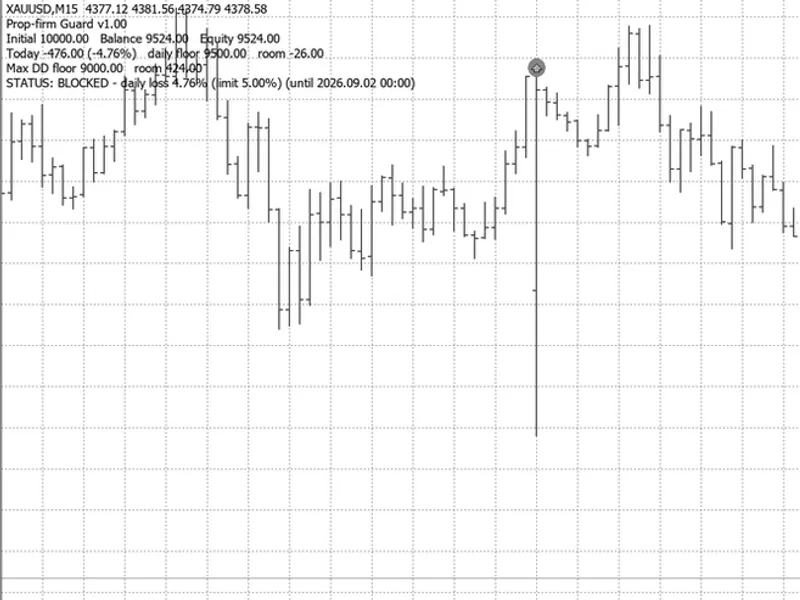
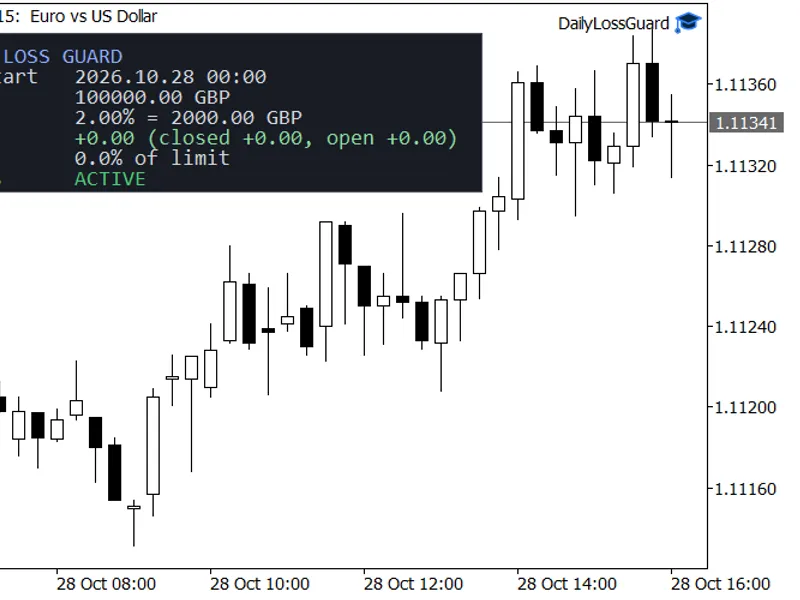
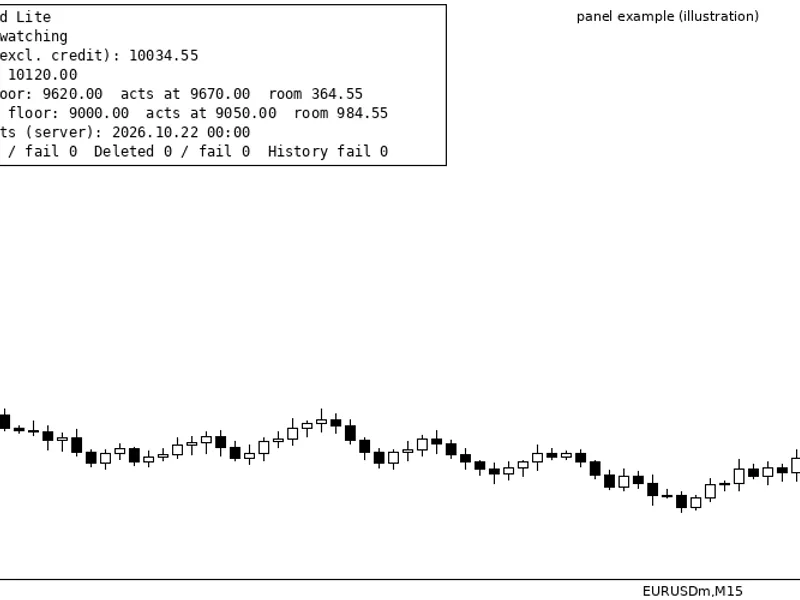
A compact, configurable panel displays the current status (ACTIVE, WARNING, or BLOCKED until...), today's profit/loss, remaining margin for the daily limit, and remaining margin for the total drawdown limit. Users can choose between light and dark themes and position the panel in any corner of the chart. The panel intentionally does not display account numbers, names, or broker details.
Configurable Inputs
- Daily Loss: Enable/disable, set as percentage or amount, define value, choose base (balance or equity at start of day).
- Total Drawdown: Enable/disable, set as percentage or amount, define value, choose static or trailing, set static reference balance.
- Trading Day Reset: Configure hour and minute in broker's server time.
- Early Warning: Set percentage, enable Alert, enable Push notification.
- Filter: Specify magic numbers and symbols (comma-separated; empty means all).
- Closing Parameters: Set attempts per pass, pause between attempts, maximum slippage.
- Panel Display: Enable/disable, choose corner, set offsets, font size, dark theme.
- State Management: Option to forget saved state at EA start.
- Strategy Tester Demo: Enable random trades for testing purposes (only active in Strategy Tester).
Important Notes
- Equity is always calculated for the entire account. The filter only applies to which trades are closed and blocked; other running trades continue to count towards equity.
- Symbol filtering requires exact matches as shown in the Market Watch window, including any broker-specific suffixes.
- If the EA starts mid-day, it estimates the start-of-day balance. This estimation may be marked as 'est.' on the panel until the next day if using equity as the base.
- Deposits and withdrawals are excluded from trading profit/loss calculations.
- EA state (daily base, lock status, highest equity, reference balance, warning flags) is saved in terminal global variables. These variables are automatically cleared by the terminal after four weeks of inactivity.
- The EA requires AutoTrading to be enabled and the market to be open to execute trade closures. It cannot function if the terminal is closed or disconnected. Always verify your prop firm's specific rules, as they may have different measurement methods (server time, balance vs. equity, static vs. trailing).
- This tool is for protection, not a guarantee. Market gaps, slippage, and closed market conditions can lead to losses exceeding the set limits.
- This is not financial advice; it's a tool that reacts to trading metrics.
Strategy Tester Demonstration
To test the EA's functionality, enable the 'Open random trades to try the guard' option in the Strategy Tester. Set a small daily limit (e.g., 1%). Observe how the EA triggers limits, closes trades, prevents new trades during the locked period, and resets the lock the following day. This also verifies state saving and loading.
Example Test Scenario
Using the Strategy Tester (EURUSD M15, October 19-22, 2026, demo mode enabled, 2% daily limit, 70% warning):
- The early warning triggered at 70% of the limit.
- The daily limit was hit, and all open positions and pending orders were immediately closed or deleted.
- Trades opened by demo mode during the locked period were repeatedly closed.
- The account lock was released at the start of the next trading day.
- The state save/load functionality was confirmed.
- In a scenario with overnight demo positions, the daily loss exceeded the limit at the start of the new day, resulting in an immediate lock and closure, highlighting the protective nature of the limits, not a guarantee against all possible losses.
You may also like: Prop Guard Lite: Daily and Max Loss Protection for Prop Firm Accounts - excellent alternative for expert users on MetaTrader 5.
Source Code
#property copyright "RobotFX"
#property version   "1.00"
#property description "This code is educational. Feel free to use, modify and upgrade as you wish. Visit ROBOTFX.ORG for professional trading tools"
#include <Trade\Trade.mqh>
enum ENUM_DLG_LIMIT_MODE
  {
   DLG_LIMIT_PERCENT = 0,
   DLG_LIMIT_AMOUNT  = 1
  };
enum ENUM_DLG_DAY_BASE
.......
⚠ Limitations & Risk Warning
- This tool is provided for educational and testing purposes only.
- Past performance does not guarantee future results.
- Trading involves substantial risk of loss. Use on a demo account first.
- Results may vary depending on market conditions, broker, and settings.
- We recommend thorough backtesting and forward testing before using with real funds.