






Prop-firm Guard: Daily Loss and Max Drawdown Protection for Challenge Accounts
Info
The Prop-firm Guard: Daily Loss and Max Drawdown Protection for Challenge Accounts is a Expert Advisor for MetaTrader 5 that prop-firm challenges are frequently failed due to exceeding the daily loss limit or the maximum drawdown. Prop-firm Guard is a utility Expert Advisor (EA) designed to enforce these limits proactively, providing an additional layer of security before the prop firm's system intervenes.
Usage
This tool is typically used for automated trading on major forex pairs and gold.
Platform
This Expert Advisor works exclusively on MetaTrader 5 (both build 600+ and newer versions).
Setup
Place the downloaded file in MQL5/Experts folder via File ? Open Data Folder in MetaTrader 5.
How to Install and Use Prop-firm Guard: Daily Loss and Max Drawdown Protection for Challenge Accounts
1. Installation: Open the "File" menu, select "Open Data Folder," navigate to MQL/Experts, paste your file, and restart the terminal.
2. Activation: Drag the EA from the Navigator onto a chart, ensure "Allow live trading" is checked in the Common tab, and verify the AutoTrading button is green.
3. Optimization: Right-click your chart, choose "Expert List," click "Properties" to adjust inputs, and save your preferred setup as a set file for future use.
4. Maintenance: Regularly check the "Experts" tab in the terminal window to monitor trade logs and potential execution errors.
Frequently Asked Questions
Q: Why is my EA not opening trades? A: Check the "AutoTrading" button, ensure "Allow live trading" is enabled, and verify your broker allows automated trading on your account type.
Q: Can I run multiple EAs on one chart? A: No, each chart can only host one active EA; however, you can open multiple charts for different currency pairs to run several EAs.
Q: What does the "smiley face" icon mean? A: A smiley face in the top-right corner of the chart indicates the EA is successfully running; a frowny face means it is disabled.
What this tool does
Prop-firm challenges are frequently failed due to exceeding the daily loss limit or the maximum drawdown.
Typical Use Case
This Expert Advisor excels in automated trading and technical analysis on MetaTrader 5.
Compatible Platform & Setup
This Expert Advisor works on MetaTrader 5. Place the file in the MQL5/Experts folder and restart the terminal.
Description & Settings
Related: Daily Loss Guard: Account Protection for Funded Traders - another powerful expert for MetaTrader 5 traders.
Prop-firm challenges are frequently failed due to exceeding the daily loss limit or the maximum drawdown. Prop-firm Guard is a utility Expert Advisor (EA) designed to enforce these limits proactively, providing an additional layer of security before the prop firm's system intervenes.Also recommended: Trade Guard: Reliable Order Execution for MT4/MT5 - similar expert with strong performance on MetaTrader 5.
How it Works
Attach this EA to any single chart. It monitors the entire trading account, including all symbols, magic numbers, and manual trades, on every tick and at one-second intervals.
When the account's equity reaches a predetermined percentage of a limit (default is 90%, meaning a 5% daily limit will trigger at -4.5% of the initial balance), the EA will delete all pending orders, close all open positions, and block further trading activity on the account.
While the account is blocked, any new trades initiated by other EAs or manually will be immediately closed.
A block triggered by the daily loss limit is automatically lifted at the start of the next trading day. Blocks resulting from reaching the maximum drawdown or a profit target remain active until you manually set the `InpUnblock` input to `true`, typically when starting a new challenge.
The EA stores the account's state (initial balance, day start, peak equity, and block status) in terminal global variables. This ensures that the state is preserved even if the terminal or VPS is restarted.
Supported Rules
Daily Loss: Can be calculated as a percentage of the initial balance (similar to FTMO's rules) or as a percentage of the day-start value. The day start can be measured from the balance or from the higher of the balance and equity. The trading day can be configured to start at any server hour.
Maximum Drawdown: Supports static drawdown calculated from the initial balance, trailing equity high, or trailing balance high. The trailing floor has an option to be locked at the initial balance level.
Profit Target: An optional profit target can be set to flatten all positions and stop trading once it is achieved.
Additional Features: Optional flattening of positions on Friday at a specified server time, and/or daily before a predefined market break.
Display Panel
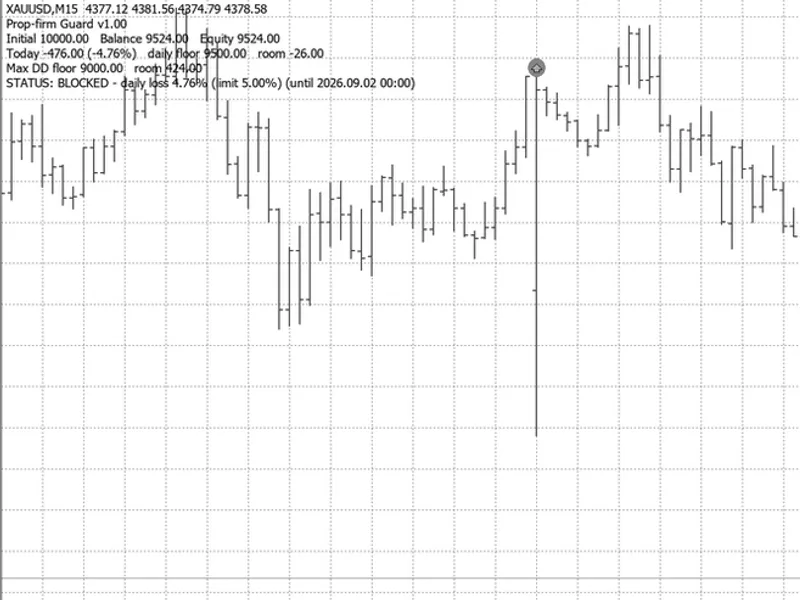
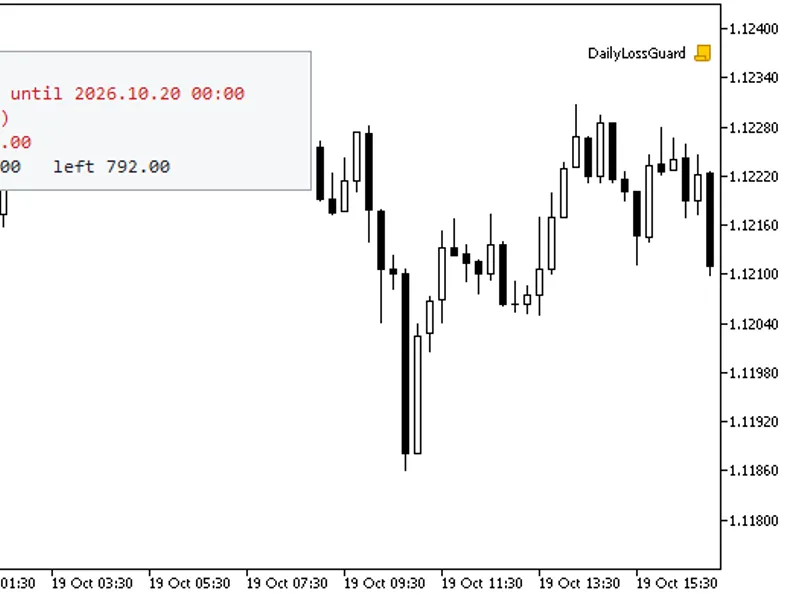
A status panel is displayed on the chart, showing the initial balance, current balance, equity, today's profit and loss, both the daily loss floor and the maximum drawdown floor, and the remaining room before the EA intervenes. A push notification is sent to the MT5 mobile app whenever a limit is breached.
Input Parameters
Input Name
Default Value
Meaning
InpInitBalance
0
Initial balance. A value of 0 means the balance when the EA was first attached will be used.
InpDailyPct
5.0
Maximum daily loss as a percentage. A value of 0 disables this feature.
InpDayBase
Higher of balance/equity
Determines what the daily loss is measured against: balance or the higher of balance and equity.
InpDailyOfInit
true
If true, daily loss is calculated as a percentage of the initial balance; otherwise, it's a percentage of the day base.
InpMaxDDPct
10.0
Maximum drawdown as a percentage of the initial balance. A value of 0 disables this feature.
InpDDMode
Static
Defines the type of drawdown calculation: Static, Trailing Equity, or Trailing Balance.
InpTrailLock
true
If true, the trailing drawdown floor will not drop below the initial balance.
InpTargetPct
0
Profit target as a percentage. A value of 0 disables this feature.
InpTriggerPct
90
The percentage of a limit at which the EA will act (provides a buffer for slippage).
InpResetHour
0
The server hour at which the trading day resets. Default is 0 (midnight server time).
InpFridayHM
0
Specifies the server time (HHMM) to flatten positions on Friday. A value of 0 disables this.
InpDailyHM
0
Specifies the server time (HHMM) to flatten positions daily, before the market break. A value of 0 disables this.
InpDeviation
50
Maximum allowed slippage in points when closing positions.
InpUnblock
false
Set to true to clear a maximum drawdown or profit target block.
InpPanel / InpPush
true
Enables/disables the chart status panel and mobile push notifications.
InpDemoTrades
false
For Strategy Tester only: enables random trades to demonstrate the EA's functionality. In live trading, the EA does not open trades.
Strategy Tester Demonstration
To observe the EA in action, set `InpDemoTrades` to `true` and run the EA in visual mode within the Strategy Tester. The EA will simulate random trades, allowing you to see how it manages trades and blocks the account. Note that in normal live trading, this EA never opens any trades itself.
Test Results (XAUUSD, real ticks, Aug-Oct 2026, $10,000 account, simulated 0.3 lot demo trades)
Static Maximum Drawdown at 10%: Positions were flattened when equity reached 9,097 (trigger level was 9,100).
Trailing Maximum Drawdown: The trailing drawdown closely followed the equity peak, flattening positions when the equity dropped to the trailing floor plus 60 points.
With `InpDailyHM` and `InpFridayHM` enabled: The daily limit was triggered 40 times. In 39 instances, trading was stopped near the 4.5% threshold. One instance slipped to 5.84% due to a news spike.
Important Considerations and Limitations
Please be aware that no EA can guarantee the closure of a position if the market is closed, such as during weekends or market breaks, or during extreme volatility. Market gaps can cause losses to exceed the buffer. In the same test scenario but without `InpDailyHM` and `InpFridayHM` enabled, positions held over breaks or weekends experienced gaps exceeding the defined limits, with losses reaching up to 16%. If your trading strategy does not require holding positions overnight or through market breaks, ensure that `InpDailyHM` and `InpFridayHM` are enabled. Maintain a risk per trade well below the buffer limit. These settings are not suitable for strategies intended to hold trades overnight, as the EA will close them.
This tool should be used as a safety net, not as a primary risk management model. Always verify your prop firm's specific rules, including their definition of the trading day start time and how they calculate equity versus balance, and configure the EA's inputs accordingly to ensure compliance.
You may also like: Account Guard: EA Account Locking for MT5 - excellent alternative for expert users on MetaTrader 5.
Source Code
#property copyright "RobotFX"
#property version   "1.00"
#property description "This code is educational. Feel free to use, modify and upgrade as you wish. Visit ROBOTFX.ORG for professional trading tools"
#include <Trade/Trade.mqh>
enum ENUM_DAY_BASE
  {
   DAY_BALANCE = 0,
   DAY_MAX_BE  = 1
  };
enum ENUM_DD_MODE
.......
⚠ Limitations & Risk Warning
- This tool is provided for educational and testing purposes only.
- Past performance does not guarantee future results.
- Trading involves substantial risk of loss. Use on a demo account first.
- Results may vary depending on market conditions, broker, and settings.
- We recommend thorough backtesting and forward testing before using with real funds.