




asq propguard: real-time prop firm rule monitor for metatrader 5
Info
The asq propguard: real-time prop firm rule monitor for metatrader 5 is a Indicator for MetaTrader 5 that asq propguard is a comprehensive solution for traders participating in prop firm challenges on metatrader 5. it provides real-time monitoring of key performance metrics, ensuring traders stay within the strict rules of their prop firm.
Usage
This tool is typically used for enhancing chart analysis and decision making.
Platform
This Indicator works exclusively on MetaTrader 5 (both build 600+ and newer versions).
Setup
Place the downloaded file in MQL5/Indicators folder via File ? Open Data Folder in MetaTrader 5.
How to Install and Use asq propguard: real-time prop firm rule monitor for metatrader 5
1. Installation: Place your file in the MQL/Indicators folder via "Open Data Folder" and restart your terminal.
2. Loading: Find the indicator in the Navigator, drag it onto your chart, and configure the input parameters in the popup window.
3. Customization: Press Ctrl+I to open the indicator list, select your tool, and click "Properties" to change colors, levels, or visual styles.
4. Updating: Replace the old file in the Indicators folder with the new version and restart the platform to apply changes.
Frequently Asked Questions
Q: Why is my indicator not showing? A: Verify the file is in the MQL/Indicators folder, or try right-clicking the "Indicators" tree in the Navigator and clicking "Refresh."
Q: Do custom indicators slow down the platform? A: Too many complex indicators can impact performance; remove unused ones via the "Indicator List" (Ctrl+I).
Q: Can I use MT4 indicators on MT5? A: No, MQL4 and MQL5 are distinct languages; ensure the indicator is compiled specifically for your platform version.
What this tool does
asq propguard is a comprehensive solution for traders participating in prop firm challenges on metatrader 5.
Typical Use Case
This Indicator excels in automated trading and technical analysis on MetaTrader 5.
Compatible Platform & Setup
This Indicator works on MetaTrader 5. Place the file in the MQL5/Indicators folder and restart the terminal.
Description & Settings
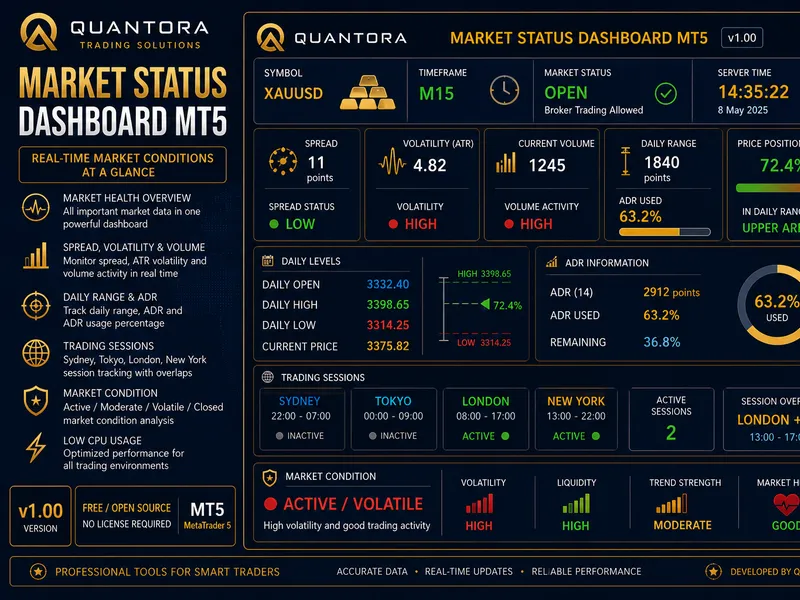
Related: Quantora Market Status Dashboard MT5 - Professional Real-Time Market Analysis Pan - another powerful indicator for MetaTrader 5 traders.
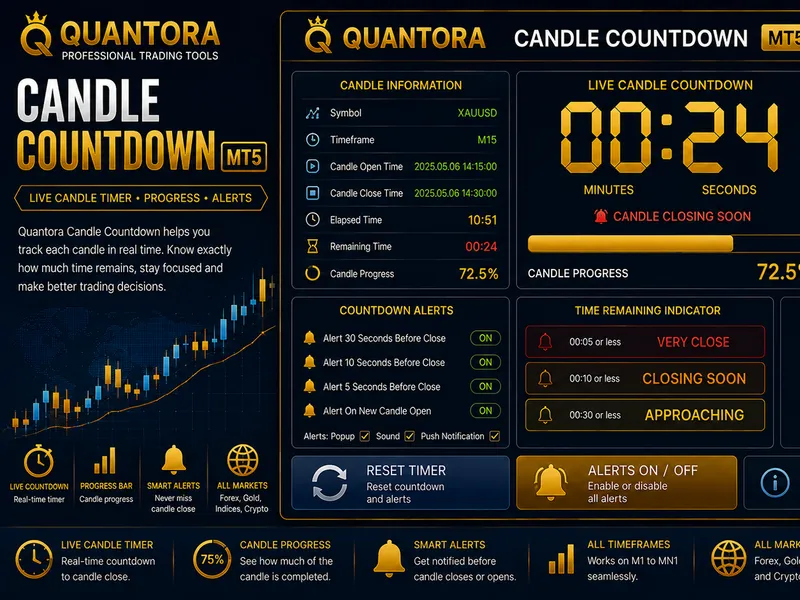
asq propguard is a comprehensive solution for traders participating in prop firm challenges on metatrader 5. it provides real-time monitoring of key performance metrics, ensuring traders stay within the strict rules of their prop firm.Also recommended: Quantora Candle Countdown MT5: Professional Real-Time Candle Timer - similar indicator with strong performance on MetaTrader 5.
features:
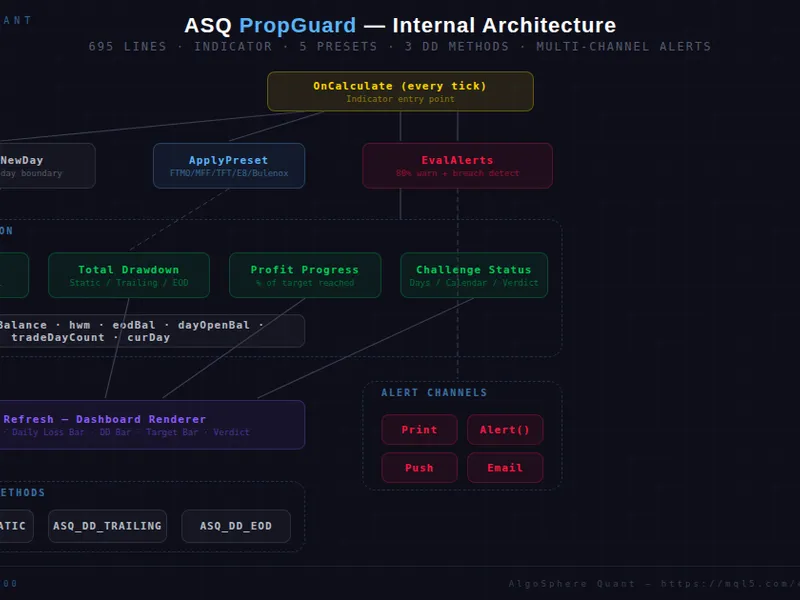
- firm presets: quick configuration for leading prop firms, including ftmo, myfundedfx, the funded trader, e8 funding, and bulenox. each preset sets the daily loss cap, max drawdown, profit target, and more.
- daily loss tracking: monitors session profit and loss against the daily loss cap. the progress bar provides a visual warning as you near the limit, with real-time dollar and percentage values.
- max drawdown monitoring: offers three calculation methods (static, trailing, and end-of-day) to track drawdown accurately, ensuring compliance with prop firm rules.
- profit target progress: displays total profit and loss as a percentage of the target, with a progress bar and remaining amount until the target is achieved.
- challenge status & verdict: tracks trading days, calendar days, and provides a live verdict on your challenge status, including on track, at risk, target hit, passed, and failed.
- multi-channel alerts: keep traders informed.
- configurable day boundary: set the daily reset time to match your broker's server time, accommodating non-standard rollover times.
- live dashboard: a dark-themed overlay with clear progress bars for daily loss, max drawdown, and profit target, updating on every tick.
important notes:
- this is an indicator, not an ea. it provides monitoring and visualization without trade execution.
- set the starting balance to your prop firm account's initial balance for accurate percentage calculations.
usage:
1. place the indicator file in mql5/indicators.
2. compile in metaeditor.
3. attach to any chart.
4. choose a preset or customize rules.
5. set your account starting size.
6. monitor the dashboard and alerts.
files:
- asq_propguard_v2.00.mq5: main indicator source (695 lines)
compatibility:
- metatrader 5 build 4000+
- any symbol, any timeframe
- compatible with eas and manual trading
asq propguard is an essential tool for traders aiming to succeed in prop firm challenges, offering real-time insights and alerts to navigate the complex world of funded trading.
You may also like: Spread Monitor: Analyze Market Spread in Real-Time - excellent alternative for indicator users on MetaTrader 5.
Source Code
#property copyright "robotfx"
#property link "https://robotfx.org"
#property version     "2.00"
#property description "This code is provided AS IS and intended for educational purposes only. Professional trading EAs and indicators - robotfx www.robotfx.org"
#property description "This code is provided AS IS and intended for educational purposes only. Professional trading EAs and indicators - robotfx www.robotfx.org"
#property description "This code is provided AS IS and intended for educational purposes only. Professional trading EAs and indicators - robotfx www.robotfx.org"
#property description "This code is provided AS IS and intended for educational purposes only. Professional trading EAs and indicators - robotfx www.robotfx.org"
#property indicator_chart_window
#property indicator_buffers 0
#property indicator_plots   0
.......
⚠ Limitations & Risk Warning
- This tool is provided for educational and testing purposes only.
- Past performance does not guarantee future results.
- Trading involves substantial risk of loss. Use on a demo account first.
- Results may vary depending on market conditions, broker, and settings.
- We recommend thorough backtesting and forward testing before using with real funds.