
Real Cost XAU Session Cost Snapshot MT5
Info
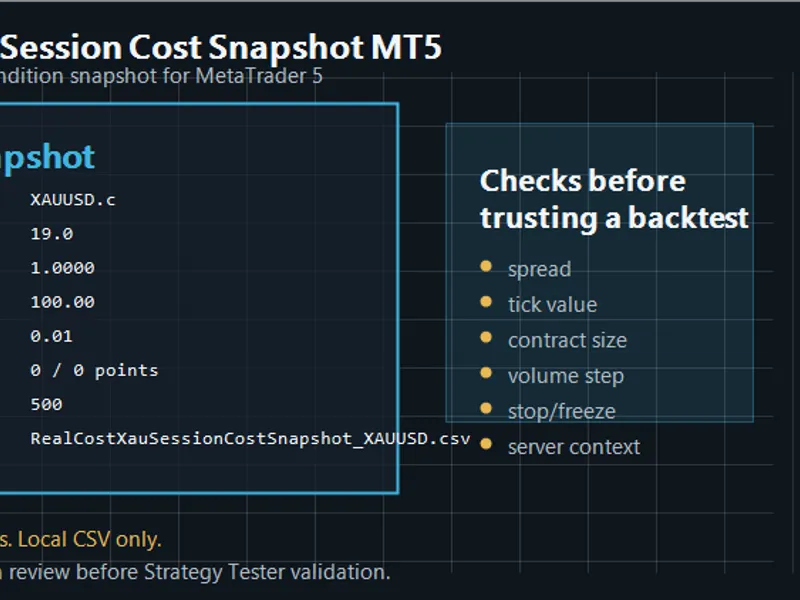
The Real Cost XAU Session Cost Snapshot MT5 is a Script for MetaTrader 5 that real cost xau session cost snapshot mt5 is a small open-source metatrader 5 script for checking the current chart symbol before trusting a backtest. It is useful for XAUUSD, GOLD, and other symbols where broker-specific contract settings can materially affect a short-term EA test.
Usage
This tool is typically used for enhancing chart analysis and decision making.
Platform
This Script works exclusively on MetaTrader 5 (both build 600+ and newer versions).
Setup
Place the downloaded file in MQL5/Scripts folder via File ? Open Data Folder in MetaTrader 5.
How to Install and Use Real Cost XAU Session Cost Snapshot MT5
1. Installation: Move your script file into the MQL/Scripts directory and restart the platform.
2. Execution: Drag the script onto a chart; it will perform a one-time action, such as closing all open orders or clearing chart objects.
3. Editing: Use MetaEditor (F4) to modify code, click "Compile," and verify no errors appear in the terminal before running.
4. Removing: Scripts stop automatically, but you can remove them manually by right-clicking the chart and choosing "Remove Script."
Frequently Asked Questions
Q: How are scripts different from EAs? A: Scripts execute a single action and then stop; EAs monitor the market and trade continuously.
Q: Can I assign a hotkey to a script? A: Yes, right-click the script in the Navigator, select "Set Hotkey," and define your preferred keyboard shortcut.
Q: Why did my script stop? A: Scripts are designed to stop immediately after finishing their programmed command; this is normal behavior.
What this tool does
Real Cost XAU Session Cost Snapshot MT5 is a small open-source MetaTrader 5 script for checking the current chart symbol before trusting a backtest.
Typical Use Case
This Script excels in automated trading and technical analysis on MetaTrader 5.
Compatible Platform & Setup
This Script works on MetaTrader 5. Place the file in the MQL5/Scripts folder and restart the terminal.
Description & Settings
Related: Realized Volatility: Range Volatility Estimators, Realized Variance, and HAR Forecasts - another powerful script for MetaTrader 5 traders.
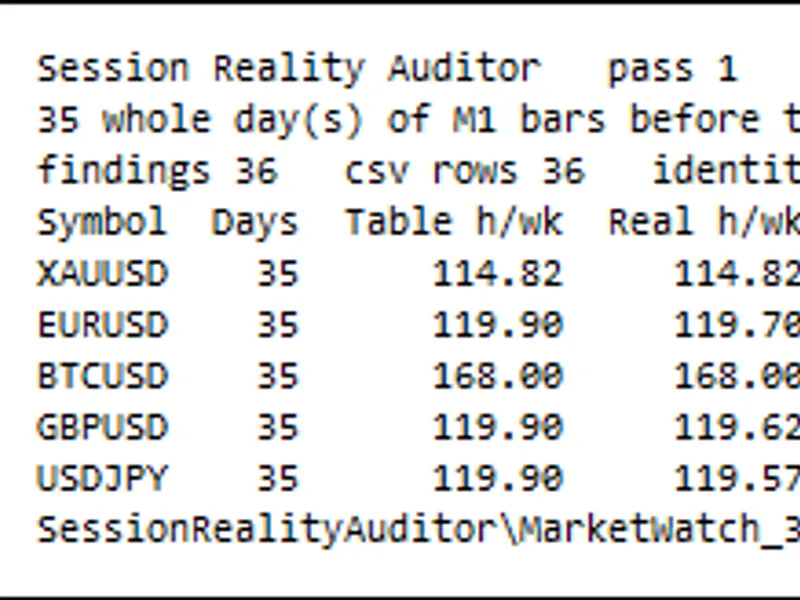
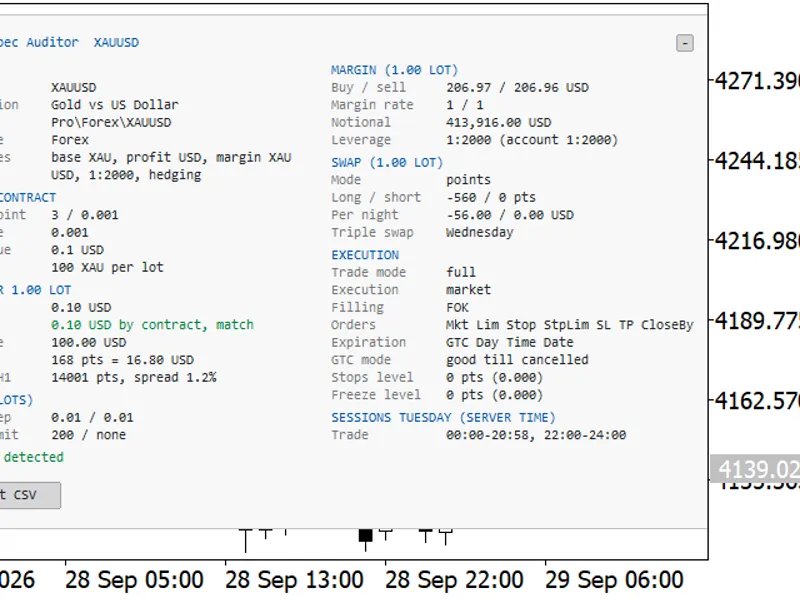
Real Cost XAU Session Cost Snapshot MT5 is a small open-source MetaTrader 5 script for checking the current chart symbol before trusting a backtest. It is useful for XAUUSD, GOLD, and other symbols where broker-specific contract settings can materially affect a short-term EA test. The script prints a compact report and can write a local CSV key/value file with: bid and ask, current spread in points, digits and point size, tick size and tick value, contract size, minimum, maximum, and step lot, stop level and freeze level, long and short swap, trade mode, filling mode, order mode, profit and margin currencies, account balance, equity, currency, and leverage. Why this is useful: XAUUSD and GOLD symbols can differ between brokers. The symbol name, contract size, tick value, volume step, stop level, freeze level, spread, commission assumptions, and server time can all change the meaning of a Strategy Tester result. Before comparing an EA result across brokers, it is useful to record the exact symbol settings. Suggested workflow: Open the broker's XAUUSD or GOLD chart. Run the script. Save the log or CSV output. Compare the values with the symbol used in your Strategy Tester report. Use realistic spread, commission, leverage, and server-time assumptions before trusting the final test. Boundary: This is not a trading robot. It does not open trades, modify orders, close positions, use DLLs, use WebRequest, or provide buy/sell signals. The script records a snapshot only. It does not measure slippage or future spread behavior. For spread distribution over time, use a spread logger and compare the CSV rows across brokers or sessions.Also recommended: Gold Hour Profile: Analyzing Trading Session Volatility and Spread Costs - similar script with strong performance on MetaTrader 5.
You may also like: Tick Audit: Verify Real Tick History and Backtest Quality - excellent alternative for script users on MetaTrader 5.
Source Code
#property copyright "RobotFX"
#property link "https://robotfx.org"
#property version   "1.00"
#property strict
#property script_show_inputs
#property description "This code is educational. Feel free to use, modify and upgrade as you wish. Visit ROBOTFX.ORG for professional trading tools"
input bool   InpWriteCsv             = true;
input bool   InpUseCommonFilesFolder = false;
input string InpFilePrefix           = "RealCostXauSessionCostSnapshot";
input bool   InpShowMessageBox       = true;
.......
⚠ Limitations & Risk Warning
- This tool is provided for educational and testing purposes only.
- Past performance does not guarantee future results.
- Trading involves substantial risk of loss. Use on a demo account first.
- Results may vary depending on market conditions, broker, and settings.
- We recommend thorough backtesting and forward testing before using with real funds.