


Market Session Indicator Lines for Scalping
Info
The Market Session Indicator Lines for Scalping is a Indicator for MetaTrader 5 that overview:market openings and closings significantly influence short-term price movements, making these lines crucial for scalping strategies. This indicator uniquely incorporates all major market times, unlike others that focus solely on larger markets.
Usage
This tool is typically used for scalping on lower timeframes (M1-M15).
Platform
This Indicator works exclusively on MetaTrader 5 (both build 600+ and newer versions).
Setup
Place the downloaded file in MQL5/Indicators folder via File ? Open Data Folder in MetaTrader 5.
How to Install and Use Market Session Indicator Lines for Scalping
1. Installation: Place your file in the MQL/Indicators folder via "Open Data Folder" and restart your terminal.
2. Loading: Find the indicator in the Navigator, drag it onto your chart, and configure the input parameters in the popup window.
3. Customization: Press Ctrl+I to open the indicator list, select your tool, and click "Properties" to change colors, levels, or visual styles.
4. Updating: Replace the old file in the Indicators folder with the new version and restart the platform to apply changes.
Frequently Asked Questions
Q: Why is my indicator not showing? A: Verify the file is in the MQL/Indicators folder, or try right-clicking the "Indicators" tree in the Navigator and clicking "Refresh."
Q: Do custom indicators slow down the platform? A: Too many complex indicators can impact performance; remove unused ones via the "Indicator List" (Ctrl+I).
Q: Can I use MT4 indicators on MT5? A: No, MQL4 and MQL5 are distinct languages; ensure the indicator is compiled specifically for your platform version.
What this tool does
Overview:Market openings and closings significantly influence short-term price movements, making these lines crucial for scalping strategies.
Typical Use Case
This Indicator excels in automated trading and technical analysis on MetaTrader 5.
Compatible Platform & Setup
This Indicator works on MetaTrader 5. Place the file in the MQL5/Indicators folder and restart the terminal.
Description & Settings
Related: Session Boxes Asia London New York - another powerful indicator for MetaTrader 5 traders.
Overview:Market openings and closings significantly influence short-term price movements, making these lines crucial for scalping strategies. This indicator uniquely incorporates all major market times, unlike others that focus solely on larger markets.
Also recommended: Accurate Broker Time Zones and Session Lines for MT4/MT5 - similar indicator with strong performance on MetaTrader 5.
Indicator Functionality
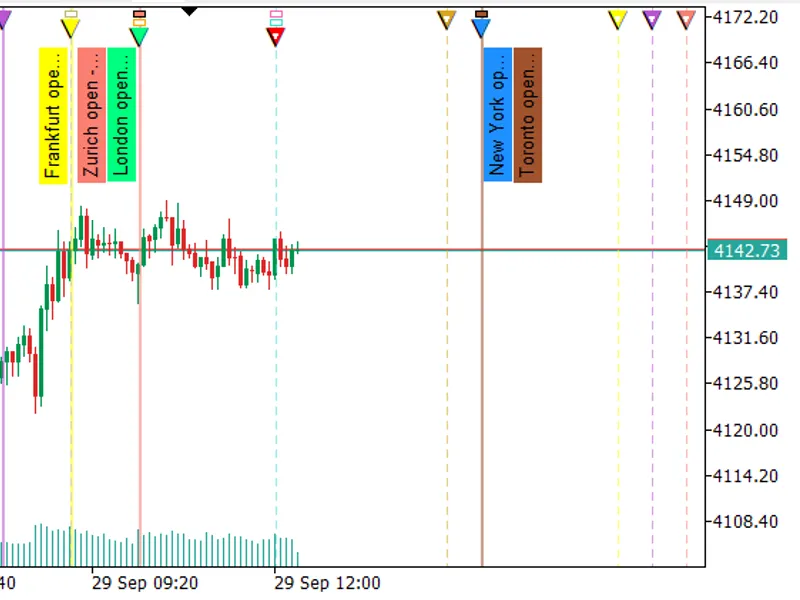
Market Session Pro+ (v2.00) is a chart indicator that displays the opening and closing times of major global markets directly on your chart. It supports 12 predefined markets: New York, Shanghai, Euronext, Tokyo, Shenzhen, Mumbai, Hong Kong, London, Toronto, Zurich, Frankfurt, and Sydney. Additionally, it allows for two custom markets with user-defined times, colors, and Daylight Saving Time (DST) rules.
Time Management
Session times are configured in UTC. Each market includes a ± hour adjustment. With Auto DST enabled, the indicator applies the correct DST rule for each market: US for New York and Toronto, EU for London, Euronext, Frankfurt, and Zurich, and Australian for Sydney. The broker's GMT offset is automatically detected or can be set manually, with minute-level fine-tuning. Countdowns are synchronized with the server clock to ensure accurate line placement on the chart. Weekend sessions can be excluded, and sessions spanning midnight are correctly handled.
On-Chart Display
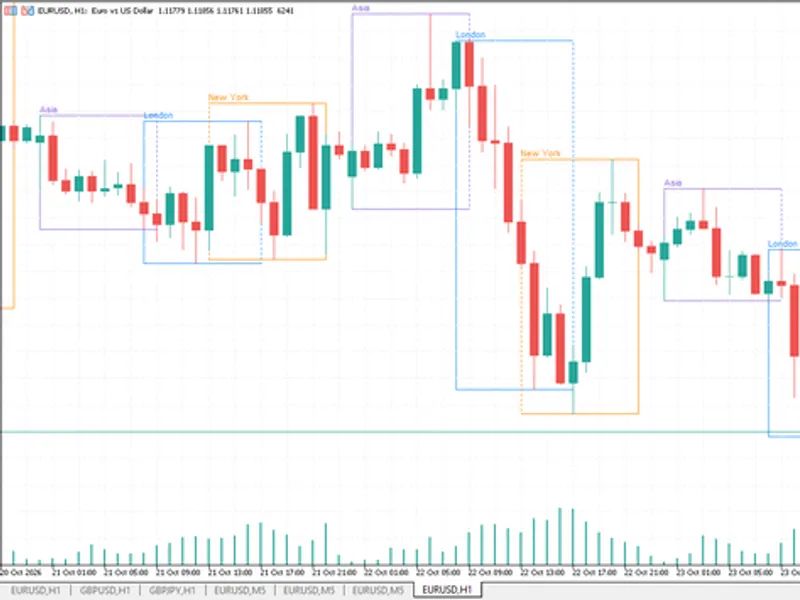
Each session is represented by a vertical open line and an optional close line, with customizable width, style, and color. Lines can be set to semi-transparent, allowing underlying candlestick patterns to remain visible. Open lines can snap to the first bar at or after the designated open time. Optional session boxes provide a lighter shade of the market's color and can be set to overlap or align in separate bands. Sessions are displayed historically up to 90 days by default, and only the next upcoming session for each market is shown in the future. Small triangle and rectangle markers at the chart edge indicate opens (filled) and closes (ring), stacking when multiple markets share an opening or closing time. Optional labels can display the market name, the countdown to the next open or close, and the session times in [HH:MM–HH:MM] format. These labels can be positioned at the top or bottom and oriented horizontally or vertically. Hovering over a line reveals a tooltip, for example, "New York OPEN (09.29 13:00–22:00)".
Information Panel and Controls
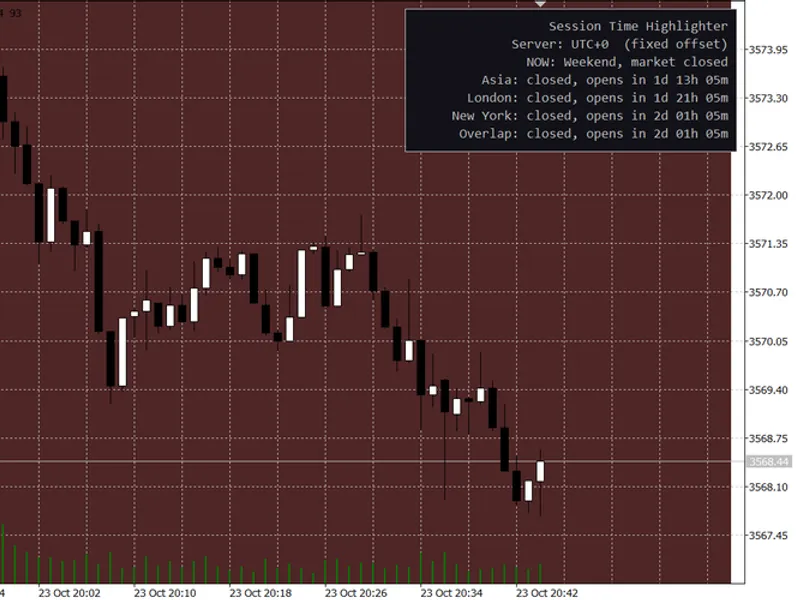
The information panel lists each market with its corresponding color stripe and a live countdown indicating "Opens in…" or "Closes in…". Active markets are highlighted with a green row, and the list is sorted by active markets first, followed by those opening soonest. Six clickable buttons above and below the panel control the visibility and appearance of labels, label positions, text orientation, close lines, boxes, and time tags. The state of these controls persists across different timeframes. The panel's size can be adjusted by dragging its corner handle.
Chart Configuration
The indicator can optionally switch the chart to a white, grid-free color scheme and reverts to the original appearance upon removal. Upon initial application, it automatically sets the chart to the M5 timeframe and adjusts the zoom level. It also adds 25% open space to the right of the chart to accommodate upcoming sessions.
You may also like: Session Time Highlighter for MT4/MT5 - excellent alternative for indicator users on MetaTrader 5.
Source Code
#property copyright "RobotFX"
#property link "https://robotfx.org"
#property version     "2.00"
#property description "This code is educational. Feel free to use, modify and upgrade as you wish. Visit ROBOTFX.ORG for professional trading tools"
#property indicator_chart_window
#property indicator_plots   0
#property indicator_buffers 0
#include <Canvas\Canvas.mqh>
#define MS_COUNT 14
#define PFX      "MSI_"
.......
⚠ Limitations & Risk Warning
- This tool is provided for educational and testing purposes only.
- Past performance does not guarantee future results.
- Trading involves substantial risk of loss. Use on a demo account first.
- Results may vary depending on market conditions, broker, and settings.
- We recommend thorough backtesting and forward testing before using with real funds.