








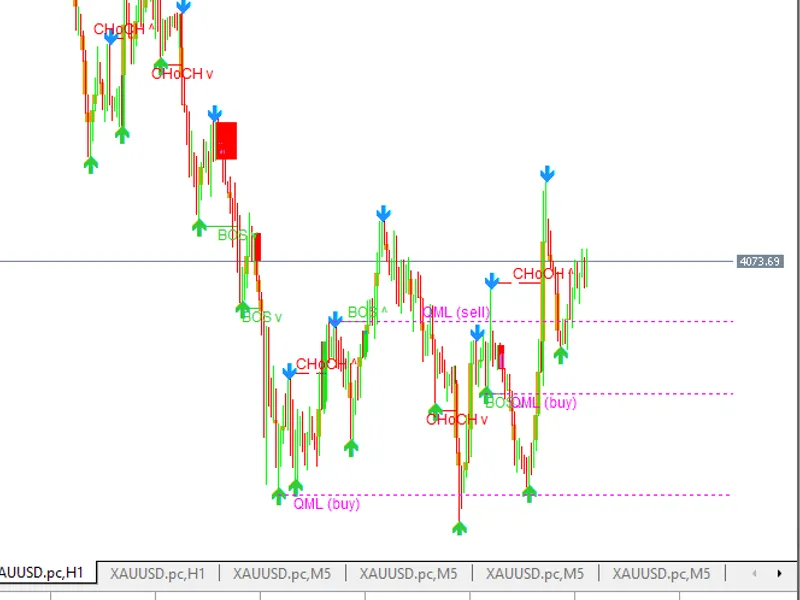
ex machina smart money concepts
Info
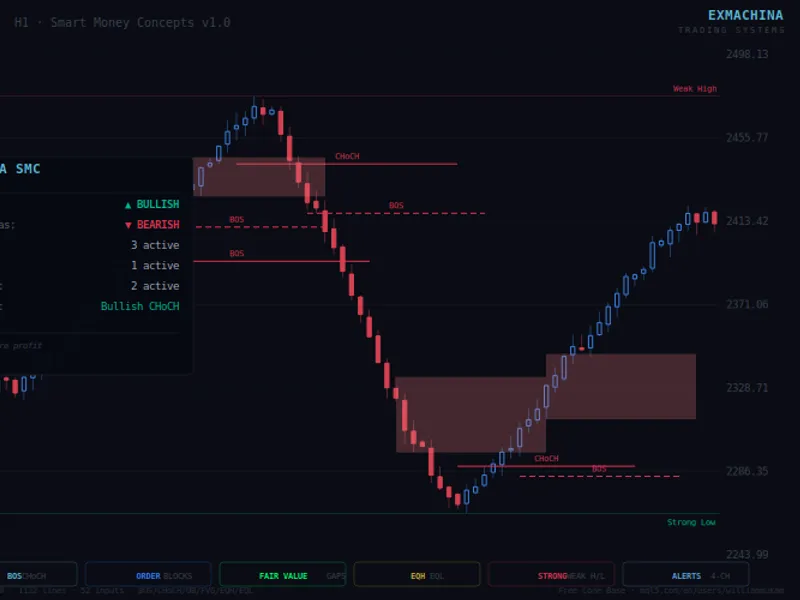
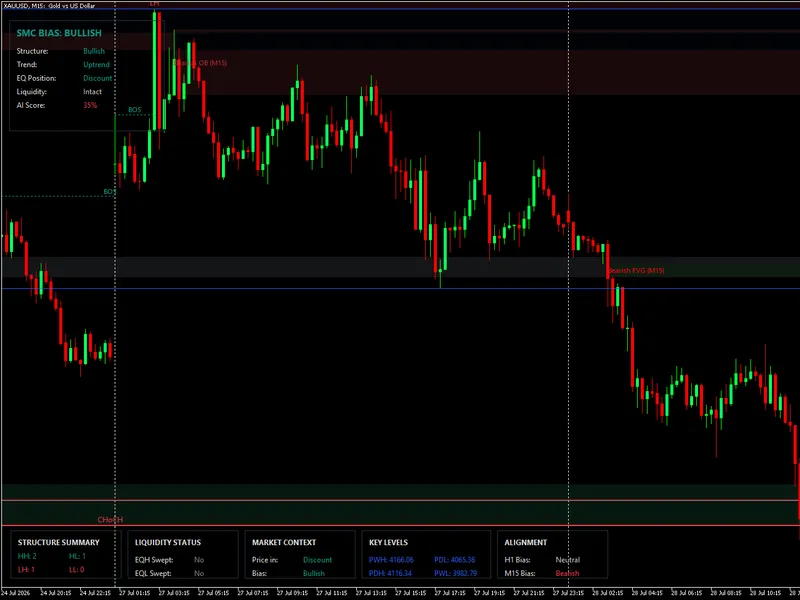
The ex machina smart money concepts is a Indicator for MetaTrader 5 that exmachina smart money concepts v1. 0this comprehensive indicator for metatrader 5 is part of the exmachina trading systems free code base collection, offering a complete implementation of the smart money concepts (ict methodology).
Usage
This tool is typically used for enhancing chart analysis and decision making.
Platform
This Indicator works exclusively on MetaTrader 5 (both build 600+ and newer versions).
Setup
Place the downloaded file in MQL5/Indicators folder via File ? Open Data Folder in MetaTrader 5.
How to Install and Use ex machina smart money concepts
1. Installation: Place your file in the MQL/Indicators folder via "Open Data Folder" and restart your terminal.
2. Loading: Find the indicator in the Navigator, drag it onto your chart, and configure the input parameters in the popup window.
3. Customization: Press Ctrl+I to open the indicator list, select your tool, and click "Properties" to change colors, levels, or visual styles.
4. Updating: Replace the old file in the Indicators folder with the new version and restart the platform to apply changes.
Frequently Asked Questions
Q: Why is my indicator not showing? A: Verify the file is in the MQL/Indicators folder, or try right-clicking the "Indicators" tree in the Navigator and clicking "Refresh."
Q: Do custom indicators slow down the platform? A: Too many complex indicators can impact performance; remove unused ones via the "Indicator List" (Ctrl+I).
Q: Can I use MT4 indicators on MT5? A: No, MQL4 and MQL5 are distinct languages; ensure the indicator is compiled specifically for your platform version.
What this tool does
exmachina smart money concepts v1.
Typical Use Case
This Indicator excels in automated trading and technical analysis on MetaTrader 5.
Compatible Platform & Setup
This Indicator works on MetaTrader 5. Place the file in the MQL5/Indicators folder and restart the terminal.
Description & Settings
Related: Sniper Gold SMC Pro Plus: Institutional Smart Money Concepts Indicator for MT5 - another powerful indicator for MetaTrader 5 traders.
exmachina smart money concepts v1.0Also recommended: Smart Trend Score Indicator for MetaTrader 5 - similar indicator with strong performance on MetaTrader 5.
this comprehensive indicator for metatrader 5 is part of the exmachina trading systems free code base collection, offering a complete implementation of the smart money concepts (ict methodology).
core features
structure detection (bos / choch)
- detects internal and swing structures with customizable pivot lengths (default: 5 and 50).
- bull/bear filters: display all, bos only, or choch only.
- confluence filter removes insignificant internal breakouts.
- dashed lines for internal structures and solid lines for swing structures, with midpoint labels.
order blocks
- identifies internal and swing order blocks at structure breaks.
- automatically detects extreme candles for supply/demand zones.
- configurable mitigation: by close or by high/low.
- live rectangles extend to the current bar and are auto-removed upon mitigation.
- tracks up to 100 obs internally, with a configurable display count (1-20).
fair value gaps (fvg)
- standard 3-candle gap detection with auto threshold filter based on body percentage.
- two-tone box display for filled and unfilled gaps.
- automatic mitigation when price fills the gap.
- configurable extend bars.
equal highs / equal lows (eqh/eql)
- atr-based threshold detection with configurable sensitivity (0 to 0.5).
- dotted lines connect equal levels with labels.
strong/weak high/low
- trailing swing extremes with dynamic labels based on swing bias.
- extends 20 bars into the future.
premium / discount / equilibrium zones
- three zones based on trailing swing range: premium (top 5%), equilibrium (middle 5%), and discount (bottom 5%).
- semi-transparent rectangle display.
dashboard
- displays swing bias, internal bias, active ob count, active fvg count, and last signal.
- utilizes the full exmachina steel theme with dark background, consolas font, and accent colors.
architecture
4 custom structs (spivot, sorderblock, sfairvaluegap, strailing)
object-based rendering (obj_trend, obj_rectangle, obj_text)
no external dependencies or icustom calls.
atr(200) via iatr handle for volatility measurement.
1,334 lines of code, with 53 inputs organized into 9 groups:
general: mode (historical/present), style (colored/monochrome), color candles
internal structure: show, bull/bear filter, pivot length, confluence, colors
swing structure: show, bull/bear filter, pivot length, swing points, strong/weak, colors
order blocks: internal/swing on/off, max count, mitigation method, 4 color inputs
equal highs/lows: show, confirmation bars, threshold
fair value gaps: show, auto threshold, extend bars, colors
premium/discount: show
dashboard: show, position, font size
compatible with all symbols and timeframes. this is an original implementation, not a port.
tags: smart money concepts, smc, ict, bos, choch, order blocks, fair value gaps, fvg, equal highs, equal lows, eqh, eql, premium, discount, structure, swing, internal, trend, dashboard, alerts, free, forex, gold, xauusd
category: technical indicators
subcategory: trend indicators
You may also like: Smart Money Concepts Market Structure Indicator for MT5 - excellent alternative for indicator users on MetaTrader 5.
Source Code
#property copyright "robotfx"
#property link "https://robotfx.org"
#property version     "1.00"
#property description "This code is provided AS IS and intended for educational purposes only. Professional trading EAs and indicators - robotfx www.robotfx.org"
#property description "This code is provided AS IS and intended for educational purposes only. Professional trading EAs and indicators - robotfx www.robotfx.org"
#property description "This code is provided AS IS and intended for educational purposes only. Professional trading EAs and indicators - robotfx www.robotfx.org"
#property description "This code is provided AS IS and intended for educational purposes only. Professional trading EAs and indicators - robotfx www.robotfx.org"
#property description "This code is provided AS IS and intended for educational purposes only. Professional trading EAs and indicators - robotfx www.robotfx.org"
#property indicator_chart_window
#property indicator_buffers 5
.......
⚠ Limitations & Risk Warning
- This tool is provided for educational and testing purposes only.
- Past performance does not guarantee future results.
- Trading involves substantial risk of loss. Use on a demo account first.
- Results may vary depending on market conditions, broker, and settings.
- We recommend thorough backtesting and forward testing before using with real funds.