




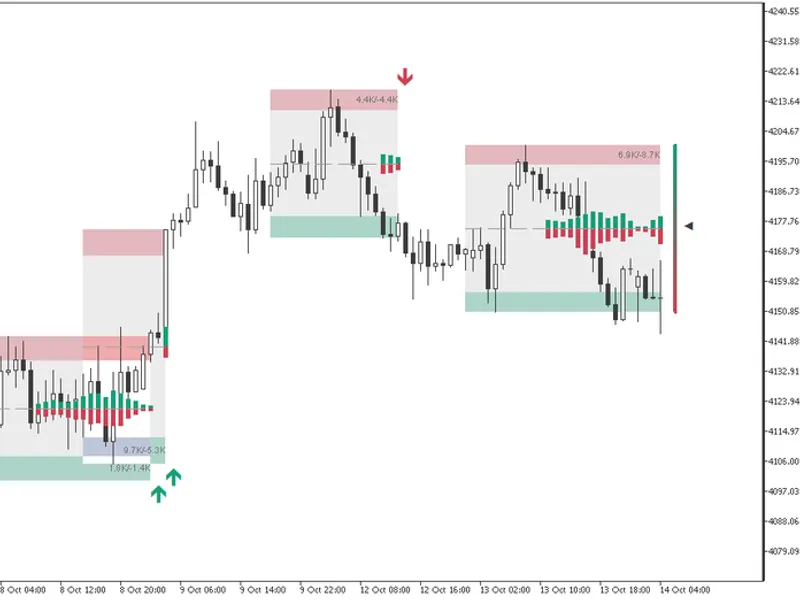
Channel Breakout Dashboard
Info
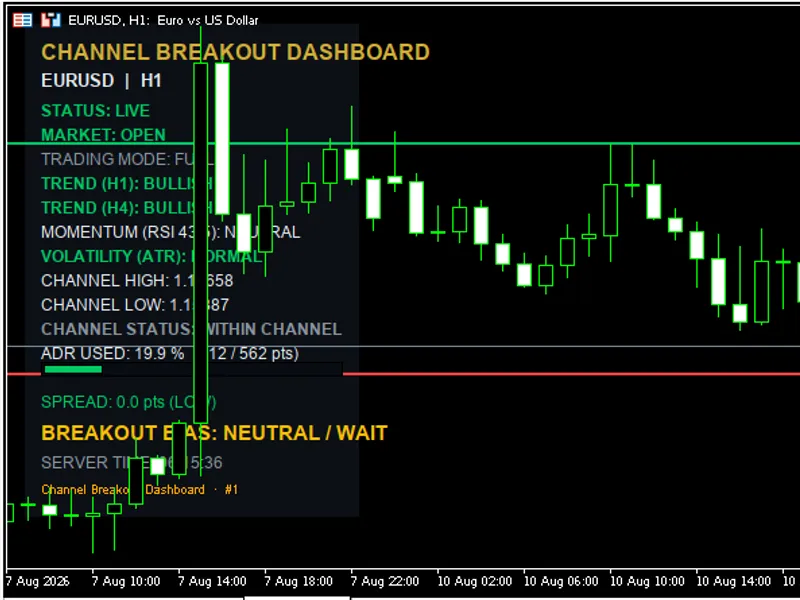
The Channel Breakout Dashboard is a Indicator for MetaTrader 5 that channel breakout dashboard is an informational panel that runs on the metatrader 5 chart and centralizes several market conditions in one place, including trend, momentum, volatility, price channel, and breakout status, as well as current spread and a combined bias score. This information updates automatically at a configurable interval.
Usage
This tool is typically used for breakout trading when price moves beyond key support/resistance levels.
Platform
This Indicator works exclusively on MetaTrader 5 (both build 600+ and newer versions).
Setup
Place the downloaded file in MQL5/Indicators folder via File ? Open Data Folder in MetaTrader 5.
How to Install and Use Channel Breakout Dashboard
1. Installation: Place your file in the MQL/Indicators folder via "Open Data Folder" and restart your terminal.
2. Loading: Find the indicator in the Navigator, drag it onto your chart, and configure the input parameters in the popup window.
3. Customization: Press Ctrl+I to open the indicator list, select your tool, and click "Properties" to change colors, levels, or visual styles.
4. Updating: Replace the old file in the Indicators folder with the new version and restart the platform to apply changes.
Frequently Asked Questions
Q: Why is my indicator not showing? A: Verify the file is in the MQL/Indicators folder, or try right-clicking the "Indicators" tree in the Navigator and clicking "Refresh."
Q: Do custom indicators slow down the platform? A: Too many complex indicators can impact performance; remove unused ones via the "Indicator List" (Ctrl+I).
Q: Can I use MT4 indicators on MT5? A: No, MQL4 and MQL5 are distinct languages; ensure the indicator is compiled specifically for your platform version.
What this tool does
Channel Breakout Dashboard is an informational panel that runs on the MetaTrader 5 chart and centralizes several market conditions in one place, including trend, momentum, volatility, price channel, and breakout status, as well as current spread and a combined bias score.
Typical Use Case
This Indicator excels in automated trading and technical analysis on MetaTrader 5.
Compatible Platform & Setup
This Indicator works on MetaTrader 5. Place the file in the MQL5/Indicators folder and restart the terminal.
Description & Settings
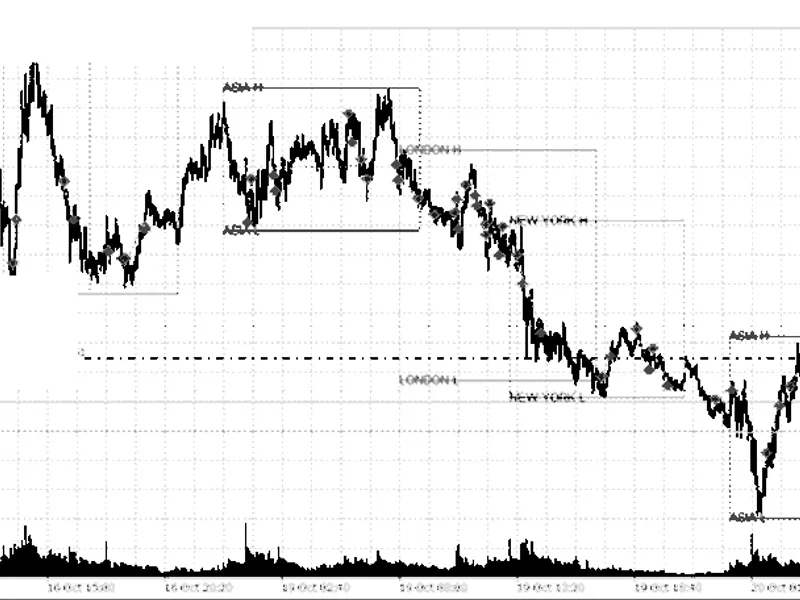
Related: Session Range Breakout: Asia, London, and New York High/Low Levels - another powerful indicator for MetaTrader 5 traders.
Channel Breakout Dashboard is an informational panel that runs on the MetaTrader 5 chart and centralizes several market conditions in one place, including trend, momentum, volatility, price channel, and breakout status, as well as current spread and a combined bias score. This information updates automatically at a configurable interval.Also recommended: Failed Breakout Detector: Identifying Trapped Traders - similar indicator with strong performance on MetaTrader 5.
The dashboard helps reduce analysis time by providing all necessary information in one place, filters false signals by combining several factors before indicating a buy or sell setup, and manages spread risk by showing the live spread directly. It also provides volatility and Average Daily Range context to help avoid opening positions when the day has already consumed a high percentage of the ADR, and to set realistic take-profit levels.
The Channel Breakout Dashboard works on any symbol and multiple instances can be run without conflicts. It is robust on incomplete data and keeps working with available data, explicitly flagging limited history instead of freezing or throwing errors.
The dashboard has several input parameters that can be adjusted to suit individual needs, including instance ID, panel display settings, Bloomberg color theme, trend settings, momentum settings, volatility settings, channel and swing range settings, daily range settings, spread thresholds, and refresh interval.
Several real-trading methods can be used with this dashboard, including HTF trend plus channel breakout confluence, volatility filter for breakouts, risk management with ADR, spread-based execution filter, trading on the combined bias score, and RSI vs. trend divergence for mean-reversion. These methods can help traders make more informed decisions and avoid low-quality trades.
Some of the key features of the Channel Breakout Dashboard include:
- Reduces analysis time by providing all necessary information in one place
- Filters false signals by combining several factors before indicating a buy or sell setup
- Manages spread risk by showing the live spread directly
- Provides volatility and Average Daily Range context to help avoid opening positions when the day has already consumed a high percentage of the ADR
- Works on any symbol and multiple instances can be run without conflicts
- Robust on incomplete data and keeps working with available data, explicitly flagging limited history instead of freezing or throwing errors.
The Channel Breakout Dashboard is a useful tool for traders who want to make more informed decisions and avoid low-quality trades. It provides a comprehensive overview of market conditions and can be adjusted to suit individual needs.
You may also like: Compression Breakout Channels with Buy and Sell Volume Analysis - excellent alternative for indicator users on MetaTrader 5.
Source Code
#property copyright "RobotFX"
#property link "https://robotfx.org"
#property version     "1.60"
#property indicator_chart_window
#property indicator_plots 0
enum ENUM_BG_THEME
  {
   BG_THEME_BLOOMBERG,
   BG_THEME_BLOOMBERG_DEEP,
   BG_THEME_BLOOMBERG_NAVY,
.......
⚠ Limitations & Risk Warning
- This tool is provided for educational and testing purposes only.
- Past performance does not guarantee future results.
- Trading involves substantial risk of loss. Use on a demo account first.
- Results may vary depending on market conditions, broker, and settings.
- We recommend thorough backtesting and forward testing before using with real funds.