




Asian Session Breakout
Info
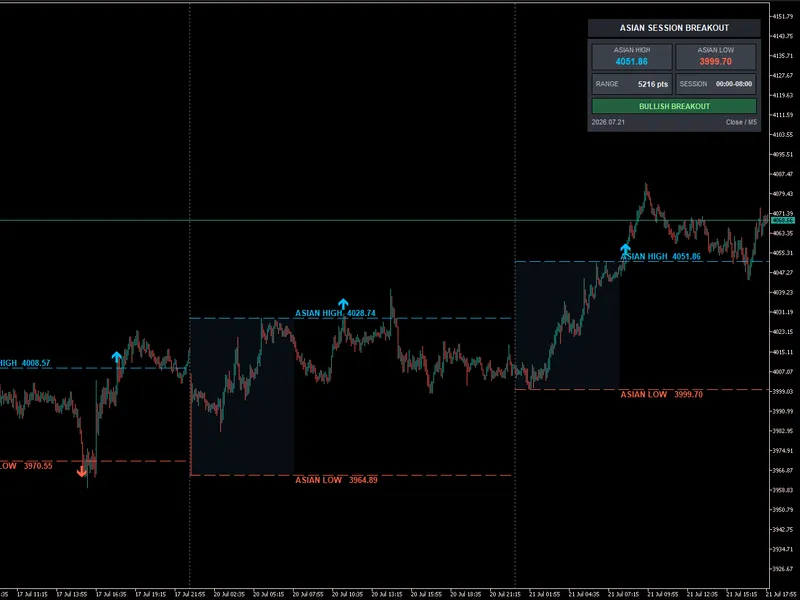
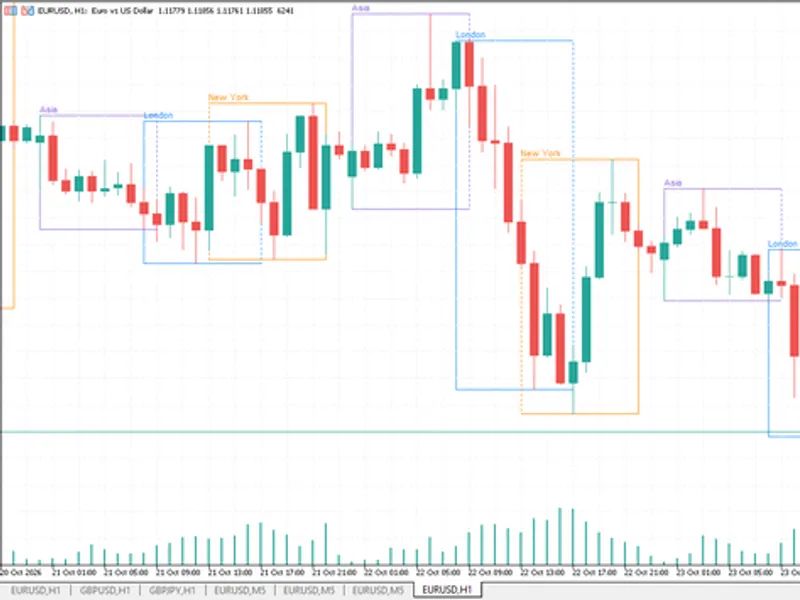
The Asian Session Breakout is a Indicator for MetaTrader 5 that during the configured asian session, the indicator continuously calculates the highest and lowest traded prices. The dashboard displays the session status and the range once the session ends.
Usage
This tool is typically used for breakout trading when price moves beyond key support/resistance levels.
Platform
This Indicator works exclusively on MetaTrader 5 (both build 600+ and newer versions).
Setup
Place the downloaded file in MQL5/Indicators folder via File ? Open Data Folder in MetaTrader 5.
How to Install and Use Asian Session Breakout
1. Installation: Place your file in the MQL/Indicators folder via "Open Data Folder" and restart your terminal.
2. Loading: Find the indicator in the Navigator, drag it onto your chart, and configure the input parameters in the popup window.
3. Customization: Press Ctrl+I to open the indicator list, select your tool, and click "Properties" to change colors, levels, or visual styles.
4. Updating: Replace the old file in the Indicators folder with the new version and restart the platform to apply changes.
Frequently Asked Questions
Q: Why is my indicator not showing? A: Verify the file is in the MQL/Indicators folder, or try right-clicking the "Indicators" tree in the Navigator and clicking "Refresh."
Q: Do custom indicators slow down the platform? A: Too many complex indicators can impact performance; remove unused ones via the "Indicator List" (Ctrl+I).
Q: Can I use MT4 indicators on MT5? A: No, MQL4 and MQL5 are distinct languages; ensure the indicator is compiled specifically for your platform version.
What this tool does
During the configured Asian session, the indicator continuously calculates the highest and lowest traded prices.
Typical Use Case
This Indicator excels in automated trading and technical analysis on MetaTrader 5.
Compatible Platform & Setup
This Indicator works on MetaTrader 5. Place the file in the MQL5/Indicators folder and restart the terminal.
Description & Settings
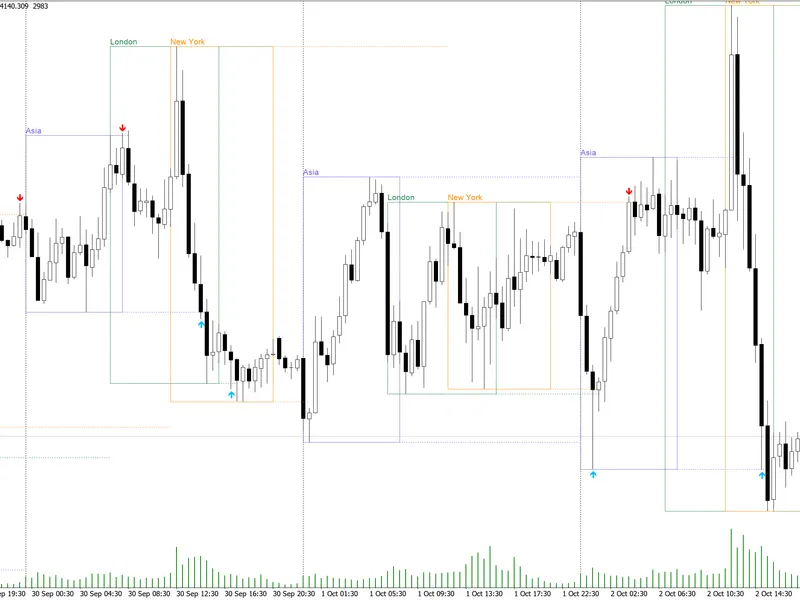
Related: Trading Session Boxes Indicator for MT4/MT5 - another powerful indicator for MetaTrader 5 traders.
During the configured Asian session, the indicator continuously calculates the highest and lowest traded prices.Also recommended: Accurate Broker Time Zones and Session Lines for MT4/MT5 - similar indicator with strong performance on MetaTrader 5.
The dashboard displays the session status and the range once the session ends. The range is fixed for that day and can be used to identify potential breakouts.
After the Asian session ends, the dashboard displays one of the following conditions:
- Range Intact: neither side has been broken.
- Bullish Breakout: price has broken above the Asian High.
- Bearish Breakout: price has broken below the Asian Low.
- Bullish Then Bearish: the high was broken first, followed by the low.
- Bearish Then Bullish: the low was broken first, followed by the high.
- Both Sides Broken: both range boundaries were broken.
The breakout can be confirmed using either closed-candle confirmation or wick confirmation.
Closed-candle confirmation is preferable for most trading conditions, as it filters some temporary wick penetrations and false breakouts.
The indicator can be used on intraday markets that trade during both the Asian session and the later European or US sessions, including Forex, Gold, Stock indices, and Cryptocurrency.
Recommended timeframes include M15, M5, M30, and H1, each with its own advantages and disadvantages.
To use the indicator, configure the session time, wait for the session to complete, observe the post-session breakout, and avoid chasing an extended candle.
For a bullish breakout trade, enter after a completed candle closes above the Asian High, and for a bearish breakout trade, enter after a completed candle closes below the Asian Low.
Stop-loss placement and take-profit targets should be determined based on the specific trading strategy and market conditions.
Additional confirmation filters, such as higher-timeframe trend, breakout candle quality, retest confirmation, and news filter, can be used to increase the reliability of the breakout signal.
It is also important to avoid or reduce risk in certain situations, such as when the Asian range is unusually wide, the breakout candle is excessively large, or the signal conflicts with the higher-timeframe trend.
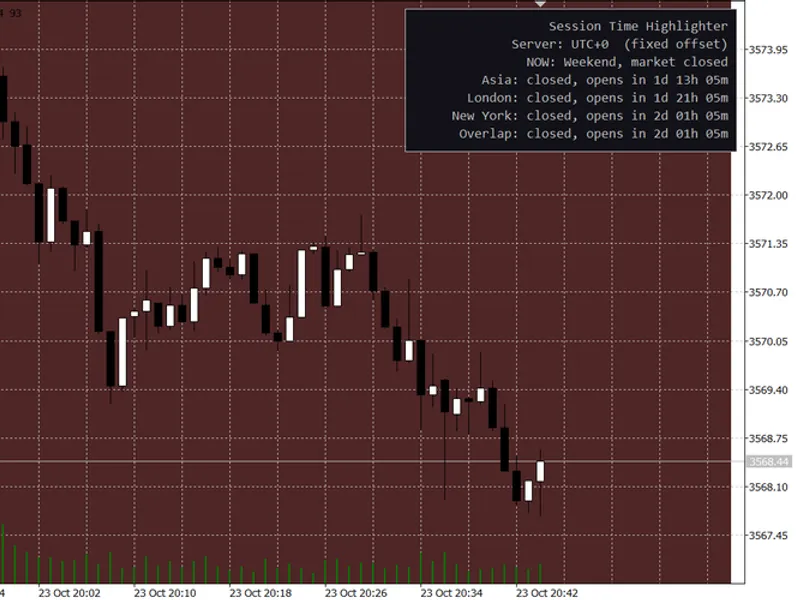
You may also like: Session Time Highlighter for MT4/MT5 - excellent alternative for indicator users on MetaTrader 5.
Source Code
#property copyright "RobotFX"
#property version   "1.0"
#property strict
#property description "This code is educational. Feel free to use, modify and upgrade as you wish. Visit ROBOTFX.ORG for professional trading tools"
#property indicator_chart_window
#property indicator_buffers 0
#property indicator_plots   0
enum ENUM_BCL_BREAKOUT_MODE
  {
   BCL_BREAKOUT_BY_CLOSE = 0,
.......
⚠ Limitations & Risk Warning
- This tool is provided for educational and testing purposes only.
- Past performance does not guarantee future results.
- Trading involves substantial risk of loss. Use on a demo account first.
- Results may vary depending on market conditions, broker, and settings.
- We recommend thorough backtesting and forward testing before using with real funds.