


One-Click Trade Manager: Risk-Based Lot Sizing with Integrated Entry, Stop, and Target
Info
The One-Click Trade Manager: Risk-Based Lot Sizing with Integrated Entry, Stop, and Target is a Expert Advisor for MetaTrader 5 that many manual trading errors stem from calculation mistakes rather than analytical shortcomings. Traders may misjudge lot size, set a wider stop loss than intended, or inadvertently turn a 1% risk trade into a 4% one.
Usage
This tool is typically used for automated trading on major forex pairs and gold.
Platform
This Expert Advisor works exclusively on MetaTrader 5 (both build 600+ and newer versions).
Setup
Place the downloaded file in MQL5/Experts folder via File ? Open Data Folder in MetaTrader 5.
How to Install and Use One-Click Trade Manager: Risk-Based Lot Sizing with Integrated Entry, Stop, and Target
1. Installation: Open the "File" menu, select "Open Data Folder," navigate to MQL/Experts, paste your file, and restart the terminal.
2. Activation: Drag the EA from the Navigator onto a chart, ensure "Allow live trading" is checked in the Common tab, and verify the AutoTrading button is green.
3. Optimization: Right-click your chart, choose "Expert List," click "Properties" to adjust inputs, and save your preferred setup as a set file for future use.
4. Maintenance: Regularly check the "Experts" tab in the terminal window to monitor trade logs and potential execution errors.
Frequently Asked Questions
Q: Why is my EA not opening trades? A: Check the "AutoTrading" button, ensure "Allow live trading" is enabled, and verify your broker allows automated trading on your account type.
Q: Can I run multiple EAs on one chart? A: No, each chart can only host one active EA; however, you can open multiple charts for different currency pairs to run several EAs.
Q: What does the "smiley face" icon mean? A: A smiley face in the top-right corner of the chart indicates the EA is successfully running; a frowny face means it is disabled.
What this tool does
Many manual trading errors stem from calculation mistakes rather than analytical shortcomings.
Typical Use Case
This Expert Advisor excels in automated trading and technical analysis on MetaTrader 5.
Compatible Platform & Setup
This Expert Advisor works on MetaTrader 5. Place the file in the MQL5/Experts folder and restart the terminal.
Description & Settings
Related: Tick Scalper Helper: Tick Chart and One-Click Trading Panel for MT5 - another powerful expert for MetaTrader 5 traders.
Many manual trading errors stem from calculation mistakes rather than analytical shortcomings. Traders may misjudge lot size, set a wider stop loss than intended, or inadvertently turn a 1% risk trade into a 4% one.Also recommended: Partial Close Multi TP Manager for MetaTrader 5 - similar expert with strong performance on MetaTrader 5.
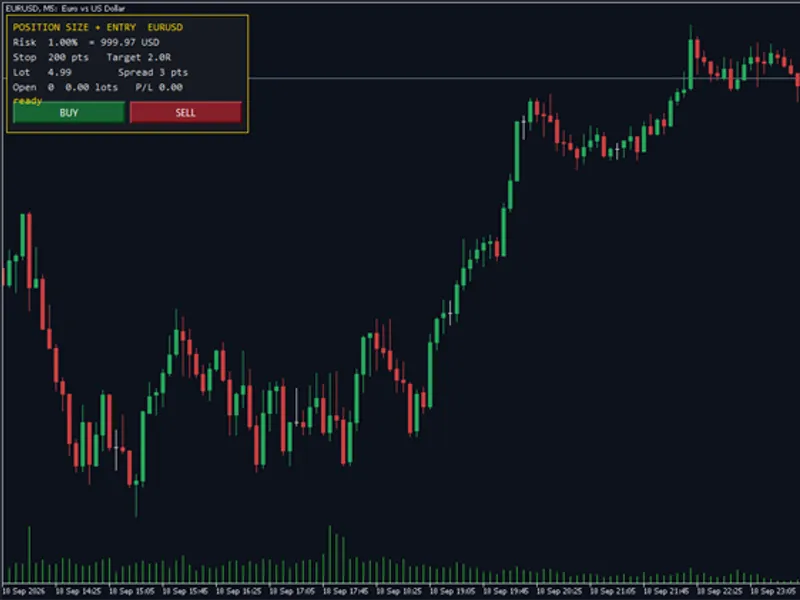
This panel is designed solely to perform these necessary calculations. Every order is initiated by a user-initiated button press; the panel never opens trades automatically.
Panel Features:
- Displays your risk percentage and its equivalent value in account currency.
- Shows the stop distance, configurable in points or derived from ATR (Average True Range).
- Calculates the precise lot size required to match the specified risk and stop distance.
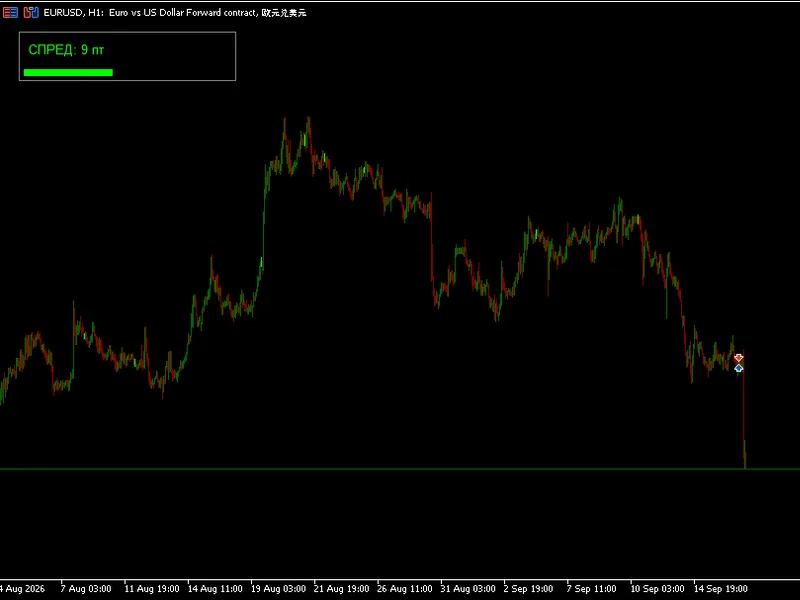
- Indicates the current spread, open volume, and floating profit/loss.
Trading Buttons:
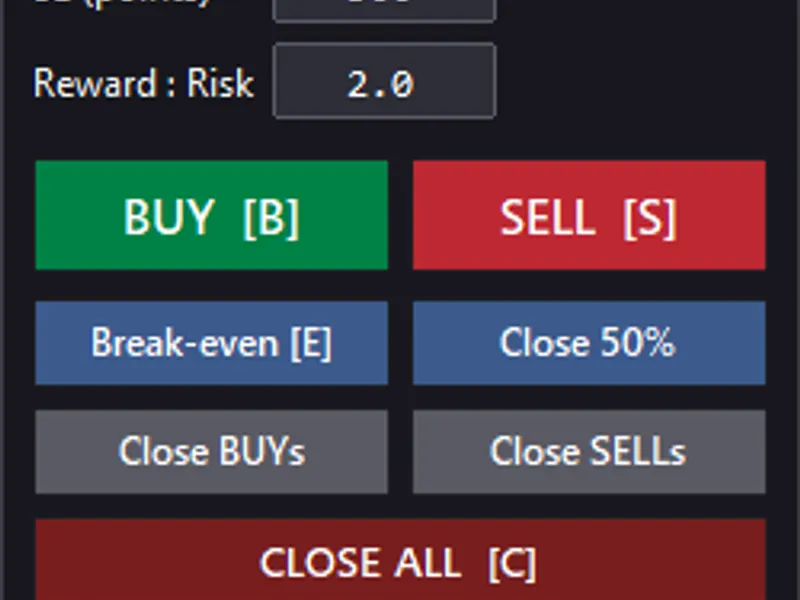
- BUY / SELL: Executes market orders with predefined stop loss and take profit levels. The take profit level is a configurable multiple of the stop loss distance (defaulting to 2R, or can be disabled).
Important Considerations:
- Lot size is always rounded down to the nearest volume step to prevent exceeding the intended risk limit.
- Orders are subject to broker volume limitations and free margin constraints to ensure successful execution.
- Stop loss levels adhere to SYMBOL_TRADE_STOPS_LEVEL and freeze level requirements, adjusted by the current spread.
- On netting accounts, the panel accounts for potential position offsetting and alerts the user if an opposite order would reduce the position instead of opening a new one, preventing unattached stop losses.
- All trading rules are configurable via inputs, including magic numbers and maximum spread.
Self-Testing Functionality:
Set the InpSelfTest input to true and run the EA in the Strategy Tester. This will rigorously test the lot size calculator and the order entry logic, providing a PASS/FAIL result for each check. The published version has passed all tests, including the critical verification that the actual risk taken precisely matches the requested risk. Tested on MetaTrader 5 (hedging and netting accounts), 2026.
You may also like: Strategy Tester Report Parser for Deals and Trades - excellent alternative for expert users on MetaTrader 5.
Source Code
#property copyright "RobotFX"
#property link "https://robotfx.org"
#property version   "1.00"
#property description "This code is educational. Feel free to use, modify and upgrade as you wish. Visit ROBOTFX.ORG for professional trading tools"
#include <Trade\Trade.mqh>
input group             "Risk"
input double   InpRiskPercent    = 1.0;
input double   InpMaxLot         = 0.0;
input int      InpMaxSpreadPts   = 0;
input group             "Stop and target"
.......
⚠ Limitations & Risk Warning
- This tool is provided for educational and testing purposes only.
- Past performance does not guarantee future results.
- Trading involves substantial risk of loss. Use on a demo account first.
- Results may vary depending on market conditions, broker, and settings.
- We recommend thorough backtesting and forward testing before using with real funds.